xmp is a module player for Unix-like systems that plays over 90 mainstream and obscure module formats from Amiga, Atari, Acorn, Apple IIgs and PC, including Protracker (MOD), Scream Tracker 3 (S3M), Fast Tracker II (XM) and Impulse Tracker (IT) files.
BruteFIR is a software convolution engine, a program for applying long FIR filters to multi-channel digital audio, either offline or in real-time. Its basic operation is specified through a configuration file, and filters, attenuation and delay can be changed in runtime through a simple command line interface. The FIR filter algorithm used is an optimized frequency domain algorithm, partly implemented in hand-coded assembler, thus throughput is extremely high. In real-time, a standard computer can typically run more than 10 channels with more than 60000 filter taps each.
Through its highly modular design, things like adaptive filtering, signal generators and sample I/O are easily added, extended and modified, without the need to alter the program itself.
Vitomu stands for VIdeo TOMUsic converter. It allows easy conversion of online and offline videos to audio files. Just drop a URL or a local video file on the target to start the conversion. The current version supports dropping URLs of both YouTube videos and local MKV and MP4 files.
A plugin to use BruteFIR software convolution engine with Slim DevicesSqueezeCenter clients for Digital Room Correction. Provides transparent automatic switching of filters for different sample rates. Filter creation can be done with DRC, Audiolense, Acourate or other DRC software.
An optional loudness correction using the digital volume control can be applied. The loudness features uses SoX loudness that is based on the ISO 226 curves.
Features:
On the fly digital room correction for LogitechMediaServer (formerly SqueezeBoxServer)
Automatic selection of filter for samplerate
Loudness correction via digial volume control using ISO 226
Resampling of filter for samplerate if none exists
Gapless playback
removal of silence in music
Application of ReplayGain with and without loss of bit depth/resolution
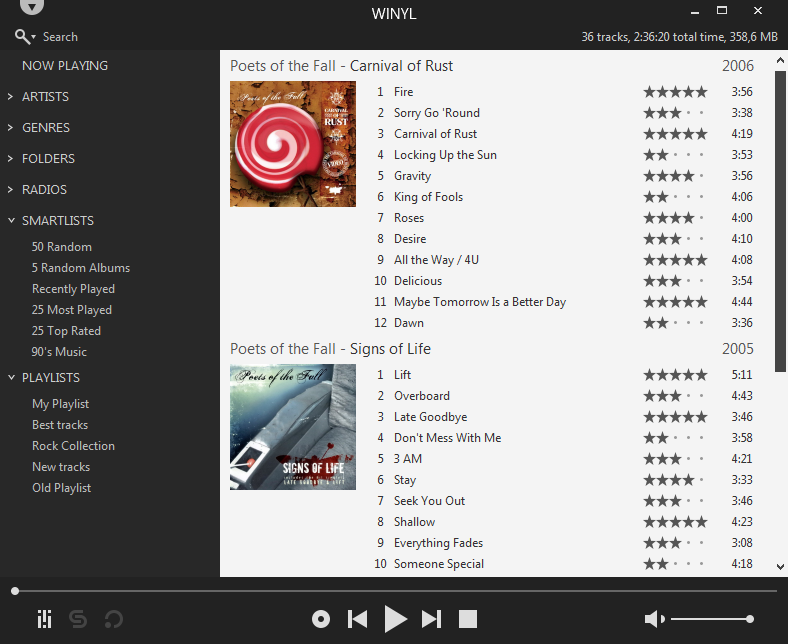
Winyl is a free digital audio player and music library application for organizing and playing audio on Windows.
Winyl offers great new ways to organize and enjoy all your music. Listen to music and radio, rate your favorite tracks, create playlists, browse song lyrics, tag music, all of this is very simple in Winyl.
Winyl uses the least system resources, it starts and working very fast. It’s the best choice for a laptop or netbook.
Audio DiffMaker is a freeware tool set intended to help determine the absolute difference between two audio recordings, while neglecting differences due to level difference, time synchronization, or simple linear frequency responses.
The difference recording that results is only what has changed between the two recordings. If anything – a change of component, a treatment, mechanical damping, etc. – is having any audible effect on the audio signal in a system, the difference recording will have audible content. The end result is primarily intended to be evaluated by ear.
Presented at the 125th AES convention. “Detecting Changes in Audio Signals by Digital Differencing“
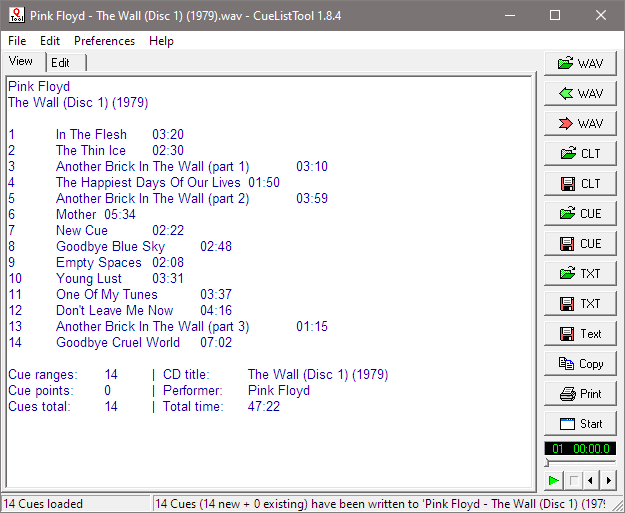
This utility allows you, among other things, to read, edit, and write back the cue lists embedded in WAV files by audio editing programs such as Adobe Audition. Cue lists can be saved as small text files and shared with other users.
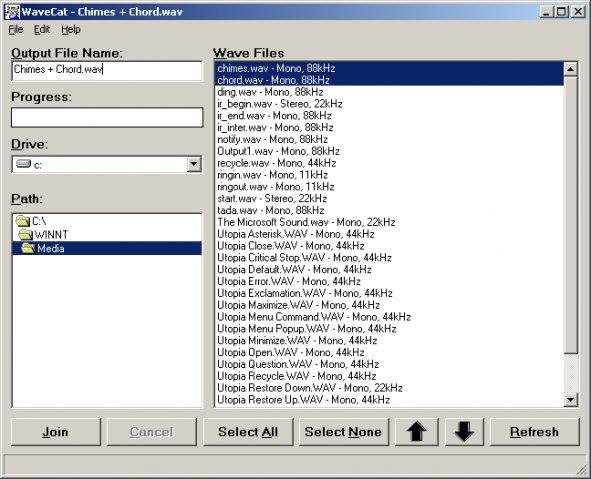
Joins one or more WAV files together. If you rip a five CD book on tape, you’ll have a cluttered mess of about sixty audio files. WaveCat can turn your sixty files into one convenient large wav file. Suggestion: CDex –> WaveCat –> WinLame –> Single MP3 file.
Feature
Concatenates multiple Wav files into one large file.
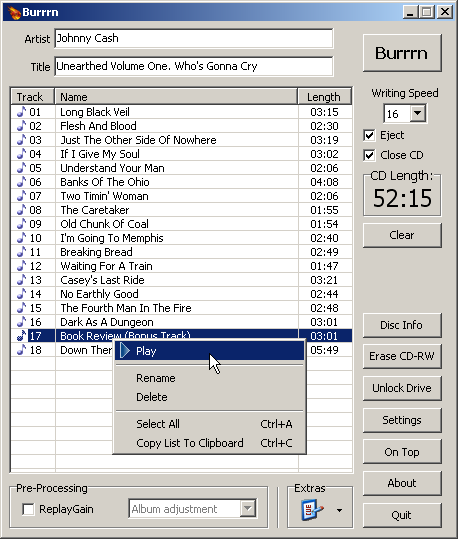
Burrrn is a little tool for creating audio CDs with CD-Text from various audio files. Supported formats are: wav, mp3, mpc, ogg, aac, mp4, ape, flac, ofr, wv, tta, m3u, pls and fpl playlists and cue sheets. You can also burn EAC’s noncompliant image + cue sheets! Burrrn can read all types of tags from all these formats (including ape tags in mp3). Burrrn uses cdrdao.exe for burning.
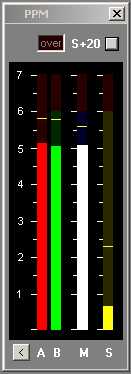
Under-reads very short peaks slightly like a traditional BBC PPM. Fallback ballistics are accurately modelled but the attack time (eg the BBC spec of 2.5dB down for a 10ms burst of 5Khz) is only approximate. Very short peaks such as 1.5ms register -4dB instead of -9dB as per spec. The fallback time from 1 to 7 is in line with BBC specifications, 2.5 to 3 seconds. You may prefer a faster fallback, especially as there are the peak markers, so the fallback time can be adjusted by means of an arbitrary value entered on the options page. A value of 2 corresponds to the BBC PPM spec. Values up to 10 speed up the decay.
Mono matrix can be set to M = (A+B) – 3dB or 6dB. Traditionally the BBC have used M3, though M6 is increasingly used. Channels can be labelled L & R or A & B. Displays Left, Right, Mono (sum) and Stereo (difference) simultaneously.
The peak markers can be set to hold the peak. Click on the window to reset.
There is also a 20dB button. This increases the gain of of the Stereo difference indication by 20dB (10 times). M, L & R are not affected.
The colour of each bar can be set to any colour from the options screen. By default all bars are green but it possible to have, for example, red and green for A and B.