A CSV-based client for discogs.com release data API.
discogs-csv.com
github.com/steve-davey/discogsCSV
Category Archives: Discogs
DiscoDOS ~ Discogs Command Line
Discogs Album Art Visualizer
An album art visualizer for your Discogs collection.
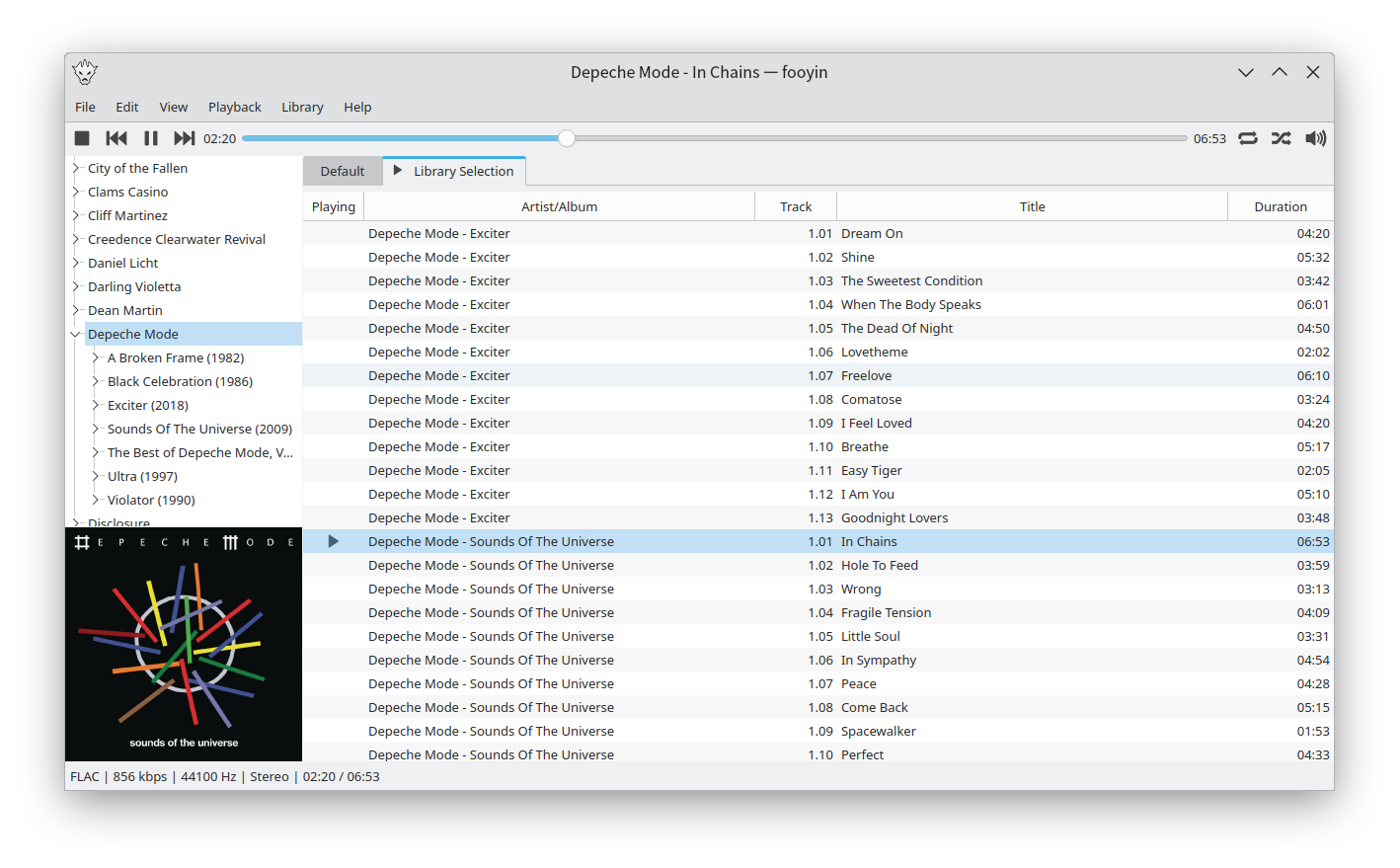
Fooyin ~ Linux Audio Player
Fooyin is a customisable music player for Linux. Fooyin features a layout editing mode in which the entire user interface can be customised, starting from a blank state or a default layout. FooScript takes this further by extending the customisation to individual widgets themselves.
Features:
- Playback FLAC, MP3, MP4, Vorbis, Opus, WavPack, WAV, AIFF, Musepack, Monkey’s Audio
- Playback popular VGM and tracker module formats
- Gapless playback
- Add and play files from within compressed archives
- Audio output and device configuration
- CUE sheet support (including embedded)
- Fully customisable layout, starting from a blank window
- Customisable keyboard shortcuts
- Filter library on any field(s)
- Create and manage playlists
- Import/export playlists (M3U/M3U8)
- Extensible using a plugin system
- Tag editing
- Library tree, including directory structure view
- Directory browser
- Waveform seekbar
- MPRIS support
- ReplayGain support
- Scrobbling

Disconest ~ Metadata For Your Music: Keys, BPM & More
Vinyl sounds better, looks better, feels better and even smells better. But digital does have its benefits, musical metadata is one of them. Having the key, tempo and other musical metadata for your records at a glance would be useful. Disconest uses The Echonest music database to find information about releases registered on Discogs.
www.disconest.com
Discogs ~ Grading Vinyl Properly
A simple reference table: How to grade records on Discogs
Strawberry ~ Cross-platform Music Player
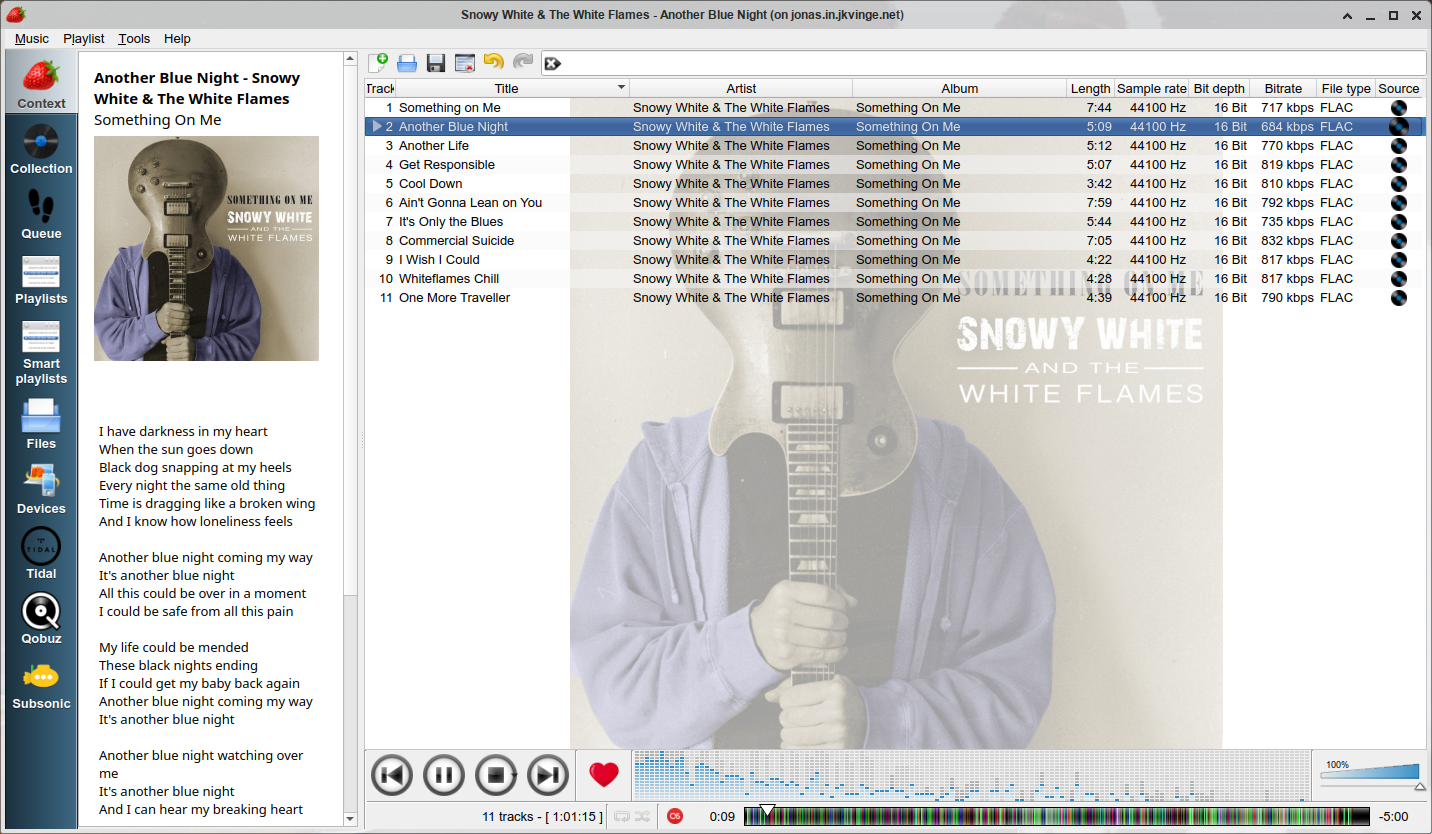
Strawberry is a music player and music collection organizer. It is a fork of Clementine released in 2018 aimed at music collectors, enthusiasts and audiophiles. The name is inspired by the band Strawbs. It’s based on a heavily modified version of Clementine created in 2012 and 2013. Strawberry is written in C++ and Qt 5.
- Play and organize music
- Supports WAV, FLAC, WavPack, DSF, DSDIFF, Ogg Vorbis, Speex, MPC, TrueAudio, AIFF, MP4, MP3, ASF and Monkey’s Audio
- Audio CD playback
- Native desktop notifications
- Playlists in multiple formats
- Advanced audio output and device configuration for bit-perfect playback on Linux
- Edit tags on music files
- Fetch tags from MusicBrainz
- Album cover art from Last.fm, MusicBrainz, Discogs, Tidal and Deezer
- Song lyrics from AudD
- Support for multiple backends
- Audio analyzer
- Audio equalizer
- Transfer music to iPod, iPhone, MTP or other mass-storage USB player
- Streaming support for Tidal, Qobuz and Subsonic
- Scrobbler with support for Last.fm, Libre.fm and ListenBrainz

www.strawbs.org
github.com/jonaski/strawberry
flathub.org/apps/org.strawberrymusicplayer.strawberry
DiscogsToSpotify ~ Playlists From Collections
Both Discogs and Spotify offer a Web API for Third Party Applications like this one. After logging in with your Spotify account, you will be asked to provide a Discogs username. Using the Web APIs, we will query the public collection of the given user and try our best to match each release from the collection to an album on Spotify. The result will be stored for you inside a newly created playlist in your Spotify account.
Discogs Enhancer ~ Chrome Browser Extension
Discogs Enhancer is a free, open source extension that adds extra features to both Discogs.com and Chrome.
You can block sellers, use a dark theme, see price comparisons, get feedback notifications, convert foreign currencies, search Discogs and other online record shops with any highlighted text, improve tracklist readability, customize lots of Marketplace aspects, and more!
Every feature is optional so you can choose only the features you want to use.
Discogs ~ Website Clientside Scripting
Automatically sorting Discogs master release pages by country:
- First download and install Tampermonkey from https://tampermonkey.net/
- Once it’s installed, open the extension menu and click “Create new script”
- Paste the Javascript code below into the editor and click File > Save
(replace everything that’s there with this code)
// ==UserScript== // @name Discogs Master Release Default Sort By Country // @namespace https://www.discogs-enhancer.com // @version 0.1 // @description Set MR release link to include custom filters by default // @author Matthew Salcido (discogs.enhancer@gmail.com) // @match https://www.discogs.com/* // @grant none // ==/UserScript== (function() { 'use strict'; const links = [...document.querySelectorAll('a')]; links.forEach(link => { if (link.href.includes('/master/')) { link.href += '?sort=country&sort_order='; } }); })();
Ogger Club ~ Extend Discogs Functionality
Ogger for Discogs is a web system which uses the Discogs API in order to provide advanced functionality for the Discogs community. The Ogger Club is the place where you can take advantage of all the system’s features.
The goal of the project is not to replace your Discogs experience, but to extend it with new features that have been requested over time and are yet to be available on Discogs.
ogger.club
Discogs Discussion
Discogs Group
DCue ~ Discogs Cue Sheet Generator
DCue is an open source command line tool for creating audio cue sheet files using the massive release database at Discogs. DCue is available for both Windows and Linux and is written in C++ with no external library dependencies. It has a very simple command line syntax and creates human-readable and universally compatible cue sheets (.cue files). It also supports the automatic creation of multiple cue sheets for multi-disc albums in an intuitive way.