Cdrdao ~ Disk-At-Once Recording


Cdrdao records audio or data CD-Rs in disk-at-once (DAO) mode based on a textual description of the CD contents.

Advantages of Disk-At-Once (DAO) Recording:

Recording in disk-at-once mode writes the complete disc, i.e. lead-in, one or more tracks and lead-out, in a single step. The commonly used track-at-once (TAO) mode writes each track independently which requires link blocks between two tracks. Older CD-recorder models forced a two second pause (pre-gap) between two tracks whereas newer models allow adjusting of the pause length in TAO mode reducing the number of link blocks to a minimal amount. However, with TAO it is generally not possible to define the data that is written in pre-gaps. But exactly this feature makes audio CD recording interesting, e.g. by creating hidden bonus tracks or track intros in pre-gaps like it is common habit on commercial CDs. Finally, DAO recording is the only way to write data to the unused R-W sub-channels for e.g.  CD-G or CD-TEXT.

Features:

  • Full control over length and contents of pre-gaps (pause areas between tracks). Pre-gaps may be completely omitted, e.g. for dividing live recordings into tracks.
  • Control over sub-channel data like:
    • catalog number
    • copy, pre-emphasis, 2-/4-channel flags
    • ISRC code
    • index marks
  • Support for exact audio, data and mixed mode CD copying.
  • Support for R-W sub-channel writing.
  • Tracks may be composed of different audio files supporting non destructive cut.
  • Accepts WAVE and raw audio files.
  • CD-TEXT reading and writing with drives that support it.
  • CDDB access to automatically create CD-TEXT data.
  • Support for on-the-fly copying.

cdrdao.sourceforge.net
github.com/cdrdao
wiki.hydrogenaud.io/index.php?title=Cdrdao
en.wikipedia.org/wiki/Cdrdao

Frontend (GUI):
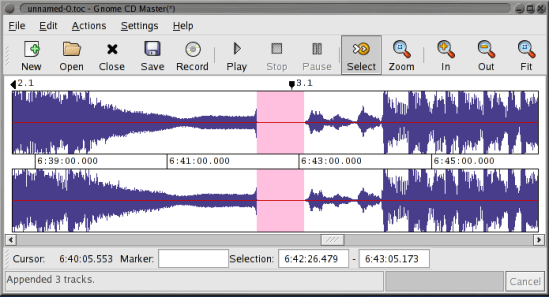
gcdmaster
cdrdao.sourceforge.net/gcdmaster
Yoshimi ~ Linux Software Synthesizer


Yoshimi is a software audio synthesizer, originally forked from ZynAddSubFX. Follow the links in the header for help with downloading and running it. You can also check out the manuals for detailed help, and listen to examples of music created with Yoshimi. Once you have it all set up, here are just some of the features you will find:

  • Three separate engines, each with distinctive characteristics, can be used together or individually
  • Sixteen engine kits for the ultimate in multi-layering of engines, or for synthesized drum kits
  • Vector Control, manage up to four independent sounds on any channel with faders or an X/Y midi joystick
  • Solo step through up to 16 sounds seamlessly while playing in real time (including vector sounds)
  • Microtonal Tuning, Scala-compatible scales and keymaps
  • Extensive Midi-Learn, capture almost all internal controls and many switches with ordinary 7-bit values, or NRPNs, or even 7-bit NRPNs, then edit the responses
  • Command Line Access, headless operation and high accessibility, for those with sight- or motor control issues
  • Rich variations of tone and timbre, Yoshimi provides the means to ensure no two notes are ever identical – just like in the real world
Yoshimi

yoshimi.sourceforge.net
en.wikipedia.org/wiki/Yoshimi_(synthesizer)

SpatGRIS ~ Multichannel Composition


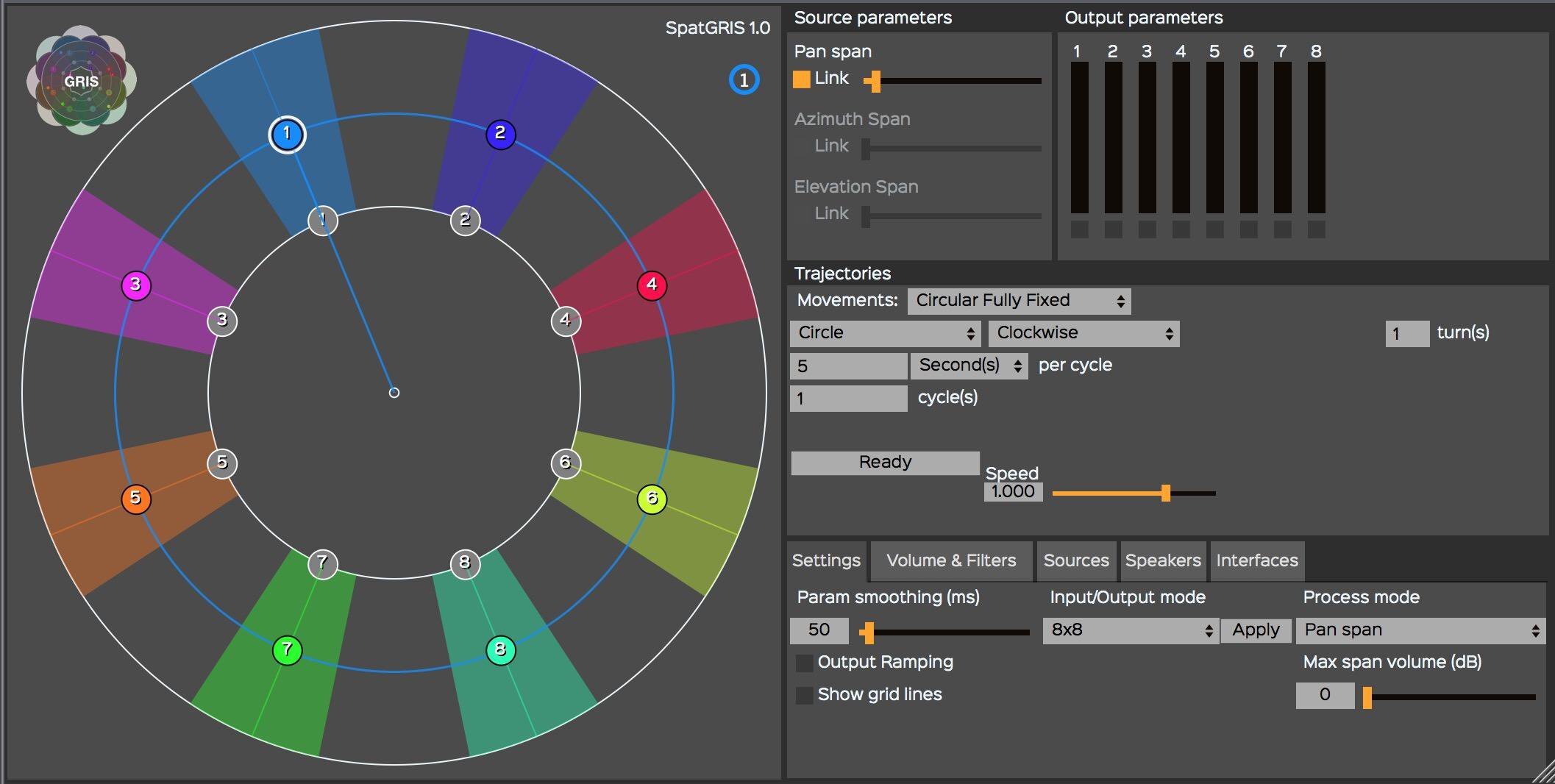
The SpatGRIS is a plugin (Mac AU/VST and VST Windows format) designed to compose multichannel space. It allows the user to spatialize the sound in 2D (up to 16 speakers) or in 3D (up to 128 speakers) under a dome of speakers (with the ServerGRIS, available also on SourceForge). It includes two audio modes, — Free Volume and PanSpan — and one OSC mode. SpatGRIS is a fusion of two former plugins by the GRIS: OctoGRIS and ZirkOSC with a lot of new features. Automated Trajectories are included. It is possible to control it from external controllers such as Joystick, iPad or Leap Motion.

Features:

  • Three modes: Free Volume, Pan Span, OSC Spatialization
  • Automated Trajectories
  • Up to 16 outputs in audio mode
  • OSC Mode to control the ServerGRIS
  • External controllers: Joystick, iPad. Leap Motion
GRIS

gris.musique.umontreal.ca
sourceforge.net/projects/spatgris

MAnalyzer ~ Spectral Analyzer & Sonogram


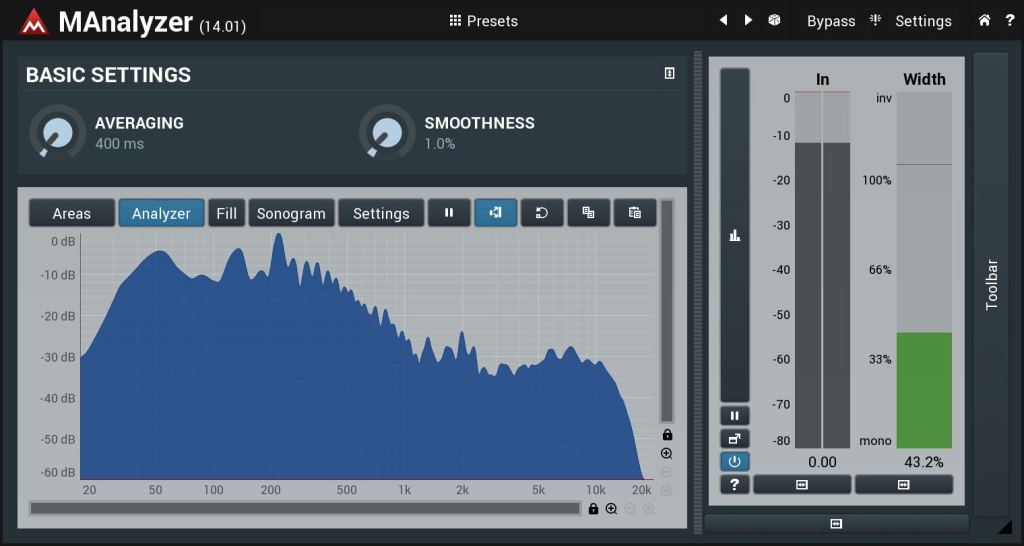
MAnalyzer is an advanced spectral analyzer and sonogram containing unique features such as smoothing, normalization, super-resolution, prefiltering and deharmonization. The included meters provide a peak meter and EBU R128 and ITU-R BS 1770-3 compliant loudness meter.

MAnalyzer00.v1

www.meldaproduction.com/MAnalyzer

DarkIce ~ Live Audio Streamer


DarkIce records audio from an audio interface (e.g. sound card), encodes it and sends it to a streaming server.

DarkIce can record from:

  • OSS audio devices
  • ALSA audio devices
  • Solaris audio interface
  • Jack sources
  • uLaw audio input through a serial interface
  • CoreAudio (branch darkice-macosx)

DarkIce can encode in the following formats:

  • MP3 – using the lame library
  • MP2 – using the twolame library
  • Ogg Vorbis
  • AAC LC – using the faac library
  • AAC HEv2 – using libaacplus library
  • Opus – using Xiph’s libopus library
  • Vorbis – using Xiph’s libvorbis library

DarkIce can send the encoded stream to the following streaming servers:

www.darkice.org
sourceforge.net/projects/darkice

jack-keyboard ~ Virtual Keyboard For JACK MIDI


jack-keyboard is a virtual MIDI keyboard – a program that allows you to send JACK MIDI events ( 😉 play using your PC keyboard). It’s BSD-licensed. User interface is GTK-based.

jack-keyboard

sourceforge.net/projects/jack-keyboard

opencore-amr ~ Android Audio CODECS


Library of OpenCORE Framework implementation of Adaptive Multi Rate Narrowband and Wideband (AMR-NB and AMR-WB) speech codec. Library of VisualOn implementation of Adaptive Multi Rate Wideband (AMR-WB) encoder and Advanced Audio Coding (AAC) encoder. Modified library of Fraunhofer AAC decoder and encoder.

sourceforge.net/projects/opencore-amr

Curlew ~ Linux Multimedia Converter


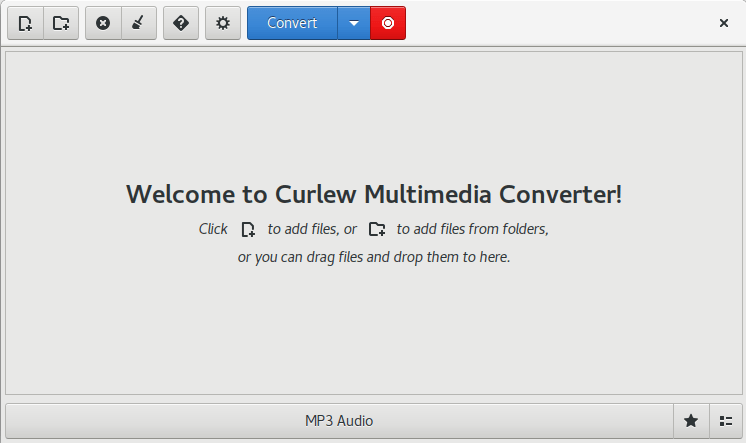
Curlew is an easy to use, free and open-Source multimedia converter for Linux. It written in Python and GTK3 and it depends on FFmpeg or Libav.

Main features:

  • Easy to use and clean user interface.
  • Hide the advanced options with the ability to show them.
  • Convert to more than 100 different formats.
  • Allow to edit formats.
  • Shutdown or suspend PC afer a conversion process.
  • Show file informations (duration, remaining time, estimated size, progress value).
  • Show file details using mediainfo.
  • Allow to skip or remove file during conversion process.
  • Preview file before conversion.

curlew1

curlew.sourceforge.io
sourceforge.net/projects/curlew

JuceOPLVSTi ~ FM Synthesizer VST


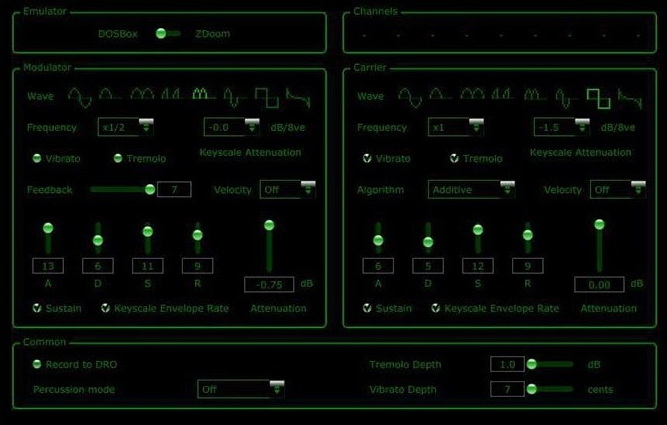
Classic game sounds in VST form. As heard in late 80s / early 90s sound cards. Powered by DOSBox emulation.

JuceOPLVSTi

bsutherland.github.io/JuceOPLVSTi
github.com/bsutherland/JuceOPLVSTi

mp3tomid ~ Polyphonic mp3 To MIDI


mp3tomid_chung is a realtime free polyphonic high quality mp3 audio to MIDI converter written in freebasic with fbsound. It converts mp3 files to polyphonic piano MIDI data sent to the chosen MIDI out port, connected, for example, to a MIDI recorder to produce MIDI files, or to the onboard PC MIDI mapper for direct listening.

Features:

  • converts mp3 files to MIDI in realtime
  • compatible with freemp3_chung & mp3_chung playlists (.mp3list files)
  • include 3 band equalizer, autovol+compressor, speed control for the mp3 input
  • auto pitch lock
  • written in compiled freebasic and uses fbsound to handle mp3 files
  • source code (.bas .bi freebasic files) is included in the zip file
  • can run on a small netbook with Windows 7
  • can export to MIDI files
  • works with Windows 10 64 bits

chungswebsite.blogspot.com/search/label/mp3tomid_chung
sourceforge.net/projects/mp3tomidchung

BPM Online ~ Beats Per Minute Webservice


Free online Tap BPM tool allows you to calculate tempo and count Beats Per Minute (BPM) by tapping any key to the rhythm or beat. Tap for a few seconds to quickly calculate BPM without waiting the whole minute. You may optionally configure it for Beats Per Second (BPS) or Beats Per Hour (BPH).

www.beatsperminuteonline.com

TempoPerfect ~ Cross-platform Metronome


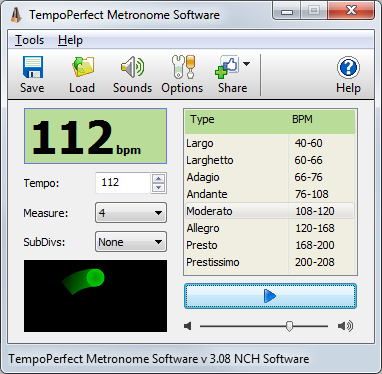
TempoPerfect is a free software metronome. Unlike mechanical metronomes, our software metronome provides a clear and precise beat that won’t wind down, making it an essential tool for any musician.

  • Simple and intuitive interface
  • Highly accurate beat simulation
  • Accent the first beat in a measure
  • Preset tempos include Largo, Allegro, Presto and more
  • Visual beat indicator bar provides a helpful visual cue
  • Create accurate beat patterns for simple or complex rhythms
  • Subdivide beats to hear difficult patterns, such as triplets
  • BPM Tempo Guide chart for each speed of music (e.g., Allegro=120-168)
  • Subdivide beats into accented beats and regular beats to emphasize different patterns
  • Use on your computer or as a metronome app on your mobile device
  • TempoPerfect also includes a tempo guide within the program which is a helpful resource for remembering the BPM for particular speed markings (e.g., Allegro).
tempoperfect

www.nch.com.au/metronome