RaspyFi ~ Headless Audio Player


RaspyFi is an open source linux distribution. It will transform your Raspberry Pi into an audiophile source, in 10 minutes without hassles. It comes ready to play, and it’s compatible with almost every USB DAC available. You can consider it as a Voyage-MPD version for Raspberry Pi. But it’s simpler to use and it has several other functionalities!

With RaspyFi you’ll be able to play your music library directly from an USB Storage or from your NAS. You can also listen to your favourite web-radios and scrobble your favourite tunes from Spotify, Last.fm and Soundcloud. You will be amazed about the sound quality! RaspyFi’s core feature is this. We are trying to get every bit of your music to play as accurate as can be, optimizing every aspect of the system.

RaspyFi supports asynchronous playback to take advantage of the latest DACS, it features a nice webgui you can use to configure it without hassles and to play your library from your pc, your smartphone or your tablet.

You can connect your little Raspberry Pi to your Audio System, sit on your couch, use your favourite device (Win,Mac,Android,iOS) as a remote control and enjoy your music as it is. With RaspyFi your Pi never sounded so good!

www.raspyfi.com

Updated to: Volumio ~ Headless Audiophile Player

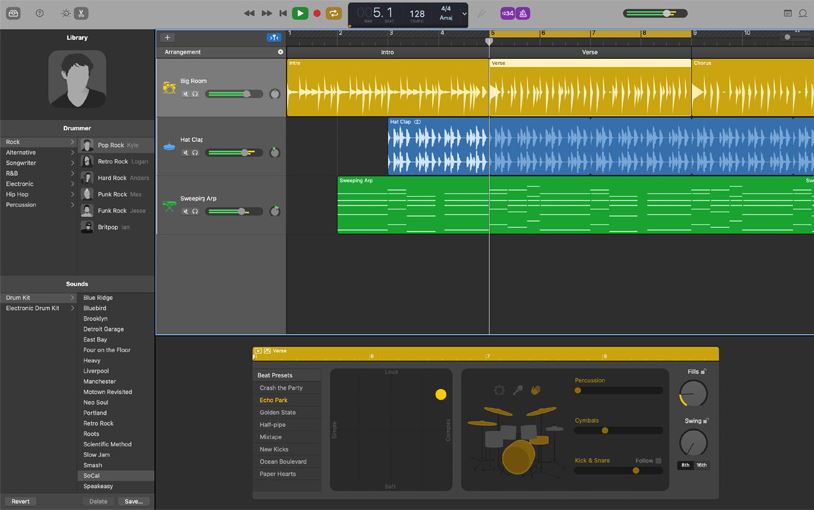
GarageBand ~ MacOS / IOS DAW


Looking for a great Apple IOS Digital Audio Workstatation? Get Garageband!

www.apple.com/lae/mac/garageband

MSO ~ Multi-Sub Optimizer


Multi-Sub Optimizer (MSO) is a free Windows-based software program for optimizing the bass response of audio and AV systems having multiple subwoofers. It minimizes the seat-to-seat frequency response variation in the bass region while simultaneously optimizing the response flatness at the main listening position. You can choose to have MSO perform this optimization on just the subs, or to include the main speakers in the optimization. In the latter case, it automates the process of integrating the subs with the main speakers, including delay / distance settings and EQ in the crossover region.

Although it’s possible to use it for identical equalization (EQ) of all subs at once, it does not depend on a global EQ approach like commercial room correction systems do. Such systems cannot reduce the seat-to-seat variation of the bass response. Instead, MSO performs optimization of EQ, gain and delay parameters individually for each subwoofer. This individual EQ optimization for each sub causes the variation of the bass response from seat to seat to be reduced, and the bass response at each listening position to be flattened.

MSO can be used to perform tasks that include:

  • Optimizing subwoofer integration with main speakers through delay, gain and EQ adjustments
  • Reducing seat-to-seat frequency response variation of the combined sub outputs through optimized EQ of each sub individually
  • Achieving optimum subwoofer integration via individual sub delay adjustments
  • Improving response flatness of the combined sub outputs at all listening positions
  • Creating, specifying and achieving your desired target frequency response curve to shape the bass response to your preference
  • Plotting your data in a variety of ways
  • Obtaining filter parameters as text files containing biquad coefficients for import into miniDSP EQ hardware, or for manual data entry into hardware that doesn’t support filter file import.

www.andyc.diy-audio-engineering.org/mso

GBand ~ Band-Pass Filter


Free VST audio effect plug-in download for music production, broadcasting and general audio editing.
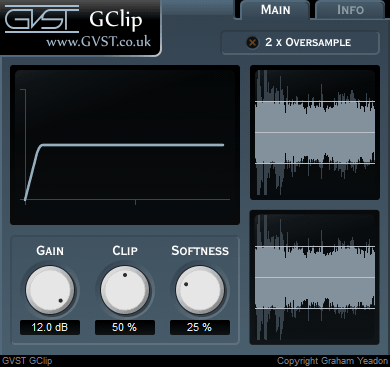
  • Set lower and upper cut-off frequencies.
  • Create filter sweeps by automating the cut-off frequencies.
  • Add resonant boosts at the selected frequencies to accentuate sweeps.

www.gvst.co.uk/gband

BeepComp ~ Create Chiptunes


BeepComp is an app that helps you create nice chiptunes.
Write text… compose beep music!

Features:

  • Text editor
  • Easy MML-inspired syntax
  • 9 music and 1 drum channels
  • Effects (delay, LFO, envelope etc.)
  • Export to mp3, wav, ogg files
  • Coping + pasting to/from outside text
  • Waveform selection (sine, square, sawtooth, triangle etc.)

hiromorozumi.com/beepcomp
sourceforge.net/projects/beepcomp

GSnap ~ Pitch Correction Auto-tune Effect


Pitch-correction auto-tune effect – free VST audio effect plug-in download for music production, broadcasting and general audio editing.

  • Use with subtle settings to nudge off-key vocals back in line.
  • Extreme settings can create sounds like the famous T-Pain or Cher effect.
  • MIDI control mode allows you to fit a recording to a new melody.

www.gvst.co.uk/gsnap

foo_mpv ~ foobar2000 Local Video Support


This component allows playing local video files in foobar2000 using libmpv. It is not a foobar decoder, it will just play the video for files that foobar is already playing via other input components. You may need to install other decoders or foo_input_ffmpeg to play certain files.

Features:

  • Video player can be a default UI element, columns UI panel or a separate window
  • On-screen control on the video
  • Fullscreen mode
  • Generates video thumbnails as album art, with optional manual thumbnail chooser
  • Video panels can act as an album art viewer when no video is present to avoid wasting space
  • Reads mpv.conf and input.conf
  • Provides some interfaces for integrating mpv Lua scripts with foobar2000

hydrogenaud.io/index.php?topic=119836.0
www.foobar2000.org/components/view/foo_mpv
github.com/sammoth/foo_mpv

shelfelf ~ Web Player Frontend & Remote


The shelfelf is a web frontend to send commands to your music player (iTunes, mpd, squeezebox, xmms2,…). The shelfelf works with all tested browsers (except for Microsoft’s Internet Explorer, Amiga’s AWeb and lynx), but the interface is designed for tablets (with a browser running in full screen mode) like Apple’s iPad. Linux (or Mac OS X) with Apache webserver, MySQL database and the ability to send commands to your stereo equipment is required.

Features:

  • elf at the shelf
  • coverflow
  • full text search
  • record stack
  • communication with other shelfelves

sourceforge.net/projects/shelfelf
shelfelf.vaubeh.de

OpenBroadcaster ~ Broadcast Your Stream


OBPlayer is a stable and secure UNIX-based media streaming playout application that can operate as a standalone player or controlled over a network by a managing OBServer. It can be installed remotely at a transmitter site, in the studio or as multiple virtual headless processes.

OBPlayer is built with rules based intelligence to continue broadcasting no matter what happens. It functions by continually syncing with OBServer, looking for updated schedules, media, and priority broadcasts. If there is a blank spot in the schedule, it falls back to a Default Playlist. If that fails, it goes into Fallback Media Mode. If that fails, it plays from the analog input bypass. Finally, it will play a test signal as a last resort. OBPlayer will always play valid CAP (Common Alerting Protocol) Alerts at the highest priority.

OBPlayer can be run in a variety of configurations:

  • Headless OBPlayer (CLI Process)
  • LIVE Assist with Mobile HTML5 Touch Screen interface
  • GTK desktop application for a Digital Display and output to CATV
  • Standalone Emergency Alerting CAP Player supporting audio, image and video
  • Support For IPAWS CAP Profile Version 1.0 via Alert-Hub

github.com/openbroadcaster/obplayer

OpenBroadcaster focuses on reliability, accessibility and scalability over a having a bloated range of half baked / buggy features. It has an organic AJAX interface built with Gstreamer, HTML5 and Javascript to deliver a web application in support of broadcast radio and TV automation, media asset management and dynamic community programming. One OBServer may manage one or more OBPlayer in a synchronized network configuration or have the server and playout on one device or VM. There is a robust Plugin Module Architecture with many modules extending the core server application. The server has a Documented API to enable sharing digital media assets and metadata with revocable secure keys.

github.com/openbroadcaster/observer
openbroadcaster.com

Wave Agent ~ Freeware Audio Workstation


Designed for Production Sound Mixers and Post Production Editors, Wave Agent provides a comprehensive and indispensable range of tools for preparing audio files for problem-free passage through complex production workflows. Available for Mac and Windows.

www.sounddevices.com

Rathole Media Archiver ~ Lossless Compression Utility


EdgeSounds’ RatHole (former GenieSys RatHole) is a free unique nondestructive universal compression utility. Its function is based on a principle of self-training neural networks. EdgeSounds RatHole was especially designed for nondestructive compression of any files containing audio data in PCM 8/16/24 bit or IEEE_FLOAT 32 bit format.

A new EdgeSounds compression algorithm makes it possible to efficiently reduce the size of packed audio data and later unpack exactly same bits, with no difference to the original data. The compression algorithm compresses audio data, considering the bit depth of the digital data contained in the audio file (8/16/24/32 bit). The algorithm is proven to be equally effective on compressing the following file types:

  • Audio files WAV, AU, AIFF, SND;
  • Ensoniq Paris PAS;
  • Sample sound banks such as:
    • AVM Apex bank file APEX
    • Aureal sound bank ARL
    • Creative Labs/E-mu System SoundFont banks format 1&2.x SBK, SF2;
    • Downloadable sounds level 1&2 DLS;
    • Ensoniq EPS Files EFE, Ensoniq Instruments family files INS, Ensoniq Disk Image GKH;
    • Gravis Ultrasound /Forte Patch PAT;
    • Kurzweil 2000-2600 files KRZ;
    • Nemesys/Tascam GIG;
    • Seer Systems Reality banks SEERBANKSET;
    • Turtle Beach WaveFront Bank WFB;
    • Virtual Sampler bank VSB;
  • Multi-track audio data as Cakewalk/Sonar BUN, CWB;
  • Impulse Tracker instrument ITI, Fast Tracker 2 instrument XI;
  • any other formats containing audio data

The compression ratio of  the algorithm depends on the size of audio data, the balance between the tone and noise component, bit depth and other factors, and usually varies from 36% to 78% or even more, with an average of 48-56%. The higher is the bit depth and the fidelity of audio data, the better is the compression ratio.

The RatHole can be successfully used as a common archiving utility for any other file types as well.

www.edgesounds.com/Products/Software/RatHole
www.rarewares.org/others.php#edgesounds-rathole

foo_dsp_TripleStereo ~ Convert 2 To 3 Channels


This plugin extracts a central component of the stereo signal and sends it to a separate channel. This makes the sound cleaner with wider panorama.

Just connect additional speaker to center channel and enjoy!

hydrogenaud.io/index.php/topic,108038.0
www.foobar2000.org/components/view/foo_dsp_TripleStereo