This is an utility for batch extraction of individual tracks from .CUE/.WAV audio disk images, which for instance, are created by Exact Audio Copy software.
While PC users still have other methods of playing tracks from CUE files (by e.g. using Foobar2000, or mounting the image via Daemon Tools), Mac OS X users’ choice is limited, so therefore this utility was written.
The utility is built using Trolltech/Nokia Qt, and those, who would like to rebuild it from the source code – will require this library.
This software is in a public domain and thus can be used or modified for any purpose.
Tag Archives: WAV
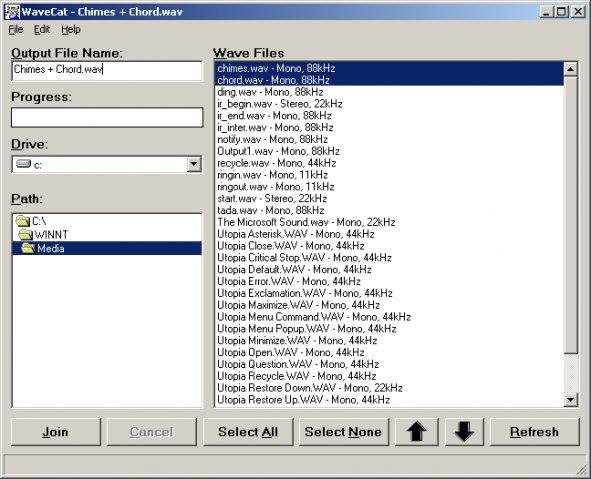
WaveCat ~ Combines Multiple WAV Files
Joins one or more WAV files together. If you rip a five CD book on tape, you’ll have a cluttered mess of about sixty audio files. WaveCat can turn your sixty files into one convenient large wav file. Suggestion: CDex –> WaveCat –> WinLame –> Single MP3 file.
Feature
sourceforge.net/projects/wavecat
- Concatenates multiple Wav files into one large file.

Free Multiformat Audio ~ Bleu Coast Music
Test Your System with Free Downloads
Artists: John R. Burr & Mads Tolling
Record Label: Blue Coast Records
Genre: ESE Americana FolkFree download in 10 different resolutions (including DSD, WAV, FLAC; now including MQA!) for testing your system’s playback.
Just click the Add to Cart button and checkout as usual (Payment will not be required but requires registration)
Ashokan Farewell from the album Mostly Piano
bluecoastmusic.com/free-downloads
wavtoac3encoder ~ WAV To AC3 Encoder
WAV to AC3 Encoder an audio encoder which generates compressed audio streams based on ATSC A/52 specification
wieslawsoltes.github.io/wavtoac3encoder/
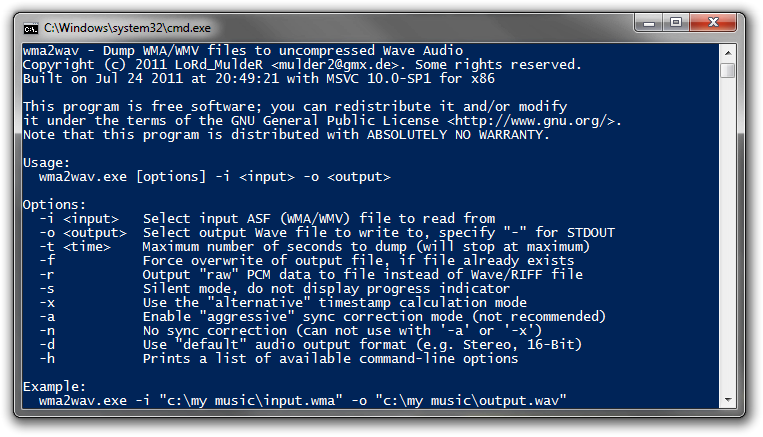
wma2wav ~ Convert WMA To Wave Audio
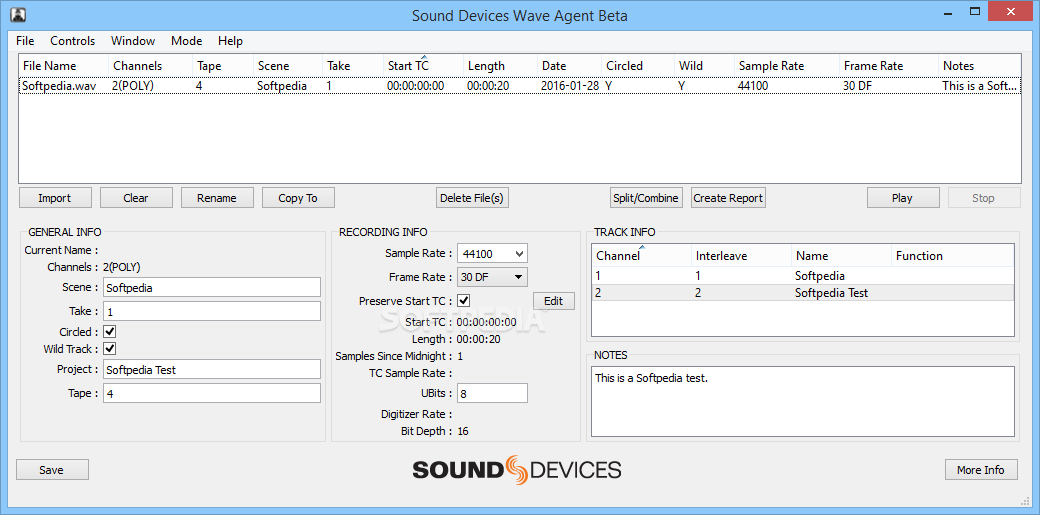
Wave Agent ~ Freeware Audio Workstation
wavegain ~ Replaygain For Wave Files
WaveGain is an application of the ReplayGain algorithms to standard PCM wave files. Calculated gain adjustments are applied directly to the audio data, instead of just writing metadata as traditionally done for other formats like MP3, FLAC and Ogg Vorbis. The replaygain values can also be added as metadata in a custom RIFF chunk named ‘gain’. This could theoretically allow WAV files to have same lossless functionality as other formats where audio data is not altered. But since no current players are aware of this “standard”, the metadata is used only by WaveGain for the “–undo-gain” feature, which is lossy.
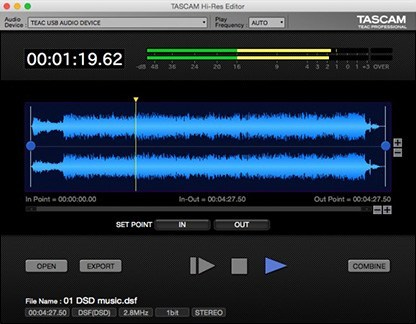
TASCAM Hi-Res Editor ~ Mac & Windows Freeware
TASCAM Hi-Res Editor is a new, free application for Windows and Macintosh computers, that plays and edits up to 11.2MHz DSD or 384kHz WAV files. The software allows playback and export of DSD files without converting to PCM audio. This app is available now as a free download for Windows and Mac. Ideal for users of TASCAM’s hi-resolution recorders like the DA-3000, TASCAM’s Hi-Res Editor is one of the only ways to edit native DSD master recordings.

tascam.com/us/product/hi-res_editor/top
www.tascam.eu/en/downloads/Hi-Res+Editor
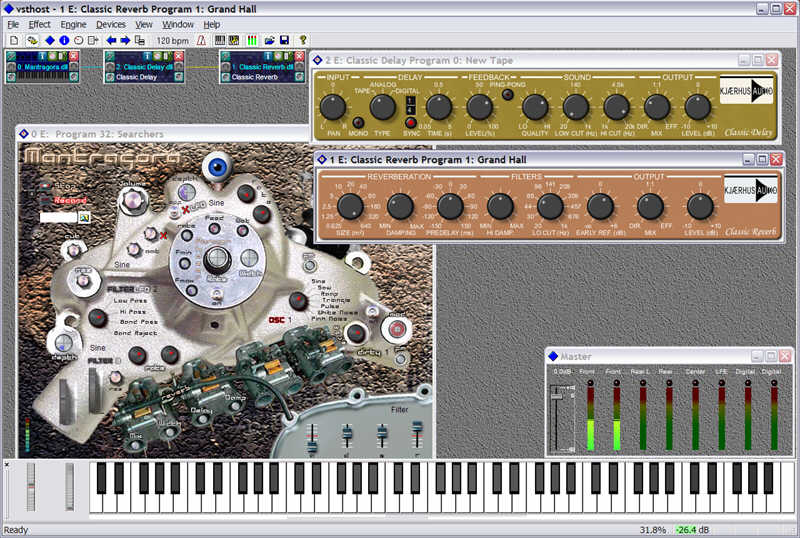
VSTHost ~ Windows VST Plugin Host
It’s a VST-compatible host that’s capable of:
- loading VST effects (aka “plugins”)
- parameterizing / editing them
- sound output for VSTis
- MIDI input and output
- loading / saving .fxb / .fxp files
- I/O through either Windows MME or ASIO drivers
- Wave Player / Recorder
- MIDI Player
While the program started mainly as an aid in understanding and debugging VST plugins, it has evolved into a quite capable program by now which can be really helpful in a keyboard artist’s Live setup.
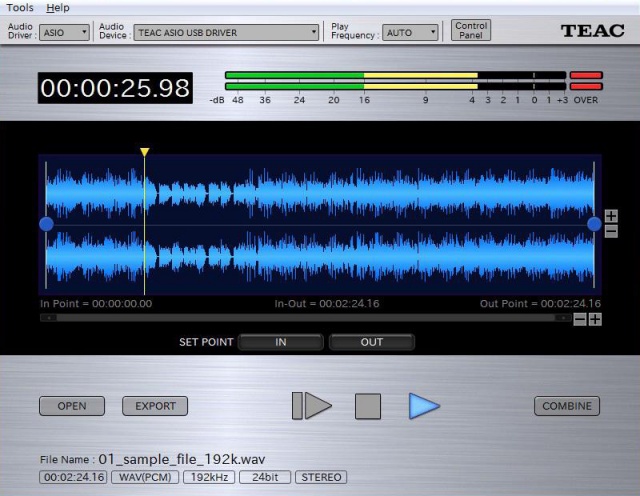
TEAC Hi-Res Editor ~ DSD/PCM Conversion & Editing
This two-channel waveform editing software is capable of converting and editing high-resolution DSD and PCM files with support for up to 11.2MHz DSD and 384kHz PCM formats.
Header Investigator ~ WAV Header Editor
Header Investigator allows the user to open WAV audio files and display the header information and make changes. The actual audio data is never changed… simply the header information. This is useful if the user has accidentally recorded audio while locked to an external digital clock source so that the header sample rate is a mismatch to the actual sample rate of the data – which causes the sound file to play back at the wrong pitch. By simply changing the sample rate in the header – the WAV files can be corrected without having to retransfer or sample rate convert the file.

Lossless Audio Checker ~ Truly Lossless Or Not
Internet music dealers currently sell “CD-Quality” tracks, or even better (“Studio-Master”), thanks to lossless audio coding formats (FLAC, ALAC). However, a lossless format does not guarantee that the audio content is what it seems to be. The audio signal may have been upscaled (increasing the resolution), upsampled (increasing the sampling rate) or even transcoded from a lossy to a lossless format. Lossless Audio Checker analyzes lossless audio tracks and detects upscaling, upsampling and transcoding.