Lyrion Music Server ~ Logitech, SlimServer & Squeezebox


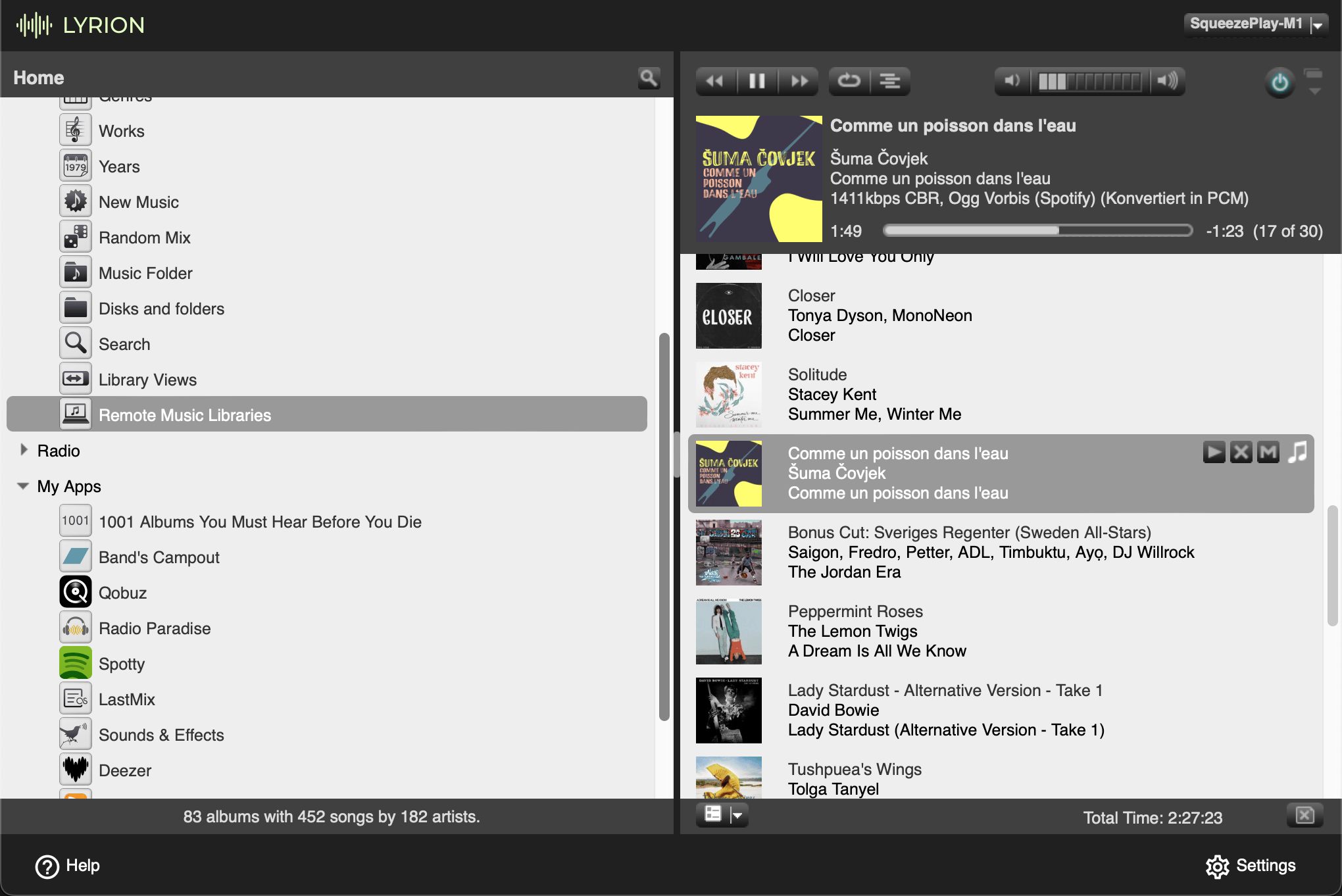
Lyrion Music Server (formerly Logitech Media Server) is open-source server software which controls a wide range of Squeezebox audio players. Lyrion can stream your local music collection, internet radio stations, and content from many streaming services

lyrion.org
github.com/lms-community/slimserver

Audio Share ~ Share Audio To Android


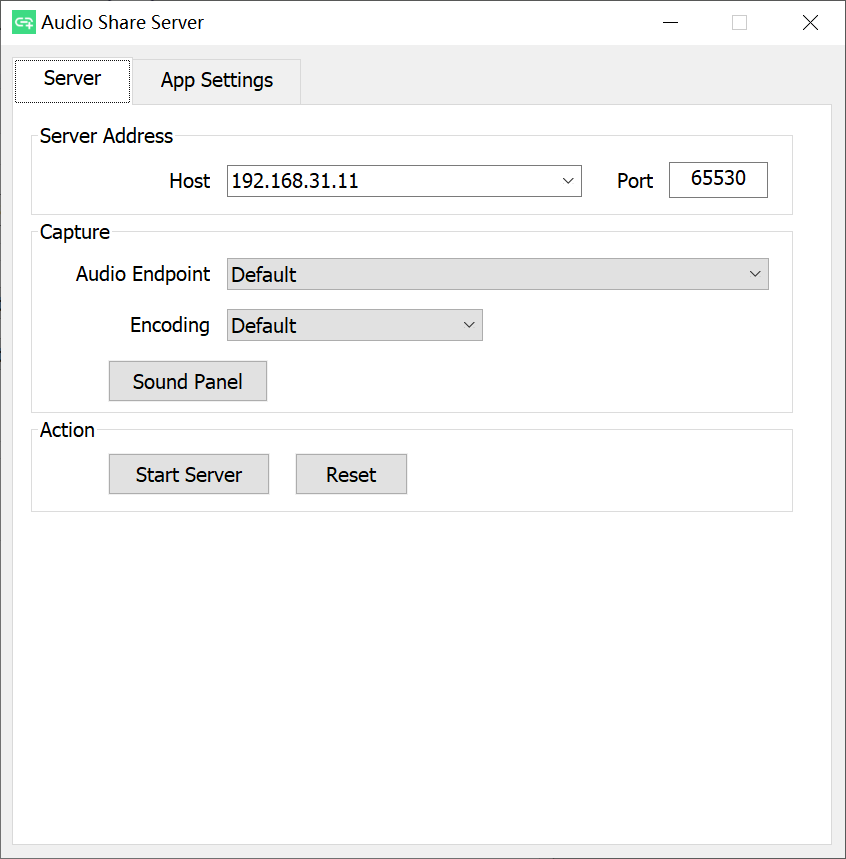
Audio Share can share a Windows or Linux computer’s audio to an Android device over a network, so your phone becomes the speaker of the computer. 

github.com/mkckr0/audio-share
sourceforge.net/projects/audio-share

Able Player ~ Web Server Side Player


Fully accessible cross-browser HTML5 media player.

Features:

  • Supports both audio and video.
  • Supports either a single audio track or an entire playlist.
  • Includes a full set of player controls that are keyboard-accessible, properly labeled for screen reader users, and controllable by speech recognition users.
  • Includes customizable keyboard shortcuts that enable the player to be operated from anywhere on the web page (unless there are multiple instances of the player on a given page; then the player must have focus for keyboard shortcuts to work).
  • Features high contrast, scalable controls that remain visible in Windows High Contrast mode, plus an easy-to-see focus indicator so keyboard users can easily tell which control currently has focus.
  • Supports closed captions and subtitles in Web Video Timed Text (WebVTT) format, the standard format recommended by the HTML5 specification.
  • Supports chapters, also using WebVTT. Chapters are specific landing points in the video, allowing video content to have structure and be more easily navigated.
  • Supports text-based audio description, also using WebVTT. At designated times, the description text is read aloud by browsers, or by screen readers for browsers that don’t support the Web Speech API. Users can optionally set their player to pause when audio description starts in order to avoid conflicts between the description and program audio.
  • Supports audio description as a separate video. When two videos are available (one with description and one without), both can be delivered together using the same player and users can toggle between the versions.
  • Supports adjustable playback rate. Users who need to slow down the video in order to better process and understand its content can do so; and users who need to speed up the video in order to maintain better focus can do so.
  • Includes an interactive transcript feature, built from the WebVTT chapter, caption and description files as the page is loaded. Users can click anywhere in the transcript to start playing the video (or audio) at that point. Keyboard users can also choose to keyboard-enable the transcript, so they can tab through its content one caption at a time and press enter to play the media at the desired point.
  • Features automatic text highlighting within the transcript as the media plays. This feature is enabled by default but can be turned off if users find it distracting.
  • Supports YouTube and Vimeo videos.
  • Provides users with the ability to customize the display of captions and subtitles. Users can control the font style, size, and color of caption text; plus background color and transparency; all from the Preferences dialog. They can also choose to position captions below the video instead of the default position (an semi-transparent overlay).
  • Supports fallback content if the media cannot be played (see section on Fallback for details).
  • Includes extensive customization options. Many of the features described above are controlled by user preferences. This is based on the belief that every user has different needs and there are no one-size-fits-all solutions. This is the heart of universal design.

ableplayer.github.io/ableplayer

Live Compositor ~ Realtime Video & Audio Mixing


Live Compositor is an engine for applying effects to videos and for combining multiple videos together. On a very basic level, it is an application which exposes an HTTP API. The API allows you to specify where to get input videos, and how to modify and compose them together. The resulting outputs can then be written to a file or streamed to a separate service.

compositor.live
compositor.live/playground
github.com/software-mansion/live-compositor

Euphonium ~ Multiplatform Extensible Audio Streaming


Euphonium is a highly extensible audio streaming software. It’s multiplatform, also supporting low cost MCU’s like espressif ESP32 series.

Features:

  • Clean and lightweight web-ui.
  • Supports multiple plugins: Spotify streaming, Bluetooth (on esp32), Web Radio, Jellyfin.
  • Fully modular architecture.
  • Easily extendible and portable to new hardware, thanks to the internal Berry-lang powered scripting engine.

Required hardware for esp32:

  • Any ESP32 chip with at least 4MB of flash and 4MB of PSRAM. Wrover chips are usually a good call. 🙂
muvox-io.github.io/euphonium
github.com/muvox-io/euphonium

Navidrome ~ Open Source Music Server 


Navidrome is a piece of software that allows you to listen to your own digital music in the same way you would with services like Spotify, Apple Music and others. It also allows you to easily share your music and playlists with your friends and family

How it works?

After a simple installation, Navidrome indexes all digital music stored in your hard drive and makes it available through a nice web player and also by using any Subsonic-API compatible mobile client. Your music becomes searchable and you can create playlists, rate and “favourite” your loved tracks, albums and artists

www.navidrome.org
github.com/navidrome/navidrome
www.reddit.com/r/navidrome/
twitter.com/navidrome

piCorePlayer ~ Raspberry Pi Audio System


Free software that plays local music as well as online music streaming services on a Raspberry Pi.

www.picoreplayer.org

Festival ~ Album Centered Music Player


Festival is a cross-platform music player for local album collections, with a client server architecture and multiple frontends

github.com/hinto-janai/festival

LMS ~ Lightweight Linux Music Server


LMS is a self-hosted music streaming software: access your music collection from anywhere using a web interface!

Main features:

  • Recommendation engine
  • Audio transcoding for maximum interoperability and reduced bandwith requirements
  • Multi-value tags: genrealbumgenremoodalbummoodalbumgrouping, …
  • Artist relationships: composer, conductor, lyricist, mixer, performer, producer, remixer
  • Release typesalbumsingleEPcompilationlive, …
  • MusicBrainz Identifier support to handle duplicated artist and release names
  • ListenBrainz support for:
    • Scrobbling and synchronizing listens
    • Synchronizing ‘love’ feedbacks
  • ReplayGain support
  • User management, with several authentication backends
  • Subsonic/OpenSubsonic API support
github.com/epoupon/lms

swyh-rs ~ Stream What You Hear


A “Stream-What-You-Hear” implementation written in Rust, MIT licensed. swyh-rs implements the idea behind the original SWYH but written in Rust. It allows you to stream the music you’re currently playing on your PC (Windows or Linux) to an UPNP/DLNA/OpenHome compatible music player (a “Renderer”).

github.com/dheijl/swyh-rs

NymphCast ~ Open Source Multimedia Client Server


Audio and video casting system with support for custom applications.


nyanko.ws/nymphcast
github.com/MayaPosch/NymphCast

OpenBroadcaster ~ Broadcast Your Stream


OBPlayer is a stable and secure UNIX-based media streaming playout application that can operate as a standalone player or controlled over a network by a managing OBServer. It can be installed remotely at a transmitter site, in the studio or as multiple virtual headless processes.

OBPlayer is built with rules based intelligence to continue broadcasting no matter what happens. It functions by continually syncing with OBServer, looking for updated schedules, media, and priority broadcasts. If there is a blank spot in the schedule, it falls back to a Default Playlist. If that fails, it goes into Fallback Media Mode. If that fails, it plays from the analog input bypass. Finally, it will play a test signal as a last resort. OBPlayer will always play valid CAP (Common Alerting Protocol) Alerts at the highest priority.

OBPlayer can be run in a variety of configurations:

  • Headless OBPlayer (CLI Process)
  • LIVE Assist with Mobile HTML5 Touch Screen interface
  • GTK desktop application for a Digital Display and output to CATV
  • Standalone Emergency Alerting CAP Player supporting audio, image and video
  • Support For IPAWS CAP Profile Version 1.0 via Alert-Hub

github.com/openbroadcaster/obplayer

OpenBroadcaster focuses on reliability, accessibility and scalability over a having a bloated range of half baked / buggy features. It has an organic AJAX interface built with Gstreamer, HTML5 and Javascript to deliver a web application in support of broadcast radio and TV automation, media asset management and dynamic community programming. One OBServer may manage one or more OBPlayer in a synchronized network configuration or have the server and playout on one device or VM. There is a robust Plugin Module Architecture with many modules extending the core server application. The server has a Documented API to enable sharing digital media assets and metadata with revocable secure keys.

github.com/openbroadcaster/observer
openbroadcaster.com