A program to easily generate cue sheets for CD images with compressed, or raw (wav), audio tracks, usable, for example, in DosBox.

Cue Sheet Generator in action
sourceforge.net/projects/cuegen
Downloads

A program to easily generate cue sheets for CD images with compressed, or raw (wav), audio tracks, usable, for example, in DosBox.
Cue Sheet Generator in action
sourceforge.net/projects/cuegen
Downloads

Meson Player is a very convenient music player if you don’t need a GUI to control playback or manage playlists. You just run it and then forget about it. The player runs in the background. Switching tracks, volume control, loading and saving playlists, all of this is performed by using hotkeys, therefore you can control the player while working in any application.
Meson Player supports gapless playback, Last.FM, a lot of music file formats (stream and tracker), Internet radio and playlist management.
Linux / MacOS / Windows
sourceforge.net/projects/mesonplayer

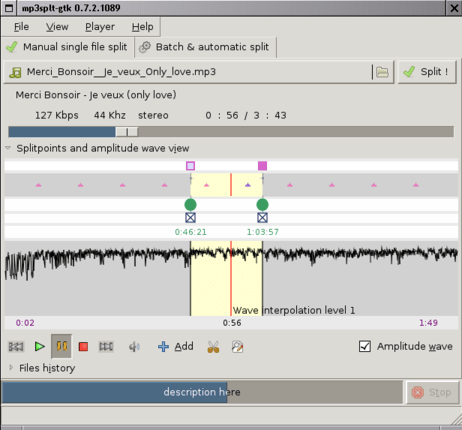
Mp3Splt-project is a cross-platform utility to split mp3, ogg vorbis and native FLAC files by selecting a begin and an end time position, without decoding. It’s very useful to split large mp3, ogg vorbis or FLAC files to make smaller files or to split entire albums to obtain original tracks. If you want to split an album, you can select split points and filenames manually, you can get them automatically from CDDB (internet or a local file) or from .cue files. Also supports automatic silence splitting, which can be used to adjust cddb/cue split points. Trimming using silence detection is also available. You can extract tracks from Mp3Wrap or AlbumWrap files in few seconds.

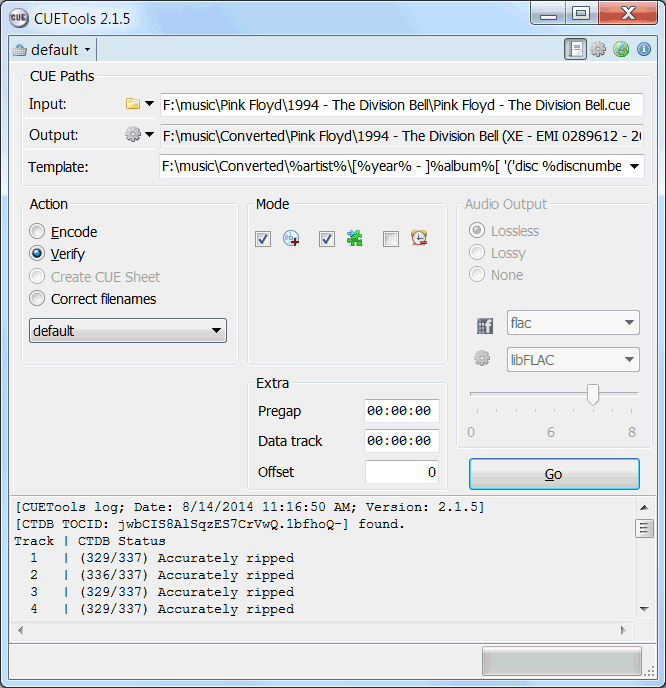
CUETools is a tool for lossless audio/CUE sheet format conversion. The goal is to make sure the entire album image is preserved accurately. A lossless disc image must be lossless not only in preserving contents of the audio tracks, but also in preserving gaps and CUE sheet contents. Many applications lose vital information upon conversion, and don’t support all possible CUE sheet styles. For example, foobar2000 loses disc pre-gap information when converting an album image, and doesn’t support gaps appended (noncompliant) CUE sheets.
cue.tools/wiki/Main_Page
cue.tools/wiki/CUETools
cue.tools/wiki/CUETools_Download
cue.tools/wiki/Category:CUETools_Guides
hydrogenaud.io/index.php?board=74.0

Exact Audio Copy, also known as EAC is often used to create an exact copy of a CD which can be stored in a digital media archive or audio library. The goal is to preserve all information from a CD, such that the CD can be recreated from an archive and / or is playable from an audio library. With EAC, the original audio files and a .cue file, an exact copy can be reburnt back onto a CDR; and with FLAC files, a compressed lossless music library may be built. Creating an individual folder which contains the album’s compressed audio files and a cue file is done via the following method:
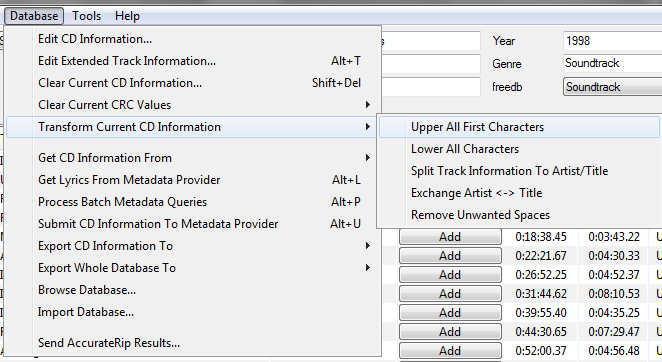
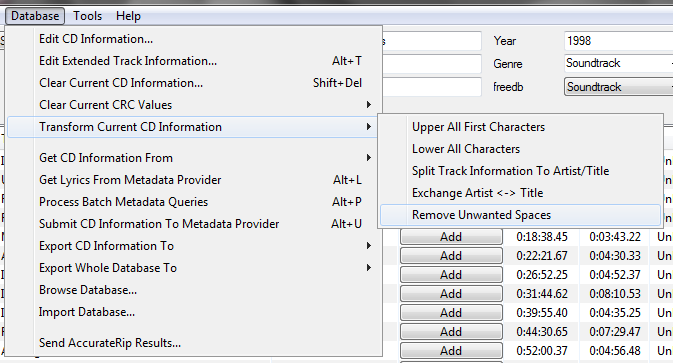
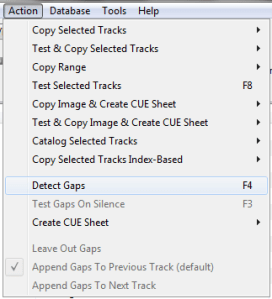
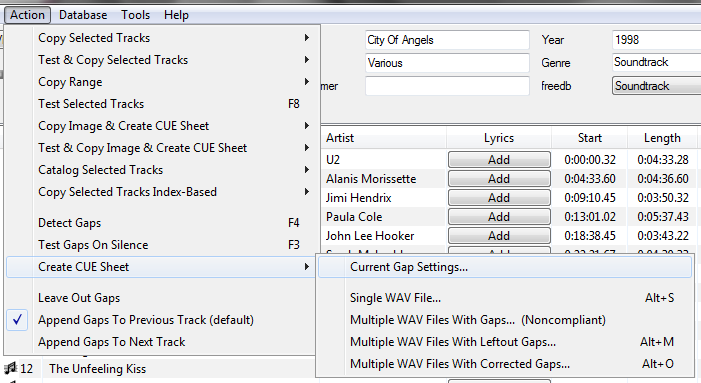
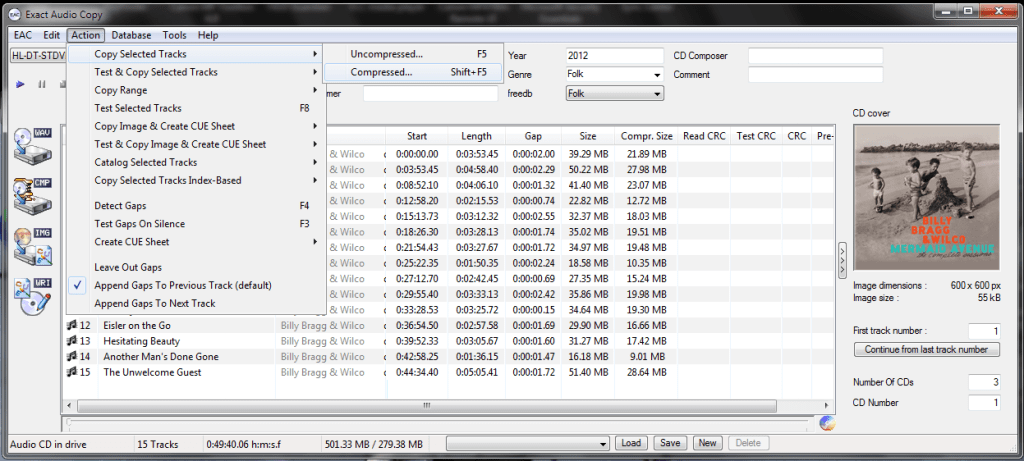
This process also creates an EAC log file in the same folder.
Determining Which EAC Gap Detection Method To Use:
hydrogenaud.io/index.php/topic,115657.msg954261.html#msg954261
Sources:
wiki.hydrogenaud.io/index.php?title=EAC_Lossless_Backup
wiki.hydrogenaud.io/index.php?title=EAC_Configuration_Wizard
dbpoweramp.com/spoons-audio-guide-cd-ripping.htm

CUERipper is an utility for extracting digital audio from CDs, and an open-source alternative to EAC. It has a lot fewer configuration options, so it’s somewhat easier to use, and is included in the CUETools package.
Supports AccurateRip, CTDB, freeDB and MusicBrainz
cuetools.net/wiki/CUERipper
cuetools.net/wiki/CUETools_Download
cuetools.net/wiki/Category:CUERipper_Guides
www.hydrogenaud.io/forums/index.php?showtopic=66233

The goal is to make sure the album image is preserved accurately. A lossless disc image must be lossless not only in preserving contents of the audio tracks, but also in preserving gaps and CUE sheet contents. Many applications lose vital information upon conversion, and don’t support all possible CUE sheet styles.
Supports AccurateRip
cuetools.net
Download
CueTools Database

X Lossless Decoder (XLD) is a tool for Mac OS X that is able to decode / convert / play various ‘lossless’ audio files. The supported audio files can be split into some tracks with cue sheet when decoding. It works on Mac OS X 10.4 and later. XLD is Universal Binary, so it runs natively on both Intel Macs and PPC Macs.
tmkk.undo.jp/xld
sourceforge.net/projects/xld
wiki.hydrogenaud.io/index.php?title=XLD

 The Audio File