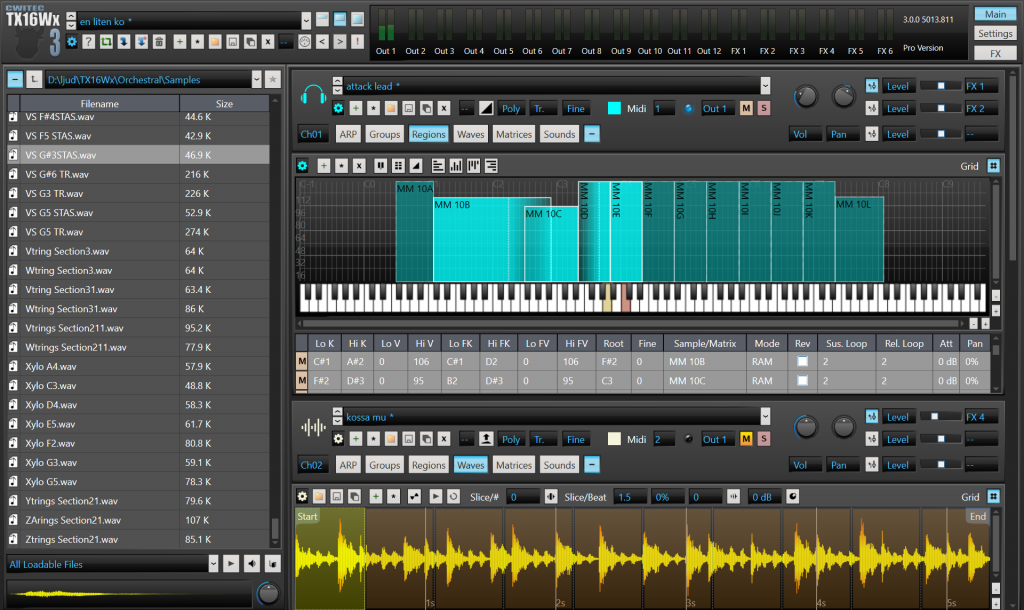
TX16Wx ~ Software Sampler


Base features

  • Re-sizable, flexible GUI
    • Full Undo/Redo support
    • Built-in file browser with sound playback and wave/program preview
    • Fully skinnable
    • Program icons
  • Dual playback engine
    • Direct from disk – supports massive sample sizes
    • RAM playback – sample accurate loop modulation
  • Unlimited multi-timbral operation
  • 128 voice polyphony
    • Two 6/12/24 dB resonant filters per voice
    • Low-, high, band- and all-pass
    • Notch, peak, low- and high shelf
    • Two sync-able LFO per voice
    • Two Modulation Envelopes per voice
    • Three Step Sequencers per voice
    • Modulation matrix with 16 modulation slots per voice
    • Three-way cross modulation (variable modulation strength)
    • Variable keyboard scales
    • Multiple trigger modes
    • Mono/Poly/Legato operation
    • 8 choke groups per program
    • Per-sample loop start/end/direction modulation
    • Polyphonic glide
    • Multiple glide modes
    • Polyphony limit per channel
    • VST micro tuning support
  • Built-in oscillators
    • Multiple waveforms.
    • Pulse width modulation.
    • Mix synthesized and sampled content.
  • Built-in sample editor
    • Automatic Loop Slicing + slice mapping
    • Actually Samples!* Record audio straight into the sampler from host (Requires routing/input capable host).
      • Built-in MIDI generator and automatic sample cutter for quick re-sampling of external or internal content
    • Automatic pitch detection
    • Loop tools
      • Loop auto detector
      • Loop overlay
    • Non-destructive, interactive loop cross fading
    • Multiple loop definitions per wave
      • Individual loops for sustain/release per mapping
    • Trim, cut, duplicate
    • Pitch detection
    • Normalize
    • Reverse
    • Tempo detection
  • Graphical keyboard mapping editor
    • Automatic sample layout
    • Flexible drag & drop-based group edit
    • Cut & paste or drag and drop move and copy between groups and programs
  • Quick select of sound data via MIDI
  • Drag & drop of samples/programs/performances/banks
  • Multiple outputs
    • 12 Stereo outputs, 8 of which can be switched to mono
    • Individual output mapping for key groups (drums)
  • 16 mappable controllers for modulation
  • 128 mappable VST parameters for modulation
  • All sound parameters can be automated or mapped to MIDI controllers
  • Preview loaded programs and samples in your song before loading
  • Reads multiple sample and bank formats
    • WAV/AIFF/AIFC
    • SoundFont 2
    • SFZ Files
    • Logic EXS
    • Akai AKP
    • Ogg Vorbis
    • FLAC
    • REX/REX2
    • Typhoon compressed AIFC files
    • Original Yamaha OS Wave files
  • 100% documented XML-based sound file format
    • Anyone can write conversion tools.
  • Saves data in DAW project directory
  • Low CPU usage
  • Fully native, optimized for SSE2.
  • Multi platform
    • MacOSX 10.7+ AU/VST2 (64bit)/VST3 (64bit)/AAX
    • Windows 7+ VST/VST3/AAX support
  • 64-bit support
  • Nice sound!

Aural Player ~ Winamp For Macs


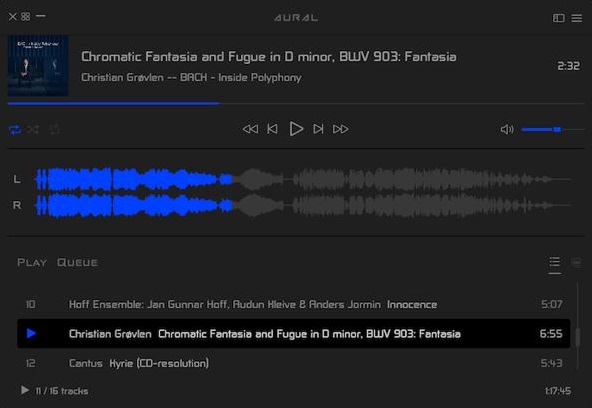
Aural Player is an audio player for macOS. Inspired by the classic Winamp player for Windows, it is designed to be to-the-point, easy to use, and customizable, with support for a wide variety of popular audio formats and some sound tuning capabilities for audio enthusiasts.

github.com/maculateConception/aural-player

Synth1 ~ Analog Virtual Synthesizer


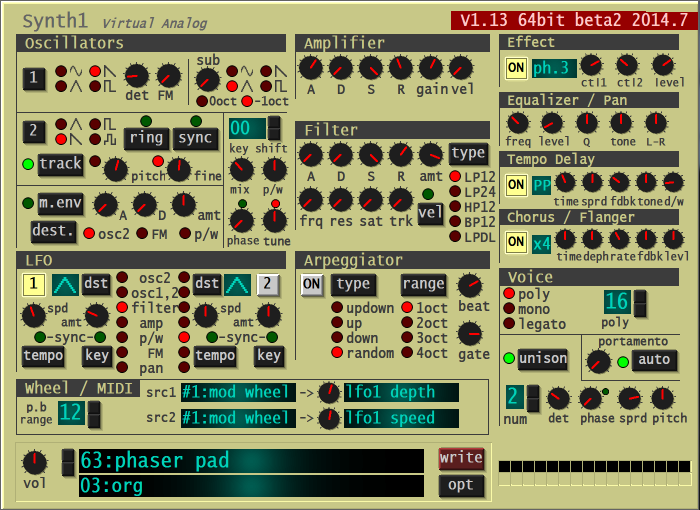
A software synthesizer intended for use with DTM software. Supports VSTi plug-in / AU plug-in format. This software is freeware. Functionally, it is modeled after the red synth Clavia NORD LEAD2 and has the following features:

  • 2 Oscillator + 1 Sub Oscillator, FM Modulation, Ring Modulation, Synchro, Modulation Envelope
  • 4 types of filters and distortion
  • 2LFO (host sync possible)
  • Equipped with arpeggiator (host synchronization)
  • Equipped with tempo delay (host synchronization) and stereo chorus / flanger
  • Legato mode, portamento
  • 32-tone polyphonic
  • With 128 preset tones.
  • Thorough reduction in operation weight. Use of SSE, etc.
  • Automation compatible

daichilab.sakura.ne.jp/softsynth

TDR Nova ~ Cross-platform Equalizer Plugin


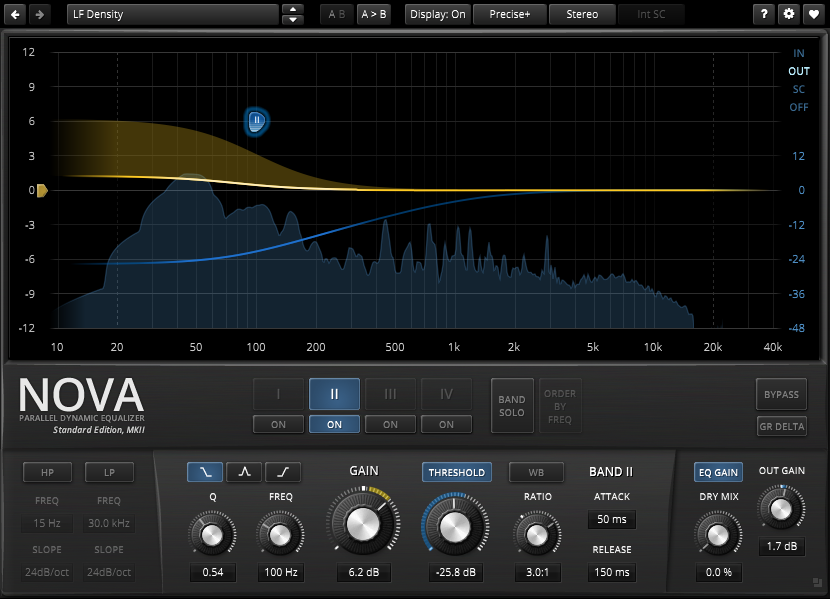
NOVA is a parallel dynamic equalizer. Appearing in the familiar layout of a parametric equalizer, each band also includes a full featured dynamics section allowing the processor to cover an impressively wide range of applications. Be it a master lacking density, the drum bus asking for more crispiness, or a sibilance problem in your perfect take: NOVA has an elegant answer.

A user friendly WYSIWYG drag and drop display paired with a classic “knob” interface gives quick and smooth access to the various parameters driving NOVA’s powerful processing capabilities. With its four dynamic EQ bands and additional high-pass and low-pass filter sections, NOVA can meet the most exotic demand. Intuitive equal loudness functions help finding the optimal setting without getting distracted by loudness differences.

In practice, the processor covers a whole bucket of tasks:

  • Parametric equalization
  • Dynamic equalization
  • Frequency selective compression
  • Multi-band compression
  • Wideband compression

Of course NOVA features all helpers and workflow enhancements you’ve come to expect in a TDR plugin: A preset manager, undo/redo, A/B, detailed documentation, copy & paste, and much more.

www.tokyodawn.net
www.tokyodawn.net/tdr-nova

LoudMax ~ Loudness Maximizer Plugin


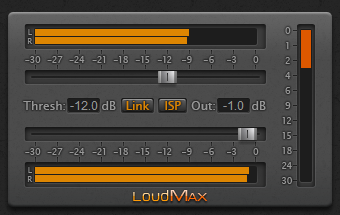
LoudMax is a Look-Ahead Brickwall Loudness Maximizer Plugin with a clean transparent sound. It is designed to retain the original character of the music as much as possible even at high compression levels.

Features:

  • True Peak Limiting (Further information for ISP below)
  • Supported Samplerates: 2kHz – 384kHz
  • Latency: 1.25ms (+ 6 samples with ISP)
  • Look-Ahead and Attack Time: 1.25ms
  • Release Time: Automatic – depending on the input signal
  • No audible distortion
  • Possible overdrive: 740dB
  • Very low CPU usage
loudmax.blogspot.com

terminatorX ~ Realtime Audio Synthesizer


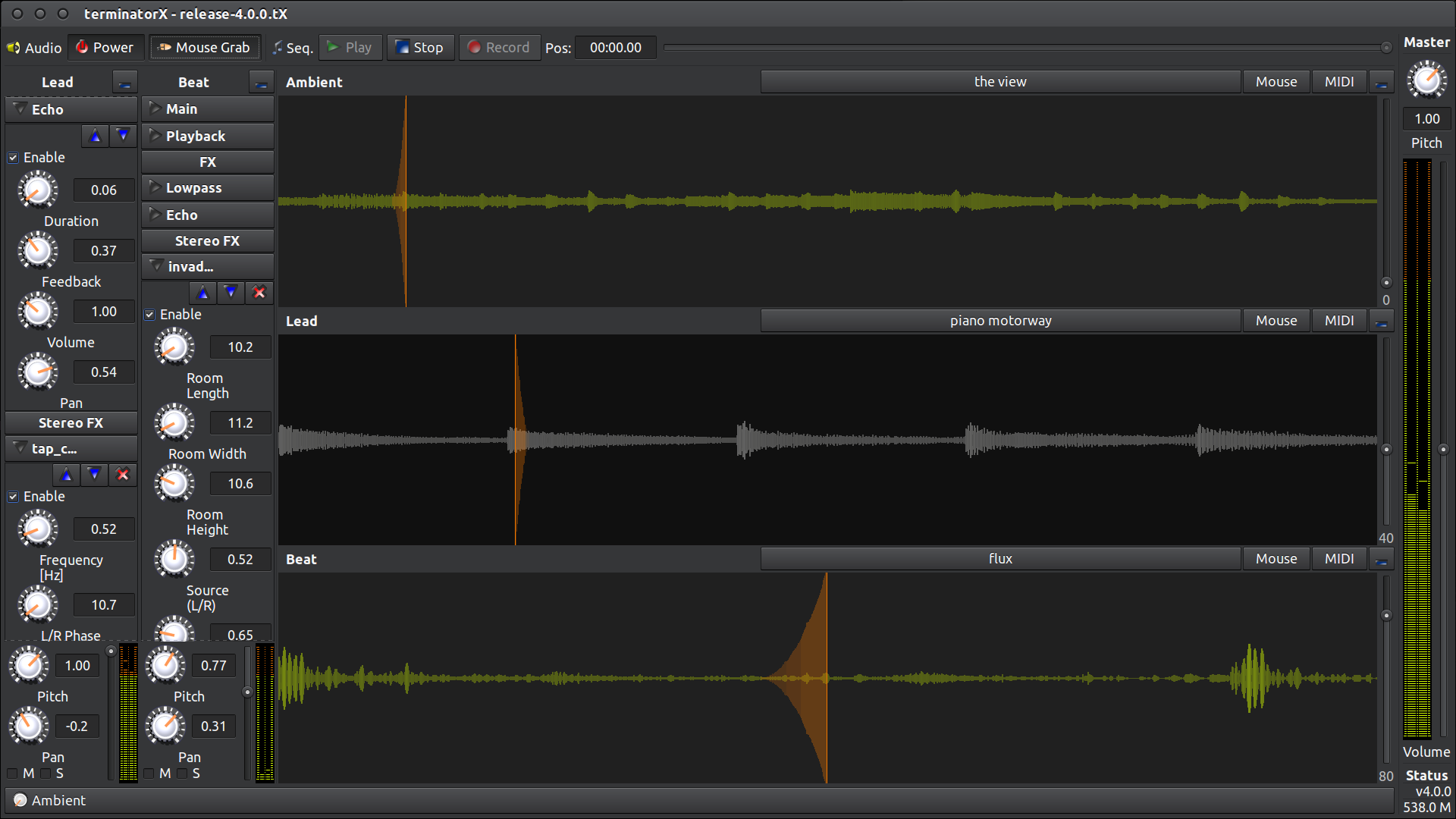
 This software allows “scratching” on digitally sampled audio data (*.wav, *.au, *.ogg, *.mp3, etc.) the way hip hop DJs scratch on vinyl records. It features multiple turntables, realtime effects (built-in as well as LADSPA plugin effects), a sequencer and MIDI interface – all accessible through an easy-to-use gtk+ GUI. This software is designed to run under Linux, FreeBSD and the like.

terminatorx.org

Sony HiRes Recorder ~ Record High Resolution PCM or DSD


Hi-Res Audio Recorder is an application to record audio tracks of a vinyl record onto your computer in the high resolution format.

Hi-Res Audio Recorder for Windows:
www.sony.co.uk/electronics/support/audio-components-turntables/downloads/Z0005565
Hi-Res Audio Recorder for Mac:
https://www.sony.ca/en/electronics/support/downloads/00016410

Sunvox ~ Create Music & Add Synth Tracks


SunVox is a small, fast and powerful music sequencer with modular synthesizers. This application is addressed at all those who want to compose music everywhere they go.

Built-in synthesizers: FM; Generator; Sampler (supported formats: WAV, XI); SpectraVoice (FFT-based synth for analog-like pads); Kicker; Stereo Delay; Distortion; Echo; Filter; Vocal Filter; Flanger; LFO; Loop; Reverb.

Features and highlights:
  • Modular interface
  • Highly optimized synth algorithms
  • Flexible architecture: SunVox can working on various devices
  • Built-in synthesizers & effects
  • Analog Generator
  • DrumSynth with 120 unique synthetic drum sounds
  • FM synthesizer
  • MetaModule (use it to build your own synths/effects)

Windows download available sunvox.en.lo4d.com/windows
www.apksum.com/app/sunvox/nightradio.sunvox
play.google.com/store/apps/details?id=nightradio.sunvox
apps.apple.com/ca/app/sunvox/id324462544

CMT ~ Linux Computer Music Toolkit


The Computer Music Toolkit (CMT) is a collection of sixty five LADSPA plugins for use with software synthesis and recording packages on Linux.

www.ladspa.org/cmt

Calf Studio Gear ~ Free Your Sound!


You have the need for professional and state-of-the-art audio plug-ins – but don’t have thousands of bucks to spend on it? Then we believe you will love Calf Studio Gear! Focused on high-quality sound processing and a highly usable interface Calf Studio Gear is designed to give you a professional production environment for your open source operating system. Play your SF2 sample banks, create filthy organs, fatten your sounds with phasers, delays, reverbs and other FX, process your recordings with gates, compressors, deesser and finally master your stuff with multiband dynamics – for free! Calf Studio Gear is available exclusively for LINUX-based operating systems and runs as a stand-alone effect rack connectable through Jack sound server or as plug-ins in every audio host that is able to fire up LV2 compliant devices, e.g. the highly recommended Ardour Audio Workstation

calf-studio-gear.org
github.com/calf-studio-gear
en.wikipedia.org/wiki/Calf_Studio_Gear

TAL Reverb ~ Cross Platform Reverberation VSTs


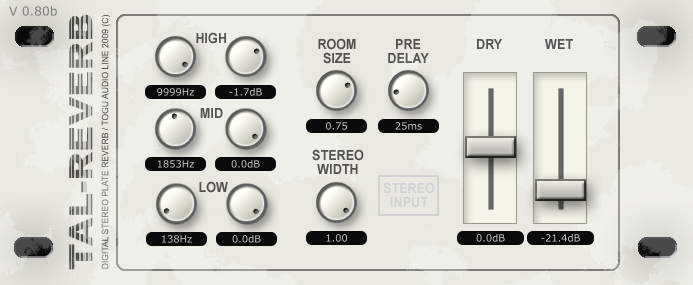
TAL Reverb-II is a super diffuse and lush reverb effect with a fast build up time. Ideal for ambient reverb sounds.

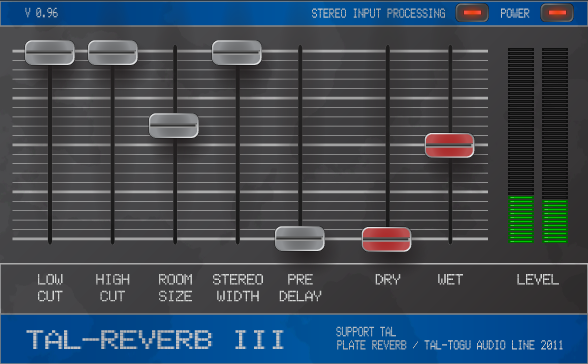
TAL-Reverb-III is an easy to use stereo reverb plugin. It’s popular because it’s very very diffuse sound 😉 It has an additional signal feedback path.

tal-software.com/products/tal-reverb

foo_wave_minibar ~ Foobar2000 Waveform Seekbar


A foobar user interface element providing a seekbar that displays the waveform of the playing song, compatible with both the Default and the Columns interface components.

foo_wave_minibar_mod display

www.foobar2000.org/components/view/foo_wave_minibar_mod

  1. Download the component file (foo_wave_minibar_mod.fb2k-component)
  2. Open foobar2000
  3. Open the Preferences dialog using File → Preferences or the Ctrl + P shortcut
  4. Select Components in the left-hand pane
  5. Click the Install… button at the bottom of the Components page
  6. Browse to the downloaded component file, select it, and click Open
  7. Click OK or Apply to confirm the installation
  8. Restart foobar2000 when prompted
  9. After restart, open View → Layout → Enable Layout Editing Mode
  10. Right-click anywhere in the layout and choose Add New UI Element → Tabs (or Tab Stack, depending on your UI)
  11. Right-click the new tab and choose Add New UI Element → Seekbar → Waveform Minibar (mod)
  12. Resize the panel as needed so the waveform is clearly visible
  13. Exit layout editing mode using View → Layout → Disable Layout Editing Mode
  14. Play a track and allow the waveform to generate; it may take a few seconds on first playback

Options:

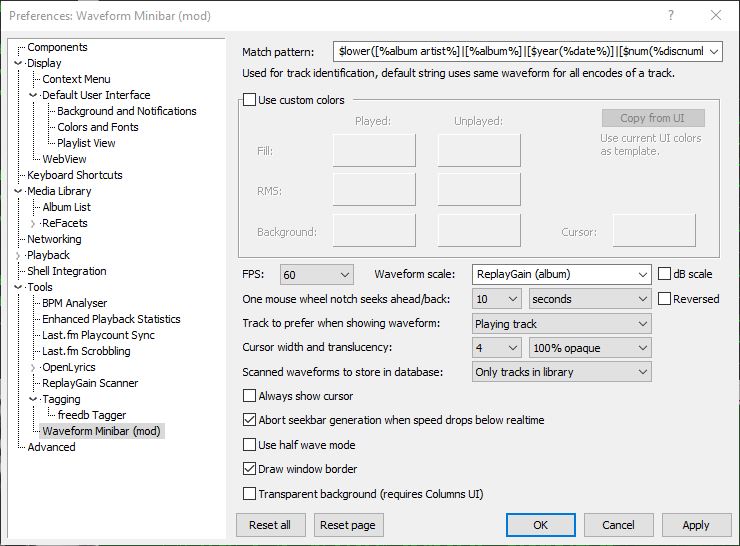
Match pattern
Title-formatting pattern used to identify tracks when storing and reusing generated waveforms.

Use custom colors
Enables manual color selection for the waveform instead of using the active UI theme colors.

FPS
Sets the frame rate for waveform rendering. Higher values produce smoother movement but increase CPU usage.

Waveform scale
Controls vertical scaling of the waveform. Original preserves natural peak levels, while Normalize scales all tracks to fill the available height.

dB scale
Switches between linear amplitude scaling and logarithmic decibel scaling.

One mouse wheel notch seeks ahead/back
Defines how far playback jumps when using the mouse wheel over the waveform. A value of 0 disables wheel seeking.

Reversed
Reverses the mouse wheel seek direction.

Track to prefer when showing waveform
Determines which track’s waveform is displayed: the playing track, the selected track, or the playing track with fallback to selected when stopped.

Cursor width
Adjusts the thickness of the playback position indicator.

Do not revert to rendering the active track on player start
Prevents the waveform from automatically rendering on startup until playback begins.

Always show cursor
Keeps the playback position marker visible even when playback is stopped.

Abort seekbar generation when speed drops below real time
Stops waveform generation if decoding becomes too slow, preventing playback or UI performance issues.

Half wave mode
Displays only one polarity of the waveform (typically the positive half) instead of mirroring the signal above and below the center line. This creates a flatter, denser display that works well in very short or narrow panels and improves readability when vertical space is limited.

Draw window border
Enables or disables a border around the waveform panel.

Transparent background
Removes the panel’s background fill so the waveform blends with the surrounding UI or theme. This is useful when embedding the minibar into tab stacks, splitters, or custom layouts where a solid background would look out of place.

This component is highly configurable, making it suitable both as a simple compact seekbar replacement and as a detailed visual waveform display in more complex foobar2000 layouts.

References:

wiki.hydrogenaud.io/index.php?title=Foobar2000:Components_0.9/foo_wave_minibar_mod
foobar.hyv.fi/pre1.4/?view=foo_wave_minibar_mod
Foobar2000 ~ How To Install A Component