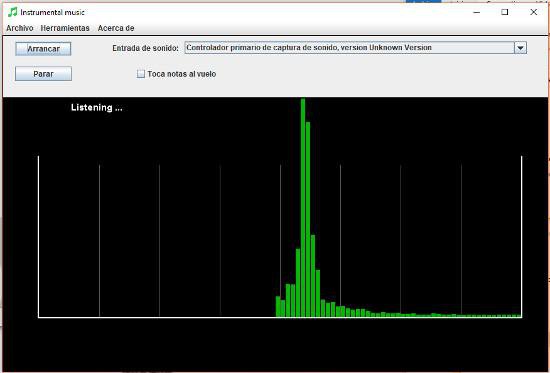
Application which detects musical notes from the microphone. It allows listening to the microphone and play the detected notes to output (in MIDI). Multi-language support.
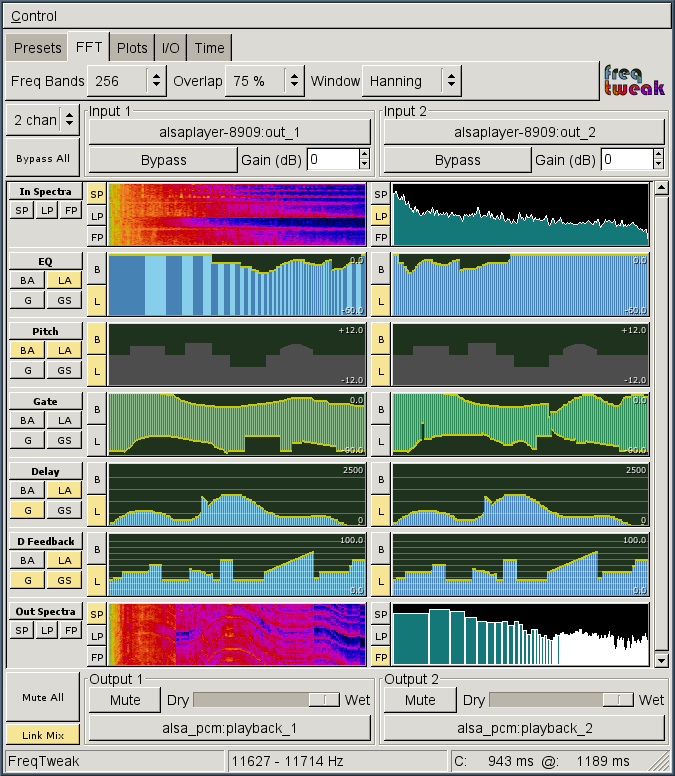
FreqTweak is a tool for FFT-based realtime audio spectral manipulation and display. It provides several algorithms for processing audio data in the frequency domain and a highly interactive GUI to manipulate the associated filters for each. It also provides high-resolution spectral displays in the form of scrolling-raster spectrograms and energy vs frequency plots displaying both pre- and post-processed spectra.
It is an extremely addictive audio toy, but I hope it has value for serious audio work too (sound design, etc). The spectrum analysis is pretty useful in its own right.
A foobar user interface element providing a seekbar that displays the waveform of the playing song, compatible with both the Default and the Columns interface components.
Play a track and allow the waveform to generate; it may take a few seconds on first playback
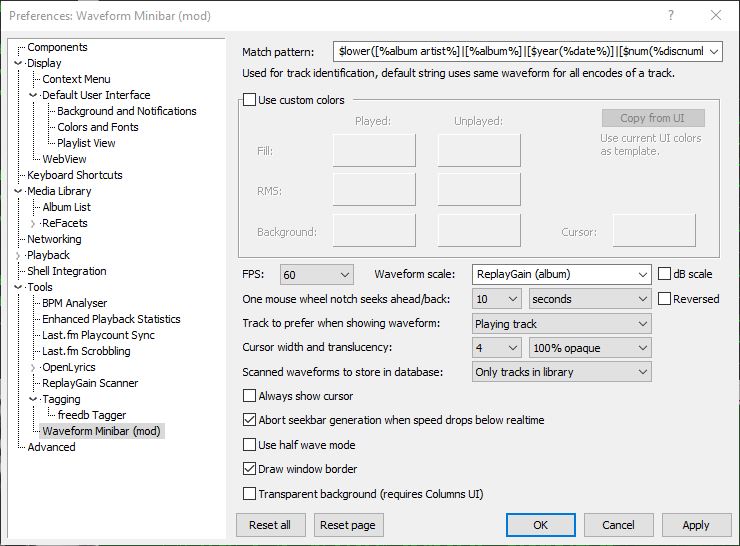
Options:
Match pattern Title-formatting pattern used to identify tracks when storing and reusing generated waveforms.
Use custom colors Enables manual color selection for the waveform instead of using the active UI theme colors.
FPS Sets the frame rate for waveform rendering. Higher values produce smoother movement but increase CPU usage.
Waveform scale Controls vertical scaling of the waveform. Original preserves natural peak levels, while Normalize scales all tracks to fill the available height.
dB scale Switches between linear amplitude scaling and logarithmic decibel scaling.
One mouse wheel notch seeks ahead/back Defines how far playback jumps when using the mouse wheel over the waveform. A value of 0 disables wheel seeking.
Reversed Reverses the mouse wheel seek direction.
Track to prefer when showing waveform Determines which track’s waveform is displayed: the playing track, the selected track, or the playing track with fallback to selected when stopped.
Cursor width Adjusts the thickness of the playback position indicator.
Do not revert to rendering the active track on player start Prevents the waveform from automatically rendering on startup until playback begins.
Always show cursor Keeps the playback position marker visible even when playback is stopped.
Abort seekbar generation when speed drops below real time Stops waveform generation if decoding becomes too slow, preventing playback or UI performance issues.
Half wave mode Displays only one polarity of the waveform (typically the positive half) instead of mirroring the signal above and below the center line. This creates a flatter, denser display that works well in very short or narrow panels and improves readability when vertical space is limited.
Draw window border Enables or disables a border around the waveform panel.
Transparent background Removes the panel’s background fill so the waveform blends with the surrounding UI or theme. This is useful when embedding the minibar into tab stacks, splitters, or custom layouts where a solid background would look out of place.
This component is highly configurable, making it suitable both as a simple compact seekbar replacement and as a detailed visual waveform display in more complex foobar2000 layouts.
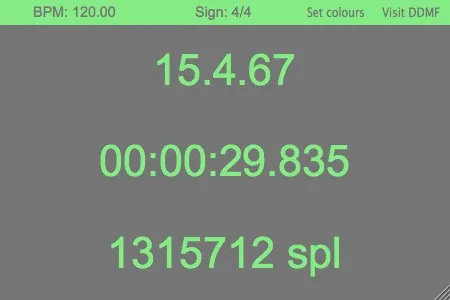
A handy little tool which provides all the information about measure, time, sample count etc that most hosts usually hide somewhere in a tiny little part of the screen. Transport is resizable and you can pick your own colours. Ideally, you’d drag it onto an external monitor in your 1000 square feet wooden studio and make it fullscreen so that your recording artists always stay oriented, but it works in smaller settings as well ;-). Made upon request by a DDMF user, we thought this gem is too good to not make it available for everybody. Transport is available as a 32 and 64 bit plugin in VST, RTAS, AAX (Win + Mac) and AU (Mac) format. MacOSX 10.6 is required.
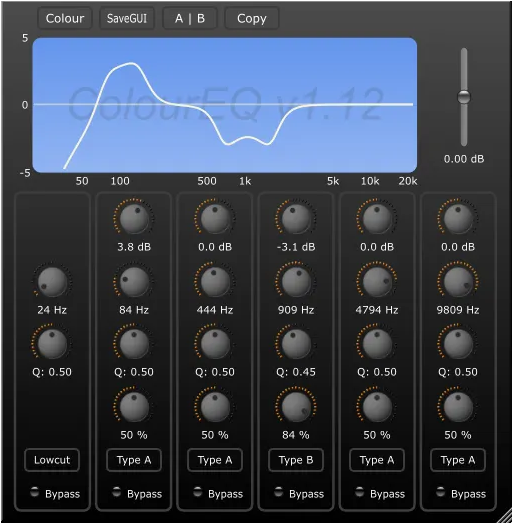
Not just another EQ: with its custom-made 4th order IIR filter, ColourEQ sounds unlike any other EQ you have ever come across. It comes with five bands of ”super parametric” peaking filters, which means that there is one more parameter in addition to the traditional gain/width/frequency set that can influence the curve shape. These shapes cannot be reproduced by ordinary IIR equalizers. Further features include: adjustable GUI colours, freely resizable window size, internal 64 bit processing and low CPU usage. Available in Windows VST (32/64 bit), Windows/Mac RTAS and Mac VST/AU format (Intel, OSX 10.5 and higher).
Show synced lyrics with your favorite media player on Linux. OSD Lyrics is a desktop application to view lyrics compatible with various media players. It is not a plugin but a standalone program. OSD Lyrics shows lyrics on your desktop, in the style similar to KaraOK. It also provides another displaying style, in which lyrics scroll from bottom to top. OSD Lyrics can download lyrics from the network automatically.
A complete, cross-platform solution to record, convert and stream audio and video. FFmpeg is the leading multimedia framework, able to decode, encode, transcode, mux, demux, stream, filter and play pretty much anything that humans and machines have created. It supports the most obscure ancient formats up to the cutting edge. No matter if they were designed by some standards committee, the community or a corporation. It is also highly portable: FFmpeg compiles, runs, and passes our testing infrastructure FATE across Linux, Mac OS X, Microsoft Windows, the BSDs, Solaris, etc. under a wide variety of build environments, machine architectures, and configurations.
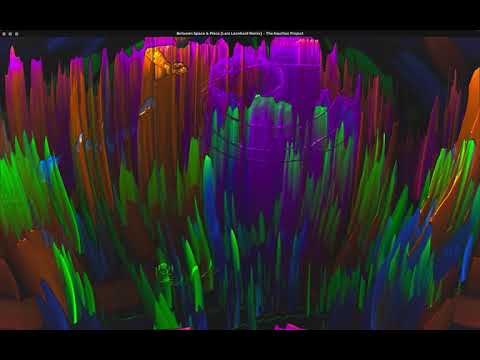
Audio visualization usually relies on hand-crafted features, like intensity, timbre or pitch. These metrics are defined by humans and are biased towards our cultural representation of sound. In this project, we have trained a Neural Net to generate these features directly from spectrograms, in an unsupervised way. We thus get rid of this bias and hope the resulting visualizations can help us perceive music in different ways.
projectM is an open-source project that reimplements the esteemed Winamp Milkdrop by Geiss in a more modern, cross-platform reusable library. Its purpose in life is to read an audio input and to produce mesmerizing visuals, detecting tempo, and rendering advanced equations into a limitless array of user-contributed visualizations.
The Default User Interface from early foobar2000 versions is back! This component serves no particular useful purpose; it is provided for the nostalgia value only. It is missing various functionality considered to be essential in current foobar2000 series, such as persistently visible volume control. There are no plans to add any new functionality into the Classic User Interface.
Warning: product may contain Finnish profanity.
Changes since the original version:
Modified to run side by side with the current Default UI. Please do not remove the Default UI DLL.
Fixed the infamous seekbar repaint bug on Windows themes other than “classic”.
Replaced popup volume slider with the latest Default UI code.
Restored original “Preferences: Title Formatting” page from old foobar2000 versions














 The Audio File