
A monorepo for Casio CZ-101 phase distortion synthesis — including a preset manager web/desktop app, an in-browser phase distortion synthesizer, and a VST3/CLAP/AUv2 plugin.
Category Archives: Plugin

AudioGridder ~ Audio & MIDI Network Bridge
AudioGridder is a network bridge for audio and MIDI that allows for offloading the DSP processing of audio plugins to remote computers. This can come in handy when mixing complex projects or running CPU intensive instruments.
AudioGridder Server runs on a computer hosting your effect and instrument plugins. On your workstation, on which you run your DAW, you use the AudioGridder FX or instrument plugin to access your plugin library over the network. The plugin is looking for available servers on your network and once connected allows you to create insert chains or load instruments. Midi and audio data from your DAW will be streamed over the network, processed on the server and streamed back.
Share this:

Winamp ASIO ~ ASIO & SRD Resampler
Further development of the ASIO output module by otachan (2006) for the Winamp player, including:
- problem with setting the sample rate fixed
- gapless mode completed
- added individual channel assignment
- added upsampling to a non-fractional multiple of base-frequency
- added high quality resampler: sample rate doubler for best audio playback
winamp-asio-plugin.sourceforge.io
sourceforge.net/projects/winamp-asio-plugin
forums.winamp.com/forum/winamp/winamp-technical-support/4647216-asio-output-plugin
Share this:

FlavourMTC ~ Mixbus Tone Control
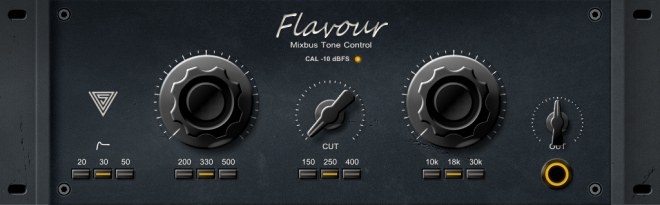
FlavourMTC follows classic “passive” equalizer designs where the EQ circuits itself are not able to amplify signals but a dedicated amplifier stage takes care of it. Those EQ designs are well known for allowing very transparent frequency changes while their amplifier designs do add some icing on the cake quite often.
FlavourMTC implements this by utilizing 1st order shelving filter designs avoiding unwanted resonances and takes advantage of “zero delay” implementations for most accurate higher order filtering and w/o introducing curve warping near Nyquist frequency. The output amplifier stage of the plugin can be calibrated according specific mixing levels, provides a distinct “box tone” and glues everything together. Parts of the plugin are oversampled internally for maximum transparency and sound quality.
varietyofsound.wordpress.com/downloads
Share this:

Rainmeter ~ Desktop VU Meter – LITE Edition
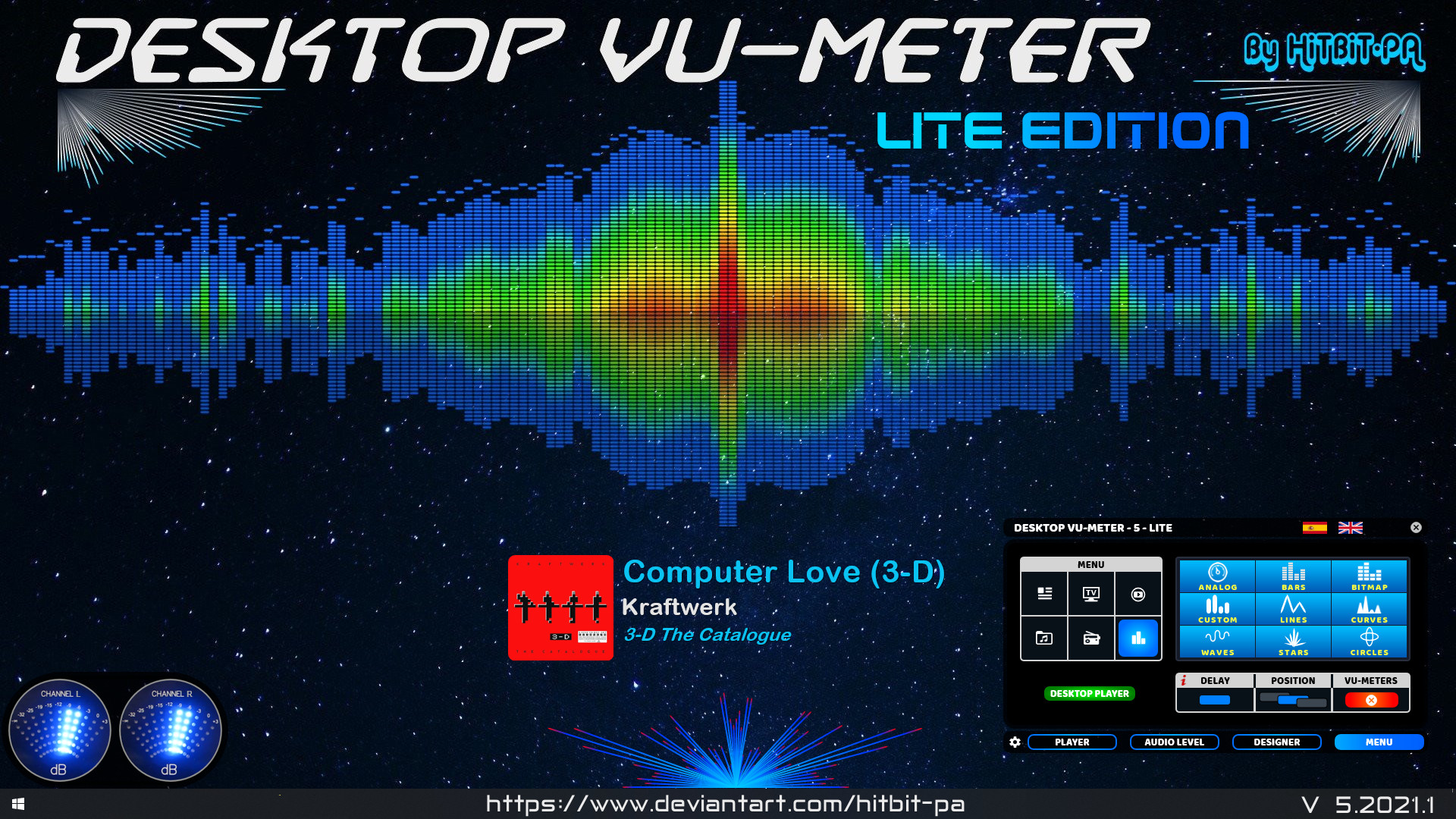
The ORIGINAL and FIRST Desktop VU-Meter for Rainmeter by HiTBiT-PA.
www.deviantart.com/hitbit-pa/art/Desktop-VU-Meter-LITE-edition
Share this:

Voxengo Boogex
Applications
- Real-time guitar processing
- Speaker cabinet simulation
- Stereo convolution processing
- Guitar reverb effect
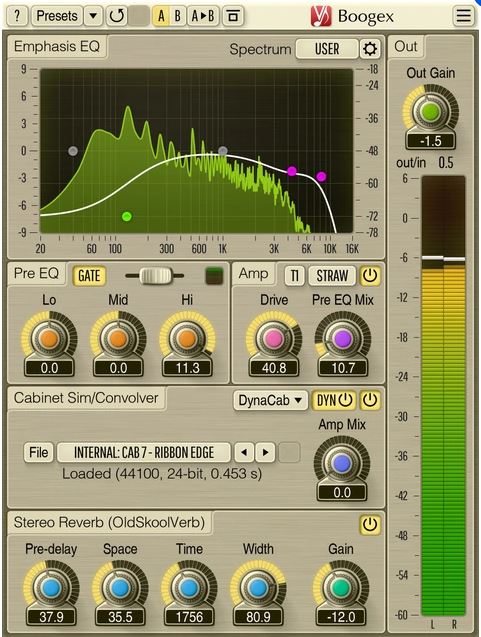
Boogex is a free guitar amplifier AudioUnit, AAX, and VST plugin with a variety of sound shaping features, for professional sound and music production applications. With Boogex it is possible to get a heavy distorted sound as well as slight “jazzy” saturation sound. Boogex is able to apply convolution with any speaker cabinet impulse response (selection of built-in impulses is available). The processing latency is close to zero making it possible to use Boogex for real-time guitar processing.
Boogex can be used as a plain stereo convolution processor when its “Amp” stage is turned off. The convolver module has zero latency and is not CPU-demanding. Boogex also includes the input gate module, and reverberation module derived from Voxengo OldSkoolVerb reverb plugin.
Boogex produces a nice “minimalist” rock music-geared sound which may be a bit noisy at higher overdrive settings; higher frequencies can be easily suppressed with its built-in Emphasis EQ. With the amp modes Boogex currently provides, it is not particularly well-suited for metal music, but can still be used as a cabinet impulse response processor for metal music.
www.voxengo.com/product/boogex
Share this:

OBS ~ win-capture-audio Plugin
An OBS plugin that allows capture of independent application audio streams on Windows, in a similar fashion to OBS’s game capture and Discord’s application streaming.
obsproject.com/forum/resources/win-capture-audio.1338
github.com/bozbez/win-capture-audio
gigazine.net/gsc_news/en/20211230-obs-win-capture-audio
Share this:

OpenPiano ~ Virtual Piano For Windows
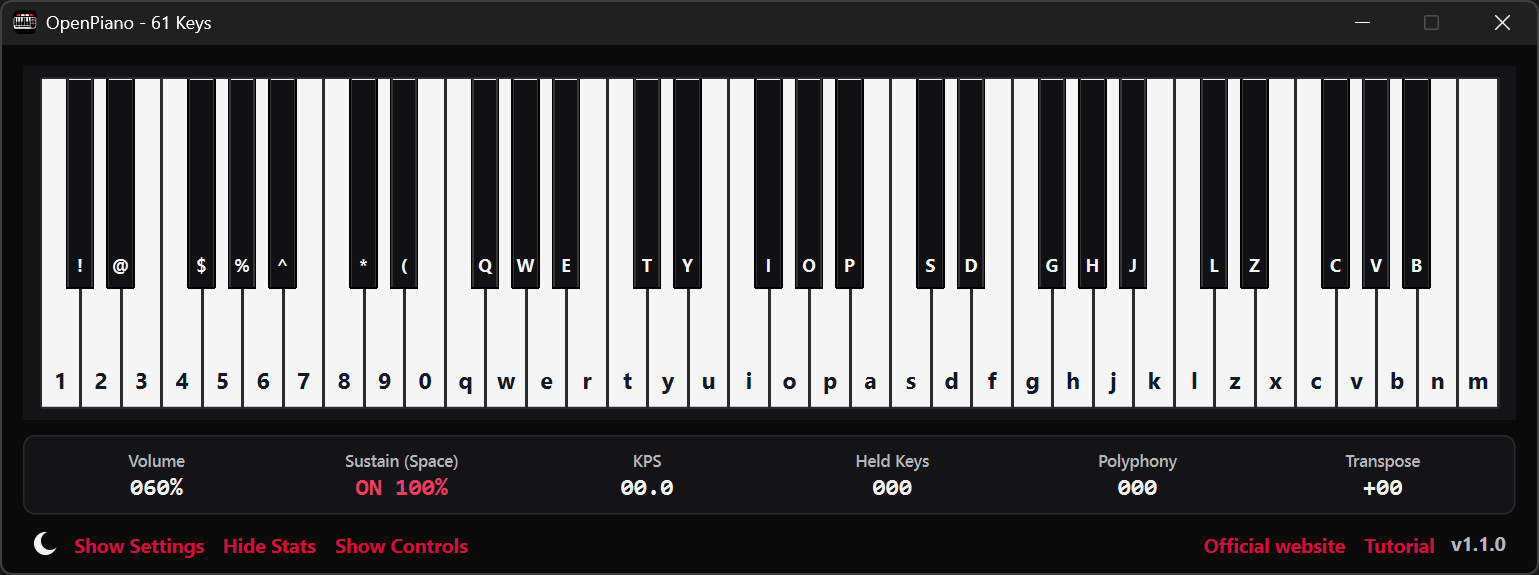
OpenPiano is a Windows desktop piano application that allows you to play, practice, and record music using your PC keyboard, mouse, or a MIDI device.
It supports real-time playback using SoundFonts and provides on-screen piano layouts for visual feedback while playing.
OpenPiano is designed to run entirely locally. It does not require accounts, cloud services, or an internet connection for core functionality.
- 61-key and 88-key layouts with live key feedback
- SoundFont support (.sf2 / .sf3) with bank and preset selection
- Keyboard, mouse, and MIDI input support
- Editable keybind mode with Save, Discard, and Ctrl+Z undo
- Keyboard and mouse combo triggers with shared 61/88-key mapping
- MIDI recording and .mid export
- Real-time controls for volume, velocity, sustain, and transpose
- Live stats for KPS, held keys, and polyphony
- Theme, UI scale, animation speed, and key color customization
- Built-in tutorial with an in-depth explanation of features
- Offline local-first workflow with no account required
www.justagwas.com/projects/openpiano
github.com/Justagwas/openpiano
sourceforge.net/projects/openpiano
Alternative:
github.com/michele-perrone/OpenPiano
Share this:

Echo In Mirror ~ Digital Audio Workstation
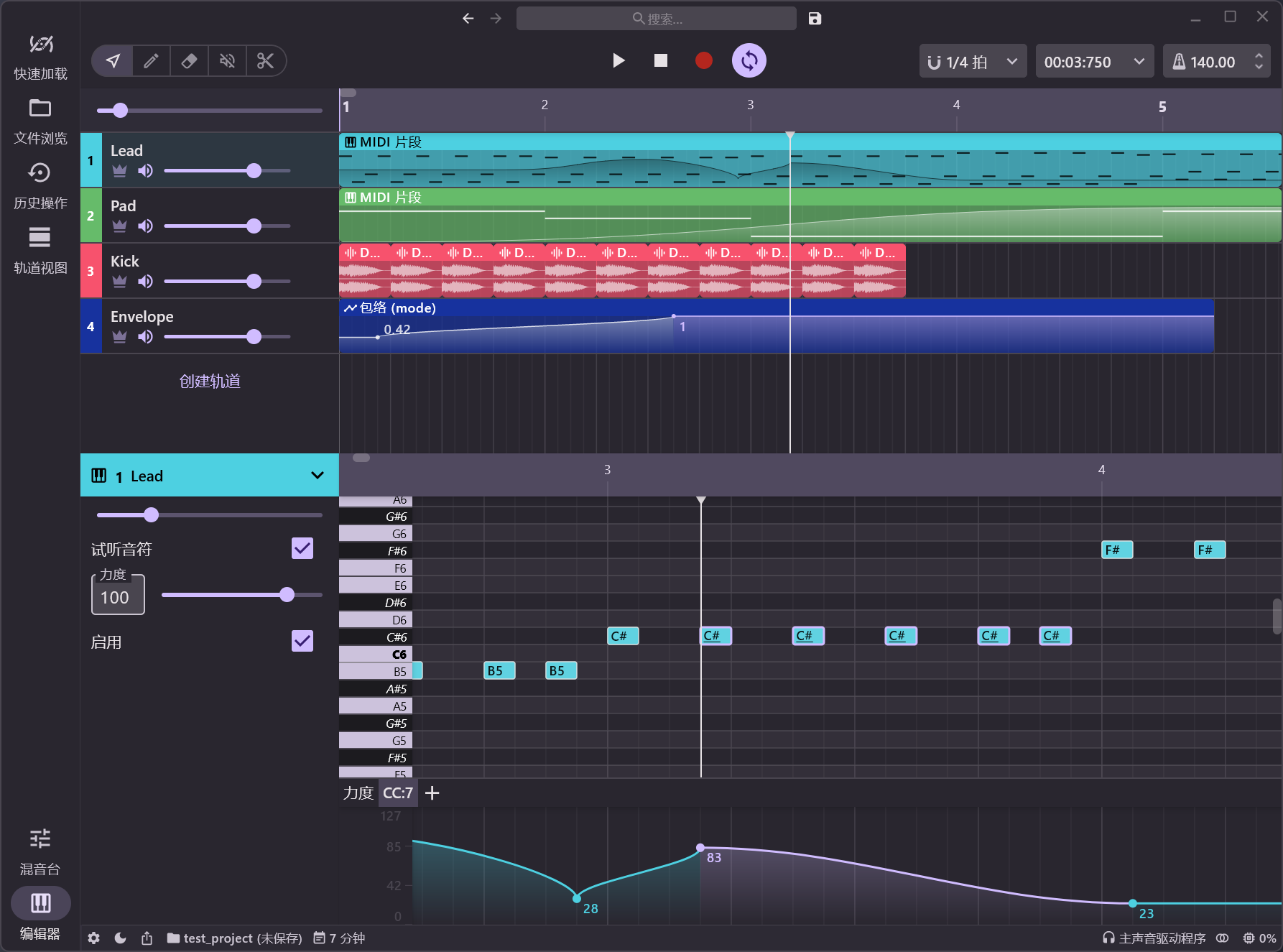
An open source DAW (Digital Audio Workstation) written in pure Kotlin.
Features:
- VST/VST3/AU plugin support
- Audio effects
- Audio sample support
- ASIO support
- MIDI edit
- Latency compensation
- Audio edit
- Audio recording
- Midi input
- Plugin api
- CLAP and ARA plugin support
- Android support
- iOS support
github.com/EchoInMirror/EchoInMirror
Share this:

Overtone GEQ ~ Harmonic Graphic Equalizer
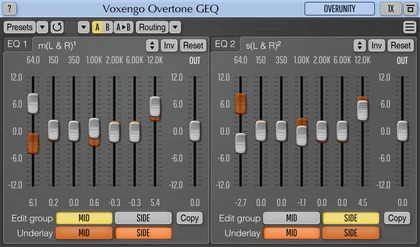
Overtone GEQ is a free 7-band harmonic (overtone) graphic equalizer AudioUnit, AAX, and VST plugin with multi-channel operation support (supporting up to 8 input/output channels, audio host application-dependent). Overtone GEQ offers extensive internal channel routing capabilities, and supports mid/side channel processing.
Beside equalizing, Overtone GEQ applies harmonic enhancement: it uses 7 harmonic enhancement modules, one for each EQ band. This generates a complex harmonic coloration you will probably like a lot.
Overtone GEQ was designed to allow audio engineers to apply quick EQ shape adjustments together with adding a bit of harmonic richness to the audio material (mainly mixes and sub-mixes due to a comparably high load this EQ puts on a CPU).
www.voxengo.com/product/overtonegeq
Share this:

Wigware Ambisonic Decoder (WAD)
Wigware Ambisonic Decoder (WAD)
This program now comes in two flavours, as a Direct Show filter and a VST plugin. The Direct Show Filter allows any Direct Show capable audio player software (such as Windows Media Player) the ability to read and decode B-format wave files (the format of which is specified here on Richard Dobson’s web page – details on the Waveformat extensible file format used can be found on Microsofts web site here – details on Ambisonics can be found here).
The VST version comes in 1st and 2nd order versions (3rd and 4th order versions to follow) and allows you to alter the polar patterns of the speaker feeds either across the whole frequency range or using ‘Shelf Filters’ with a variable cut-off. Both of the VST plugins will derive outputs for a standard ITU 5 speaker array, with higher orders giving better frontal resolution.
web.archive.org/web/20070806013036/http://sparg.derby.ac.uk/SPARG/Staff_BW
Share this:

PedalBoard ~ Python Audio Library
pedalboard is a Python library for working with audio: reading, writing, rendering, adding effects, and more. It supports most popular audio file formats and a number of common audio effects out of the box, and also allows the use of VST3® and Audio Unit formats for loading third-party software instruments and effects.
Features:
- Built-in audio I/O utilities (pedalboard.io)
- Support for reading and writing AIFF, FLAC, MP3, OGG, and WAV files on all platforms with no dependencies
- Additional support for reading AAC, AC3, WMA, and other formats depending on platform
- Support for on-the-fly resampling of audio files and streams with
O(1)memory usage - Live audio effects via
AudioStream
- Built-in support for a number of basic audio transformations, including:
- Guitar-style effects:
Chorus,Distortion,Phaser,Clipping - Loudness and dynamic range effects:
Compressor,Gain,Limiter - Equalizers and filters:
HighpassFilter,LadderFilter,LowpassFilter - Spatial effects:
Convolution,Delay,Reverb - Pitch effects:
PitchShift - Lossy compression:
GSMFullRateCompressor,MP3Compressor - Quality reduction:
Resample,Bitcrush
- Guitar-style effects:
- Supports VST3® instrument and effect plugins on macOS, Windows, and Linux (
pedalboard.load_plugin) - Supports instrument and effect Audio Units on macOS
- Strong thread-safety, memory usage, and speed guarantees
- Releases Python’s Global Interpreter Lock (GIL) to allow use of multiple CPU cores
- No need to use
multiprocessing!
- No need to use
- Even when only using one thread:
- Processes audio up to 300x faster than pySoX for single transforms, and 2-5x faster than SoxBindings (via iCorv)
- Reads audio files up to 4x faster than librosa.load (in many cases)
- Releases Python’s Global Interpreter Lock (GIL) to allow use of multiple CPU cores
- Tested compatibility with TensorFlow – can be used in
tf.datapipelines!


