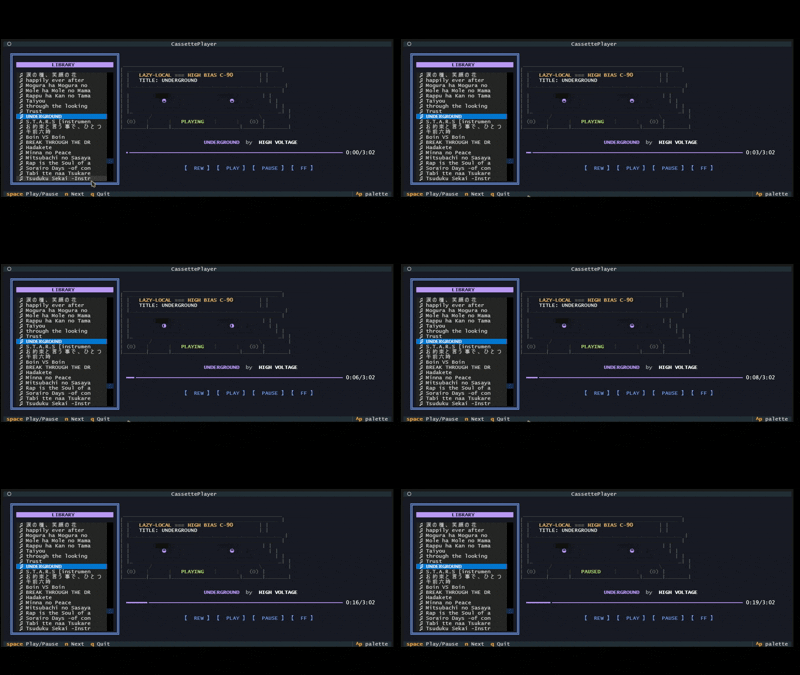
A retro-themed terminal music player featuring an animated ASCII cassette tape. Built with Python and Textual.
github.com/Kizarov3/CassettePlayer

A retro-themed terminal music player featuring an animated ASCII cassette tape. Built with Python and Textual.
github.com/Kizarov3/CassettePlayer

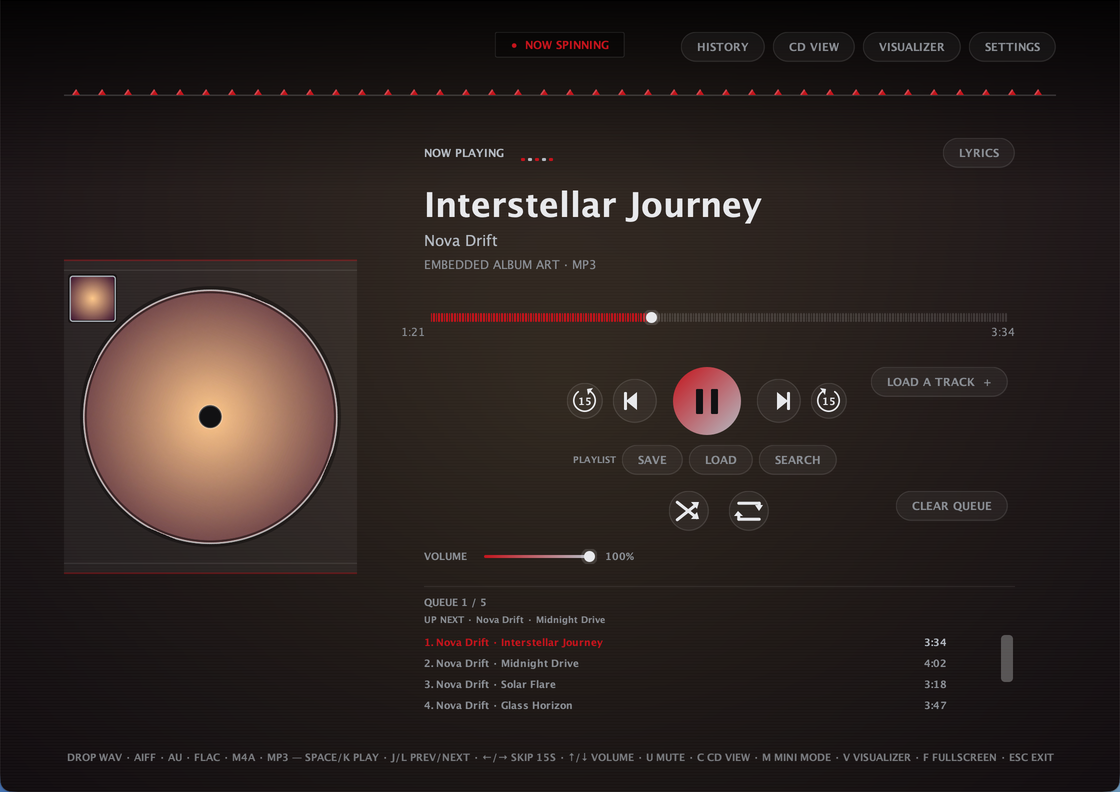
CDPlayer is a Java desktop app that recreates the tactile feel of a physical CD player for local audio playback. Load a track, press play, and enjoy a simple, distraction-free music experience without relying on a browser or web app — no accounts, no streaming, no internet required to play a song. Built with plain Java and native Swing/AWT — no external UI framework, single self-contained app
Plays local audio files through a custom low-latency streaming engine, with FFmpeg handling the formats Java can’t decode natively
Full queue management: drag-and-drop, drag-to-reorder, shuffle, repeat, crossfade, volume, mono downmix, and per-track removal — queue is saved automatically and restored next launch
Ten built-in themes — nine animated ones plus AUTO, which derives its whole palette from the current track’s own album art
A sleep timer that pauses playback after a set time, with a live countdown in the header
A 10-band graphic equalizer with built-in and savable custom presets, and a beat-synced visualizer
True fullscreen, a distraction-free fullscreen Visualizer Mode, and a Mini Mode that shrinks the whole app down to a small always-on-top widget
A dedicated Settings dialog for theme, crossfade, mono, and an ambient blurred-cover-art background wash
Automatic metadata and album art, with an online lookup fallback when a file has none
Works on Windows, macOS, and Linux. ffmpeg required.

Manifold is a desktop audio batch-processing tool built for inspecting, transforming, and exporting large collections of audio files with a visual workflow editor. Useful for checking and pre-processing audio for game-audio production, podcasts and broadcast, it is designed to make repetitive tasks more efficient and reproducible.
It combines a polished ImGui-based interface with a custom node-based audio pipeline, allowing you to build repeatable processing chains for tasks such as loudness normalization, peak limiting, DC offset cleanup, resampling, and format conversion.Why Manifold?
Manifold was designed to make audio batch work feel more structured and reproducible. Instead of manually running ad-hoc commands or scripting every step, you can:
This makes it useful for workflows such as podcast preparation, mastering prep, broadcast delivery, and game-audio asset processing.
Manifold includes a growing set of audio processing and analysis nodes, including:
These nodes can be chained together to create custom pipelines for different production scenarios.

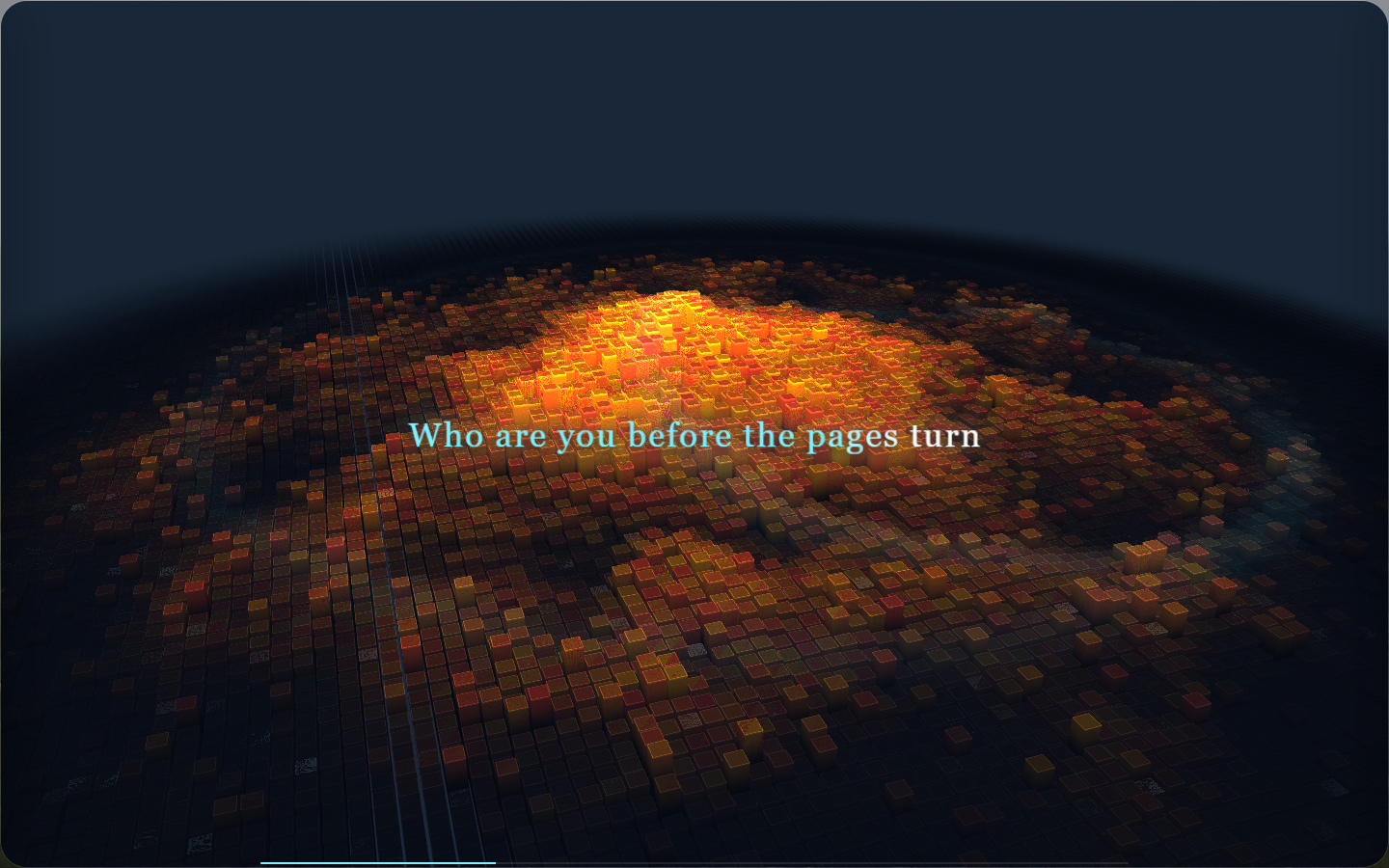
Sonic Topography is a desktop music player and 3D music visualization application. It transforms the low, mid, and high frequencies in music into three-dimensional terrain that undulates, glows, and flashes, turning listening to music into a breathing sound map.
github.com/yin-yizhen/sonic-topography

Sound Ninja is an Open Source Soundboard App with maximal customizability option to create your best Soundboard. Perfect for live streaming, chatting with friends or podcast recording.
github.com/marcus-universe/SoundNinja

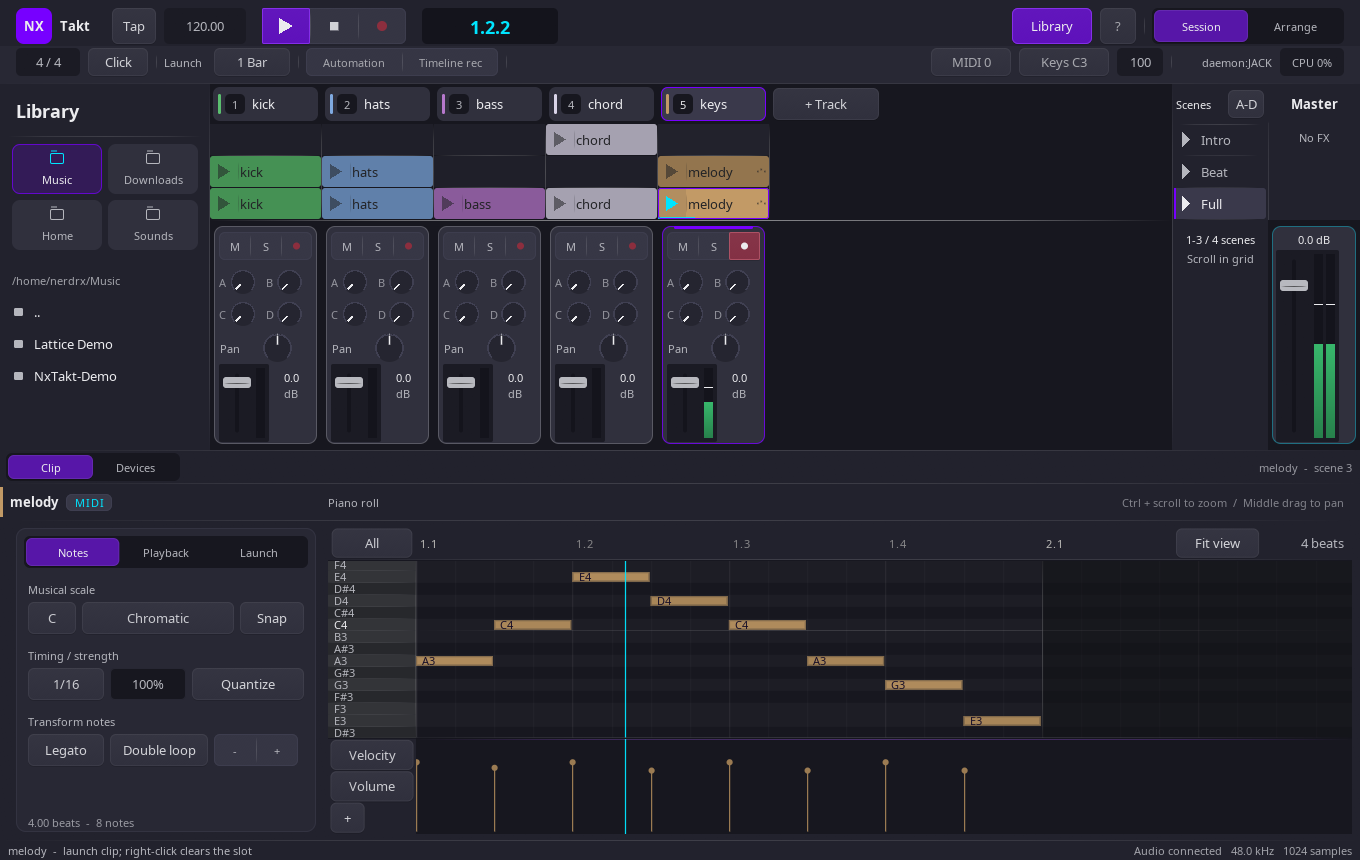
The workflow is Ableton Live’s: a grid of clips you launch against a global tempo grid, quantised to musical boundaries. The architecture is not Live’s, and that is the point.
Your set is text
A project is one line-oriented plain-text file with a byte-identical round-trip and stable per-entity uids. A melody is eight
note <beat> <len> <pitch> <vel>lines. Diff a mix, branch an arrangement, review a track in a pull request, generate a set from a script.The audio thread shares nothing
No allocation, no locks, no pointers into GUI memory: the interface reaches the engine through a lock-free command ring and a block of atomics. Launches are split inside the buffer, so a clip starts on the exact frame of its quantum rather than at the top of the next block.
nxtaktdalready runs that engine as its own process, playing clips out of a shared-memory sample pool.CI plays what it builds
Every push builds the whole application, runs the headless suite — 2,500+ assertions across the engine, the IPC layer, the daemon and the devices — and then renders five passes of the demo set to FLAC, printing the peak and RMS of each into the run summary. The pipeline does not just compile this DAW. It hands you the audio.

Native VST3 audio effects for OBS Studio on Windows — isolated plug-in hosting, vendor GUIs, automatic discovery, state restore and dry fail-open recovery.
Why this project exists
OBS Studio’s built-in VST filter does not provide VST3 hosting. Many current studio EQs, compressors, restoration tools, reverbs, saturators, limiters and mastering processors are distributed primarily, or only, as VST3s.
OBS Safe VST3 Host adds two OBS-native workflows on Windows:
- VST 3.x Plug-in — a simple one-effect filter for the common case.
- VST3 Rack — a separate isolated serial multi-effect chain with a dedicated graphical Rack Editor and broadcast-oriented master console.
Third-party VST3 runtime code, vendor editors and plug-in scanning are deliberately kept outside the OBS process.

RackForge is a cross-platform instrument and live-performance host. Connect a MIDI keyboard, choose an instrument, combine sounds into Racks, organize a show into Songs and Setlists, and play without building a DAW session first.
RackForge uses the same musical model on Windows, Linux, Android, and Raspberry Pi. Portable
.rfplugininstruments bring their sound and interface with them, while RackForge owns the audio, MIDI, routing, presets, and live performance workflow.RackForge
v0.1.xis a public preview. It is ready to explore and play, but native packages are not yet production-signed.
github.com/kalexis1994/rackforge

spotatui plays Spotify natively and streams YouTube, your local files, Subsonic or Navidrome and 30,000+ internet radio stations from a single keyboard-driven player. Spotify is optional. So is the AI DJ.
Features:
- Multiple sources — Spotify optional. Play from Spotify, Local Files, a Subsonic/Navidrome server, Internet Radio, YouTube, or Qobuz. The free sources need no Spotify account; press
dto switch between them at any time.- Native streaming. Play Spotify audio directly, no official app or spotifyd required — spotatui appears as its own Spotify Connect device (Premium required).
- Synced lyrics. Line-by-line lyrics that follow playback.
- Real-time audio visualizer. A system-wide FFT visualizer (press
v) that reacts to whatever is playing.- Cross-source play queue. Press
zon any track to queue it — the queue plays across every source before your current context resumes.- Lua plugins. Extend spotatui with event hooks, commands, keybindings, popups, and theming.
- Listening history & recap. spotatui keeps a local play history and can generate a shareable HTML recap (
spotatui history recap).- Full CLI. Most of what the UI does is scriptable — playback, search, playlists, shell completions. Run
spotatui --help.- Lightweight. ~78 MB RAM while streaming, versus a full Electron client. See Performance.
spotatui.com
github.com/LargeModGames/spotatui

Free and open-source edition of PixelPlayer – a modern offline music player for Android built with Jetpack Compose, Media3 & Material 3. Available on F-Droid.
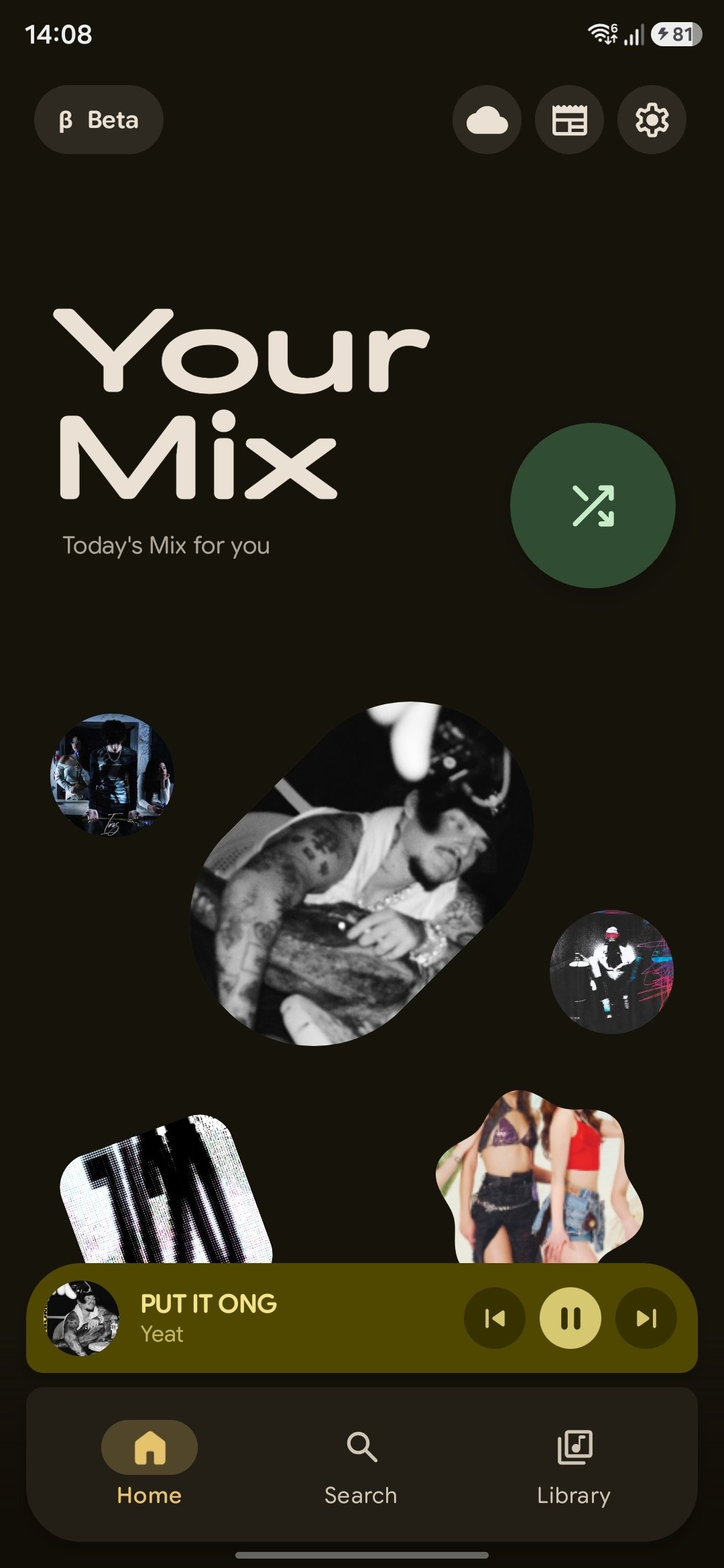
github.com/PixelPlayerHQ/PixelPlayerOSS

Subsonic player is a responsive, modern web-based client designed for Subsonic music servers.
Built with Nuxt 4, a modern Vue 3 framework, this open-source application provides a seamless and enjoyable music listening experience across all devices.
Compatible Servers:
- Gonic (This application is primarily optimized for use with Gonic).
- Airsonic Advanced.
- Navidrome.
- Subsonic servers.
Features:
- Fully Responsive UI (Further design improvements are ongoing.)
- Optimized for desktop and mobile devices.
- Adaptive design.
- Comprehensive Library Browsing
- Browse by album, artist, genre, and folder/files.
- Explore podcasts and favourites.
- Access internet radio stations.
- Advanced Functionality
- Bookmarking podcast episode to keep track of the listening position across multiple sessions.
- MediaSession Integration.
- Advanced Search capabilities.
- Dark/Light Mode support.
- Keyboard shortcut (Press
hto see menu).- Context menu access via right-click (desktop) or long press (mobile) for quick actions on tracks, albums, playlists, and more.
- Easily drag and drop your favorite tracks, albums, and podcast episodes right into the queue or your playlist in the sidebar (available only on desktop).
- Progressive Web App (PWA) Feature
- Seamlessly download the app icon to the home screen, providing the convenience of launching the app just like a traditional native application.
- Benefit from a web-based app that reduces storage space on devices compared to traditional downloadable applications, while still providing robust functionality.
- Settings
- The app includes settings for theme, layout, crossfade, replaygain, scrobbling, and more. See the environment variables section for which can be pre-configured across all devices.
github.com/VD39/subsonic-player

getID3() is a PHP script that extracts useful information from MP3s & other multimedia file formats.
www.getid3.org
github.com/JamesHeinrich/getID3
sourceforge.net/projects/getid3
www.drupal.org/project/getid3
github.com/Owen-oj/laravel-getid3
github.com/plutuss/getid3
packages.debian.org/sid/php-getid3


