foo_rehearsal ~ Looping & Slicing Component


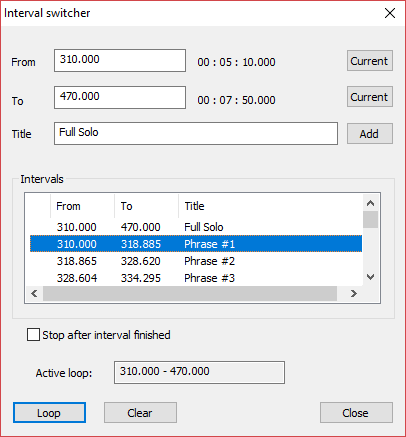
Foobar2000 plugin for looping track intervals and slicing CUE sheets.

Features:
  • Loop, shuffle or randomize through any subset of user-defined slices of track.
  • Import intervals from a CUE Sheet.
  • Import chapters from a video via JSON. ffprobe -i filename -print_format json -show_chapters -loglevel error > chapters.json
  • Import intervals from YouTube time codes, etc.
  • Copy a piece of text and Ctrl-V to paste to switcher.
  • Export to a CUE Sheet.
  • Keeps all intervals for all tracks in a single .json file.

github.com/ptytb/foo_rehearsal

Foobar2000 ~ Web User Interface


The Foobar2000 Web UI application consists of two parts:

  • A Node.js server that controls foobar2000 music player using native CLI commands and foo_controlserver component (a tcp/ip server for foobar2000).
  • A web application that allows the user to send basic foobar2000 playback commands and adjust application volume level. Information about the track that is currently playing is also displayed and automatically updated when the track or playback status changes.

github.com/klemola/foobar2000-web-ui

foo_wave_minibar ~ Foobar2000 Waveform Seekbar


A foobar user interface element providing a seekbar that displays the waveform of the playing song, compatible with both the Default and the Columns interface components.

foo_wave_minibar_mod display

www.foobar2000.org/components/view/foo_wave_minibar_mod

  1. Download the component file (foo_wave_minibar_mod.fb2k-component)
  2. Open foobar2000
  3. Open the Preferences dialog using File → Preferences or the Ctrl + P shortcut
  4. Select Components in the left-hand pane
  5. Click the Install… button at the bottom of the Components page
  6. Browse to the downloaded component file, select it, and click Open
  7. Click OK or Apply to confirm the installation
  8. Restart foobar2000 when prompted
  9. After restart, open View → Layout → Enable Layout Editing Mode
  10. Right-click anywhere in the layout and choose Add New UI Element → Tabs (or Tab Stack, depending on your UI)
  11. Right-click the new tab and choose Add New UI Element → Seekbar → Waveform Minibar (mod)
  12. Resize the panel as needed so the waveform is clearly visible
  13. Exit layout editing mode using View → Layout → Disable Layout Editing Mode
  14. Play a track and allow the waveform to generate; it may take a few seconds on first playback

Options:

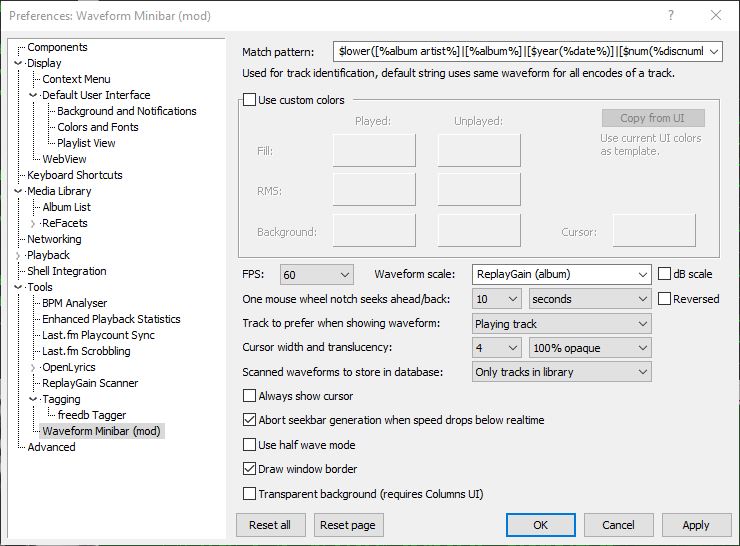
Match pattern
Title-formatting pattern used to identify tracks when storing and reusing generated waveforms.

Use custom colors
Enables manual color selection for the waveform instead of using the active UI theme colors.

FPS
Sets the frame rate for waveform rendering. Higher values produce smoother movement but increase CPU usage.

Waveform scale
Controls vertical scaling of the waveform. Original preserves natural peak levels, while Normalize scales all tracks to fill the available height.

dB scale
Switches between linear amplitude scaling and logarithmic decibel scaling.

One mouse wheel notch seeks ahead/back
Defines how far playback jumps when using the mouse wheel over the waveform. A value of 0 disables wheel seeking.

Reversed
Reverses the mouse wheel seek direction.

Track to prefer when showing waveform
Determines which track’s waveform is displayed: the playing track, the selected track, or the playing track with fallback to selected when stopped.

Cursor width
Adjusts the thickness of the playback position indicator.

Do not revert to rendering the active track on player start
Prevents the waveform from automatically rendering on startup until playback begins.

Always show cursor
Keeps the playback position marker visible even when playback is stopped.

Abort seekbar generation when speed drops below real time
Stops waveform generation if decoding becomes too slow, preventing playback or UI performance issues.

Half wave mode
Displays only one polarity of the waveform (typically the positive half) instead of mirroring the signal above and below the center line. This creates a flatter, denser display that works well in very short or narrow panels and improves readability when vertical space is limited.

Draw window border
Enables or disables a border around the waveform panel.

Transparent background
Removes the panel’s background fill so the waveform blends with the surrounding UI or theme. This is useful when embedding the minibar into tab stacks, splitters, or custom layouts where a solid background would look out of place.

This component is highly configurable, making it suitable both as a simple compact seekbar replacement and as a detailed visual waveform display in more complex foobar2000 layouts.

References:

wiki.hydrogenaud.io/index.php?title=Foobar2000:Components_0.9/foo_wave_minibar_mod
foobar.hyv.fi/pre1.4/?view=foo_wave_minibar_mod
Foobar2000 ~ How To Install A Component

projectM ~ Modern Milkdrop Visualizations


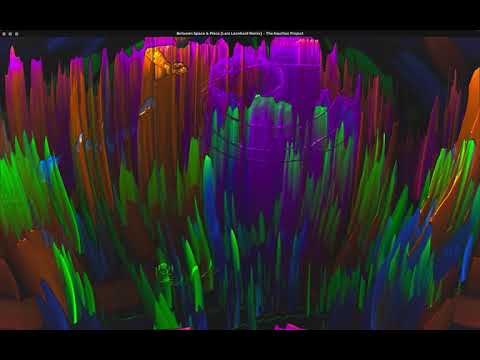
projectM is an open-source project that reimplements the esteemed Winamp Milkdrop by Geiss in a more modern, cross-platform reusable library. Its purpose in life is to read an audio input and to produce mesmerizing visuals, detecting tempo, and rendering advanced equations into a limitless array of user-contributed visualizations.

projectm-visualizer.org
github.com/projectM-visualizer/projectm
github.com/OfficialIncubo/milk-fk/tree/master/milk
github.com/OfficialIncubo/projectm
sourceforge.net/projects/projectm (2012)

Foobar2000 components:

www.foobar2000.org/components/view/foo_vis_projectM
foo_uie_vis_projectM

Android

play.google.com/store/apps/details?id=com.psperl.prjM

Steam

store.steampowered.com/app/1358800/projectM_Music_Visualizer

Foobar2000 ~ Classic User Interface


The Default User Interface from early foobar2000 versions is back! This component serves no particular useful purpose; it is provided for the nostalgia value only. It is missing various functionality considered to be essential in current foobar2000 series, such as persistently visible volume control. There are no plans to add any new functionality into the Classic User Interface.

Warning: product may contain Finnish profanity.

Changes since the original version:

  • Modified to run side by side with the current Default UI. Please do not remove the Default UI DLL.
  • Fixed the infamous seekbar repaint bug on Windows themes other than “classic”.
  • Replaced popup volume slider with the latest Default UI code.
  • Restored original “Preferences: Title Formatting” page from old foobar2000 versions
  • Various cosmetic changes.

www.foobar2000.org/components/view/foo_ui_classic

footuner ~ Foobar2000 Stream Theme


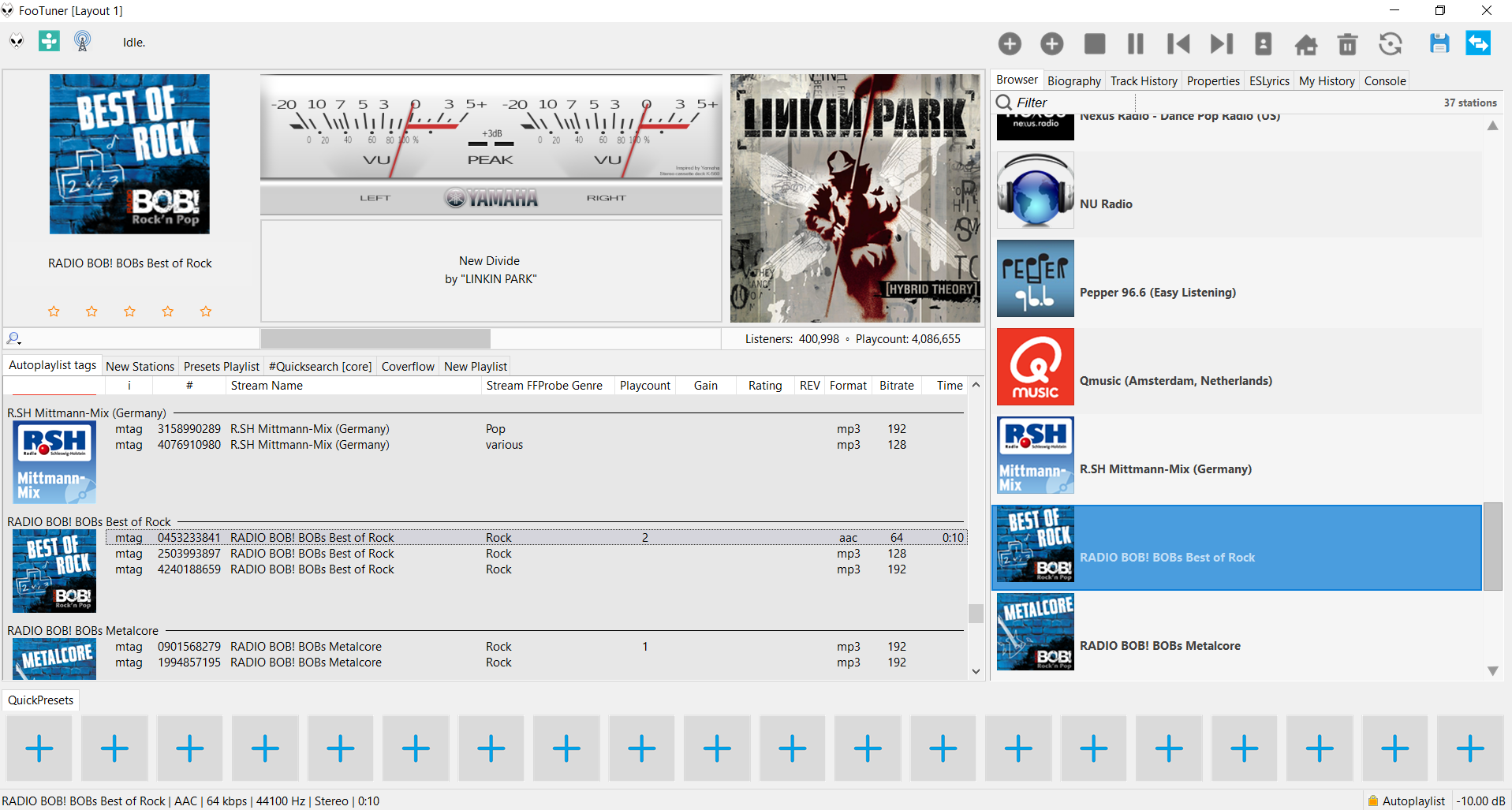
A foobar2000 skin / theme designed for internet streams. Search and import streams from tunein.com and Community Radio Browser

footuner

github.com/smoralis/footuner
hydrogenaud.io/index.php?topic=119049.0

foo_dynamic_range ~ Foobar & Dynamic Range Meter


Dynamic Range Meter is a foobar2000 component designed to give the same information as the Dynamic Range Offline Meter. This component can process all audio formats foobar2000 can handle (a.o. flac, ape and wavpack) and also supports higher sample rates and bit depth. Using the Open Audio CD option it can also directly read audio CDs and calculate the Dynamic Range values without the need of ripping the CD to disk. Log information with extended statistics is automatically copied to the clipboard and can be pasted back in any text editor. ~ web.archive.org/web/20130317013715/http://pleasurizemusic.com/free-downloads

Dynamic Range Meter is a foobar2000 component designed to give the same information as the Dynamic Range Offline Meter from the Pleasurize Music Foundation. I wrote this component because the original Dynamic Range Meter is limited to reading only wav, aiff and mp3 files. This component can process all audio formats foobar2000 can handle (a.o. flac, ape and wavpack) and also supports higher sample rates and bit depth. Using the Open Audio CD option it can also directly read audio CDs and calculate the Dynamic Range values without the need of ripping the CD to disk. As an option, a log file with information and extended statistics can be saved to disk. ~ web.archive.org/web/20130428024316/http://www.jokhan.demon.nl/DynamicRange

foo_dynamic_range is for foobar2000 version 1.4 or older and is depreciated. Use foo_dr_meter instead.

Adding Dynamic Range:

  1. Install the foo_dynamic_range component
  2. Navigate to File > Preferences > Advanced > Tools > Dynamic Range Meter
  3. Enable “Write DR meta data tags
  4. Add a new toolbar button and assign Context>Dynamic Range Meter
  5. Download DR toolbar icon and change button icon
  6. Navigate to File > Preferences > Display > Default User Interface > Playlist View
  7. Add a new custom column, name it “DR” and assign this pattern, “[%DYNAMIC RANGE%]
  8. Select an album and click the new DR toolbar icon to scan the files

Download ~ drive.google.com/file/d/1rQHOYrzEmV6MSKEj-hENM09C2yQsCFfh/view
Database ~ dr.loudness-war.info
Discussion ~ hydrogenaud.io/index.php/topic,88373.0
DRM Icon ~ drive.google.com/file/d/1x4AjjKEHTH9BZWTHb-5PQoNKOboXJJcq
Reference ~ www.metal-fi.com/measuring-dynamic-range
foo_dr_meter (64bit) ~ foobar.hyv.fi/?view=foo_dr_meter

ShuiCast ~ Foobar / WinAmp Streaming


ShuiCast is a plugin for both Winamp and Foobar2000 that provides the ability to broadcast various audio formats to a few of the major broadcasting servers. It is a continuation of the Oddcast/Edcast streaming software that can stream to either Icecast or Shoutcast servers, integrating changes made by the AltaCast and Edcast-Reborn spinoffs.

Features:

  • Stream to IceCast or ShoutCast
  • Support for Ogg Vorbis, LAME (lame_enc.dll), and AAC (libfaac.dll) – note lame_enc.dll and libfaac.dll must be downloaded separately in order to use these formats
  • Multiple encoders (you can simultaneously broadcast in multiple formats at the same time)
  • Standalone application as well as plugin for Winamp, RadioDJ and Foobar2000
  • Metadata not only from media player (i.e. Winamp) but also from a file, a URL or a window
  • Peak and RMS Meter
  • Live Recording (you can switch on/off without disconnecting the encoder)

github.com/torteshui/ShuiCast

foo_musicbrainz ~ Foobar2000 & MusicBrainz


Allows tagging files using data from MusicBrainz.

Features:

  • Fetches data by automatically calculated MusicBrainz Disc ID, existing Artist/Album or MusicBrainz Album ID tags;
  • Uses the latest version of MusicBrainz web service, which corresponds to the NGS data model;
  • Supports many different tags, including artist, album, date, track number / total tracks, disc number / total discs, label, catalog number, barcode etc.;
  • Supports MusicBrainz-specific tags: Artist ID, Album ID, Release Group ID, Disc ID, Track ID, album type, album status;
  • Missing TOCs can be submitted to MusicBrainz from the context menu.

HA Support Topic
github.com/kbuffington/foo_musicbrainz
musicbrainz.org
en.wikipedia.org/wiki/MusicBrainz

foo_bestversion ~ Foobar2000 Compares Track Qualities


foo_bestversion is a Foobar2000 component which can pick the best versions of tracks from your library, (plus last.fm top tracks list grabbing).

github.com/hymerman/foo_bestversion
hydrogenaud.io/index.php?topic=100019.0

Foobar2000 ~ Wallpapers


Wallpapers:

Dynamic Wallpaper:

www.reddit.com/r/foobar2000/comments/hf83m9/foobar_wallpaper_engine

CUI &  DUI Themes List
Icons & Icon Sets

foo_osd ~ Foobar2000 On Screen Display


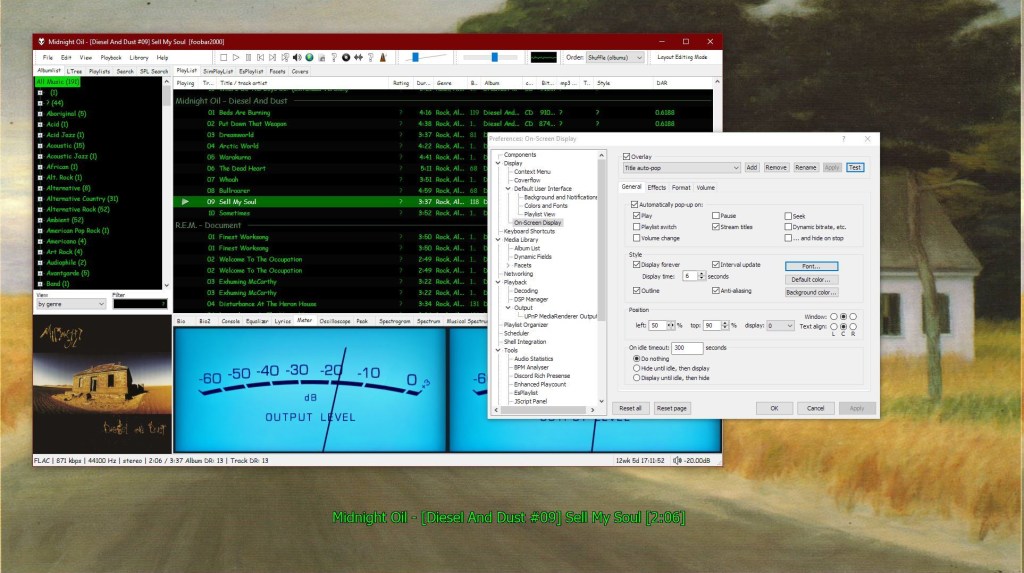
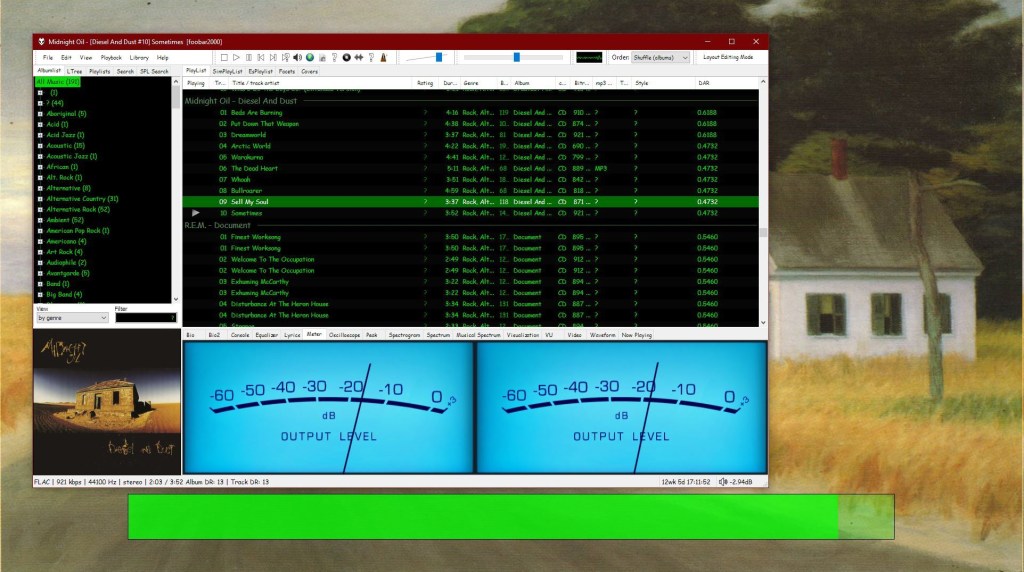
This component provides configurable screen overlays which may be opened with hotkeys, or appear on specific events. Each overlay is configured separately, and has its own set of events.

www.foobar2000.org/components/view/foo_osd
hydrogenaud.io/index.php/topic,43044.0

foobar_osd (On-Screen Display) is a foobar2000 component that shows track information as a floating overlay on your desktop during playback events.

Instead of opening the player window to see what’s playing, foobar_osd displays relevant information directly on your screen.

Typical uses include:

  • Seeing track information when the player is minimized
  • Monitoring playback on multi-monitor setups
  • Getting quick visual feedback without interrupting workflow
  • Displaying detailed metadata beyond basic notifications

Unlike standard operating system notifications, foobar_osd is fully customizable using foobar2000’s powerful title formatting system.


Core Features

When triggered, foobar_osd can display:

  • Artist and title
  • Album name
  • Track position and duration
  • Album artwork
  • Custom metadata fields
  • Technical playback information

The display appears briefly and then fades away automatically.


Event-Based Display

You control when the OSD appears. Common trigger events include:

  • Track change
  • Play or pause
  • Stop playback
  • Manual trigger via hotkey

Careful selection of events is important to avoid excessive on-screen interruptions.


Fully Customizable Text Formatting

One of the strongest features of foobar_osd is that it supports full foobar2000 title formatting.

This means you can display virtually any tag or metadata field stored in your files.

Example format:

[%artist% - ]%title%
%album%
$if(%album_avg_bpm%,Album BPM: %album_avg_bpm%)

Conditional formatting allows the display to remain clean by only showing information when available.


Installation and Access

After installing the component:

  1. Restart foobar2000.
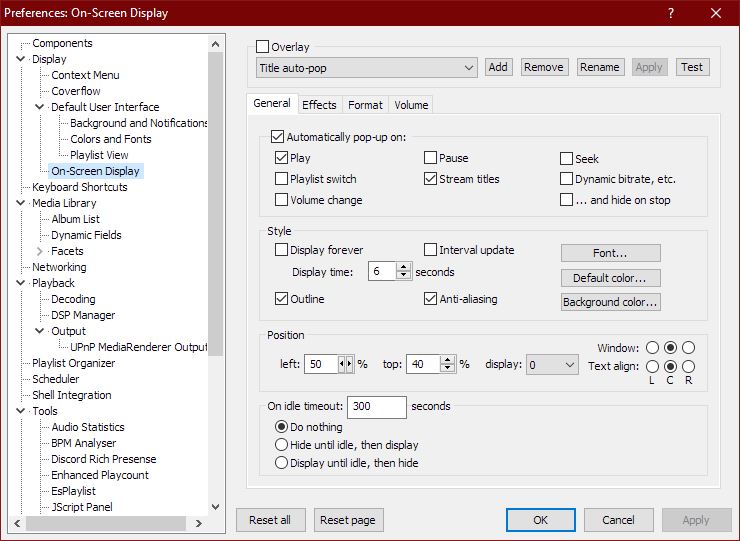
  2. Open:
Preferences → Tools → On-Screen Display

All configuration options are available in this section.


Appearance and Layout Options

foobar_osd allows extensive visual customization:

  • Background transparency
  • Font selection
  • Fade animations and display duration
  • Monitor Selection
  • Shadow effects
  • Screen position
  • Text size and color

Using foobar_osd Effectively

Many users install foobar_osd but never use its full potential. The following strategies significantly improve usability.

Display Meaningful Metadata

If your library uses structured tagging, include useful fields.

Example:

[%artist% - ]%title%
%album%
$if(%album_avg_bpm%,Album Tempo: %album_avg_bpm% BPM)
$if(%genre%,Genre: %genre%)

This transforms the overlay into a quick contextual information panel.

Create Minimal or Informational Layouts

Depending on your workflow, consider:

  • Minimal layout — artist and title only
  • Informational layout — album, metadata, technical details
  • Radio/stream layout — include station information or bitrate

Use a Manual Hotkey

Setting a hotkey to manually trigger the OSD is extremely useful.

Advantages include:

  • Quick track info lookup without switching windows
  • Clean desktop experience without persistent UI elements

Use Conditional Formatting

Conditional statements prevent empty lines or clutter:

$if(%album_avg_bpm%,Album BPM: %album_avg_bpm%)

Only displays when the tag exists.

Time Functions:

Elapsed / Percent / Duration / Remaining

$puts(Elapsed,$if(%isplaying%,$pad_right(%_time_elapsed%,5,0),00:00))
$puts(Duration,$pad_right(%length%,5,0))
$puts(P,$muldiv(%_time_elapsed_seconds%,100,%_time_total_seconds%))
$puts(Percent,$if(%isplaying%,$if($greater($get(P),99),99,$pad_right($get(P),2,0)),00)'%')
$puts(Remaining,$if(%isplaying%,$pad_right(%playback_time_remaining%,5,0),$get(Duration)))
$get(Elapsed)  |  $get(Percent)  |  $get(Duration)  |  $get(Remaining)