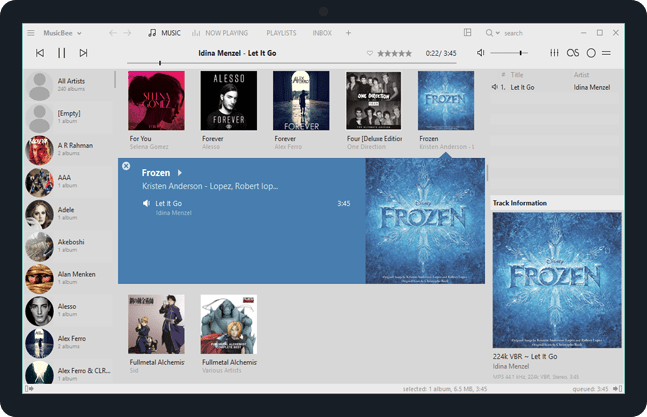
MusicBee ~ Extensible Audio Player


Enjoy a great music experience with MusicBee, the ultimate music manager and player. Play your music the way you want. Turn your computer into a music jukebox.

MusicBee makes it easy to manage, find, and play music files on your computer. Use auto-tagging to clean up your messy music library. MusicBee also supports podcasts, web radio stations and SoundCloud integration.

Supports AcoustID, Discogs, Last.FM, Milkdrop, ReplayGain and UPnP / DLNA

musicbee

getmusicbee.com
getmusicbee.com/downloads
Add-ons
Wiki
en.wikipedia.org/wiki/MusicBee

beets ~ The Music Geek’s Media Organizer


The purpose of beets is to get your music collection right once and for all. It catalogs your collection, automatically improving its metadata as it goes using the MusicBrainz database. Then it provides a bouquet of tools for manipulating and accessing your music.

Because beets is designed as a library, it can do almost anything you can imagine for your music collection. Via plugins, beets becomes a panacea:

  • Fetch or calculate all the metadata you could possibly need: album art, lyrics, genres, tempos, ReplayGain levels, or acoustic fingerprints.
  • Get metadata from MusicBrainz, Discogs or Beatport. Or guess metadata using songs’ filenames or their acoustic fingerprints.
  • Transcode audio to any format you like.
  • Check your library for duplicate tracks and albums or for albums that are missing tracks
  • Browse your music library graphically through a Web browser and play it in any browser that supports HTML5 Audio and lots more.

beets.io

foo_discogs ~ Foobar2000 & Discogs


Greatly extend the information in your music files by using the foo_discogs component to tag albums with Discogs information. Once the additional Discogs release information is stored in the song tags, it’s possible to search for catalog numbers, secondary artists or studios, etc. You can now also create toolbar buttons which open the corresponding artist or release pages in Discogs, the artist’s own website or other links.

  • download Discogs album and artist artwork
  • retrieve more information than most taggers
  • goes that extra length to make sure retrieved data is correct and well formatted
  • flexible tag mapping allows you to write only what you want, where you want
  • use meta-data in tags to display Discogs artist / label / release web pages
    able to later update specified tags (useful in update ratings)
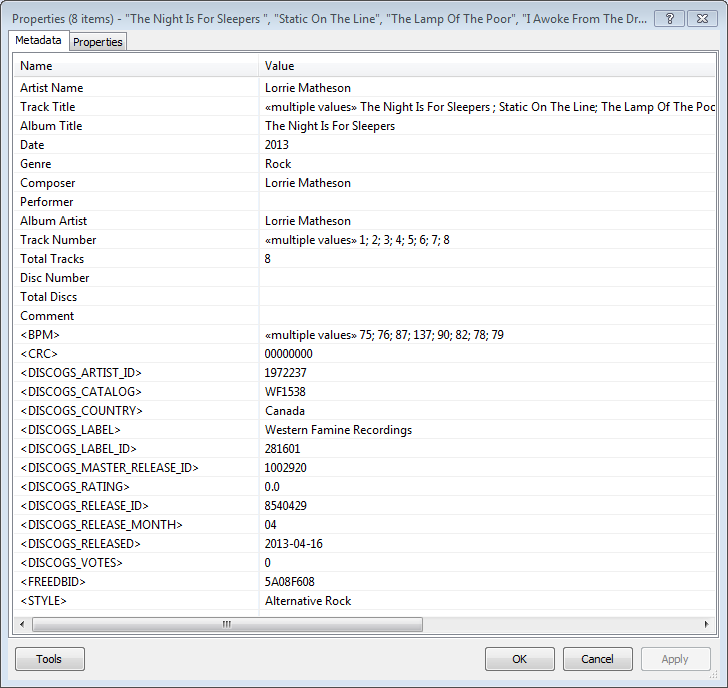
foobar - foo_discogs - resulting tags

Album’s properties when tagged with Discogs info

Installing & Configuration:

  1. Install the foo_discogs component
  2. Select any song on any playlist
  3. Right click the song and select Tagging
  4. From the sub-menu select Discogs
  5. Now select Configuration
  6. Change any settings needed.

Tagging Files:

  1. Select an entire album on a playlist
  2. Right click the album and select Tagging
  3. Select Discogs
  4. Select Write Tags…
  5. Click Search then select the correct match and click Next
  6. Confirm that the tracks match the files and click Write tags

Your audio files should now be tagged with additional Discogs metadata.

Open Release Page Button:

  1. Right click on Foobar’s Toolbar area and select “Customise Buttons…
  2. In “Available Commands” navigate to and select [context] > Tagging > Discogs > View Release Page
  3. Change Icon and then click “OK
  4. Select a song,  or album that has been tagged with Discogs metadata, and click the new custom button

References:

www.foobar2000.org/components/view/foo_discogs
hydrogenaud.io/index.php/topic,50523.0.html

Latest update:

github.com/ghDaYuYu/foo_discogs
bitbucket.org/fooDaYuyu/foo_discogs/downloads/

Mp3tag ~ Universal Tag Editor


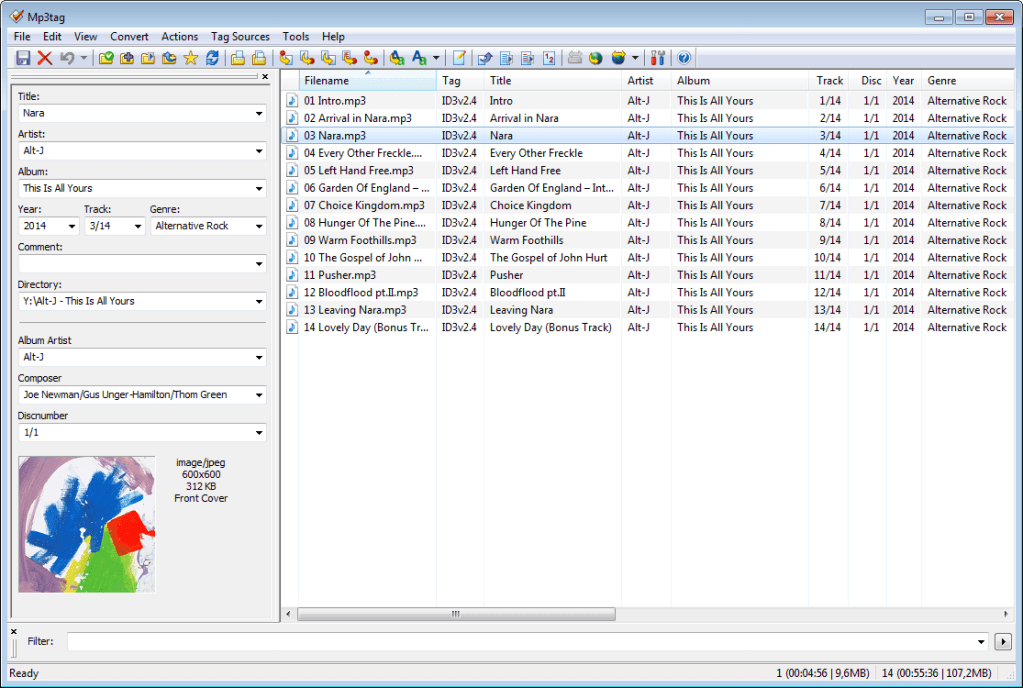
Mp3tag is a powerful and easy-to-use tool to edit metadata of audio files.

It supports batch tag-editing of ID3v1, ID3v2.3, ID3v2.4, iTunes MP4, WMA, Vorbis Comments and APE Tags for multiple files at once covering a variety of audio formats.

Furthermore, it supports online database lookups from, e.g., Discogs, MusicBrainz or freedb, allowing you to automatically gather proper tags and download cover art for your music library.

You can rename files based on the tag information, replace characters or words in tags and filenames, import/export tag information, create playlists and more.

mp3tag-en

www.mp3tag.de
www.mp3tag.de/en/screenshots
community.mp3tag.de
twitter.com/mp3tag
hydrogenaud.io/index.php?topic=122049.0
en.wikipedia.org/wiki/Mp3tag
apps.apple.com/us/app/mp3tag/id1532597159
www.microsoft.com/en-us/p/mp3tag/9nn77tcq1nc8
www.portablefreeware.com/?id=1137
musicbrainz.org/doc/Mp3tag

Discogs ~ Music Database & Marketplace


Discover the largest music database and marketplace in the world. Buy and sell vinyl, CDs and more with collectors from around the globe. Catalog and complete your collection.

www.discogs.com
Discogs Index
Discogs Lists
r/discogs
Ogger Club

Python API ~ github.com/joalla/discogs_client

Best Discogs Lists