GSonic ~ Stereo Redefined


GSonic Reference is a high-quality speaker and room correction tool that generates precision FIR correction filters from in-room measurements. It combines spatial measurement averaging with advanced filter generation to deliver studio-grade correction for any stereo listening environment.

Features:

  • Integrated Measurement & Filter Generation — Measure and generate in a single application
  • Spatial Averaging — Multi-position measurement for robust, position-independent correction
  • Automatic Clock Drift Compensation — No need for loopback cables or synchronized clocks
  • Low Latency Filters — 32,768-tap FIR filters at 48 kHz (pure C++ codebase, 341 ms processing latency)
  • Stereo Balance — Perceptual loudness-based stereo balancing
  • Target Curve Support — Built-in presets or bring your own custom target curves
  • Multiple Output Formats — Mono (L/R) and interleaved stereo WAV filters for maximum compatibility
  • ASIO & WASAPI Support — Choose your preferred audio backend on Windows

github.com/ObsessiveCompulsiveAudiophile/GSonic
hydrogenaudio.org/index.php/topic,129351.0

Pear Desktop ~ Desktop Client For YouTube Music


Pear Desktop is an Electron-based desktop client for YouTube Music designed for Windows, Linux and macOS. The project keeps the standard YouTube Music interface while adding desktop integration, plugins, themes and additional playback features.

The application is open source and distributed under the MIT license.

Features:

  • Native desktop-style window and controls
  • Plugin framework
  • Ad blocker
  • Lyrics support
  • Last.fm scrobbling
  • Discord Rich Presence
  • Media key support
  • Custom themes and CSS
  • Audio compressor
  • Equalizer
  • Crossfade
  • Skip silences
  • SponsorBlock integration
  • Video/audio mode toggle
  • Notification support
  • Downloader plugin
  • OBS integration
  • System tray support
  • Global keyboard shortcuts

How It Works

Pear Desktop loads the standard YouTube Music web interface inside a desktop application window and extends it through plugins and Electron desktop integration. It is not a standalone music service and still requires a YouTube Music or Google account for normal use.

Basic Usage

  1. Download the correct installer for your operating system from the Releases page.
  2. Install and launch the application.
  3. Sign into your Google account.
  4. Use YouTube Music normally.
  5. Optional plugins can be enabled or disabled from the Plugins menu.

Platforms

  • Windows
  • Linux
  • macOS

Notes

Because Pear Desktop uses Electron, memory and CPU usage are generally higher than lightweight native audio players such as foobar2000 or AIMP. The project is intended primarily as a feature-enhanced desktop frontend for streaming music from YouTube Music rather than as a traditional local-library music player.

github.com/pear-devs/pear-desktop

FlutPlayer ~ mp3 Player With Flutter


This is an Android / Windows application that plays audio.

github.com/n3wzd/FlutPlayer

PsalticTools ~ Byzantine Music Utilities


A set of utilities for working with Byzantine sheet music.

PsalticTools includes:

• a set of utilities (plugins) for typing of Byzantine notes in parallel double notation (Byzantine and Western), based on MuseScore free music editor;
• the PsalticHelper program for searching for formulas of Byzantine music in music books.
• the UniPsaltica2 font with the characters of the musical Byzantine notation in Unicode.

Features:

  • MuseScore-based editor for creating scores in parallel double notation
  • Simple input neumes from the keyboard
  • Check typed notes for errors
  • PsalticHelper: Search by accents pattern or by musical phrase
  • A small collection of classic psaltic books

sourceforge.net/projects/psaltichelper

References:

en.wikipedia.org/wiki/Byzantine_music
sourceforge.net/projects/byzorgan/

Groove ~ Cross-platform Music Player


A cross-platform music player based on PyQt5, supports Win32, Linux and macOS.

github.com/zhiyiYo/Groove

KeyKit ~ MIDI Scripting GUI


An algorithmic MIDI scripting language and GUI system. Musical Fun with Windows, Tasks, and Objects.

github.com/nosuchtim/keykit
github.com/nosuchtim/keykit/tree/master/dist
github.com/nosuchtim/keykitwasm
en.wikipedia.org/wiki/Keykit
sites.google.com/site/albertozin/Home/keykit

Install Procedure:

  • Navigate to the KeyKit GitHub repository (nosuchtim/keykit).
  • Open the /dist/ directory.
  • Download the appropriate archive for your system: Windows (key_nt.zip), Linux (key_linux_alsa.zip), or Raspberry Pi (key_raspbian.zip).
  • On Windows, right-click the downloaded .zip file, select “Extract All,” and extract it to a simple path such as C:\tools\keykit\.
  • On Windows, open the extracted folder and double-click key.exe to launch KeyKit and in the KeyKit console enter midiout("KeyKitPort").
  • On Linux, open a terminal, navigate to your download directory, run unzip key_linux_alsa.zip, then cd keykit, then run ./key from inside the keykit folder.
  • If Linux reports a permission error, run chmod +x key and then ./key.
  • Install a virtual MIDI driver on Windows (for example, loopMIDI).
  • Launch the MIDI driver and create a virtual port (for example, KeyKitPort).
  • Route the virtual MIDI port to a sound source such as a software synthesizer, DAW, or virtual MIDI instrument.
  • On Linux, verify MIDI devices by running aconnect -l.
  • Start a software synthesizer on Linux, for example fluidsynth -a alsa -m alsa_seq soundfont.sf2.
  • Run aconnect -l again to view available ports.
  • Connect KeyKit to the synthesizer using aconnect <keykit_port> <synth_port>.
  • In the KeyKit console, type 'c d e f g' and press Enter to test audio output.
  • Load a built-in sequencer by entering load "lib/seq.k" in the KeyKit console.
  • Optionally load a demo by entering load "lib/demo.k".
  • Ensure KeyKit is always launched from its root directory.
  • On Windows, if using a shortcut, set the “Start in” field to the KeyKit folder path.
  • On Linux, always run cd ~/keykit followed by ./key before launching.
  • If KeyKit cannot locate its libraries on Linux, set the environment variable with export KEYROOT=~/keykit.
  • Copy any additional .k scripts into the keykit/lib/ directory or your working directory.
  • Load additional scripts in KeyKit using load "myscript.k".
  • Create a startup script by making a file named startup.k.
  • Add commands such as load "lib/seq.k" and midiout("KeyKitPort") to startup.k.
  • Load the startup script in KeyKit using load "startup.k".
  • If KeyKit produces no sound, confirm MIDI devices exist and are properly connected.
  • If KeyKit fails to start, confirm you are running it from the correct directory and that permissions are set correctly on Linux.

lx-music-desktop ~ Electron Based Player


LX‑Music‑Desktop is an open‑source, Electron‑based music player built with Vue 3, offering a simple, fast interface for managing and playing local music libraries on desktop systems.

github.com/lyswhut/lx-music-desktop
sourceforge.net/projects/lx-music-desktop.mirror

AudioGridder ~ Audio & MIDI Network Bridge


AudioGridder is a network bridge for audio and MIDI that allows for offloading the DSP processing of audio plugins to remote computers. This can come in handy when mixing complex projects or running CPU intensive instruments.

AudioGridder Server runs on a computer hosting your effect and instrument plugins. On your workstation, on which you run your DAW, you use the AudioGridder FX or instrument plugin to access your plugin library over the network. The plugin is looking for available servers on your network and once connected allows you to create insert chains or load instruments. Midi and audio data from your DAW will be streamed over the network, processed on the server and streamed back.

audiogridder.com

SDIF ~ Sound Description Interchange Format


The Sound Description Interchange Format (SDIF) is an established standard for the interchange of sound descriptions and analysis data. This project provides libraries, SDIF (in C) and Easdif (in C++), tools, and wrappers to read and write SDIF files.

sourceforge.net/projects/sdif
cnmat.berkeley.edu/library/sdif
en.wikipedia.org/wiki/SDIF
groups.google.com/g/sdif-forum

Producer Player ~ Mastering Workspaces


A desktop app for producers who bounce a lot. Drag in a folder of exports and Producer Player auto-groups versions, organizes your album, and gives you a full mastering workspace — all in one place.

ethansk.github.io/producer-player
github.com/EthanSK/producer-player

OpenVoiceOS ~ Voice AI Platform


OpenVoiceOS is a community-driven, open-source voice AI platform for creating custom voice-controlled ​interfaces across devices with NLP, a customizable UI, and a focus on privacy and security.

www.openvoiceos.org
github.com/OpenVoiceOS
github.com/OpenVoiceOS/ovos-installer

Audion ~ Community Driven Music Player


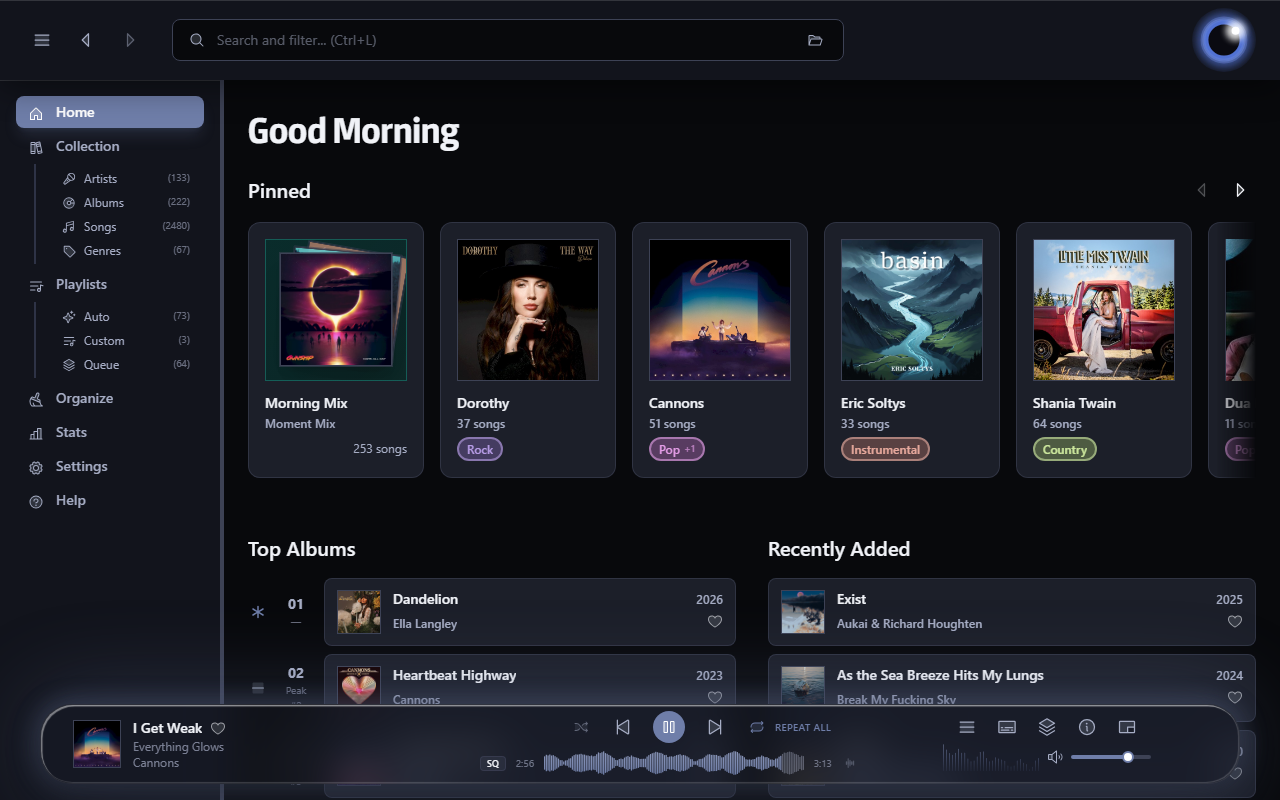
Audion is a privacy-focused music player that brings the Spotify experience to your local music library. No internet required, no tracking, just your music, beautifully organized.

Key highlights:

  • Synced lyrics with karaoke-style word highlighting
  • Extensible plugin system
  • Gorgeous, customizable interface
  • Fully offline

www.audionplayer.com
github.com/dupitydumb/Audion