OpenPiano ~ Virtual Piano For Windows


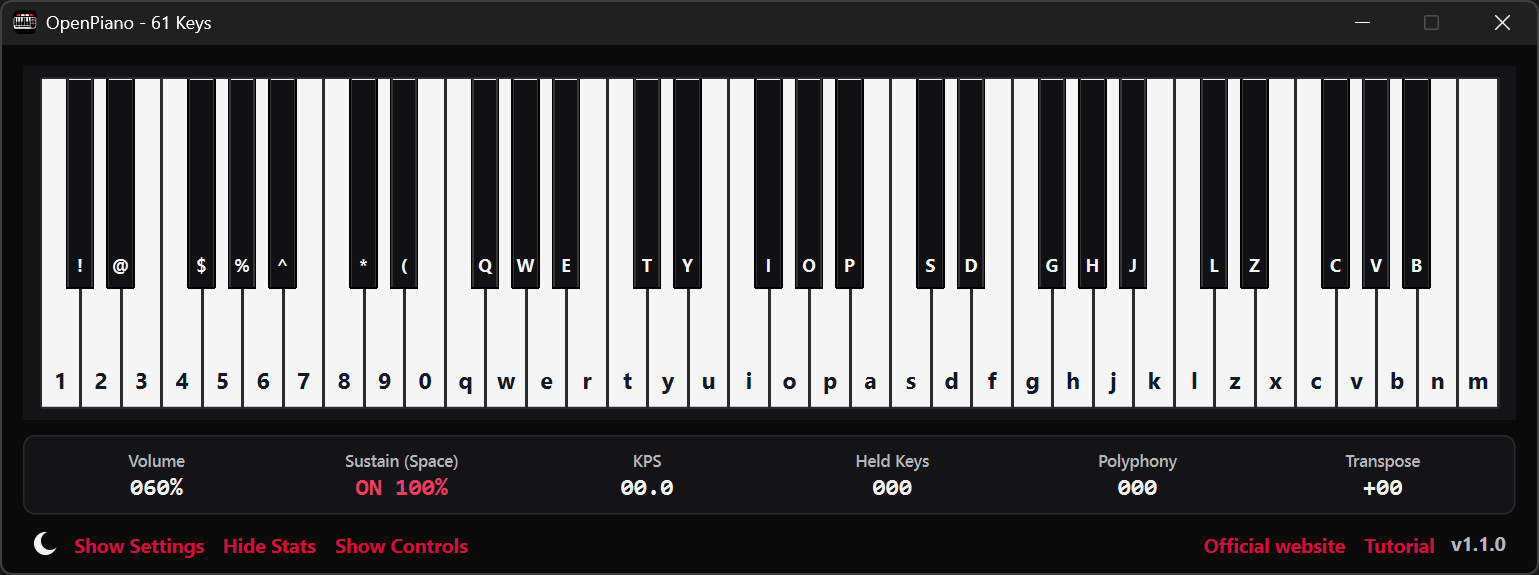
OpenPiano is a Windows desktop piano application that allows you to play, practice, and record music using your PC keyboard, mouse, or a MIDI device.

It supports real-time playback using SoundFonts and provides on-screen piano layouts for visual feedback while playing.

OpenPiano is designed to run entirely locally. It does not require accounts, cloud services, or an internet connection for core functionality.

  • 61-key and 88-key layouts with live key feedback
  • SoundFont support (.sf2 / .sf3) with bank and preset selection
  • Keyboard, mouse, and MIDI input support
  • Editable keybind mode with Save, Discard, and Ctrl+Z undo
  • Keyboard and mouse combo triggers with shared 61/88-key mapping
  • MIDI recording and .mid export
  • Real-time controls for volume, velocity, sustain, and transpose
  • Live stats for KPS, held keys, and polyphony
  • Theme, UI scale, animation speed, and key color customization
  • Built-in tutorial with an in-depth explanation of features
  • Offline local-first workflow with no account required
www.justagwas.com/projects/openpiano
github.com/Justagwas/openpiano
sourceforge.net/projects/openpiano

Alternative:

github.com/michele-perrone/OpenPiano

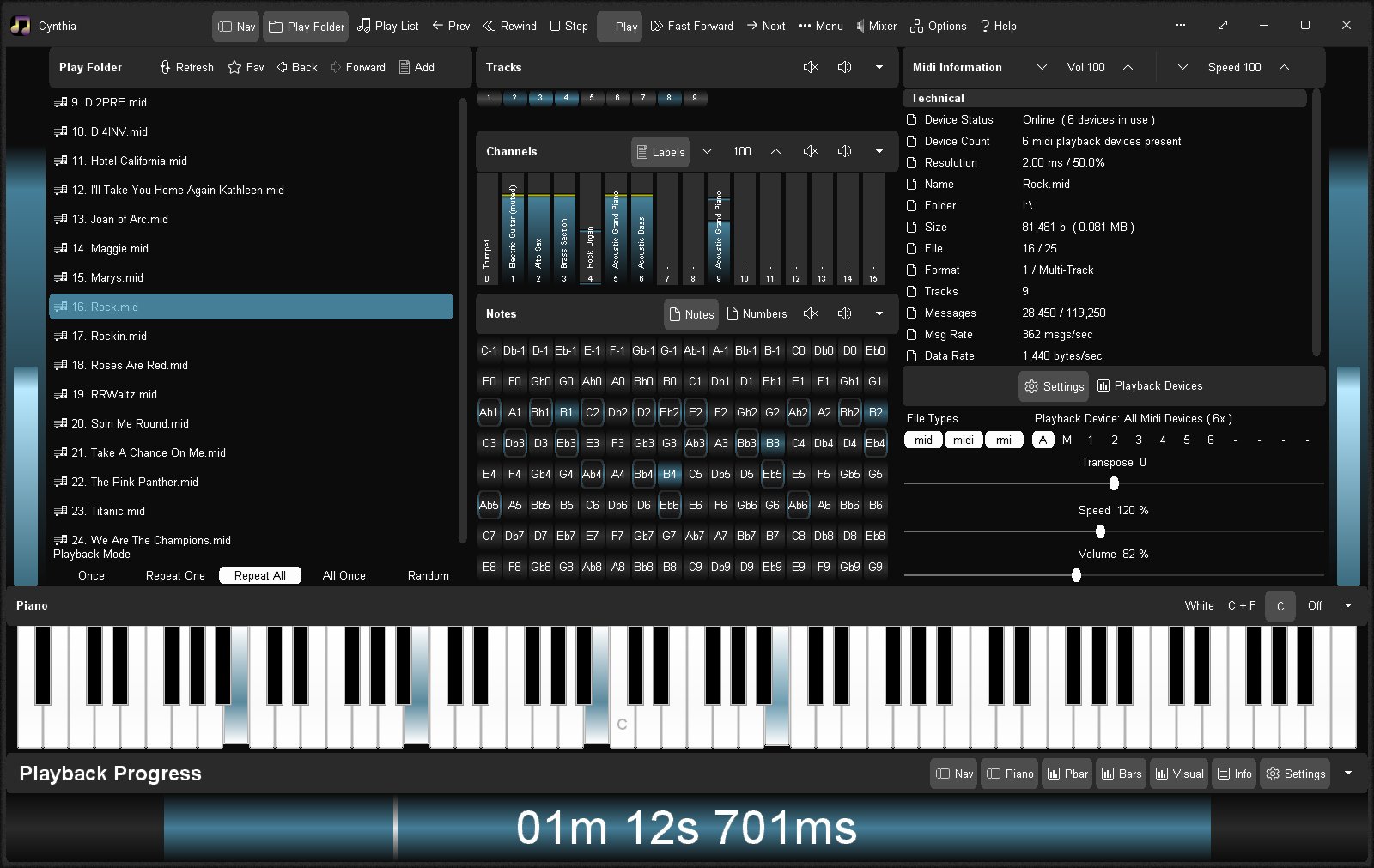
Cynthia ~ Multitrack MIDI Player


Reliably play midi music files from a folder or “.m3u” playlist. Adjust playback speed, volume and output device on the fly during playback. A large playback progress bar makes jumping forward and backward in time a breeze with just a single click or tap. Supports “.mid”, “.midi” and “.rmi” files in format 0 (single track) and format 1 (multi-track). Comes complete with 24 sample midis ready to play.

Features:

  • Dual play systems – Play Folder and Play List
  • Comes with 24 built-in sample midis on a virtual disk
  • Elapsed, Remaining and Total time readouts
  • Native “.m3u” playlist support (copy, paste, open, save, build)
  • Drag and drop midi files to play / add to playlist
  • Play Modes: Once, Repeat One, Repeat All, All Once, Random
  • Play Speed: 10% to 1,000% (1/10th to 10x)
  • Intro Mode: Play first 2s, 5s, 10s or 30s of midi
  • Rewind / Fast Forward by: 1s, 2s, 5s, 10s or 30s
  • Play on Start option – playback commences on app start
  • Always on Midi option – maintain connection to midi device for instant playback
  • Auto Fade In – eliminate loud or abrupt notes during rewind, fast forward or reposition operations
  • Playback Progress bar – click to reposition/jump backward or forward in time
  • Volume control with volume boost (up to 200%)
  • Play “.mid”, “.midi” and “.rmi” midi files in 0 and 1 formats
  • Custom built midi playback subsystem for high playback stability
  • Scrolling lyrics viewer
  • Detailed midi information panel
  • Tracks Panel: Realtime track data indicators with mute all, unmute all, and mute individual track options
  • Channels Panel: Realtime channel output volume indicators with peak level hold and variable hold time, unmute all, mute all, and mute individual channel options
  • Notes Panel: 128 realtime note usage indicators with variable hold time, 8-12 notes per line display, labels as letters or numbers, unmute all, mute all, and mute individual note options
  • Piano Panel: View realtime piano keystrokes on a 128, 88, 76, 61, 54, 49 or 37 key keyboard with animated and lit keystrokes
  • Piano: Mark middle C key, C + F keys, or all white keys
  • Transpose option: Shift all notes up or down music scale
  • Use an Xbox Controller to control Cynthia’s main functions – playback speed and volume, song position, display panels, song file navigation, jump to start of song, toggle fullscreen mode, etc
  • Large list capacity for handling thousands of midi files
  • Switch between up to 10 midi playback devices
  • Simple and easy to use
  • Options Window – Easily change app color, font and settings
  • Portable

sourceforge.net/projects/cynthia1
www.blaizenterprises.com/cynthia

911TABS ~ Tablature Web Search


Tablature Search Engine

Guitar
Guitar Pro
Bass
Piano
Sheet music
Drum
Power
Video

www.911tabs.com

StrumPract ~ Various Tools For Musicians


  • Learn to play drums set in 4 lessons and develop your art.
  • Practice your other instruments with a editable drums machine.
  • Tune your guitar and bass.
  • Play audio files and loop it, adjusting the tempo of the song to what you want.
  • DJ console for auto-mixing, with 2 players and direct-output of mic.
  • Record your ideas-jam.
  • Chords randomizer for jamming.
  • Image Dancer.
  • Tag info with images.
  • Many Layout and Styles.

Features:

  • DJ console
  • Recording
  • Drums set
  • Piano synth
  • Noise producer
  • Image dancer
  • Jam session
  • Chords randomizer

sourceforge.net/projects/strumpract
github.com/fredvs/strumpract
forum.lazarus.freepascal.org/index.php?topic=52237.0

sightread ~ Learn To Play Piano


A free and open-source webapp for learning to play Piano. Play music without needing to learn sheet music. Plug in your MIDI keyboard for the optimal experience.

sightread.dev
github.com/sightread/sightread

AutoPiano ~ Virtual Online Piano


AutoPiano allows you to play a virtual piano online freely.

It’s also an excellent music platform for all people.

This repo is only for Learning purpose.

Not safe & suitable for deploying.

www.autopiano.cn/en/

github.com/AutoPiano/AutoPiano

4Front E-Piano ~ Freeware DX-7 Piano Plugin


4Front E-Piano is a small single sound instrument without any settings that reproduces a timbre, which is similar to DX-7 type e-piano. It is available as VSTi for Windows, and as an AudioUnit, VSTi and RTAS for Mac.

This instrument is small on memory and CPU usage and was found useful by many users and software developers as a plug & play e-piano module, which does not require any configuration or adjustment.

There is also 4Front R-Piano, which replicates a different type of E-Piano.

www.yohng.com/software/epiano

mypiano_jukebox ~ MIDI Piano Player


mypiano_jukebox is a mypiano_chung bass.dll based MIDI jukebox, MIDI files & folder player with a virtual acoustic piano recorded on Isabelle’s upright piano, with a smartphone. The sounds, reverb, chorus and volume are variable with the number of played notes and the sustain switch, just like a real piano.

  • Added a public domain Kawai, City piano and Steinway samples
  • harp0 – harp9 + piano shape selection
  • uses mp3 samples
  • easy to customize
  • written in freebasic

sourceforge.net/projects/mypiano-jukebox

Midi Sheet Music ~ Cross-platform MIDI Player


Midi Sheet Music is a free program that plays MIDI music files while highlighting both the piano keys and sheet music notes. Works on Windows, Mac OS X, Linux Ubuntu, iPhone / iPad and Android.

midisheetmusic.com
sourceforge.net/projects/midisheetmusic

Strobe Tuner ~ Windows Stroboscopic Tuning


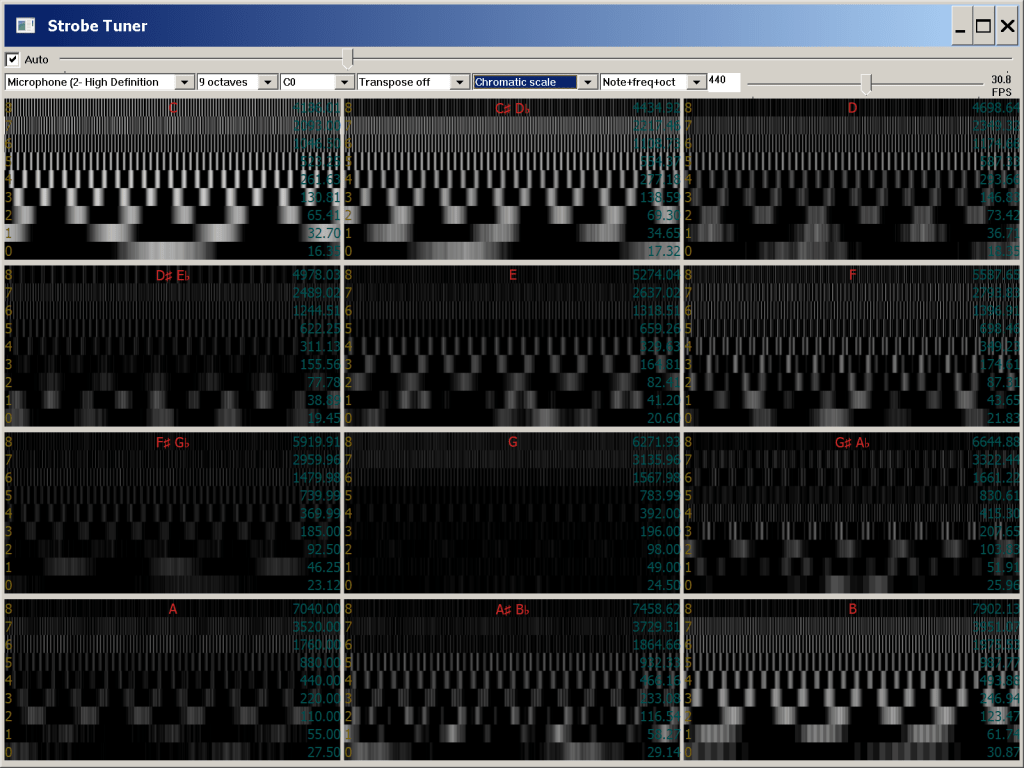
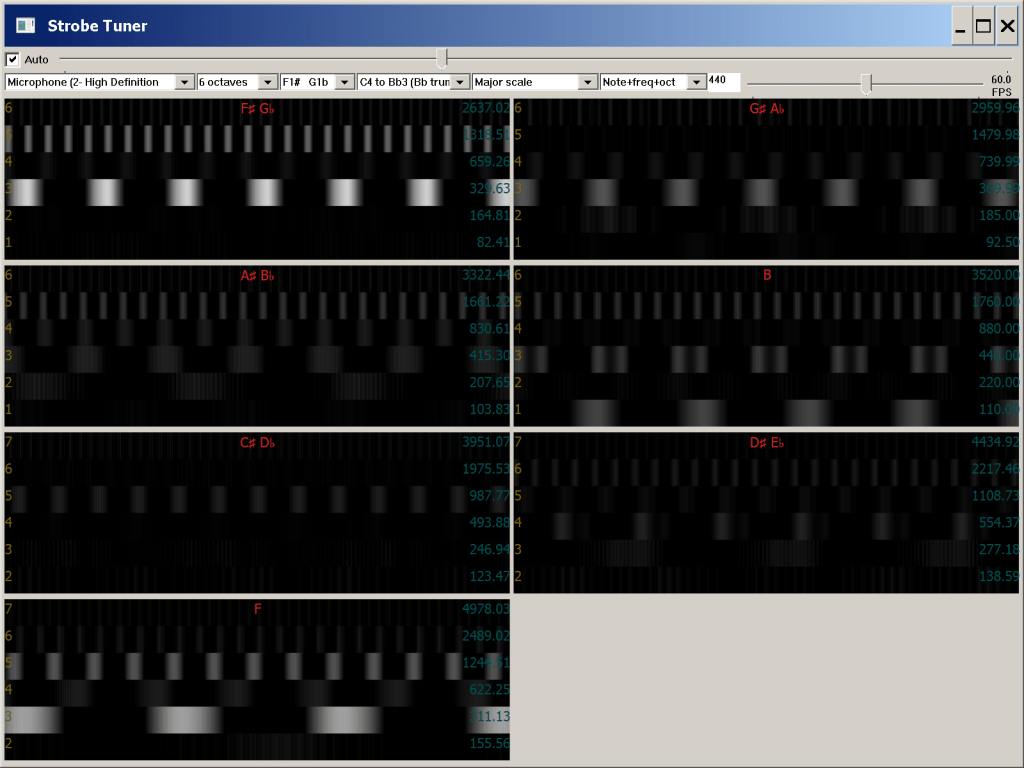
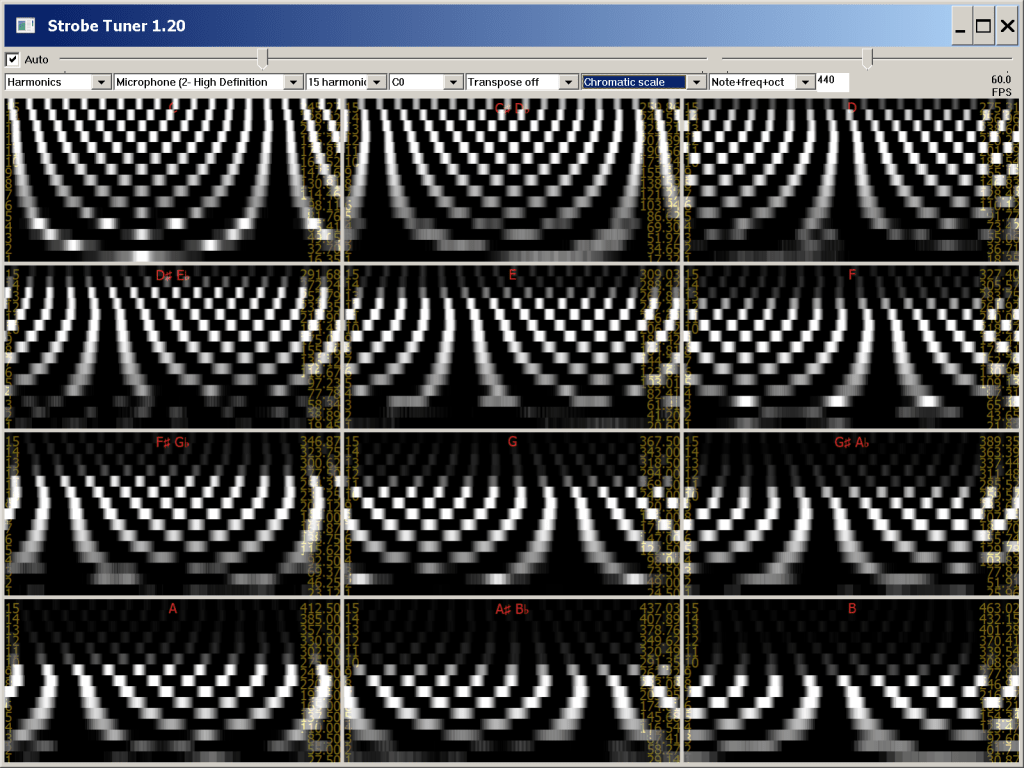
Musical instrument strobe tuner; a real-time emulation.

Features:
  • Configurable up to 12 wheel, 9 octave.
  • 16.35 – 21,096 Hz (C0 – E10). Covers the full range of human hearing.
  • Configurable pitch and wheel count.
  • Many transpose (key) options.
  • Automatic and manual and gain control.
  • 60 FPS (with suitable computer).
  • Presets for single note, major, minor, and chromatic scales.
  • Adjustable 440 Hz.
  • Complete command line control.
  • Simulated sine waves for test and or debugging.
  • Actual low level emulation, no FFT used.
  • Coded in C.
  • Harmonic mode.

sourceforge.net/projects/strobetuner
en.wikipedia.org/wiki/Electronic_tuner#Strobe_tuners

Playtime ~ 10 Toy Instrument Plugin


Playtime is a FREE premium VST created by Daniel of Reflekt Audio. Playtime consist of ten different toy instruments that range from a desktop drum kit with a few toms and a hi hat, to a toy keyboard, a toy banjo, and more! The Playtime VST plugin has multiple blend-able microphones that the user can blend together to create one overall tone. Each instrument was sampled from real toys so you can bet on a unique and interesting toy like sound.

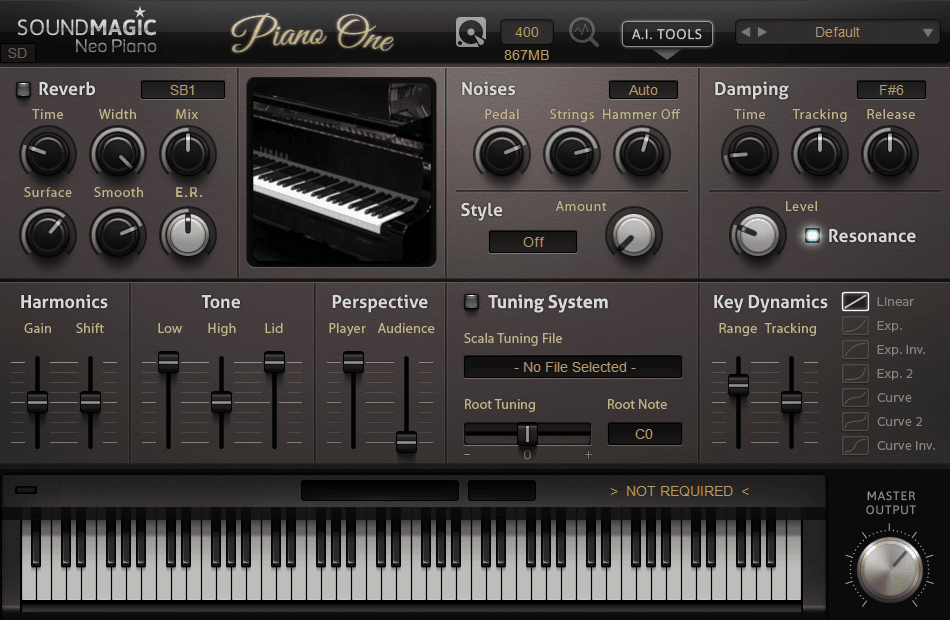
Piano One ~ Yamaha C7 Concert Grand VST


Piano One comes from the Yamaha C7 concert grand, a true workhorse in the professional piano world, appearing on famous concert stages, in international competitions and in prestigious music events throughout the world.

By utilizing the Sound Magic Hybrid Modelling Engine, Piano One offers both the Realistic Sound of Sampling and the Playability of Modelling. Hybrid Modelling provides an instantaneous feeling – no delay – and a truer and richer sound than can be created with either sampling or modelling alone.

  • VST on Windows (32Bit&64Bit) and VST and AU on Mac (32Bit&64Bit)
  • Neo Piano Hybrid Modeling Engine (Limited Features)
  • Yamaha C7 Sound
  • Note duration is limited within 18 seconds
  • Some features are limited such as Sympathetic Resonance and noises

neovst.com/piano-one