
Nuvola (Linux) Apps are web apps running in Nuvola Apps Runtime that provides them with more native user experience and richer desktop integration features than standard web browsers can offer. Nuvola specializes in music streaming services and offers background playback, handling of media key, integration with media player applets, Last.fm scrobbling, lyrics fetching, and much more.
Although Nuvola should work in all Linux desktop environments, we currently test only GNOME (Ubuntu, Fedora), Unity (Ubuntu), and Pantheon (elementaryOS). We hope to explore other desktops in the future.
Tag Archives: lyrics

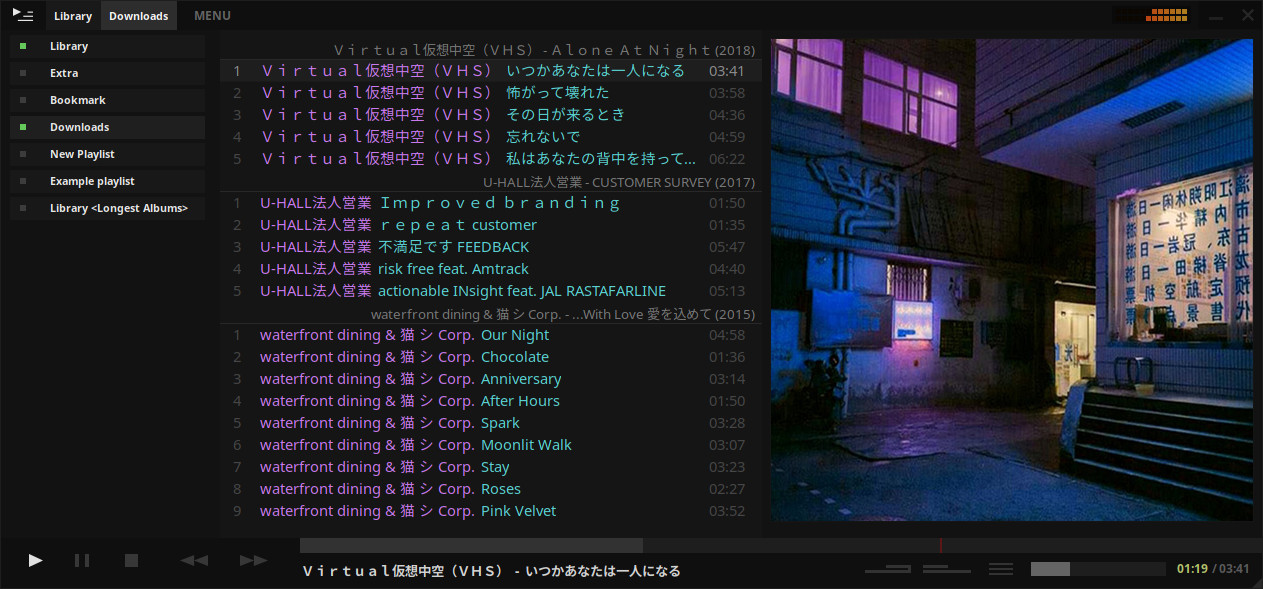
Tauon Music Box ~ Streamlined Linux Player
A music player for the desktop. Designed to be powerful, simple and streamlined, putting the user in control of their music collection. Uses the proprietary BASS audio library for playback.
tauonmusicbox.rocks
github.com/Taiko2k/tauonmb
Share this:

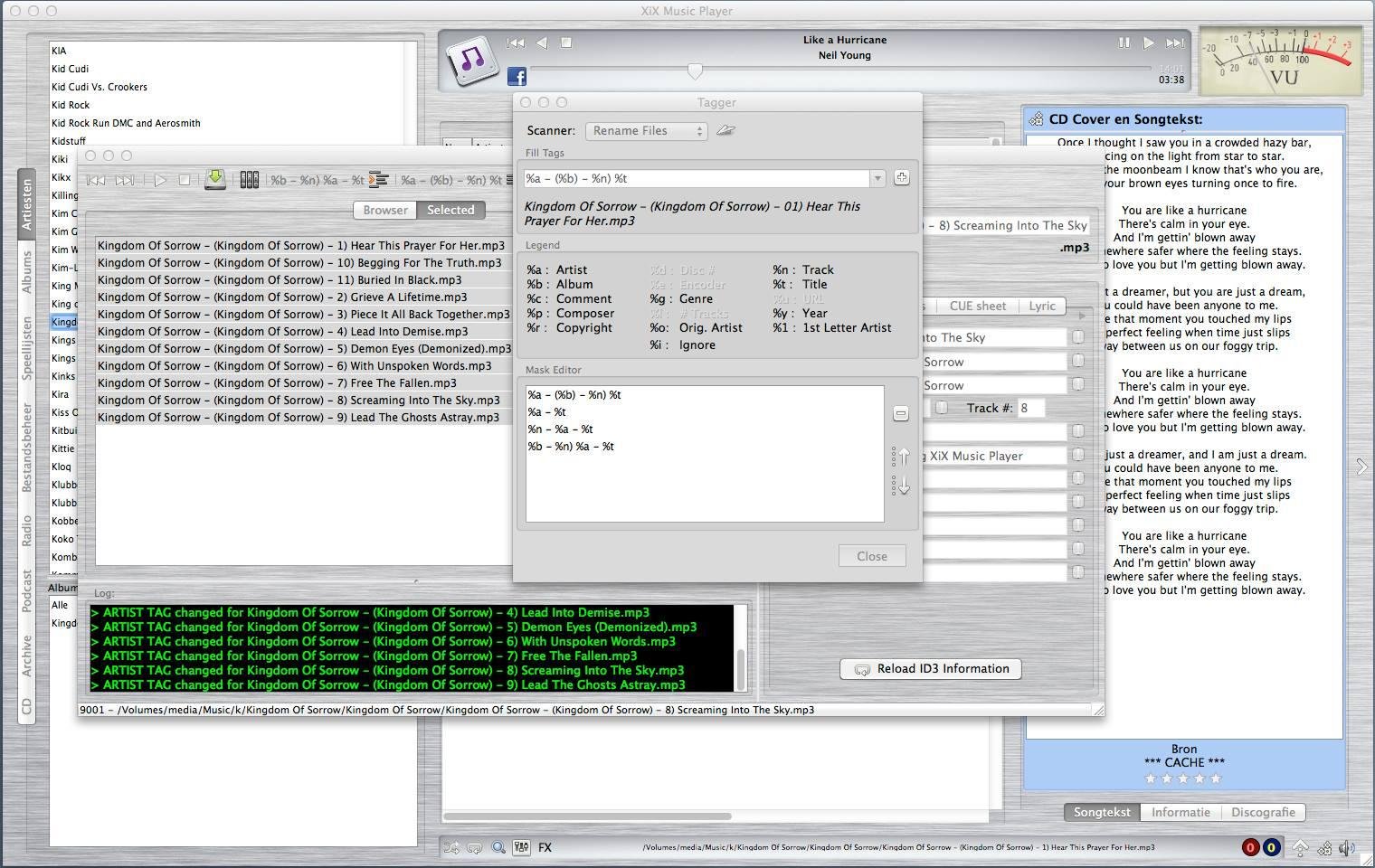
XiX ~ Open Source Music Player
XiX Player is a free, easy to use, multi-platform music player that currently runs in Linux, Linux ARM (Raspberry Pi), Windows & MacOS Intel
Features:
- Supports the following file formats: MP3, OGG, M4A (non-DRM), AAC, FLAC, OPUS, APE, DFF, WAV
- Play & rip your CDs to MP3 or FLAC with CD-Text and CDDB support.
- Rip CD/DVD tracks to MP3 or FLAC. Needs mplayer.
- See albums the chosen artist is on and vice versa.
- Create and use playlists.
- Online radio stations + presets.
- Record online radio stations.
- Schedule Radio station recordings.
- Listen to & download podcasts.
- Play license free audio from the Internet Archive.
- Show the lyrics and CD covers of the song being played.
- Shuffle and repeat.
- Reverse play.
- Crossfading & trimming.
- Search.
- Rate your songs.
- EQ + FXs (Flanger, Echo & Reverb).
- Set EQ & trim for individual songs.
- Copy, delete or rename files.
- Change ID3 tag (only for MP3/OGG/FLAC/APE).
- Multiple tagging / renaming.
- Theme support (Basic).
sourceforge.net/projects/xixmusicplayer
Share this:

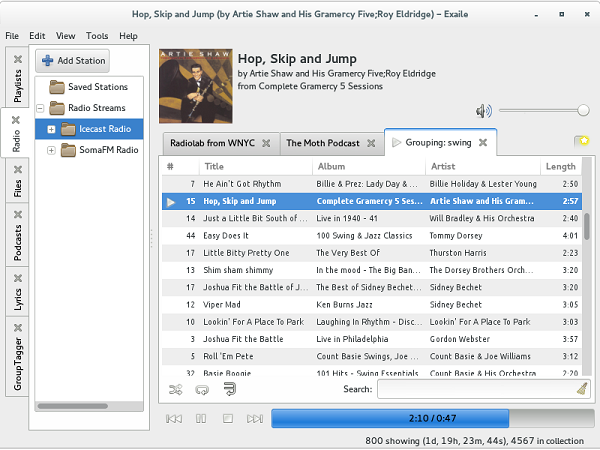
Exaile ~ GTK+ Music Player
Simple interface. Powerful music management. Smart Playlists. Advanced track tagging. Automatic album art. Lyrics. Streaming Radio. Podcasts. Secondary output device support. Cross-platform. Easily extensible with 50+ plugins available.
Share this:

Dopamine ~ A Simple Pretty Audio Player
Dopamine is a Windows audio player which tries to make organizing and listening to music as simple and pretty as possible. It can play wav, mp3, ogg vorbis, flac, wma and m4a/aac files.
github.com/digimezzo/dopamine
digimezzo.github.io/site/software
dopamine.en.uptodown.com/windows
twitter.com/Digimezzo
Share this:

MiniLyrics ~ Display Music Lyrics Free
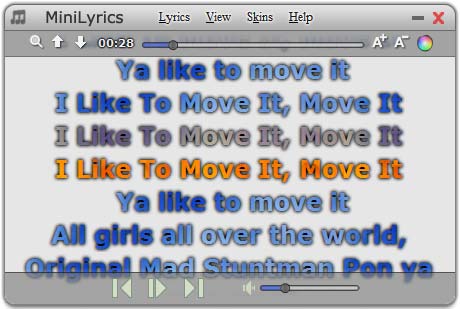
- Lyrics plugin software for iTunes, Windows Media Player, Winamp, etc. You needn’t change your way of enjoying music.
- Display scrolling lyrics, you can follow along with the artist and catch every word.
- Automatically search and download lyrics.
- Huge lyrics database, and it is expanding every day.
- Download and save lyrics in your song files, you can view these lyrics on your iPod or iPhone.
- Amazing translucency skins.
- Cross-platform, support Windows, Mac and Android.
Share this:

Clementine ~ Modern Player & Library Organizer
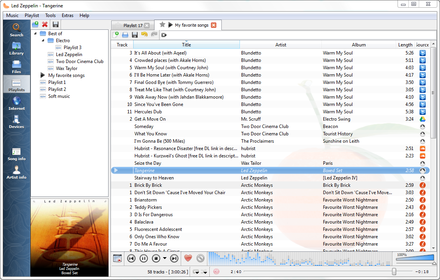
Clementine is a multi-platform music player. It’s inspired by Amarok 1.4, focusing on a fast and easy-to-use interface for searching and playing your music.
- Search and play your local music library.
- Listen to internet radio from Spotify, Groovesharks, SomaFM, Magnatune, Jamendo, SKY.fm (radiotunes), Digitally Imported, JAZZRADIO.com, Soundcloud, Icecast and Subsonic servers.
- Search and play songs you’ve uploaded to Box, Dropbox, Google Drive, and OneDrive.
- Create smart playlists and dynamic playlists.
- Tabbed playlists, import and export M3U, XSPF, PLS and ASX.
- CUE sheet support.
- Play audio CDs.
- Visualizations from projectM.
- Lyrics and artist biographies and photos.
- Transcode music into MP3, Ogg Vorbis, Ogg Speex, FLAC or AAC.
- Edit tags on MP3 and OGG files, organize your music.
- Fetch missing tags from MusicBrainz.
- Discover and download podcasts.
- Download missing album cover art from Last.fm and Amazon.
- Cross-platform – works on Windows, Mac OSX and Linux.
- Native desktop notifications on Linux (libnotify) and Mac OSX (Growl).
- Remote control using an Android device, a Wii Remote, MPRIS or the command-line.
- Copy music to your iPod, iPhone, MTP or mass-storage USB player.
- Queue manager.
www.clementine-player.org
www.clementine-player.org/downloads
github.com/clementine-player/Clementine
flathub.org/apps/org.clementine_player.Clementine
en.wikipedia.org/wiki/Clementine_(software)
Clementine Music Player Tutorial
F-Droid
An Android remote control for Clementine
f-droid.org/packages/de.qspool.clementineremote
Share this:

Audacious ~ Open Source Audio Player
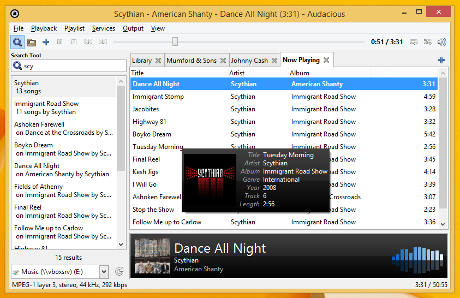
Audacious is an open source audio player. A descendant of XMMS, Audacious plays your music how you want it, without stealing away your computer’s resources from other tasks. Drag and drop folders and individual song files, search for artists and albums in your entire music library, or create and edit your own custom playlists. Listen to CD’s or stream music from the Internet. Tweak the sound with the graphical equalizer or experiment with LADSPA effects. Enjoy the modern GTK-themed interface or change things up with Winamp Classic skins. Use the plugins included with Audacious to fetch lyrics for your music, to set an alarm in the morning, and more.
audacious-media-player.org
audacious-media-player.org/download
VU Meters
Share this:

Nightingale ~ Extensible Audio Player
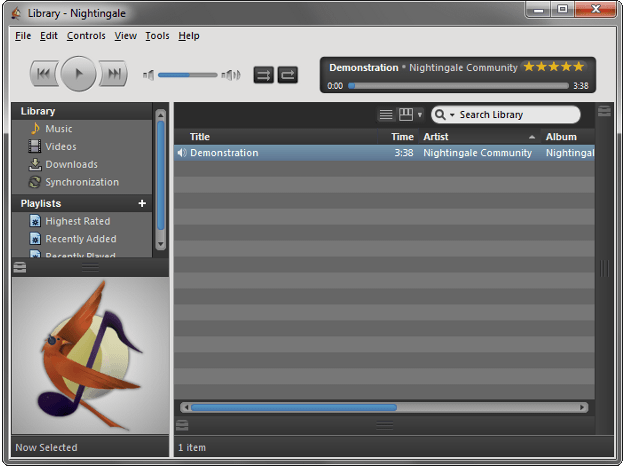
Nightingale chirps your favorite tunes! A beautiful interface with a wide range of supported audio formats, Last.fm and multi-platform support!
* A descendant of Songbird
Share this:

Foobar2000 ~ Extensible Audio Interface & Player
An advanced and evolved freeware audio player for Android, Mac, Windows and Wine. Foobar2000 can be extensively extended, modified and themed.
This is the basic Default User Interface or DUI. You will need to configure and extend the DUI Foobar2000 interface according to your preferences and requirements.
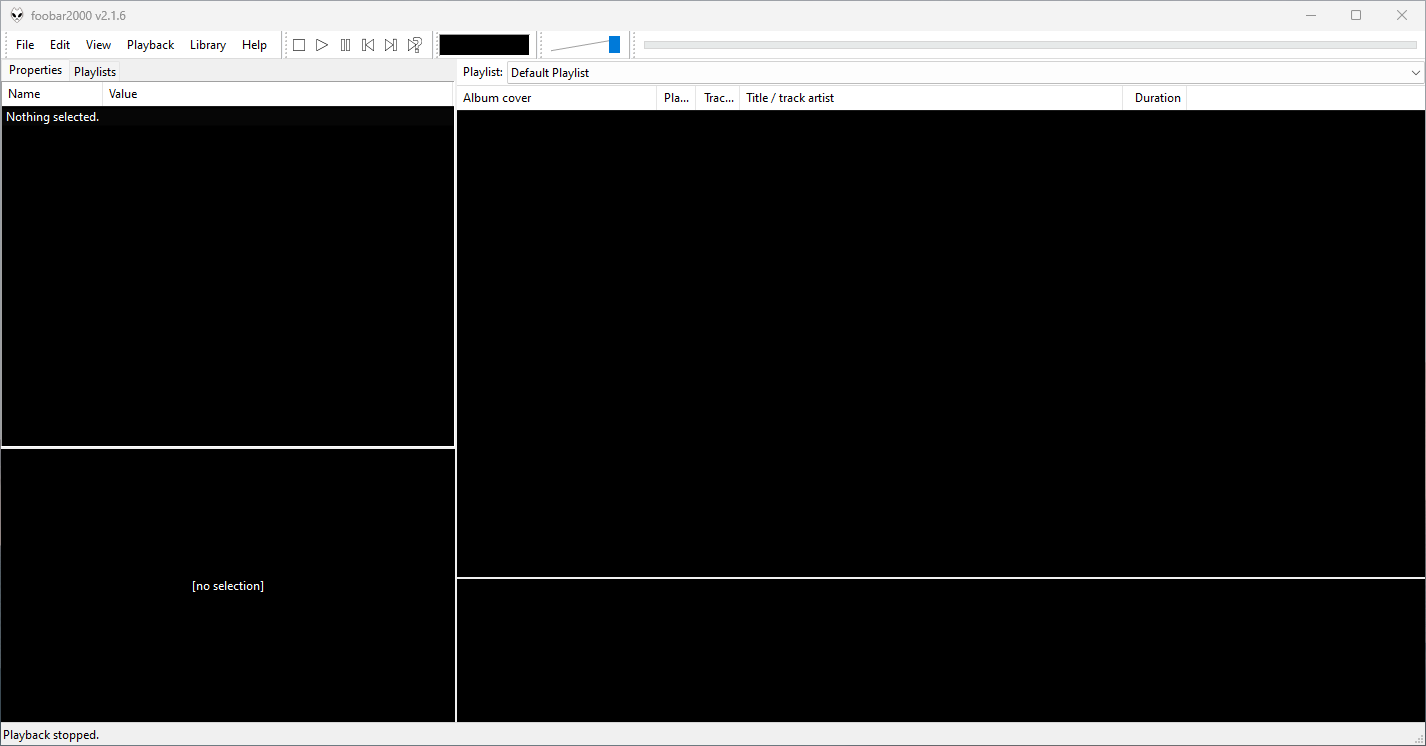
Features:
- Supported audio formats: MP3, MP4, AAC, CD Audio, WMA, Vorbis, Opus, FLAC, WavPack, WAV, AIFF, Musepack, Speex, AU, SND… and more with additional components.
- Gapless playback.
- Easily customizable user interface.
- Advanced tagging capabilities.
- Support for ripping Audio CDs as well as transcoding all supported audio formats using the Converter component.
- Full ReplayGain support.
- Customizable keyboard shortcuts.
- Open component architecture allows third-party developers to extend functionality.
- Multiplatform: Android, Mac, Windows 32|64-bit and ARM (ARM64EC).
Interfaces:
Foobar2000 is not limited to the Default User Interface or DUI. There is an alternative popular interface called Columns User Interface or CUI. CUI is most often used for theming or skinning foobar2000. There is also a Classic User Interface but it is rarely used or referenced.
Links:
- www.foobar2000.org
- www.foobar2000.org/download
- www.foobar2000.org/components
- www.foobar2000.org/components/system/mac
- www.foobar2000.org/FAQ
- www.foobar2000.org/screenshots
- www.foobar2000.org/SDK
- mobile.foobar2000.com
- wiki.hydrogenaud.io
- Version_2.0_Release_Notes
Packages & Store Versions:
- apps.apple.com/us/app/foobar2000/id1072807669
- play.google.com/store/apps/details?id=com.foobar2000.foobar2000
- www.microsoft.com/en-us/p/foobar2000/9pdj8x9spf2k
- www.microsoft.com/store/productId/9PDJ8X9SPF2K (foobar2000 classic version 1.6x)
- chocolatey.org/packages/foobar2000
- aur.archlinux.org/packages/foobar2000/
Official Foobar2000 Forums At Hydrogenaudio:
References:
- en.wikipedia.org/wiki/Foobar2000
- Foobar2000 Encoder Pack
- head-fi.org ~ Foobar2000 resources
- Kode54’s Component Page
- Reddit – rFoobar2K
- snapcraft.io/foobar2000
- www.facebook.com/foobar2k
- github.com/marc2k3/foobar2000-sdk
- eolindel.free.fr/foobar
- MacOS components

 The Audio File