BPM Counter ~ Beats Per Minute mp3 Tagger


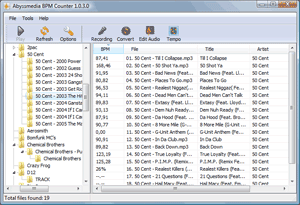
BPM Counter is a fast and accurate beats per minute detector for MP3 music. It may be helpful for DJs who need to get information about the entire music collection quickly and for any kind of remixing/sampling stuff. Do not trust online BPM databases, because each musical composition can have several versions with a different tempo. Don’t waste your time for manual tapping with a metronome, just navigate to any folder with music and BPM finder will show all compatible audio files (MP3 and WAV) and start BPM detection automatically.

Have you already encountered the fact that your analyzer returns half or double value? This is a fairly common mistake, called an octave error. Most often this happens with simplified algorithms that cut off the frequency spectrum of the audio signal. Seeing that, we use full-range audio decoders from Audio Converter Plus to ensure a balance between performance and precision.
bpmcounter300

www.abyssmedia.com/bpmcounter

SoundTouch ~ Audio Processing Library


SoundTouch is an open-source audio processing library for changing the Tempo, Pitch and Playback Rates of audio streams or audio files. The library additionally supports estimating stable beats-per-minute rates for audio tracks.

  • Tempo (time stretch): Changes the sound to play at faster or slower tempo than originally without affecting the sound pitch.
  • Pitch (key) : Changes the sound pitch or key while keeping the original tempo (speed).
  • Playback Rate : Changes both tempo and pitch together as if a vinyl disc was played at different RPM rate.

The SoundTouch library is intended for application developers writing sound processing tools that require tempo/pitch control functionality, or just for playing around with the sound effects.

The SoundTouch library source kit includes also an example utility SoundStretch for processing .wav audio files from command-line interface.

Access the source codes in gitlab or download the compiled executables.

www.surina.net/soundtouch
gitlab.com/soundtouch

VirtualDJ ~ Standalone DJ Mixer


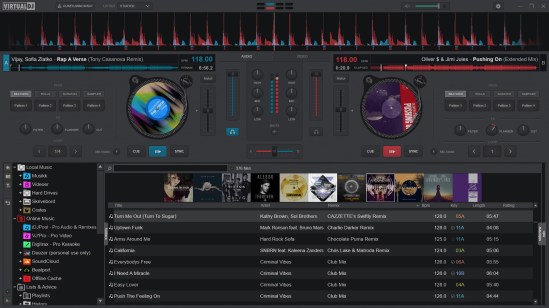
VirtualDJ delivers more features than any other software. The latest groundbreaking technology is always available in VirtualDJ first! With VirtualDJ you’re guaranteed to be ahead of the curve with the latest high-tech and innovative features

Although VirtualDJ is packed with features, it is still easy to learn. You can start with the basics and advance as you learn more. VirtualDJ is well suited for both the amateur starter, or the seasoned professional DJ and comes with all the features you’ll ever need. With VirtualDJ you can turn any event into a total success! Whether it’s scratch performance and video mixing, or from bedroom broadcast to upscale wedding events.

VirtualDJ lets you do more! Unleash your creative potential…

Free For Home Use

virtualdj

www.virtualdj.com

Open Metronome ~ Customizable Windows BPM


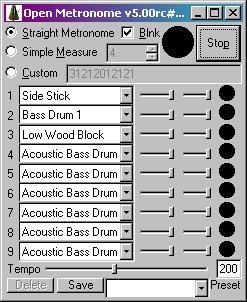
Free open source GPL metronome (a “branch” of “Weird Metronome“) for Windows, Windows Mobile, & Pocket PC. Uses user-definable multi-voice WAV or MIDI (PC only) sounds for the beats. Has a blinker & allows user defined bpm & fine measure control.

Features:

  • Accurate metronome sound! No skips or variation in audio output!
  • Custom rhythm patterns: use it as a (very basic) drum machine
  • User definable beats per minute
  • Set measure to any length, with emphasis on any beat(s)
  • Over 40 MIDI voices, optionally available as WAV samples
  • Up to nine simultaneous voices per beat
  • Add your own WAV samples to use whatever sounds you like
  • Highly customizable parameters
  • Define HotKeys to perform functions such as increase tempo
  • Set the Maximum & minimum tempo available via the tempo slider
open metronome

openmetronome.sourceforge.net
sourceforge.net/projects/openmetronome

Smart Mix Player ~ DJ & Radio Automation


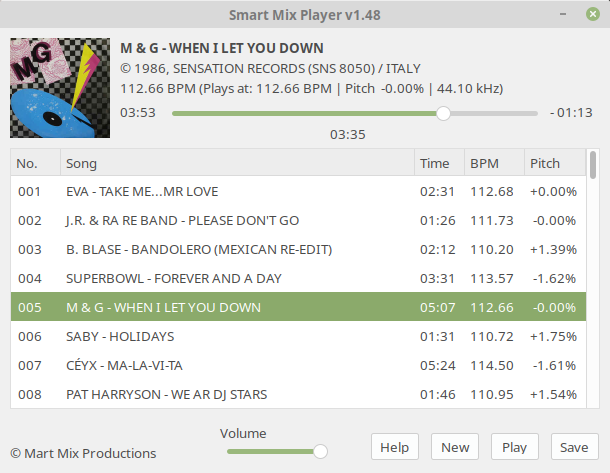
Smart Mix Player is a free auto disc jockey player for Linux and Windows. It plays audio files as a non stop mix, but not in the way that traditional auto DJ software does!

Most of these players mix songs together at the end of a song with a simple fade out and fade in. Smart Mix Player goes a big step further and mixes like a real DJ!

smartmixplayer

www.smartmixplayer.com

foo_bpm ~ Foobar2000 & BPM


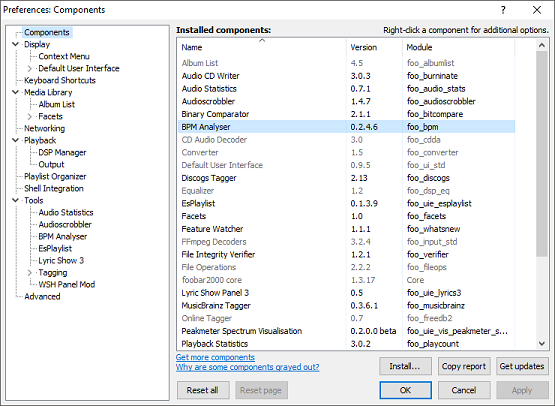
foo_bpm – A Foobar component for automatically analyzing the number of beats per minute in audio files.

Installing and using foo_bpm:

First download and install foo_bpm.fb2k-component.

BPM Installed
foo_bpm successfully installed

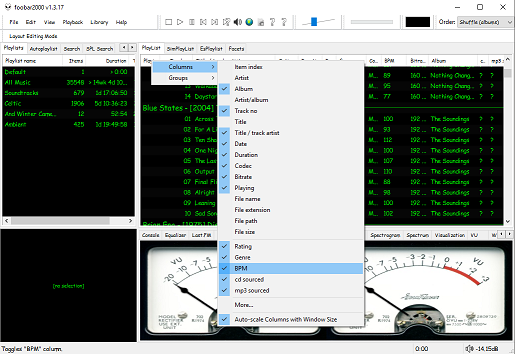
The second step is adding a new BPM playlist column to the DUI playlist viewer:

BPM Column
Right click the playlist header and select columns. Toggle the BPM column on.

The third step, add an Analyze BPM toolbar button:

  1. Right click on the metronome icon ico file shown below and download / save it locally
  2. Right click the Foobar toolbar
  3. Select the Customize button
  4. Select from Available Commands [context] > BPM Analyzer > Automatically analyze BPMs
  5. Click Add
  6. Click Change Icon and select the downloaded metronome.ico file
  7. Click OK
metronome.ico (right click and save the link ico file locally)
BPM Analyser > Automatically analyse BPMs


The fourth step is to select and scan files:

Once the toolbar button is installed, songs can be selected then scanned. The songs will now be tagged with the %bpm% tag and can be selected or sorted by beats per minute as displayed in the playlist column.

The fifth step is to update your entire library:

Open Library > Search and insert the query %bpm% MISSING then click … and then click Create Autoplaylist. Rename the new autoplaylist located at the bottom of the playlist switcher Missing BPM. Activate the playlist, select the entire contents, automatically analyze them and then apply the changes.

Video: www.youtube.com/watch?v=Pg_wJH6TjcY

References:

www.foobar2000.org/components/view/foo_bpm
hydrogenaud.io/index.php/topic,77142.0
Updated Configuration
github.com/stengerh/foo_bpm
foobar.hyv.fi/?view=foo_bpm (latest version)

Mixxx ~ DJ Your Way For Free


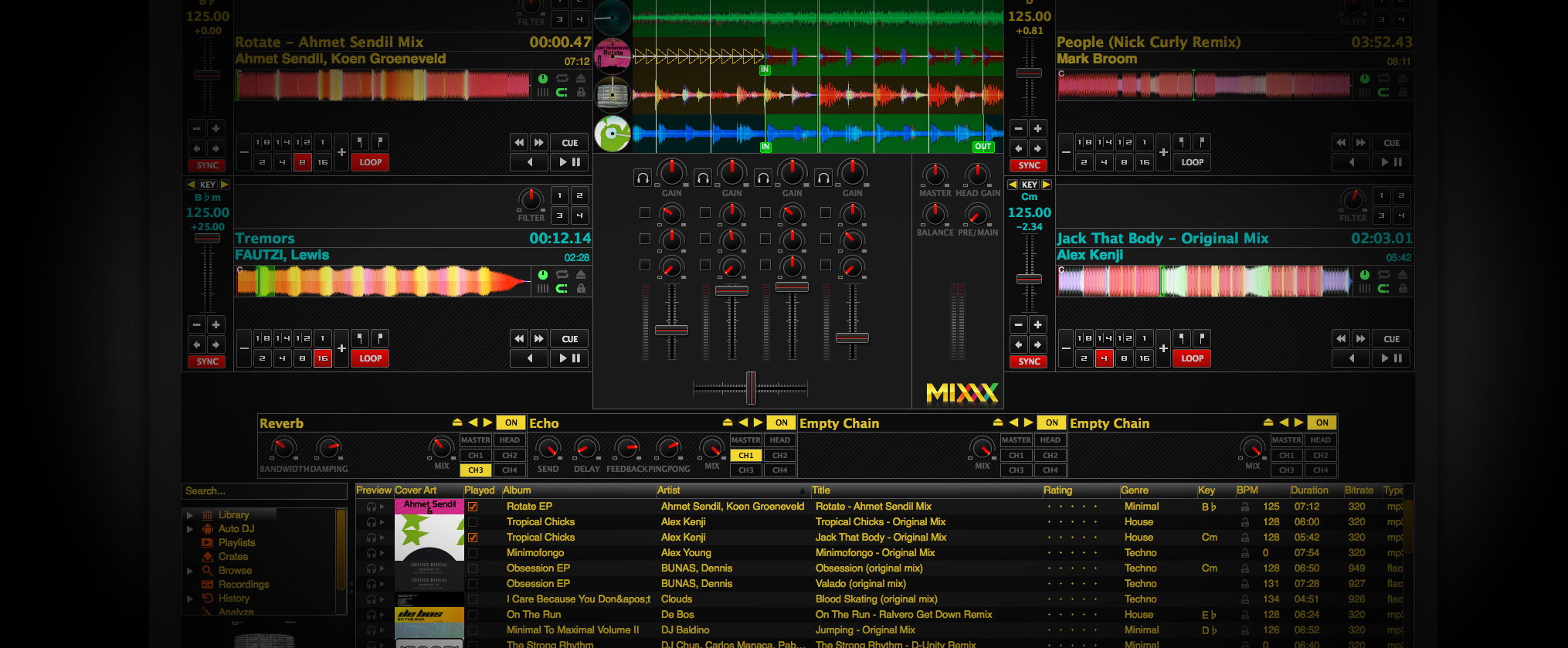
Mixxx has everything you need to start making DJ mixes in a tight, integrated package. Whether you’re DJing your next house party, spinning at a club, or broadcasting as a radio DJ, Mixxx has what you need to do it right.

Mixx-2.0

Cross-platform, extensible, multi-language, open source & skinnable freeware. Support for iTunes, MusicBrainz, ReplayGain and Traktor.

mixxx.org
Download
Manual
Wiki
Blog
Wikipedia
Github Repository