A free and open source Music Player for all your local music files.
overtone.js.org
github.com/biologyscience/overtone

A free and open source Music Player for all your local music files.
overtone.js.org
github.com/biologyscience/overtone

The Geiss screensaver and Winamp music visualization plug-in.


Ambient sounds for focus and calm.

Detects the tempo of a track and which of Tango, Vals, Milonga it is – or none of the three – from the audio alone, without reading the genre tag.
The two answers are linked. The tempo a dancer taps is not a property of the audio by itself: a tango is tapped on the beat, a vals once per 3/4 bar, a milonga once per 2/4 bar, a reggae on the quarter note – under the skank rather than on it. So the rhythm is settled first and the tempo reported on the level that rhythm implies. Measured against 3,692 hand-tapped tracks the estimate lands within 2 BPM of the tap 88.7% of the time, which is about as close as the same person tapping the same track twice; rhythm classification is 93.6% accurate. docs/tango-analysis.md has the method and the full numbers, and docs/cortina-genres.md covers the cortina genres that were measured and left alone.
Originally written by Michael Balzer+Holger Stenger as BPM Analyser, but bpmcore engine was completely rewritten.
github.com/shaforostoff/foo_rubato
hydrogenaudio.org/index.php/topic,129923.0
en.wikipedia.org/wiki/Tempo_rubato

FxSound is a digital audio program built for Windows PC’s. The background processing, built on a high-fidelity audio engine, acts as a sort of digital soundcard for your system. This means that your signals will have the clean passthrough when FxSound is active. There are active effects for shaping and boosting your sound’s volume, timbre, and equalization included on top of this clean processing, allowing you to customize and enhance your sound.
github.com/fxsound2/fxsound-app
github.com/fxsound2/fxsound-driver

music streaming server / free-software subsonic server API implementation
Features:
- browsing by folder (keeping your full tree intact) see here
- browsing by tags (using taglib – supports mp3, opus, flac, ape, m4a, wav, etc.)
- on-the-fly audio transcoding and caching (requires ffmpeg) (thank you spijet)
- subsonic jukebox mode, for gapless server-side audio playback instead of streaming (thank you lxea)
- support for podcasts (thank you lxea)
- pretty fast scanning (with my library of ~50k tracks, initial scan takes about 10m, and about 6s after incrementally)
- multiple users, each with their own transcoding preferences, playlists, top tracks, top artists, etc.
- last.fm scrobbling
- listenbrainz scrobbling (thank you spezifisch, lxea)
- artist similarities and biographies from the last.fm api
- support for multi valued tags like albumartists and genres (see more)
- a web interface for configuration (set up last.fm, manage users, start scans, etc.)
- support for the album-artist tag, to not clutter your artist list with compilation album appearances
- written in go, so lightweight and suitable for a raspberry pi, etc. (see ARM images below)
- newer salt and token auth
- tested on airsonic-refix, amperfy, symfonium, dsub, jamstash, music-assistant, subsonic.el, sublime music, soundwaves, stmp, termsonic, tempus, strawberry, and ultrasonic

FluidEQ is a free, open-source system-wide parametric equalizer for Windows 10 and 11, processed by its own audio engine or by Equalizer APO — your choice. Tune once per output, and the right sound follows the right device without you touching anything again.


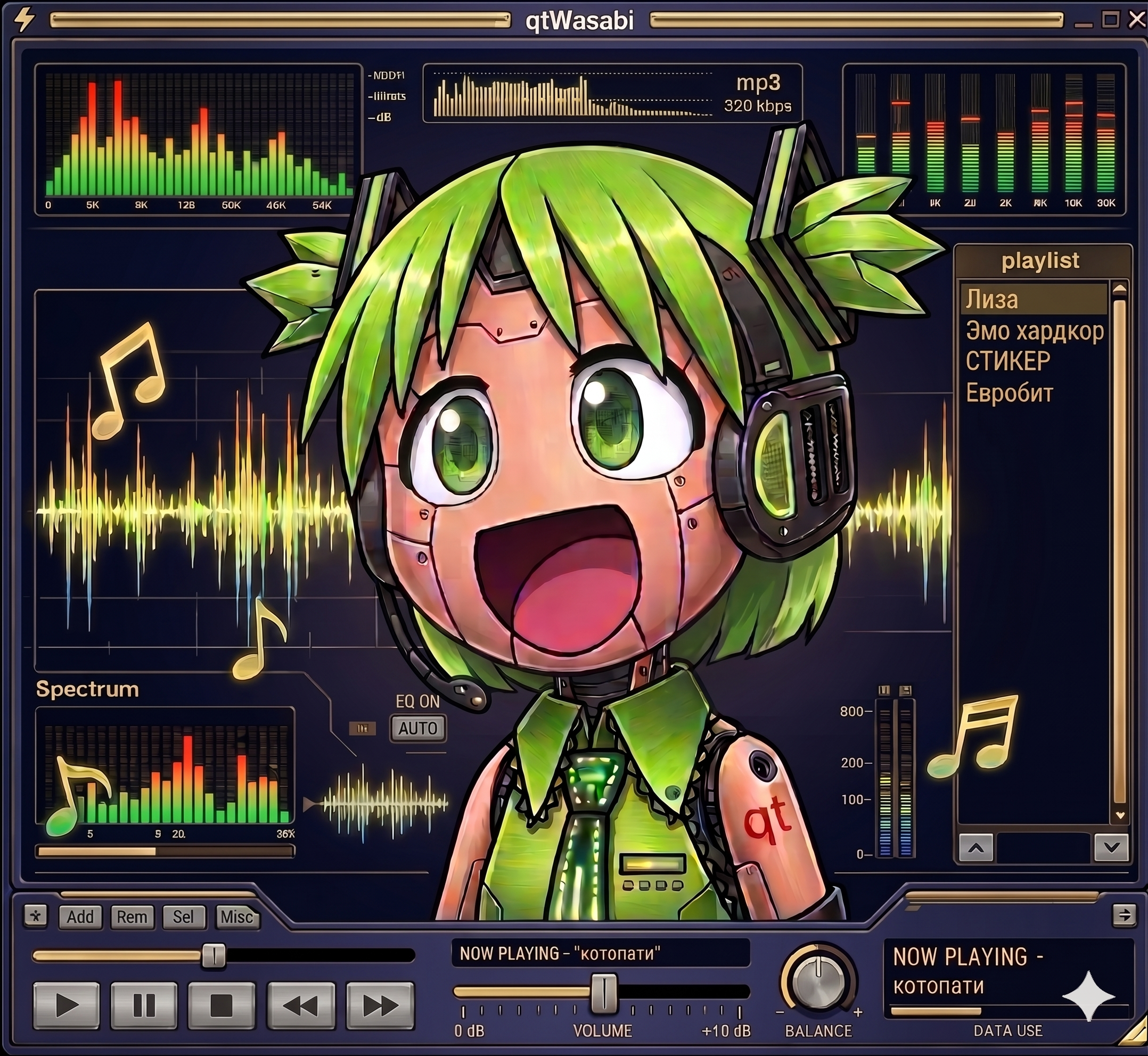
I never wanted a player that looks like Winamp. I wanted one that actually runs Winamp skins. The difference is bigger than it sounds. A Modern Skin is not a bitmap theme, it is a program. XML declares the widget tree, compiled Maki bytecode drives the behavior. Drawers slide, tabs switch, windows change their shape, all of it scripted by the skin itself. Repaint that and you have a pretty poster. I wanted the original.
That is why qtamp runs skins as real programs. qtamp is my Qt6-native music player and the reference player for qtWasabi, my independent reimplementation of a Modern Skin engine. Skins ship their compiled Maki bytecode with them, and qtWasabi executes it in its own Maki VM. The skin’s logic drives the interface exactly the way it did in 2002.
The name is a play on words. “Qt” as in the framework, “qt” as in cute. A Qt-native amp, and hopefully a cute one.

A small, self-contained tray utility for Windows that lets you cycle through your audio playback devices with a single hotkey, and shows an on-screen overlay telling you which one is now active.
It’s a single ~4 MB
.exewith no installation dependencies, no admin rights required, and nothing running except while you’re logged in.What it does:
- Cycles the default playback device. Press Win+A (the default hotkey, changeable), left-click the tray icon, or pick a device from the right-click menu, and Windows’ default audio output moves to the next active playback device in the list, wrapping back to the first one after the last. It takes effect for every application immediately — the same as changing it by hand in the Windows sound settings.
Win+Aactually works for this, even though Windows normally reserves it for Quick Settings (same goes for any other reserved combo you configure it to instead). See how.- Shows an on-screen overlay on every switch — styled after Windows’ own volume/brightness OSD, not a toast notification — naming the device that is now active, so you get instant confirmation of what you just switched to. A burst of rapid switches only ever shows the latest one.
- Lives in the system tray:
- Left-click the tray icon to switch to the next output device.
- Hovering it shows the app version and the currently active device.
- Right-click opens a menu listing every currently active output device — click one to switch to it directly (the active one is checked) — followed by Configure and Exit.
github.com/SpikePy/Windows-Audio-Output-Switcher
Security note: The Win+A hotkey requires a Windows low-level keyboard hook, which can receive system-wide keyboard events. The author says the program only checks for the configured hotkey and does not record or transmit keystrokes. Because this technique can also be used by keyloggers, security software may flag the executable heuristically.

A retro-themed terminal music player featuring an animated ASCII cassette tape. Built with Python and Textual.
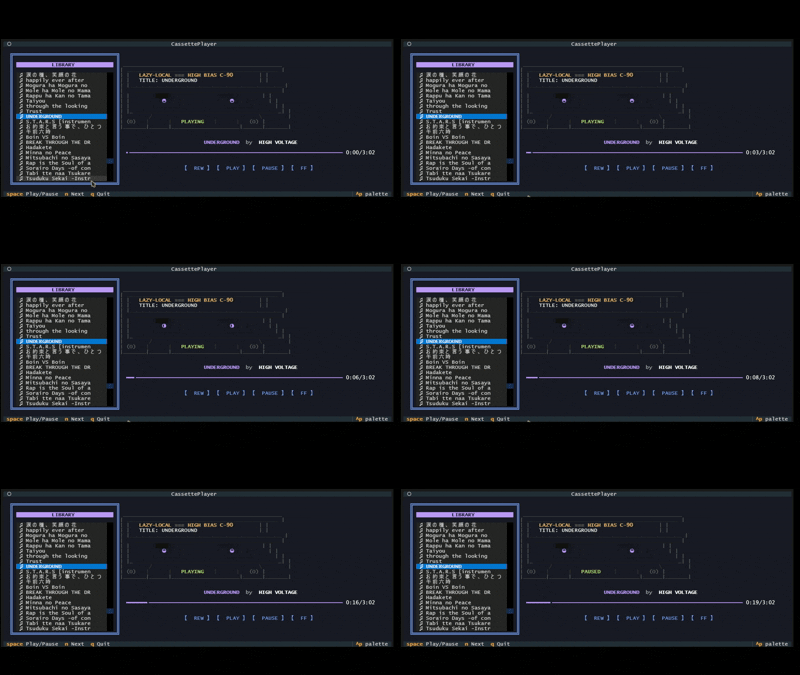
github.com/Kizarov3/CassettePlayer

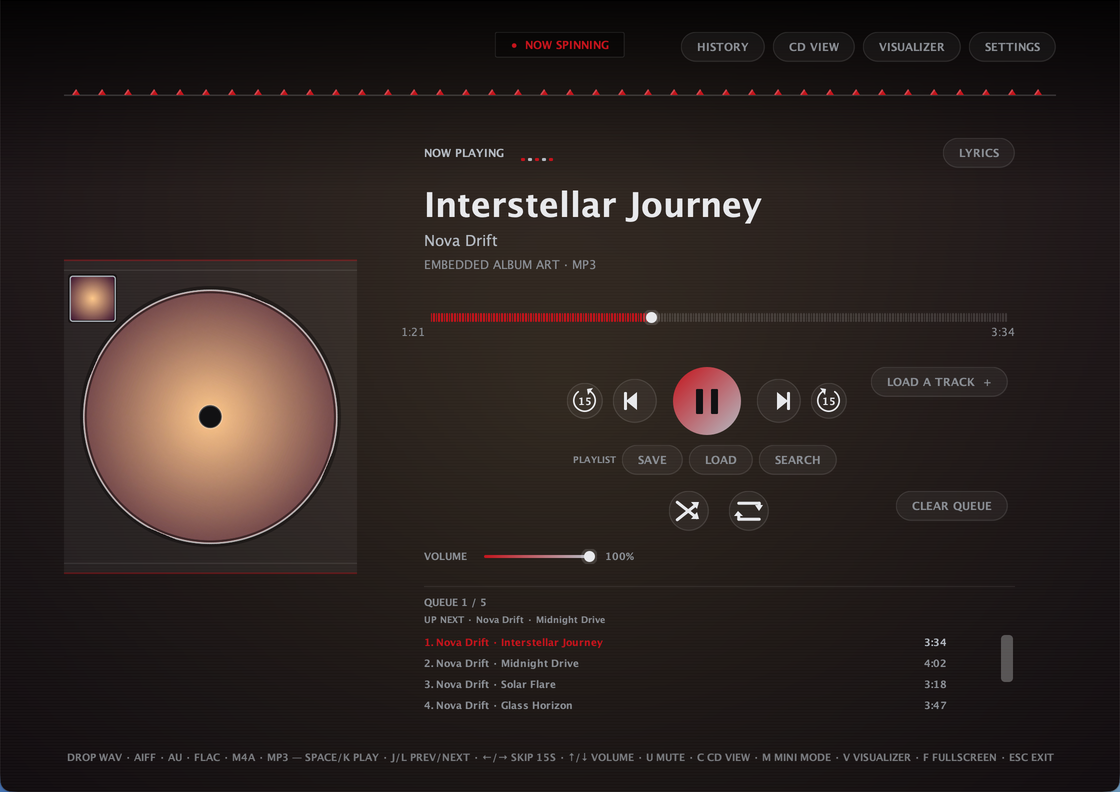
CDPlayer is a Java desktop app that recreates the tactile feel of a physical CD player for local audio playback. Load a track, press play, and enjoy a simple, distraction-free music experience without relying on a browser or web app — no accounts, no streaming, no internet required to play a song. Built with plain Java and native Swing/AWT — no external UI framework, single self-contained app
Plays local audio files through a custom low-latency streaming engine, with FFmpeg handling the formats Java can’t decode natively
Full queue management: drag-and-drop, drag-to-reorder, shuffle, repeat, crossfade, volume, mono downmix, and per-track removal — queue is saved automatically and restored next launch
Ten built-in themes — nine animated ones plus AUTO, which derives its whole palette from the current track’s own album art
A sleep timer that pauses playback after a set time, with a live countdown in the header
A 10-band graphic equalizer with built-in and savable custom presets, and a beat-synced visualizer
True fullscreen, a distraction-free fullscreen Visualizer Mode, and a Mini Mode that shrinks the whole app down to a small always-on-top widget
A dedicated Settings dialog for theme, crossfade, mono, and an ambient blurred-cover-art background wash
Automatic metadata and album art, with an online lookup fallback when a file has none
Works on Windows, macOS, and Linux. ffmpeg required.

Manifold is a desktop audio batch-processing tool built for inspecting, transforming, and exporting large collections of audio files with a visual workflow editor. Useful for checking and pre-processing audio for game-audio production, podcasts and broadcast, it is designed to make repetitive tasks more efficient and reproducible.
It combines a polished ImGui-based interface with a custom node-based audio pipeline, allowing you to build repeatable processing chains for tasks such as loudness normalization, peak limiting, DC offset cleanup, resampling, and format conversion.Why Manifold?
Manifold was designed to make audio batch work feel more structured and reproducible. Instead of manually running ad-hoc commands or scripting every step, you can:
This makes it useful for workflows such as podcast preparation, mastering prep, broadcast delivery, and game-audio asset processing.
Manifold includes a growing set of audio processing and analysis nodes, including:
These nodes can be chained together to create custom pipelines for different production scenarios.


