Category Archives: Audio
noban.stream ~ Rights-free Music For Streamers
NoBan Stream is a music streaming service that offers free copyright free songs for streamers and content creators alike! Improve your streams and create engaging content without the fear of getting hit by a DMCA strike.
Available on all major music platforms!
Reverbed ~ Slow & Reverb Music For YouTube
This project focuses on transforming music tracks by applying reverb and slowing them down for YouTube uploads. With the increasing popularity of slowed and reverbed music, this tool is designed to help you create unique audio experiences.
Features:
- Audio Processing: Apply reverb effects to your tracks.
- Slowed Music: Slow down any song to create a relaxing vibe.
- YouTube Uploads: Easily prepare your tracks for YouTube.
- Integration with MoviePy: Utilize MoviePy for audio and video processing.
- Customizable Pedalboard: Adjust settings to suit your audio preferences.
- Easy to Use: Simple commands for fast processing.
swp ~ Simple Webstream Player
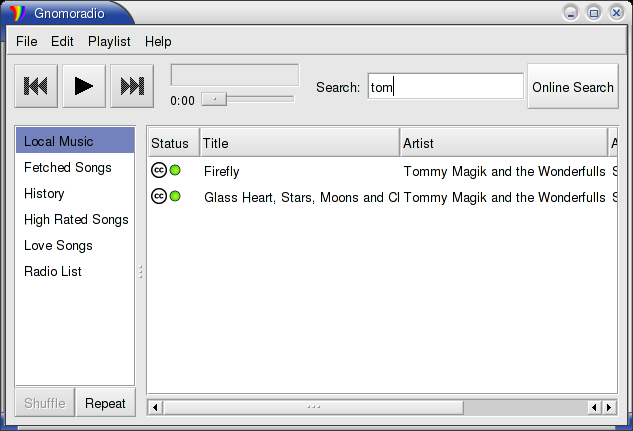
Simple Webstream Player, to listen and record web radios and other streams.
Features:
- Simple Webstream Player, to listen to and record web radio and other web streams in mp3, aac and opus format.
- Auto select the type of audio format.
- Change live the tempo and pitch.
- Show ICY tag, including image.
- Record in wav format.
- Can also play webstreams from https.
- Import/Export m3u list of web radio files.
- You may choose what audio device to use.
foo_vis_goom ~ What a GOOM! Visualisation
foo_vis_goom is a port for foobar2000 of the “What a GOOM!” music visualizer. It renders the library-provided pixels using OpenGL 4.6.
GOOM in an “incredible trippy visualization plugin!!”
Features:
- Uses OpenGL 4.6 for rendering.
- The Goom-2k4 library has been extensively cleaned up.
- Compatible with the Default User Interface (Default UI) and the Columns User Interface (Columns UI).
- Tested on foobar2000 v2.25.3 (x86 32-bit and x86 64-bit) and Microsoft Windows 11 (Build 26200).
StrumPract ~ Various Tools For Musicians
- Learn to play drums set in 4 lessons and develop your art.
- Practice your other instruments with a editable drums machine.
- Tune your guitar and bass.
- Play audio files and loop it, adjusting the tempo of the song to what you want.
- DJ console for auto-mixing, with 2 players and direct-output of mic.
- Record your ideas-jam.
- Chords randomizer for jamming.
- Image Dancer.
- Tag info with images.
- Many Layout and Styles.
Features:
- DJ console
- Recording
- Drums set
- Piano synth
- Noise producer
- Image dancer
- Jam session
- Chords randomizer
sourceforge.net/projects/strumpract
github.com/fredvs/strumpract
forum.lazarus.freepascal.org/index.php?topic=52237.0
PORC ~ Python Open Room Correction
DSP Loudspeaker-Room correction filter wizard; transfer function modeling and equalization by fixed-pole parallel filters. Algorithm ported to Python by Mason A. Green, based on the work of Dr. Balazs Bank: home.mit.bme.hu/~bank/parfilt
PORC now includes mixed-phase compensation.
SOF ~ DSP Firmware Infrastructure & SDK
Sound Open Firmware (SOF) is an open source audio Digital Signal Processing (DSP) firmware infrastructure and SDK. SOF provides infrastructure, real-time control pieces, and audio drivers as a community project. The project is governed by the Sound Open Firmware Technical Steering Committee (TSC) that includes prominent and active developers from the community. SOF is developed in public and hosted on the GitHub platform.
The firmware and SDK are intended for developers who are interested in audio or signal processing on modern DSPs. SOF provides a framework where audio developers can create, test, and tune the following:
- Audio processing pipelines and topologies.
- Audio processing components.
- DSP infrastructure and drivers.
- Host OS infrastructure and drivers.
sofproject.org
thesofproject.github.io
github.com/thesofproject/sof
Youtube: Sound Open Firmware – Liam Girdwood, Intel
SJPlot Online ~ Phono Cartridge Frequency Response Analysis
You can now use this WEB UI to generate frequency response graphs
sjplot.com/online
www.audiosciencereview.com/…introducing-the-phono-cartridge-measurement-library
Cavern ~ Object-based Audio Engine & CODEC
Cavern is a fully adaptive object-based audio rendering engine and (up)mixer without limitations for home, cinema, and stage use. Audio transcoding and self-calibration libraries built on the Cavern engine are also available. This repository also features a Unity plugin and a standalone converter called Cavernize.
Cavern goes beyond fixed-channel audio systems by rendering any number of audio “objects” in three-dimensional space, tailored to the listener’s speaker arrangement or headphone output. It is also supported by a standalone conversion tool, Cavernize, which allows users to convert spatial mixes into conventional channel-based PCM formats while maintaining positional accuracy.
Key Features and Capabilities:
Object-Based Rendering
Cavern supports an unrestricted number of audio objects and output channels. This allows precise spatial placement and movement of sounds in 3D space, independent of specific channel layouts.
Codec and Container Support
The engine and its companion tools support a wide range of codecs and containers, including those commonly used for immersive audio delivery. Traditional formats such as WAV and common multimedia containers are also supported.
Calibration and Room Correction
Cavern includes tools for self-calibration and room equalization. These can flatten frequency response, compensate for acoustic irregularities, and help unify tonal characteristics across speakers.
Headphone Virtualization
Through HRTF-based processing, Cavern enables spatial rendering over stereo headphones. This simulates direction, distance, and spatial cues to reproduce the effect of multichannel speaker setups in a binaural listening environment.
Real-Time Up-Mixing
Legacy stereo or multichannel content can be up-mixed into fully rendered 3D scenes. This provides an immersive experience even when the source was not originally produced as object-based audio.
Integration with Game Engines
Cavern offers integration with Unity, enabling developers to incorporate real-time positional audio into games, simulations, and interactive media.
Use Cases
Home Cinema and Media Playback
Cavern can render object-based audio tracks for users who do not have commercial hardware processors. It allows accurate spatial playback through both speakers and headphones.
Headphone-Focused Listening
The binaural virtualization system benefits users who rely on headphones for movies, music, gaming, or general media consumption.
Game and VR Development
Developers can use Cavern inside Unity to produce dynamic, spatially accurate audio scenes in interactive applications.
Archiving and Conversion
Cavernize converts object-based audio into standard PCM or channel-based formats, preserving positional intent while enabling playback on conventional systems.
Speaker Optimization
Its calibration tools provide a software-based approach to room correction and multi-speaker alignment without requiring dedicated hardware processors.
Limitations and Considerations
- Some supporting utilities are not fully open-source and may be distributed under separate licensing terms.
- Spatial rendering benefits depend on input quality; poor-quality stereo sources will not yield true immersive results.
- Speaker hardware, room acoustics, and HRTF compatibility affect the perceived accuracy of spatialization.
- Integrating Cavern into custom software projects requires familiarity with its API and spatial-audio concepts.
Why Cavern Matters
Cavern stands out by making advanced spatial-audio technology accessible without requiring specialized hardware or proprietary processors. By combining open-source rendering, a flexible object-based architecture, codec support, calibration tools, and developer integration, it provides a versatile platform for enthusiasts, researchers, and media creators.
For users interested in experimenting with immersive audio workflows, whether for home cinema, headphone listening, archiving, or game development, Cavern offers a free, comprehensive and adaptable approach.
References:
- VoidXH / Cavern – GitHub repository
- Cavern documentation website
- Cavern package listing on NuGet
cavern.sbence.hu/cavern
github.com/VoidXH/Cavern
github.com/VoidXH/HRTF
cavern.sbence.hu/cavern/doc
cavern.sbence.hu/cavern/downloads
www.nuget.org/packages/Cavern
en.wikipedia.org/wiki/Digital_room_correction#Cavern_QuickEQ
flacopyus ~ FLAC To Opus Library Transcription
Flacopyus is a CLI tool that mirrors your lossless FLAC library to a portable Opus collection. It performs rsync-like batch mirroring with incremental encoding/copying to save time. It preserves metadata and is idempotent, so repeated runs safely keep the destination in sync.
pypi.org/project/flacopyus/
github.com/curegit/flacopyus
DiscogsCSV ~ Query Discogs Via The API
A CSV-based client for discogs.com release data API.
discogs-csv.com
github.com/steve-davey/discogsCSV