CassettePlayer ~ Terminal Music Player


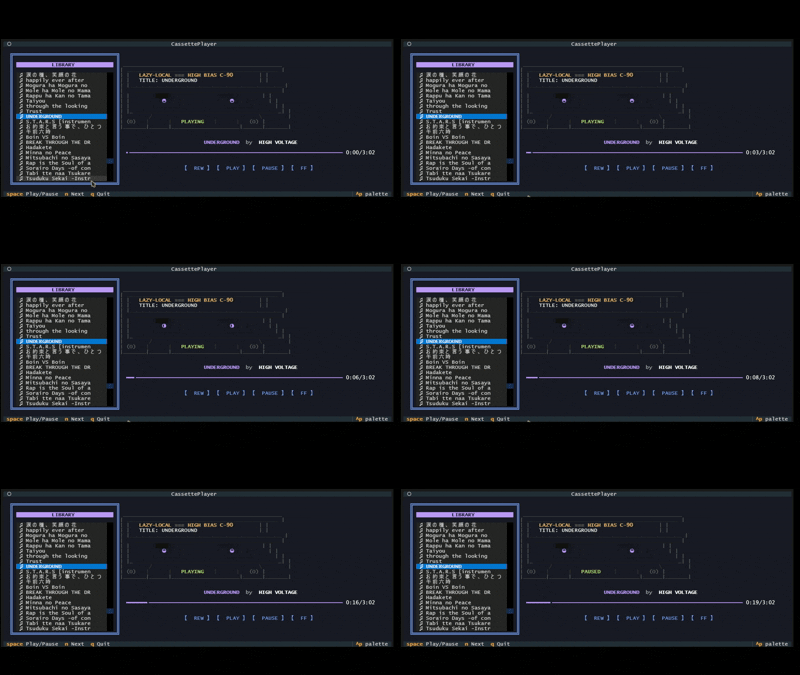
A retro-themed terminal music player featuring an animated ASCII cassette tape. Built with Python and Textual.

cassette player interface

github.com/Kizarov3/CassettePlayer

spotatui ~ Standalone Terminal Player


spotatui plays Spotify natively and streams YouTube, your local files, Subsonic or Navidrome and 30,000+ internet radio stations from a single keyboard-driven player. Spotify is optional. So is the AI DJ.

Features:

  • Multiple sources — Spotify optional. Play from Spotify, Local Files, a Subsonic/Navidrome server, Internet Radio, YouTube, or Qobuz. The free sources need no Spotify account; press d to switch between them at any time.
  • Native streaming. Play Spotify audio directly, no official app or spotifyd required — spotatui appears as its own Spotify Connect device (Premium required).
  • Synced lyrics. Line-by-line lyrics that follow playback.
  • Real-time audio visualizer. A system-wide FFT visualizer (press v) that reacts to whatever is playing.
  • Cross-source play queue. Press z on any track to queue it — the queue plays across every source before your current context resumes.
  • Lua plugins. Extend spotatui with event hooks, commands, keybindings, popups, and theming.
  • Listening history & recap. spotatui keeps a local play history and can generate a shareable HTML recap (spotatui history recap).
  • Full CLI. Most of what the UI does is scriptable — playback, search, playlists, shell completions. Run spotatui --help.
  • Lightweight. ~78 MB RAM while streaming, versus a full Electron client. See Performance.

spotatui.com
github.com/LargeModGames/spotatui

sonoscli ~ Sonos Command Line Interface


sonoscli is a modern Go CLI to control Sonos speakers over your local network (UPnP/SOAP).

Features:

  • Reliable discovery: SSDP + topology (ZoneGroupTopology.GetZoneGroupState) with subnet scan fallback.
  • Coordinator-aware control: target any room; commands go to the group coordinator automatically.
  • Playback controls: play/pause/stop/next/prev, plus play-uri, linein, and tv.
  • Grouping: inspect groups, join/unjoin, party mode, dissolve groups, and solo a room.
  • Queue: list/play/remove/clear queue entries.
  • Favorites: list and play Sonos Favorites by index or title.
  • Scenes: save/apply presets (grouping + per-room volume/mute).
  • Spotify:
    • Enqueue/play Spotify share links or canonical URIs (no Spotify credentials required).
    • Search Spotify via SMAPI (Sonos Music API; uses your linked service in Sonos).
    • Optional Spotify Web API search (client credentials) if you want it.
  • YouTube handoff: resolve a YouTube URL with yt-dlp and hand the direct audio stream to Sonos.
  • Smart URL streaming: play-url runs a short-lived local MP3 proxy for YouTube, YouTube Music playlists, podcasts, radio streams, SoundCloud-style pages, and other URLs.
  • Live events: watch subscribes to AVTransport + RenderingControl and prints changes.
  • Scriptable output: --format plain|json|tsv plus --debug tracing.

This is not an official Sonos project.

github.com/steipete/sonoscli
sourceforge.net/projects/sonoscli.mirror

Shellify ~ Terminal Based Players


Shellify is a terminal-based application that allows you to download and play Spotify playlists and albums directly from your terminal. It uses various Python modules to fetch songs from Spotify, download their audio from YouTube, and play them using a built-in MP3 player. Shellify lets you enjoy spotify, without the need of the spotify app and helps you have peace of mind while listening to your favorite songs without annoying ad breaks. You need a spotify developer account to use this application.

github.com/sajitha-tj/shellify

shellify is a terminal based audio player written in god-chosen lang C for Linux.
Built with sqlite3, miniaudio under the GPL-3.0 License.

github.com/nelson131/shellify

discogs-cli ~ Discogs Terminal Access


discogs-cli bring the Discogs.com database to your terminal. Perform the following actions from your terminal:

  • Search artists, releases, labels
  • View artist information and their releases
  • View label details and its associated releases
  • View a release in detail

github.com/jesseward/discogs-cli

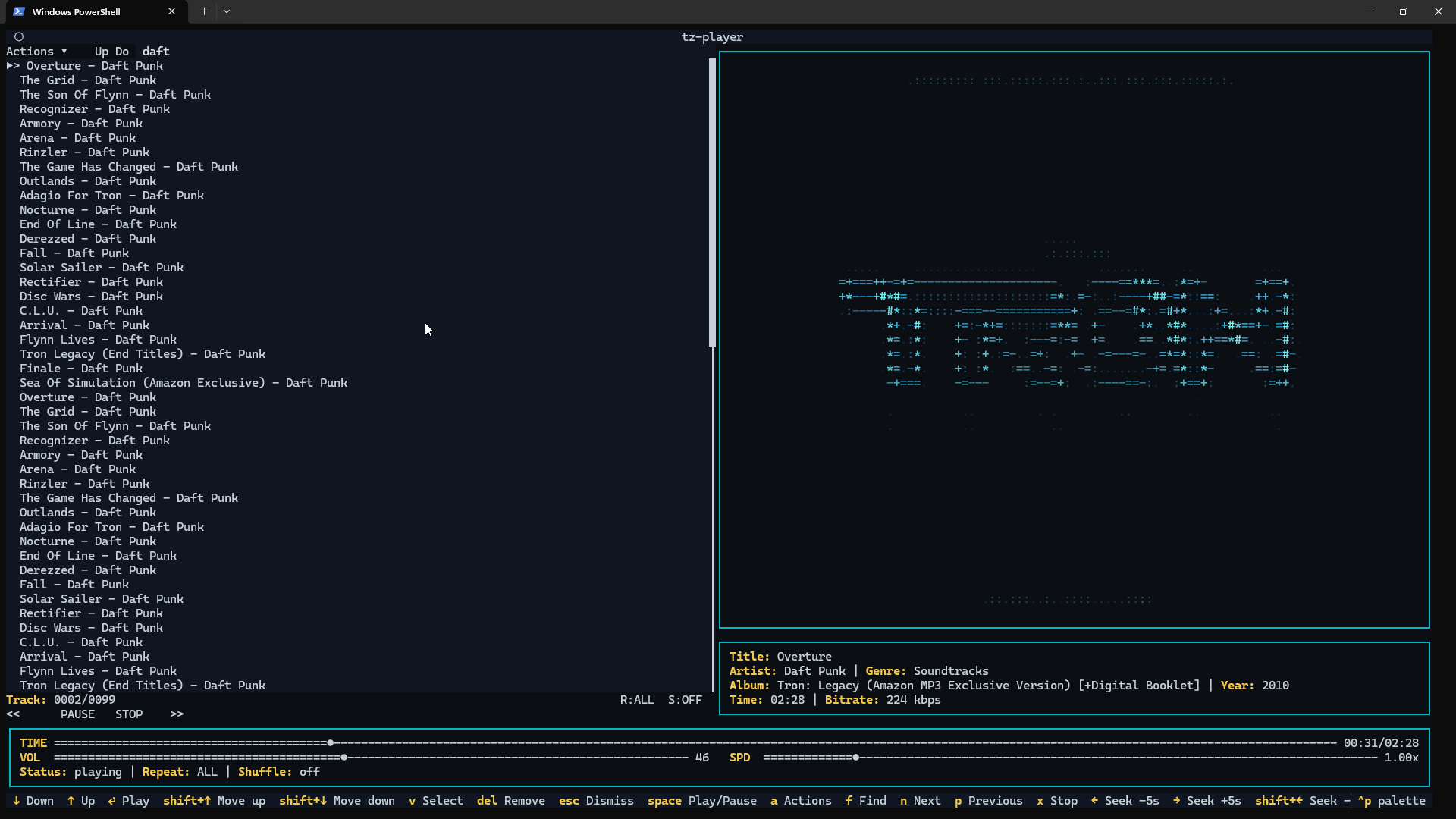
tz-player ~ Command Line Music Player


A clean, keyboard-driven music player for the terminal.

tz-player is a simple TUI music player built with Python and powered by VLC. If VLC can play it, tz-player can play it.

No streaming. No accounts. No background services. Just your music, in your terminal.

github.com/taggedzi/tz-player

waves ~ Terminal Audio Player


Terminal music player with library browser, persistent queue, and MP3/FLAC playback. Built with Go and Bubble Tea.

Features:

  • Library Browser: Browse music by Artist > Album > Track hierarchy
  • File Browser: Navigate filesystem to find music files
  • Playlists: Create, organize, and manage playlists with folder hierarchy
  • Playing Queue: Persistent queue with multi-selection and reordering
  • Audio Playback: MP3 and FLAC support with seeking
  • Trigram Search: Fast fuzzy search across library, files, and playlists
  • Mouse Support: Click to navigate, select tracks, and control playback
  • State Persistence: Queue and navigation saved between sessions

github.com/llehouerou/waves

Cava ~ Cross-platform Audio Visualizer


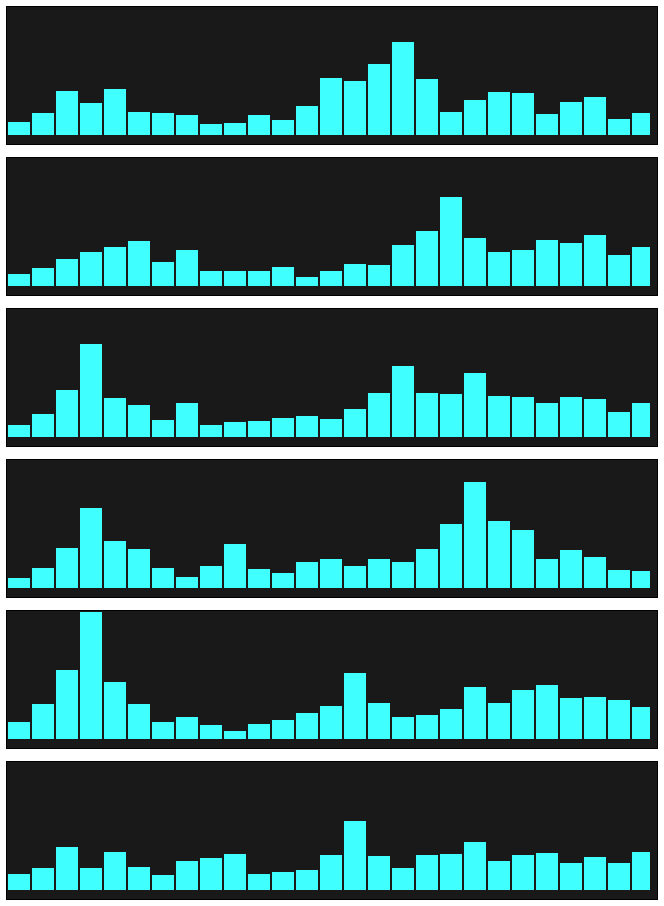
Cava is a bar spectrum audio visualizer for terminal or desktop (SDL).

Cava works on:

  • Linux
  • FreeBSD
  • macOS
  • Windows

This program is not intended for scientific use. It’s written to look responsive and aesthetic when used to visualize music.

github.com/karlstav/cava
Cavalier ~ Visualize Audio With CAVA

musikcube ~ Terminal-based Audio Client Server


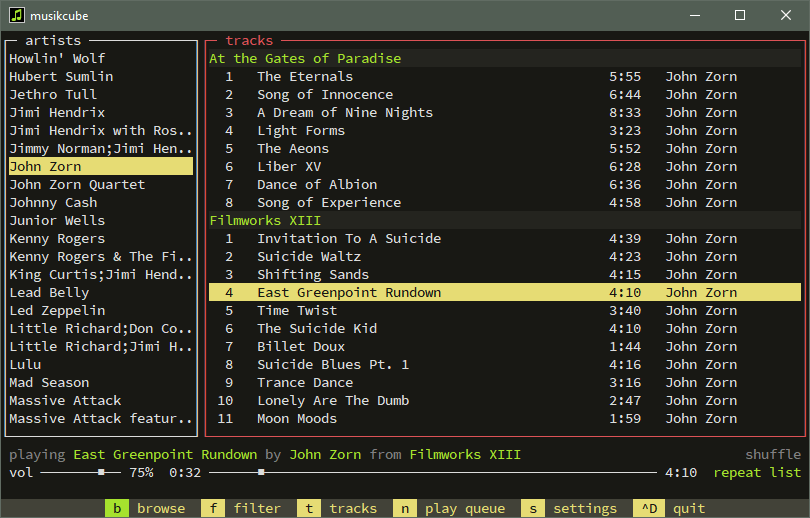
Cross-platform, terminal-based audio engine, library, player and server written in c++. Musikcube compiles and runs easily on Windows, macOS and Linux. It also runs well on a raspberry pi with raspbian, and can be setup as a streaming audio server.
musikcube

github.com/clangen/musikcube