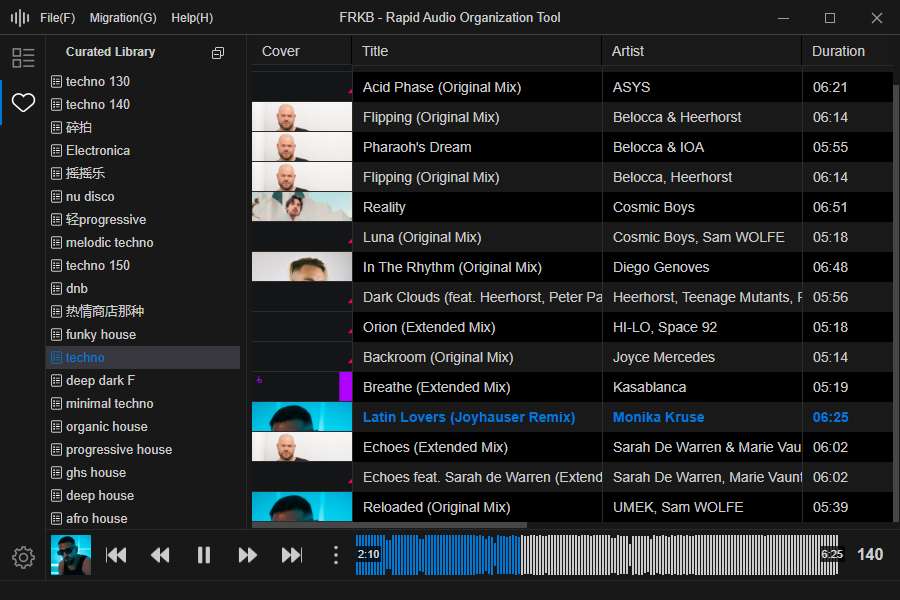
FRKB is a cross-platform desktop application designed for audio professionals (such as DJs). The current beta version is compatible with Windows and will be adapted for macOS once stable. It is still under active development.
Core Features:
Portable: Easily transfer the database to mobile devices for on-the-go use.
Audio Fingerprint Deduplication: Identify and exclude duplicate tracks using audio fingerprint technology, providing prompts during import to keep your music collection clean and efficient.
Ergonomic Shortcuts: Ergonomically designed shortcuts that allow most operations to be performed with the left hand, making the organization process smoother and more efficient.
Direct File Management: When adding tracks, FRKB directly manages the audio files themselves, ensuring that the organization results are immediately reflected in the computer’s folders, achieving a “what you see is what you get” effect.
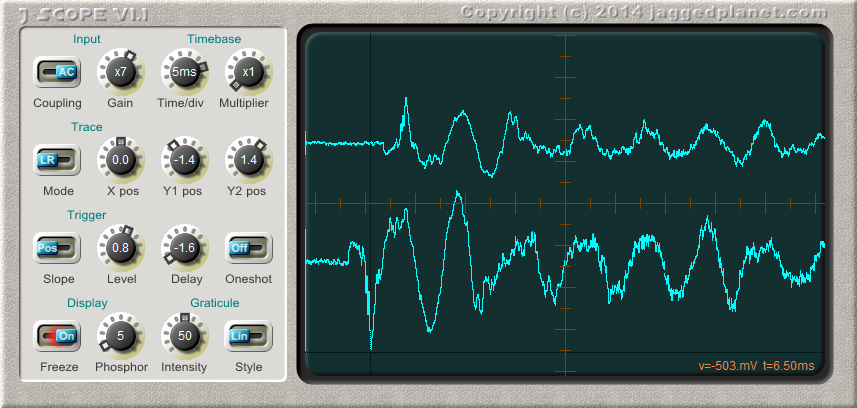
J-Scope is a VST oscilloscope plugin, which can prove invaluable to anyone who develops audio software and has a need to diagnose problems or visualise waveforms.
In operation it is very similar to a real oscilloscope, and most controls will be familiar to anybody who has used a hardware ‘scope. The addition of a control for phosphor decay time allows the examination of rapidly changing waveforms as well as slowly evolving sound envelopes.
J-Scope accepts a stereo signal, and can display it in several modes:
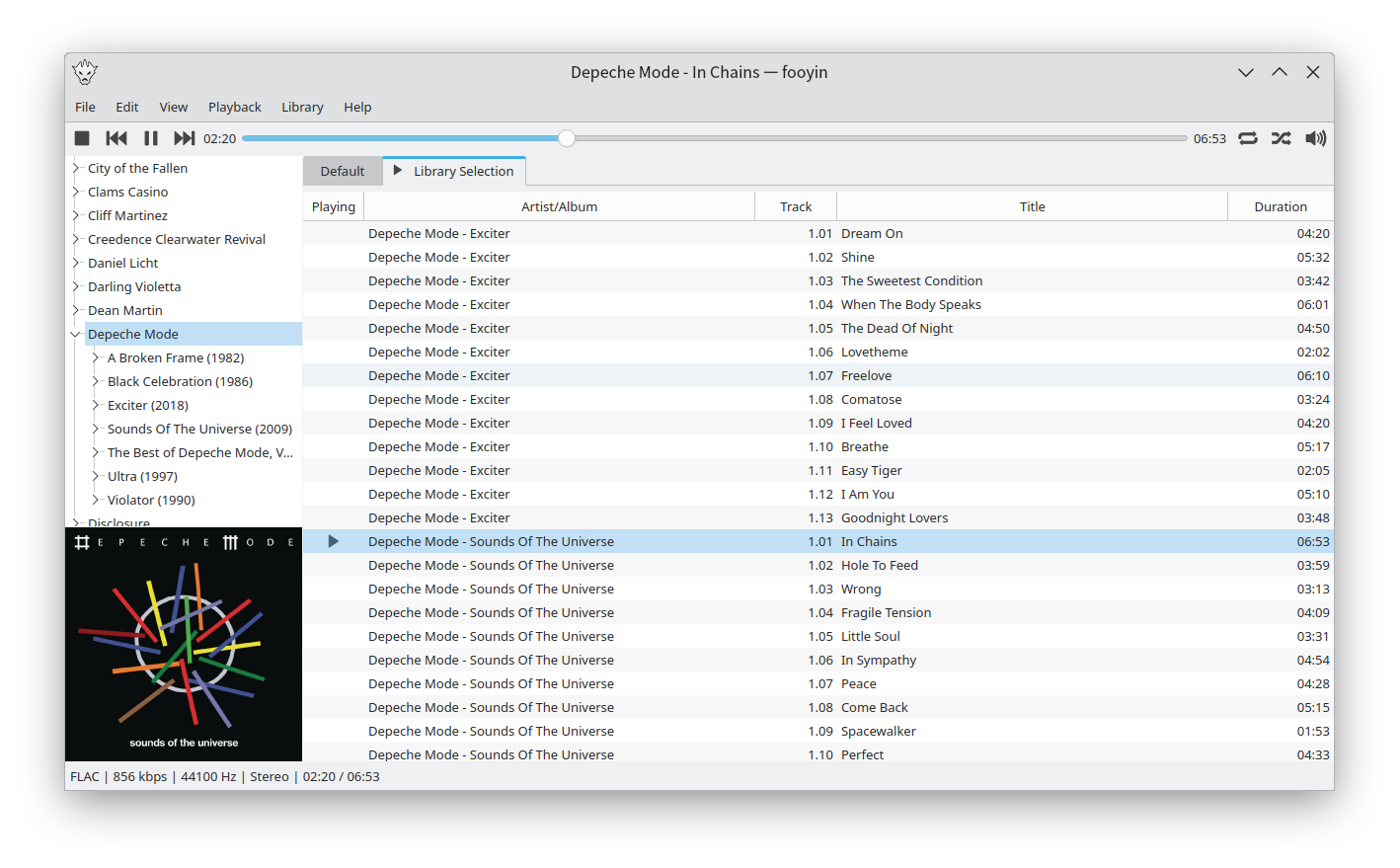
Fooyin is a customisable music player for Linux. Fooyin features a layout editing mode in which the entire user interface can be customised, starting from a blank state or a default layout. FooScript takes this further by extending the customisation to individual widgets themselves.
A foobar user interface element providing a seekbar that displays the waveform of the playing song, compatible with both the Default and the Columns interface components.
Play a track and allow the waveform to generate; it may take a few seconds on first playback
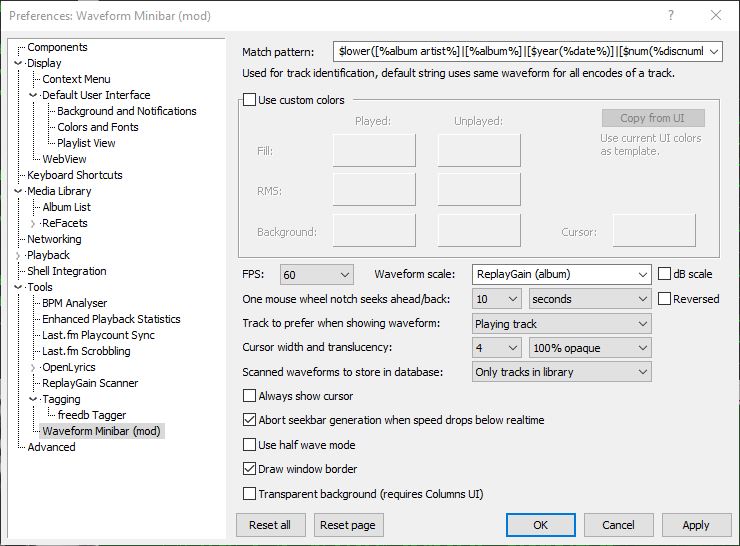
Options:
Match pattern Title-formatting pattern used to identify tracks when storing and reusing generated waveforms.
Use custom colors Enables manual color selection for the waveform instead of using the active UI theme colors.
FPS Sets the frame rate for waveform rendering. Higher values produce smoother movement but increase CPU usage.
Waveform scale Controls vertical scaling of the waveform. Original preserves natural peak levels, while Normalize scales all tracks to fill the available height.
dB scale Switches between linear amplitude scaling and logarithmic decibel scaling.
One mouse wheel notch seeks ahead/back Defines how far playback jumps when using the mouse wheel over the waveform. A value of 0 disables wheel seeking.
Reversed Reverses the mouse wheel seek direction.
Track to prefer when showing waveform Determines which track’s waveform is displayed: the playing track, the selected track, or the playing track with fallback to selected when stopped.
Cursor width Adjusts the thickness of the playback position indicator.
Do not revert to rendering the active track on player start Prevents the waveform from automatically rendering on startup until playback begins.
Always show cursor Keeps the playback position marker visible even when playback is stopped.
Abort seekbar generation when speed drops below real time Stops waveform generation if decoding becomes too slow, preventing playback or UI performance issues.
Half wave mode Displays only one polarity of the waveform (typically the positive half) instead of mirroring the signal above and below the center line. This creates a flatter, denser display that works well in very short or narrow panels and improves readability when vertical space is limited.
Draw window border Enables or disables a border around the waveform panel.
Transparent background Removes the panel’s background fill so the waveform blends with the surrounding UI or theme. This is useful when embedding the minibar into tab stacks, splitters, or custom layouts where a solid background would look out of place.
This component is highly configurable, making it suitable both as a simple compact seekbar replacement and as a detailed visual waveform display in more complex foobar2000 layouts.
Raven Lite is a free cross-platform software program that lets users record, save and visualize sounds as spectrograms and waveforms. Raven Lite is intended for students, educators, and hobbyists and can be used for learning about sounds, as an aid in birdsong recognition, and in musical instruction.
Enhance the appearance and functionality of Foobar2000 by adding a visual waveform representation of the currently playing audio track, which can be used to navigate to any point in the image of the track by clicking there.
Waveform Seekbar is a UI element for both the Default UI and Columns UI that provides seekbar functionality (seeking, position indicator) on top of a pretty image of the waveform of the currently playing song, drawn using either Direct3D 9.0c or Direct2D 1.0.









 The Audio File