Cavern ~ Object-based Audio Engine & CODEC


Cavern is a fully adaptive object-based audio rendering engine and (up)mixer without limitations for home, cinema, and stage use. Audio transcoding and self-calibration libraries built on the Cavern engine are also available. This repository also features a Unity plugin and a standalone converter called Cavernize.

Cavern goes beyond fixed-channel audio systems by rendering any number of audio “objects” in three-dimensional space, tailored to the listener’s speaker arrangement or headphone output. It is also supported by a standalone conversion tool, Cavernize, which allows users to convert spatial mixes into conventional channel-based PCM formats while maintaining positional accuracy.

Key Features and Capabilities:

Object-Based Rendering
Cavern supports an unrestricted number of audio objects and output channels. This allows precise spatial placement and movement of sounds in 3D space, independent of specific channel layouts.

Codec and Container Support
The engine and its companion tools support a wide range of codecs and containers, including those commonly used for immersive audio delivery. Traditional formats such as WAV and common multimedia containers are also supported.

Calibration and Room Correction
Cavern includes tools for self-calibration and room equalization. These can flatten frequency response, compensate for acoustic irregularities, and help unify tonal characteristics across speakers.

Headphone Virtualization
Through HRTF-based processing, Cavern enables spatial rendering over stereo headphones. This simulates direction, distance, and spatial cues to reproduce the effect of multichannel speaker setups in a binaural listening environment.

Real-Time Up-Mixing
Legacy stereo or multichannel content can be up-mixed into fully rendered 3D scenes. This provides an immersive experience even when the source was not originally produced as object-based audio.

Integration with Game Engines
Cavern offers integration with Unity, enabling developers to incorporate real-time positional audio into games, simulations, and interactive media.


Use Cases

Home Cinema and Media Playback
Cavern can render object-based audio tracks for users who do not have commercial hardware processors. It allows accurate spatial playback through both speakers and headphones.

Headphone-Focused Listening
The binaural virtualization system benefits users who rely on headphones for movies, music, gaming, or general media consumption.

Game and VR Development
Developers can use Cavern inside Unity to produce dynamic, spatially accurate audio scenes in interactive applications.

Archiving and Conversion
Cavernize converts object-based audio into standard PCM or channel-based formats, preserving positional intent while enabling playback on conventional systems.

Speaker Optimization
Its calibration tools provide a software-based approach to room correction and multi-speaker alignment without requiring dedicated hardware processors.


Limitations and Considerations

  • Some supporting utilities are not fully open-source and may be distributed under separate licensing terms.
  • Spatial rendering benefits depend on input quality; poor-quality stereo sources will not yield true immersive results.
  • Speaker hardware, room acoustics, and HRTF compatibility affect the perceived accuracy of spatialization.
  • Integrating Cavern into custom software projects requires familiarity with its API and spatial-audio concepts.

Why Cavern Matters

Cavern stands out by making advanced spatial-audio technology accessible without requiring specialized hardware or proprietary processors. By combining open-source rendering, a flexible object-based architecture, codec support, calibration tools, and developer integration, it provides a versatile platform for enthusiasts, researchers, and media creators.

For users interested in experimenting with immersive audio workflows, whether for home cinema, headphone listening, archiving, or game development, Cavern offers a free, comprehensive and adaptable approach.


References:

  • VoidXH / Cavern – GitHub repository
  • Cavern documentation website
  • Cavern package listing on NuGet

cavern.sbence.hu/cavern
github.com/VoidXH/Cavern
github.com/VoidXH/HRTF
cavern.sbence.hu/cavern/doc
cavern.sbence.hu/cavern/downloads
www.nuget.org/packages/Cavern
en.wikipedia.org/wiki/Digital_room_correction#Cavern_QuickEQ

Two flac2mp3 Scripts


flac2mp3 is a perl script that will search for flac files within
a directory hierarchy and convert them all to mp3 format, creating a
matching directory structure in the process.
robinbowes.github.io/flac2mp3
github.com/robinbowes/flac2mp3

This is a python script for transcoding flac files into mp3 files keeping covers, tags, and directory structure. It is multithreaded and creates as much thread as the number of cores on the host. The flac tags will be added to the mp3 files ut8 encoded, and if a cover.jpg file is found in the flac files directory it will be added to the mp3.

The mp3 generated will be itunes compliant (accents, covers) and encoded with lame command :

lame --silent -V2 --vbr-new -q0 --lowpass 19.7 --resample 44100
github.com/bamthomas/flac2mp3

Navidrome ~ Open Source Music Server 


Navidrome is a piece of software that allows you to listen to your own digital music in the same way you would with services like Spotify, Apple Music and others. It also allows you to easily share your music and playlists with your friends and family

How it works?

After a simple installation, Navidrome indexes all digital music stored in your hard drive and makes it available through a nice web player and also by using any Subsonic-API compatible mobile client. Your music becomes searchable and you can create playlists, rate and “favourite” your loved tracks, albums and artists

www.navidrome.org
github.com/navidrome/navidrome
www.reddit.com/r/navidrome/
twitter.com/navidrome

FFmpeg ~ Open Source Audio Video Toolset


A complete, cross-platform solution to record, convert and stream audio and video. FFmpeg is the leading multimedia framework, able to decode, encode, transcode, mux, demux, stream, filter and play pretty much anything that humans and machines have created. It supports the most obscure ancient formats up to the cutting edge. No matter if they were designed by some standards committee, the community or a corporation. It is also highly portable: FFmpeg compiles, runs, and passes our testing infrastructure FATE across Linux, Mac OS X, Microsoft Windows, the BSDs, Solaris, etc. under a wide variety of build environments, machine architectures, and configurations.

ffmpeg.org

Frontends:

Resources:

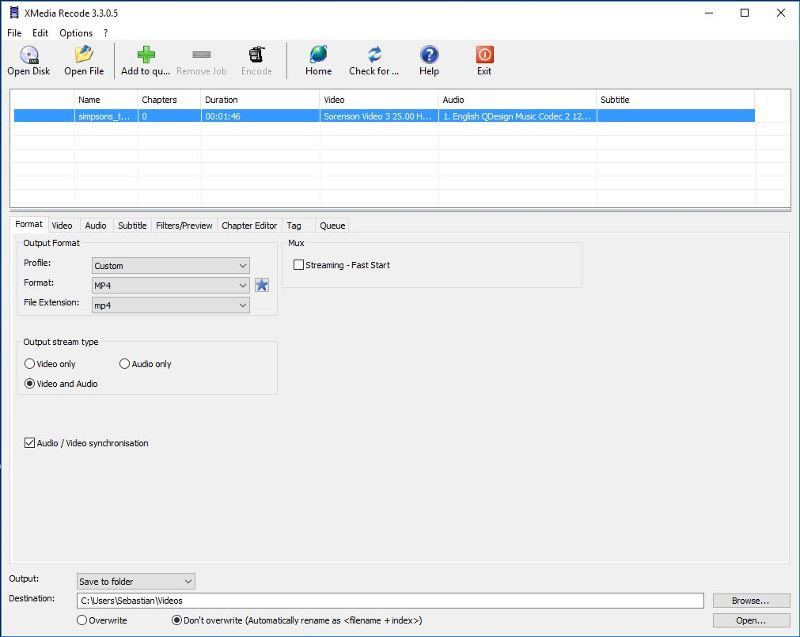
XMedia Recode ~ Media Converter


XMedia Recode can convert almost all known audio and video formats, including 3GP, 3GPP, 3GPP2, AAC, AC3, ADTS, AMR, ASF, AVI, AVISynth, DVD, FLAC, FLV, H.261, H.263, H.264, H.265, M4A , M1V, M2V, M4V, Matroska (MKV), MMF, MPEG-1, MPEG-2, MPEG-4, TS, TRP, MP2, MP3, MP4, MP4V, MOV, QT, OGG, PSP, RM, (S ) VCD, SWF, VOB, WAV, WebM, WMA and WMV.

XMedia Recode can only convert unprotected DVDs.

xmedia recode

www.xmedia-recode.de

Clementine ~ Modern Player & Library Organizer


Clementine is a multi-platform music player. It’s inspired by Amarok 1.4, focusing on a fast and easy-to-use interface for searching and playing your music.

  • Search and play your local music library.
  • Listen to internet radio from Spotify, Groovesharks, SomaFM, Magnatune, Jamendo, SKY.fm (radiotunes), Digitally Imported, JAZZRADIO.com, Soundcloud, Icecast and Subsonic servers.
  • Search and play songs you’ve uploaded to Box, Dropbox, Google Drive, and OneDrive.
  • Create smart playlists and dynamic playlists.
  • Tabbed playlists, import and export M3U, XSPF, PLS and ASX.
  • CUE sheet support.
  • Play audio CDs.
  • Visualizations from projectM.
  • Lyrics and artist biographies and photos.
  • Transcode music into MP3, Ogg Vorbis, Ogg Speex, FLAC or AAC.
  • Edit tags on MP3 and OGG files, organize your music.
  • Fetch missing tags from MusicBrainz.
  • Discover and download podcasts.
  • Download missing album cover art from Last.fm and Amazon.
  • Cross-platform – works on Windows, Mac OSX and Linux.
  • Native desktop notifications on Linux (libnotify) and Mac OSX (Growl).
  • Remote control using an Android device, a Wii Remote, MPRIS or the command-line.
  • Copy music to your iPod, iPhone, MTP or mass-storage USB player.
  • Queue manager.
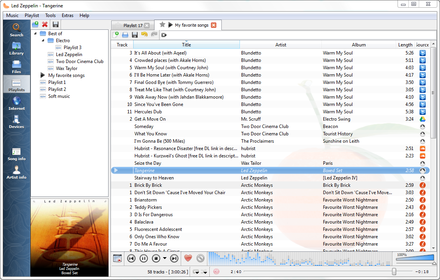
Clementine Version 1.2-1
Playlist tab, while listening to songs from multiples Internet services

www.clementine-player.org
www.clementine-player.org/downloads
github.com/clementine-player/Clementine
flathub.org/apps/org.clementine_player.Clementine
en.wikipedia.org/wiki/Clementine_(software)
Clementine Music Player Tutorial

F-Droid

An Android remote control for Clementine

f-droid.org/packages/de.qspool.clementineremote

CUETools ~ CUE File Utility & Transcoder


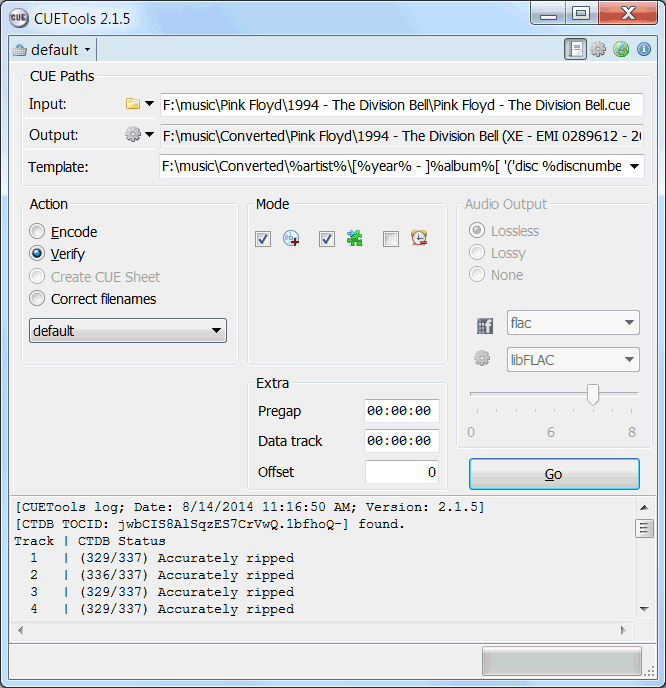
CUETools is a tool for lossless audio/CUE sheet format conversion. The goal is to make sure the entire album image is preserved accurately. A lossless disc image must be lossless not only in preserving contents of the audio tracks, but also in preserving gaps and CUE sheet contents. Many applications lose vital information upon conversion, and don’t support all possible CUE sheet styles. For example, foobar2000 loses disc pre-gap information when converting an album image, and doesn’t support gaps appended (noncompliant) CUE sheets.

CUETools215

cue.tools/wiki/Main_Page
cue.tools/wiki/CUETools
cue.tools/wiki/CUETools_Download
cue.tools/wiki/Category:CUETools_Guides
hydrogenaud.io/index.php?board=74.0

BatchEncoder ~ Audio Conversion GUI


BatchEncoder is audio file conversion software. It supports most of popular audio file formats including both lossy and lossless compression. The program is very simple to use. BatchEncoder is basically a GUI front-end for command-line tools. All it does is create background processes and pass arguments to it with options set in the presets / format menu and additionally adds input and output file paths.

Features:

  • Open-source, fast and simple.
  • Front-end for command-line tools.
  • Supports popular audio formats.
  • File transcoding between audio formats.
  • Multi-threaded conversion.
  • Full UNICODE support.
  • Multi-language user interface.
  • Out of the box configuration for new users.
  • Advanced options for experienced users.
BatchEncoder

wieslawsoltes.github.io/BatchEncoder
github.com/wieslawsoltes/BatchEncoder
hydrogenaud.io/index.php/topic,50822.0