
RTL Utility is a tool for measuring the Round Trip Latency of your Digital Audio Workstation (DAW) and audio interface. The utility is used for low latency performance testing by system builders, reviewers, device manufacturers and at dawbench.com.
When your DAW sends data to your audio interface for playback, it doesn’t send a continuous stream of data one bit at a time. What it does is fill up a section of RAM called a buffer and sends that in a single message when it is ready. Before sending the next message it has to fill the buffer again. This wait time introduces a latency, or delay, between something happening in your DAW and when you actually hear it.
While you are recording, the audio interface buffers and sends data to your DAW in a similar fashion. This introduces latency into your recordings.
If you send a signal from your DAW, out through the audio interface and back in via a loopback patch, then there will be a round trip latency which is the sum of the output and input delays. This is the RTL.
Tag Archives: macOS

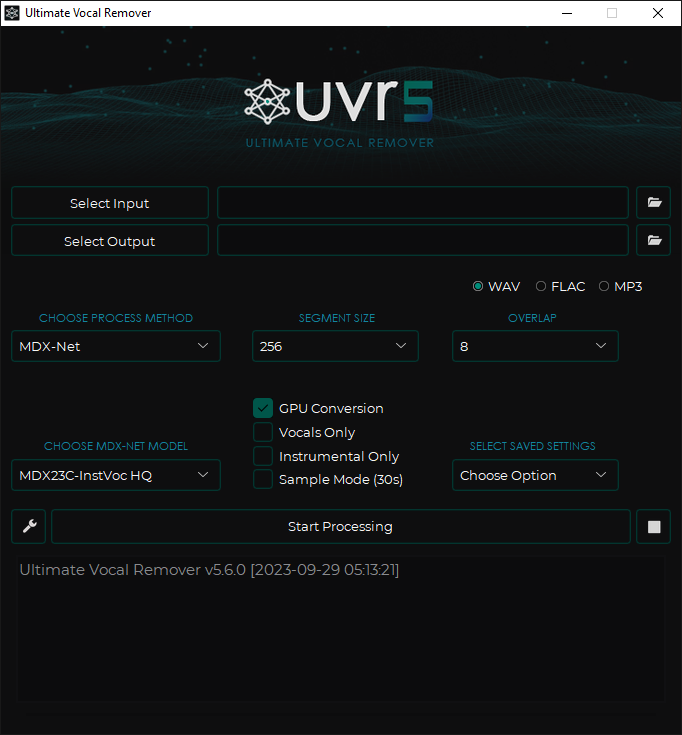
UVR ~ Ultimate Vocal Remover GUI
This application uses state-of-the-art source separation models to remove vocals from audio files. UVR’s core developers trained all of the models provided in this package (except for the Demucs v3 and v4 4-stem models).
github.com/Anjok07/ultimatevocalremovergui
Share this:

CamillaDSP ~ IIR & FIR Engine For Crossovers & Room Correction
A tool to create audio processing pipelines for applications such as active crossovers or room correction. It is written in Rust to benefit from the safety and elegant handling of threading that this language provides. Supported platforms: Linux, macOS, Windows.
Audio data is captured from a capture device and sent to a playback device. Alsa, PulseAudio, Jack, Wasapi and CoreAudio are currently supported for both capture and playback.
The processing pipeline consists of any number of filters and mixers. Mixers are used to route audio between channels and to change the number of channels in the stream. Filters can be both IIR and FIR. IIR filters are implemented as biquads, while FIR use convolution via FFT/IFFT. A filter can be applied to any number of channels. All processing is done in chunks of a fixed number of samples. A small number of samples gives a small in-out latency while a larger number is required for long FIR filters. The full configuration is given in a YAML file.
henquist.github.io
github.com/HEnquist/camilladsp
Share this:

Navidrome ~ Open Source Music Server
Navidrome is a piece of software that allows you to listen to your own digital music in the same way you would with services like Spotify, Apple Music and others. It also allows you to easily share your music and playlists with your friends and family
How it works?
After a simple installation, Navidrome indexes all digital music stored in your hard drive and makes it available through a nice web player and also by using any Subsonic-API compatible mobile client. Your music becomes searchable and you can create playlists, rate and “favourite” your loved tracks, albums and artists
www.navidrome.org
github.com/navidrome/navidrome
www.reddit.com/r/navidrome/
twitter.com/navidrome
Share this:

DawDreamer ~ Audio Processing Python Framework
DawDreamer is an audio-processing Python framework supporting core DAW features and beyond:
- Composing graphs of multi-channel audio processors
- Audio playback
- VST instruments and effects (with UI editing and state loading/saving)
- FAUST effects and polyphonic instruments
- Time-stretching and looping, optionally according to Ableton Live warp markers
- Pitch-warping
- Parameter automation at audio-rate and at pulses-per-quarter-note
- Parameter automation saving in absolute audio-rate time
- MIDI playback in absolute time and PPQN time
- MIDI file export in absolute time
- Rendering and saving multiple processors simultaneously
- Support for the Faust Box and Signal APIs
- Transpiling Faust code to JAX/Flax and other target languages (C++, Rust, Wasm, etc.)
- Machine learning experiments with QDax
- Multiprocessing support
- Full support on macOS, Windows, Linux, Google Colab, and Ubuntu Dockerfile
DawDreamer’s foundation is JUCE, with a user-friendly Python interface thanks to pybind11. DawDreamer evolved from an earlier VSTi audio “renderer”, RenderMan.
github.com/DBraun/DawDreamer
Share this:

LosslessSwitcher ~ Mac Sample Rate Utility
LosslessSwitcher switches your current audio device’s sample rate to match the currently playing lossless song on your Apple Music app, automatically.
Let’s say if the next song that you are playing, is a Hi-Res Lossless track with a sample rate of 192kHz, LosslessSwitcher will switch your device to that sample rate as soon as possible.
The opposite happens, when the next track happens to have a lower sample rate.
github.com/vincentneo/LosslessSwitcher
Share this:

BallroomDJ 4 ~ Ballroom Music Player
BallroomDJ 4 is a complete rewrite of BallroomDJ. BallroomDJ 4 is a ballroom music player (but can be used for other purposes). It is designed with the goal of being able to play music the entire evening without intervention.
Features:
sourceforge.net/projects/ballroomdj4
- Uses your music collection from your hard drive
- No limitations on the number of audio files
- Manual, sequenced and automatic playlists.
- Flexible: adjust the music queue or the playlist queue while playing
- Flexible: almost everything can be configured
- Edit song data. Optionally write the audio file tags
- Uses VLC to play the music
- Runs on Windows, Mac OS and Linux
ballroomdj4.sourceforge.io
Share this:

AudioKit ~ Mac Open Source Audio Platform
AudioKit is an audio synthesis, processing, and analysis platform for iOS, macOS (including Catalyst), and tvOS.
github.com/AudioKit/AudioKit
www.audiokit.io
Share this:

Cantata ~ GUI MPD Audio Player
A graphical (Qt5) client for MPD, supporting the following features:
- Supports Linux, macOS, Windows, and Haiku. NOTE: Only Linux actively supported as of 2.3.3
- Multiple MPD collections.
- Highly customisable layout.
- Songs (optionally) grouped by album in play queue.
- Context view to show artist, album, and song information of current track.
- Simple tag editor.
- File organizer – use tags to organize files and folders.
- Ability to calculate ReplyGain tags. (Linux only, and if relevant libraries installed)
- Dynamic playlists.
- Smart Playlists.
- Online services; Jamendo, Magnatune, SoundCloud, and Podcasts.
- Radio stream support – with the ability to search for streams via TuneIn, ShoutCast, or Dirble.
- USB-Mass-Storage and MTP device support. (Linux only, and if relevant libraries installed)
- Audio CD ripping and playback. (Linux only, and if relevant libraries installed)
- Playback of non-MPD songs – via simple in-built HTTP server.
- MPRISv2 DBUS interface.
- Ratings support.
- “Partitions” support.

Share this:

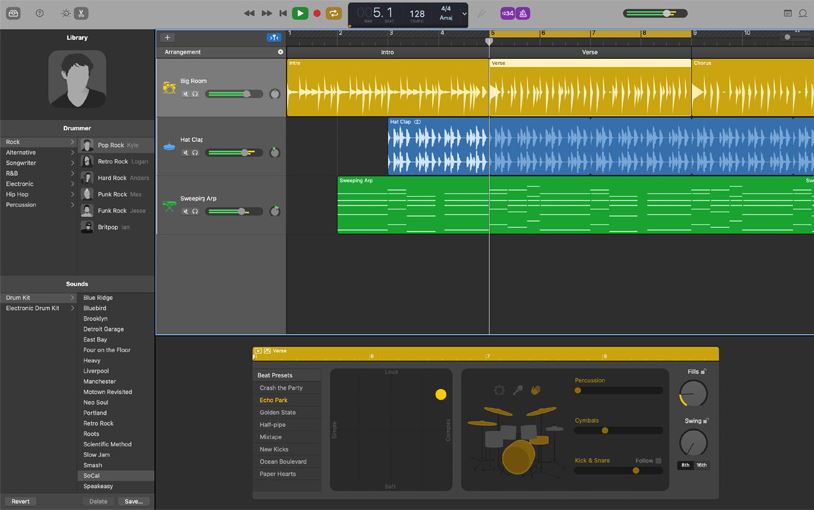
GarageBand ~ MacOS / IOS DAW
Looking for a great Apple IOS Digital Audio Workstatation? Get Garageband!
www.apple.com/lae/mac/garageband
Share this:

Stargate ~ Open Source Digital Audio Workstation
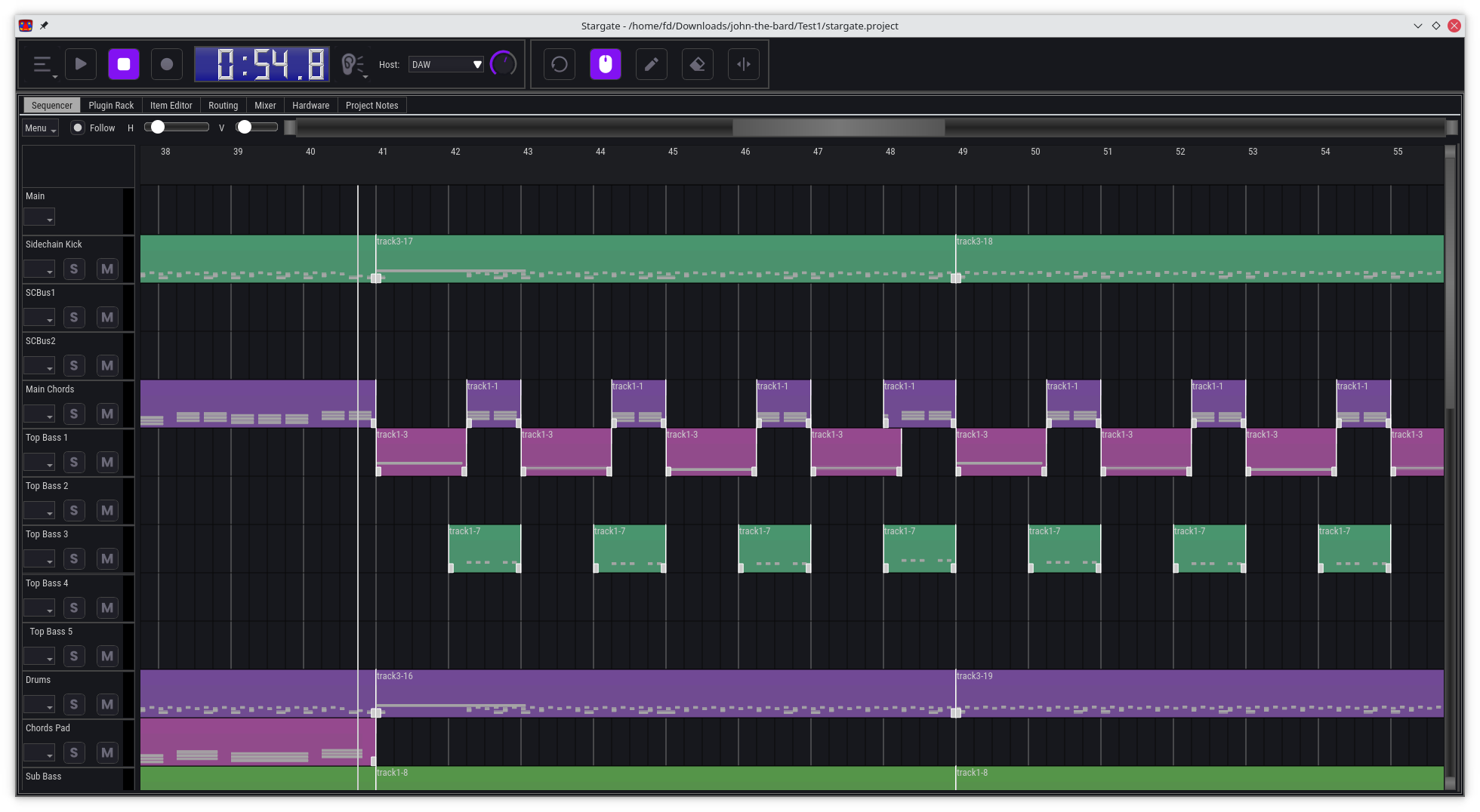
Stargate is an all-in-one DAW and plugin suite, designed to be a comprehensive solution for music production, with a focus on providing unique and innovative features, especially for EDM production.
Features:
- A digital audio workstation (DAW) with a powerful pattern-based workflow
- A comprehensive suite of built-in instrument and effect plugins
- A basic wave editor
- Powerful track routing matrix with easy sidechaining
- Modular mixer architecture. Mixer channels are a type of plugin that can be chosen per track send, mix and match plugins, or skip them when not needed
- Runs on Windows, Mac and Linux, x86 and ARM. Can be ported to other platforms if there is sufficient demand
- Everything you need to create music in a single package, no need to install additional software
- Revolutionary CPU efficiency for DAW and plugins, minimum recommended hardware: Raspberry Pi 4, or a 15 year old laptop with a dual core CPU, 1GB of RAM and a 720p display.
- Support for display resolution from 720p to 4k and above.
- Optional portable flash drive install on Windows and MacOS
- Broad audio and MIDI hardware support using Portaudio and Portmidi
github.com/stargateaudio/stargate
github.com/stargatedaw
Share this:

Tenacity ~ Cross-platform Multi-track Editor & Recorder
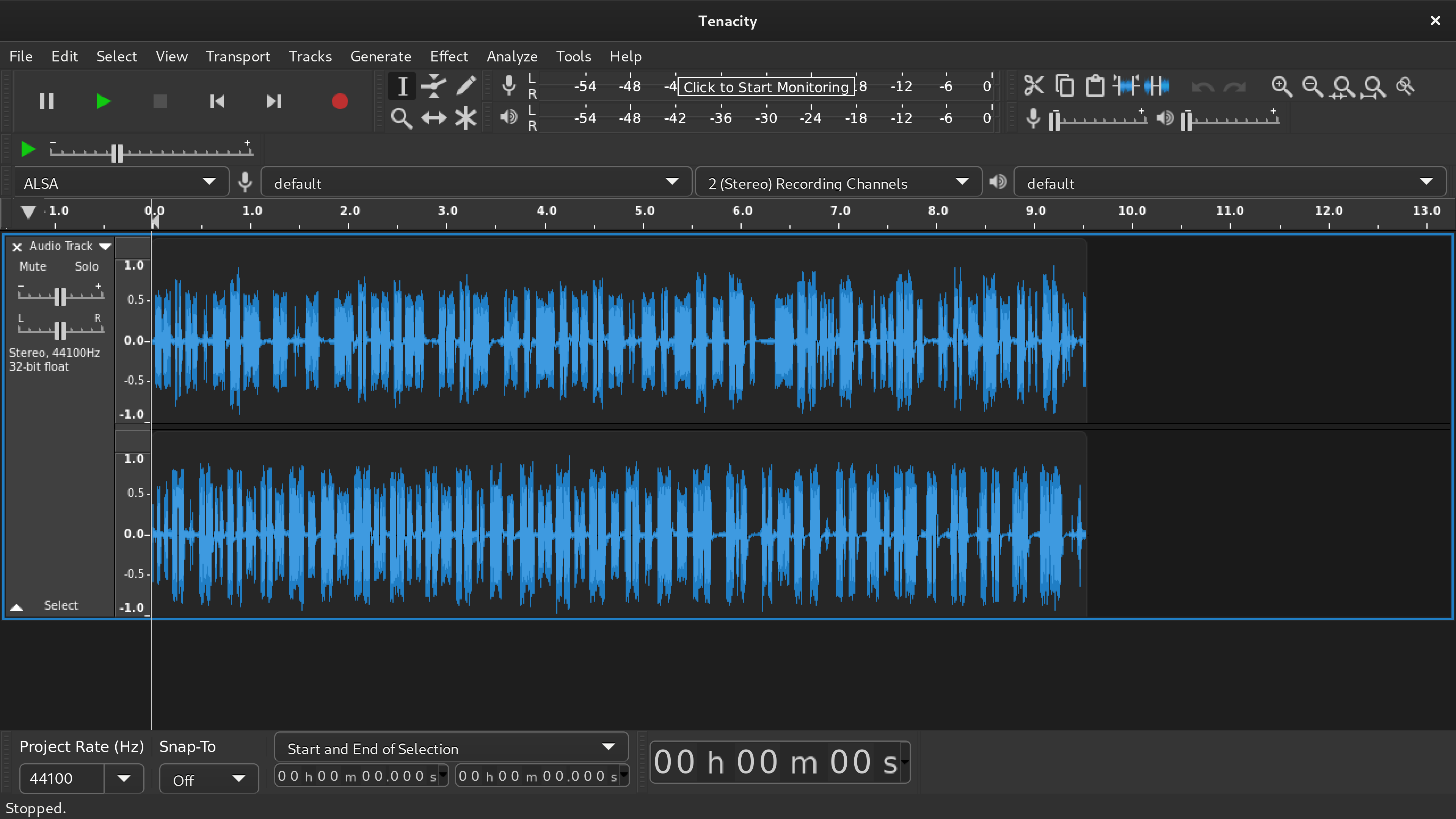
Tenacity is an easy-to-use, cross-platform multi-track audio editor / recorder for Windows, macOS, Linux and other operating systems and is developed by a group of volunteers as open-source software.
tenacityaudio.org
github.com/tenacityteam/tenacity

 The Audio File