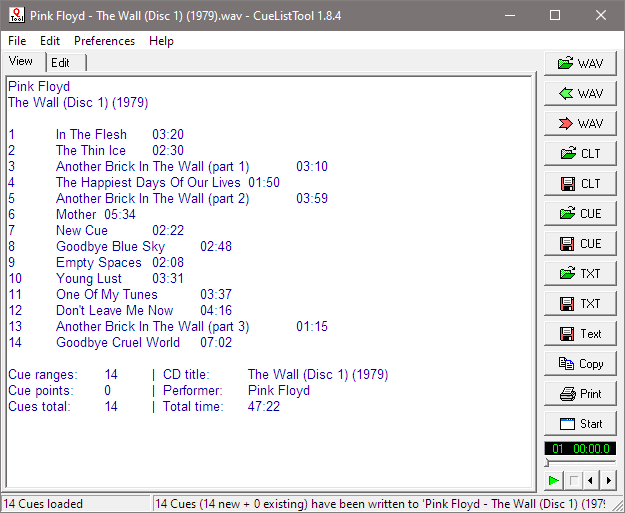
This utility allows you, among other things, to read, edit, and write back the cue lists embedded in WAV files by audio editing programs such as Adobe Audition. Cue lists can be saved as small text files and shared with other users.
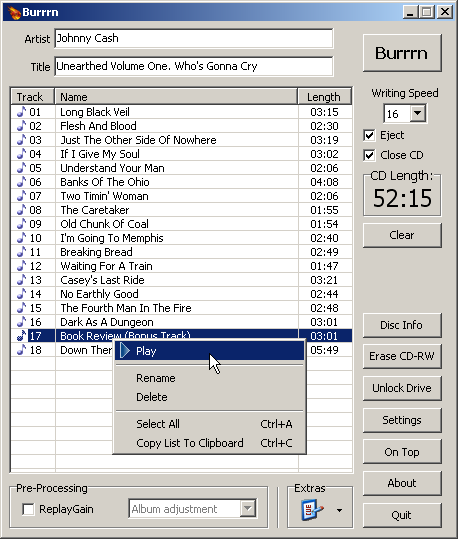
Burrrn is a little tool for creating audio CDs with CD-Text from various audio files. Supported formats are: wav, mp3, mpc, ogg, aac, mp4, ape, flac, ofr, wv, tta, m3u, pls and fpl playlists and cue sheets. You can also burn EAC’s noncompliant image + cue sheets! Burrrn can read all types of tags from all these formats (including ape tags in mp3). Burrrn uses cdrdao.exe for burning.
This program allows you to find the CD on FreeDB.org and convert it straight into a cue sheet that can be used by musiCutter, CDRWIN or mp3cue. If FreeDB doesn’t have track data for the CD, you can try the unique MP3 scanning feature. It will automatically search through a large MP3 file to find split-points and uses them to recreate a new cue sheet. If possible, it can even extract cue sheets embedded in ID3v2 tags.
You can save the cue sheet to a .cue file or a .xmcd file. You can use musiCutter to split the mp3 file into multiple parts using the .cue file, or Brrrn to burn a CD with correct track-markers. CueMaster can also export the tracklist to a .xml, .html, .csv or .text file. And it can write the cue sheet to an ID3v2-tag inside an mp3 file’s (like mp3cue does).
But it has more: you can use it as a full-featured cue sheet editor. Create a new cue sheet from scratch by adding tracks. Cut, copy, paste, delete and move tracks and edit the titles and durations.
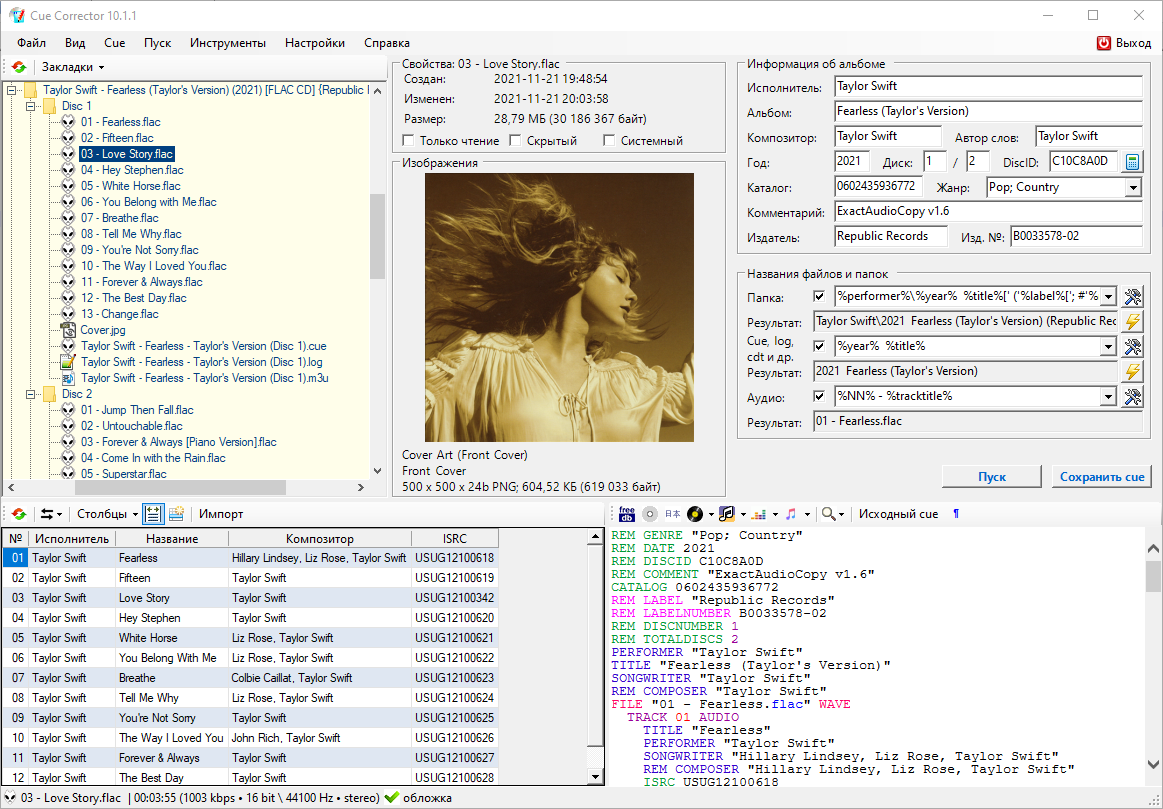
CUE Corrector is a multifunctional program for working with index cards, which has a wide range of possibilities for reading, creating and editing them. The program is capable of performing many operations that arise during the use of index cards, from a simple replacement of an audio file extension in it to a complete change of its content, without making any changes to the index markup.
The program also has a large number of tools that allow you to edit the index maps in a set of associated files and folders, thus treating it as part of the “index map, extract report, audio files and covers” complex. The algorithms implemented for this make it possible to extremely simplify and automate many operations to bring the complex to the desired user form, convenient for storing and organizing – creating collections.
Mktoc simplifies the steps needed to create audio CD TOC files for the cdrdao CD burning program. For users familiar with EAC or CdrWin, TOC files are synonymous with CUE sheets. The primary goal of mktoc is to create TOC files using a previously generated CUE sheet.
Features:
Create a TOC file from a list of WAV files.
Convert an ExactAudioCopy (EAC) CUE file to the TOC format that is usable by cdrdao.
Multi-session aware CUE parsing, necessary for making CDDB and AccurateRip matchable discs.
Non-compliant CUE sheet support.
Support for various pregap methods.
Can create offset corrected WAV files for true ‘bit-for-bit’ accurate copies.
Fuzzy file name logic can correct common file name spelling variations.
Cdrdao records audio or data CD-Rs in disk-at-once (DAO) mode based on a textual description of the CD contents.
Advantages of Disk-At-Once (DAO) Recording:
Recording in disk-at-once mode writes the complete disc, i.e. lead-in, one or more tracks and lead-out, in a single step. The commonly used track-at-once (TAO) mode writes each track independently which requires link blocks between two tracks. Older CD-recorder models forced a two second pause (pre-gap) between two tracks whereas newer models allow adjusting of the pause length in TAO mode reducing the number of link blocks to a minimal amount. However, with TAO it is generally not possible to define the data that is written in pre-gaps. But exactly this feature makes audio CD recording interesting, e.g. by creating hidden bonus tracks or track intros in pre-gaps like it is common habit on commercial CDs. Finally, DAO recording is the only way to write data to the unused R-W sub-channels for e.g. CD-G or CD-TEXT.
Features:
Full control over length and contents of pre-gaps (pause areas between tracks). Pre-gaps may be completely omitted, e.g. for dividing live recordings into tracks.
Control over sub-channel data like:
catalog number
copy, pre-emphasis, 2-/4-channel flags
ISRC code
index marks
Support for exact audio, data and mixed mode CD copying.
Support for R-W sub-channel writing.
Tracks may be composed of different audio files supporting non destructive cut.
Accepts WAVE and raw audio files.
CD-TEXT reading and writing with drives that support it.









 The Audio File