Sayonara ~ Lightweight Linux Player


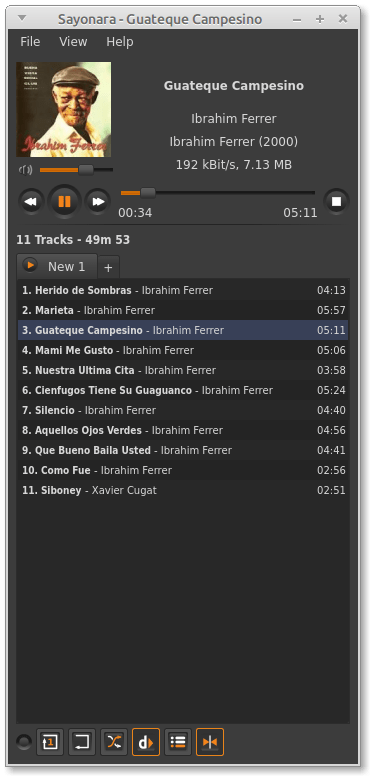
Sayonara is a small, clear and fast audio player for Linux written in C++, supported by the Qt framework. It uses GStreamer as audio backend. Sayonara is open source and uses the GPLv3 license. One of Sayonara’s goals is intuitive and easy usability. Currently, it is only available for Linux and BSD. Although Sayonara can be considered as a lightweight player, it has a lot of features in order to organize even big music collections. In contrast to the heavyweight players, the main focus of Sayonara is performance, low CPU usage and low memory consumption. Sayonara is a great alternative to players like Rhythmbox, Clementine or Amarok. Those who miss Winamp for Linux should give Sayonara a try.

Managing your library: You can manage your library by artists, albums, genres or file paths. Sayonara contains a sophisticated tag editor helping you to keep your collection clean. You can hold multiple playlists simultaneously, save/rename/delete or export them to common playlist file formats. With the multi library feature you can manage multiple directories as stand-alone libraries and copy and move tracks from one to another. There are even more complex library plugins like Soundcloud or SomaFM support.

Directory view: Some people don’t have a perfect tagged library and are more interested in the directory structure of their libraries. Sayonara provides various features to access and edit your music in the directory view.

Plugins: In addition, there are some useful plugins helping to enhance your comfort while listening. Some interesting plugins are the equalizer, a speed/pitch control, a crossfader, bookmarks for tracks and a broadcasting function.

Webstreams and Podcasts: You can record all tracks streamed from the internet. Your saved tracks automatically tagged, of course. When listening to ordinary webstreams, a history of all played tracks can be displayed. If webstreams or podcasts contain some chapter information, Sayonara also uses this information in order to provide fast jumping within these tracks.
Screenshot0

sayonara-player.com
en.wikipedia.org/wiki/Sayonara_Player

Tagscanner ~ Tag Editor & Utility


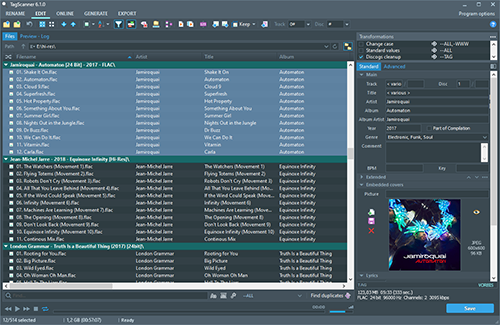
TagScanner is a powerful tool for organizing and managing your music collection. It can edit tags of most modern audio formats, supports ID3v1/v2, Vorbis comments, APEv2, WMA and MP4(iTunes) tags. You can rename files according to information from the tags, import tag information from filenames or other sources, perform any text replacement and transformations in tags and filenames. Also you may get album info and download covers via online databases like freedb, Discogs or MusicBrainz. You can create playlists in one click and export your collection to HTML, Excel or any user-defined format. Program has easy-to-use multilingual interface and built-in audio player.
Features:

  • Rename files based on the tag and file information
  • Powerful multiple files tag editor
  • Import album information and covers from online databases like Discogs or MusicBrainz
  • Generate tag information from file/foldernames
  • Tag fields formatting and rearrangement
  • Words replacement and case conversion from tags and filenames
  • Supports MP3, OGG, FLAC, WMA, MPEG-4, Opus, Musepack, Monkey’s Audio, AAC, OptimFROG, SPEEX, WavPack, TrueAudio, WAV, AIFF, Direct Stream Digital files
  • Supports ID3 1.0/1.1/2.2/2.3/2.4 tags, APE v1 and v2 tags, Vorbis Comments, WMA tags and MP4(iTunes) metadata
  • Supports for embedded lyrics and cover art
  • Resize cover art for portable devices on the fly
  • TAGs versions conversions
  • Quick playlists creation
  • Export information to HTML, XML CSV or any user-defined format
  • Full support for Unicode
  • Multi-language interface
  • Built-in audio player
tagscanner

www.xdlab.ru

Foobar2000 ~ Classic User Interface


The Default User Interface from early foobar2000 versions is back! This component serves no particular useful purpose; it is provided for the nostalgia value only. It is missing various functionality considered to be essential in current foobar2000 series, such as persistently visible volume control. There are no plans to add any new functionality into the Classic User Interface.

Warning: product may contain Finnish profanity.

Changes since the original version:

  • Modified to run side by side with the current Default UI. Please do not remove the Default UI DLL.
  • Fixed the infamous seekbar repaint bug on Windows themes other than “classic”.
  • Replaced popup volume slider with the latest Default UI code.
  • Restored original “Preferences: Title Formatting” page from old foobar2000 versions
  • Various cosmetic changes.

www.foobar2000.org/components/view/foo_ui_classic

SoundTracker ~ Unix Sample Tracker


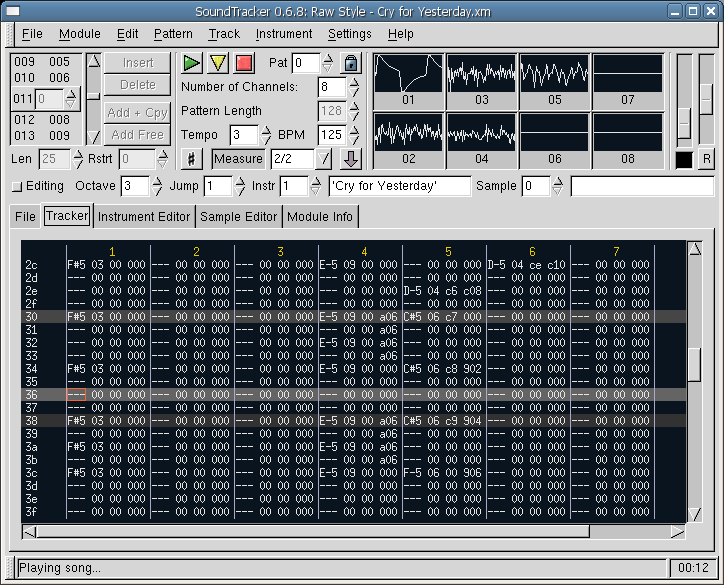
SoundTracker is a music tracking tool for Unix / X11 similar in design to the DOS program FastTracker and the Amiga legend ProTracker. Samples can be lined up on tracks and patterns which are then arranged to a song. Supported module formats are XM and MOD; the player code is the one from OpenCP. A basic sample recorder and editor is also included. SoundTracker is free (“open source”) software, licensed under the GNU GPL.

soundtracker

www.soundtracker.org

Open Cubic Player ~ Old School Audio


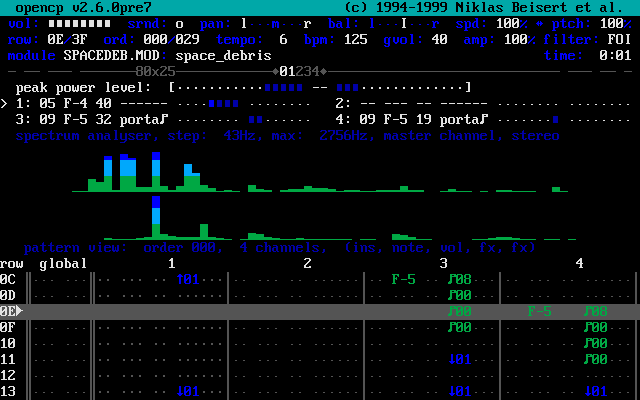
OPENCP is a music file player for DOS, Linux, Unix, Windows 95, ME & XP.

It’s derived from the Cubic Player 2.0 which was developed by Niklas Beisert.

opencp

www.cubic.org/player

Ecasound ~ Open Source Unix DAW


Ecasound is a software package designed for multitrack audio processing. It can be used for simple tasks like audio playback, recording and format conversions, as well as for multitrack effect processing, mixing, recording and signal recycling. Ecasound supports a wide range of audio inputs, outputs and effect algorithms. Effects and audio objects can be combined in various ways, and their parameters can be controlled by operator objects like oscillators and MIDI-CCs. A versatile console mode user-interface is included in the package.

The primary platform for running Ecasound is GNU/Linux. Ecasound can also be run on many UNIX-derived systems such as FreeBSD, Mac OS X and Solaris. Limited support for Windows is available through Cygwin.

nosignal.fi/ecasound

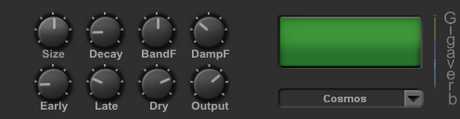
Gverb / Gigaverb ~ Open Source Reverb


gverb2

www.elements.byethost3.com/plugins.html?i=1#Gverb
github.com/highfidelity/gverb

gigaverb_green_logo2-1

www.elements.byethost3.com/plugins.html?i=1#Gigaverb
github.com/v7b1/gigaverb ~ 64 bit version

Matchering ~ Master Via Modeling


Matchering 2.0 is a novel Containerized Web Application and Python Library for audio matching and mastering. It follows a simple idea – you take TWO audio files and feed them into Matchering:

  • TARGET (the track you want to master, you want it to sound like the reference)
  • REFERENCE (another track, like some kind of “wet” popular song, you want your target to sound like it)

Our algorithm matches both of these tracks and provides you the mastered TARGET track with the same RMS, FR, peak amplitude and stereo width as the REFERENCE track has.

github.com/sergree/matchering

exhale ~ MPEG-4 Audio Encoder


exhale, which is an acronym for “Ecodis eXtended High-efficiency And Low-complexity Encoder”, is a lightweight library and application to encode uncompressed WAVE-format audio files into MPEG-4 format files complying with the ISO/IEC 23003-3 (MPEG-D) Unified Speech and Audio Coding (USAC, also known as Extended High-Efficiency AAC) standard. In addition, exhale writes program peak-level and loudness data into the generated MPEG-4 files according to the ISO/IEC 23003-4, Dynamic Range Control (DRC) specification for use by decoders providing DRC. exhale currently makes use of all frequency-domain (FD) coding tools in the scale factor based MDCT processing path, except for predictive joint stereo, which is still being integrated. Its objective is high quality mono, stereo, and multichannel coding at medium and high bit rates, so the lower-rate USAC coding tools (ACELP, TCX, Enhanced SBR and MPEG Surround with Unified Stereo coding) won’t be integrated.

gitlab.com/ecodis/exhale
hydrogenaud.io/index.php?topic=118888

flowEQ ~ New Way To Navigate Equalization


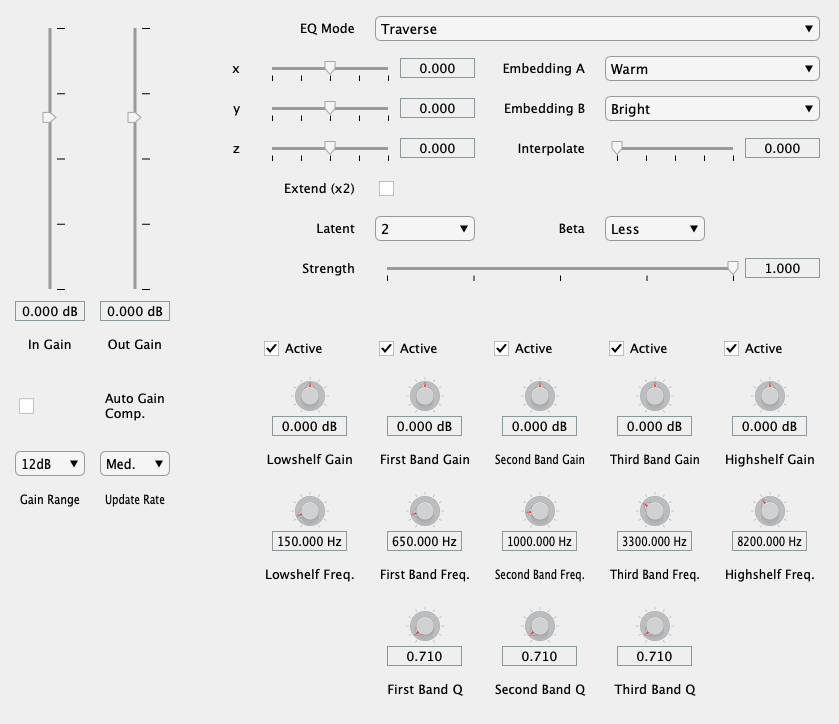
flowEQ uses a disentangled variational autoencoder (β-VAE) in order to provide a new modality for modifying the timbre of recordings via a parametric equalizer. By traversing the learned latent space of the trained decoder network, the user can more quickly search through the configurations of a five band parametric equalizer. This methodology promotes using one’s ears to determine the proper EQ settings over looking at transfer functions or specific frequency controls. Two main modes of operation are provided (Traverse and Semantic), which allow users to sample from the latent space of the 12 trained models.

Applications:

  • Quick and easy timbral adjustments
  • Automated timbral shifts over time for creative effects
  • Powerful ‘tone controls’ for users in a playback/listening setting

floweq

floweq.ml
github.com/csteinmetz1/flowEQ

Audio Band ~ Windows Desk Band


Audio Band allows you to display song information from various sources directly in the taskbar.

Features:

  • Displays song information – album art, artist, title, progress
  • Control your music – play/pause, previous/next
  • Add support for your music player of choice through plugins
  • Customizable

Supports:

github.com/AudioBand/AudioBand

Wave Corrector ~ Digitize (Rip) Tapes & Vinyl


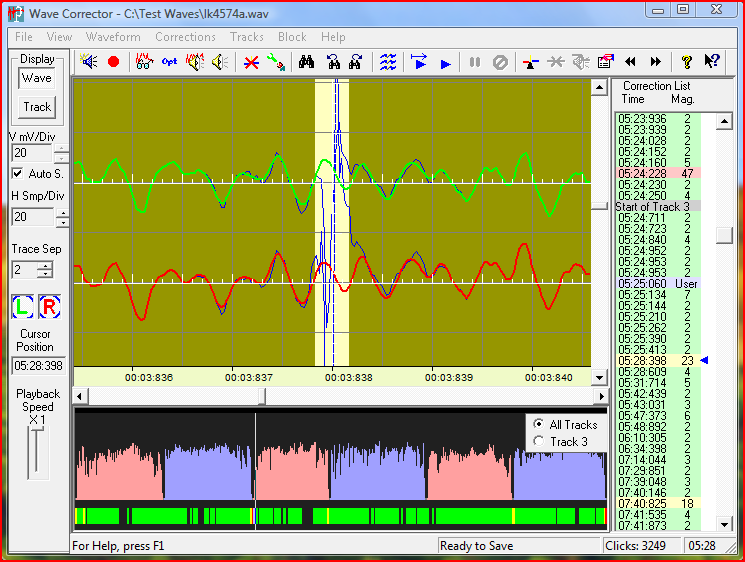
Transfer your old records and tapes to digital. Wave Corrector offers an integrated solution to record, clean-up and convert your music to digital audio formats. The program uses advanced digital processing to remove noise from old analogue recordings. Files can be transferred to CD or stored in your digital audio library. The program runs on the Microsoft Windows 2000/XP/Vista/7/8/8.1/10 platforms and on LINUX under Wine.

wave corrector

www.wavecor.co.uk