Axone.jar is a utility allowing you to view all the information available in an MP3 file. This is not to be misunderstood: all the possible information. In the tag version 2 (ID3V2), the information is subdivided into frames and there are many more frames declared than frames actually displayed by MP3 players. Well Axone.jar knows how to display them all, without exceptions and whatever the version!
Very classic frames such as title, album, artist, year, genre, track and comment.
Other frames displayed by only some MP3 players.
the image(s).
the composer.
the text of the song.
volume control (itunes)
The frames that are hidden from you (not necessarily with bad intentions).
Undeclared frames, not understood and therefore clearly hidden from all MP3 players.
The other frames usually not used.
Other data
The Lyrics and TAG+ tags, which are completely obsolete, may remain forgotten in certain files. If they are present, Axone.jar displays them.
When the software reads an MP3 file to display the current tag, it does a summary check of the audio data. It gives you the classic information on bitrate, sampling frequency, duration, etc.; but also if it finds excess or erroneous data. Excess data can be a sign of corrupted audio data, or of data intentionally hidden if the file was purchased on a merchant site (or if you did P2P). At this level, it is important to understand that the audio decoder is robust in the sense that data that is incomprehensible to it is simply skipped. It is therefore very easy to hide data between audio data, without risking disturbing MP3 players.
daktilo (“typewriter” in Turkish, pronounced “duck-til-oh”, derived from the Ancient Greek word δάκτυλος for “finger”) is a small command-line program that plays typewriter sounds every time you press a key. It also offers the flexibility to customize keypress sounds to your liking. You can use the built-in sound presets to create an enjoyable typing experience, whether you’re crafting emails or up to some prank on your boss.
Mirlo provides a user-friendly space to help musicians sell music, manage subscriptions, and share with their supporters.
Our mission
The music industry does not work for musicians or listeners and needs a radical re-imagination.
Mirlo is a community of musicians, listeners, and coders who are daring to do just that: taking lessons learned in working in the solidarity economy and applying them to our process and product.
We are building an online audio distribution (think Bandcamp) and patronage (think Patreon) platform that aims to be radical, accessible, open source (free & libre), modular, and standards based.
SMPlayer is a free media player for Windows and Linux with built-in codecs that can play virtually all video and audio formats. It doesn’t need any external codecs. Just install SMPlayer and you’ll be able to play all formats without the hassle to find and install codec packs.
One of the most interesting features of SMPlayer: it remembers the settings of all files you play. So you start to watch a movie but you have to leave… don’t worry, when you open that movie again it will be resumed at the same point you left it, and with the same settings: audio track, subtitles, volume…
SMPlayer is a graphical user interface (GUI) for the award-winning MPlayer, which is capable of playing almost all known video and audio formats. But apart from providing access for the most common and useful options of MPlayer, SMPlayer adds other interesting features like the possibility to play Youtube videos or download subtitles.
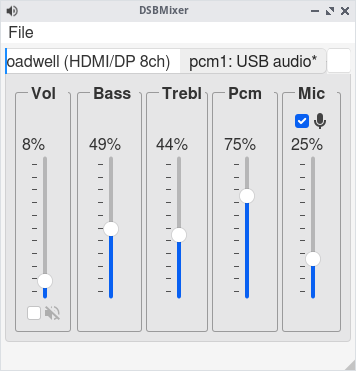
DSBMixer is a tabbed Qt mixer for FreeBSD. For each installed mixer device, DSBMixer opens a tab. It allows you to configure various sound settings, such as amplification, recording sources, or the default audio device. If built with devd support, tabs are created or removed automatically when a (USB) sound card was added to or removed from the system.
MusicIP is much more than a conventional Playlist Generator. MusicIP is a clever piece of software written in the 2000s that analyses and fingerprints your local music library to try to understand the makeup of each music track. So instead of endlessly scrolling through your library, trying to find something to listen to, you can simply select a track (the seed track) then based on MusicIPs understanding of your library, generate a playlist of tracks that blend together. This is far more than a genre based mix, as it will select tracks that are similar in composition.
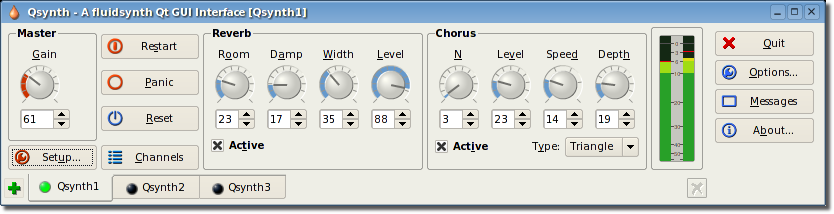
Qsynth is a fluidsynth GUI front-end application written in C++ around the Qt framework using Qt Designer. Eventually it may evolve into a softsynth management application allowing the user to control and manage a variety of command line softsynth but for the moment it wraps the excellent FluidSynth. FluidSynth is a command line software synthesiser based on the Soundfont specification.
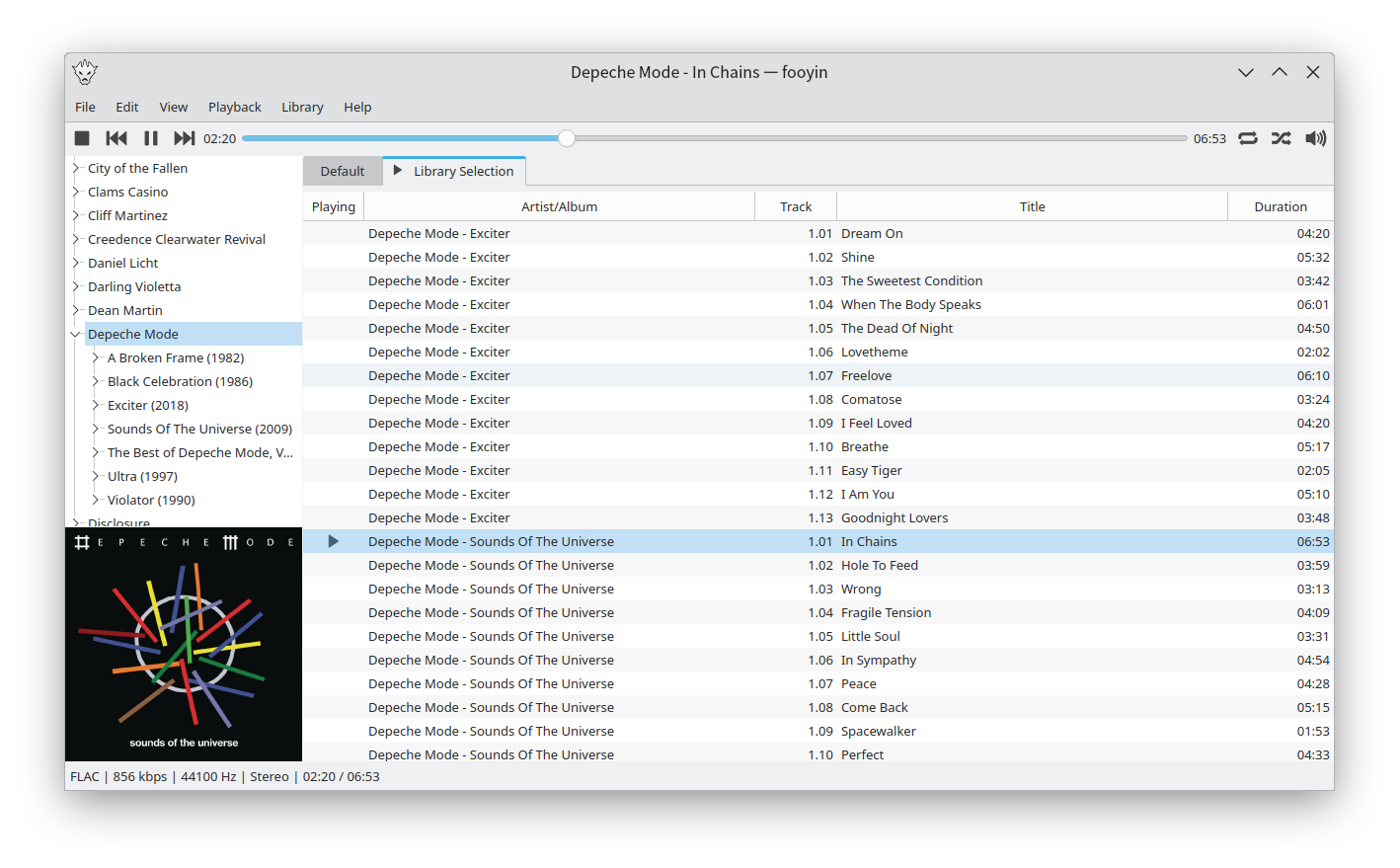
Fooyin is a customisable music player for Linux. Fooyin features a layout editing mode in which the entire user interface can be customised, starting from a blank state or a default layout. FooScript takes this further by extending the customisation to individual widgets themselves.
GVolWheel is a Linux application which lets you control the volume easily through a tray icon you can scroll on. Easily integrate with minimal desktops (Openbox,IceWM,XFCE etc).







 The Audio File