Phoniebox is a contactless jukebox for the Raspberry Pi, playing audio files, playlists, podcasts, web streams and Spotify triggered by RFID cards. All plug and play via USB, no soldering iron needed. It also features GPIO buttons control support.
This is a minimalistic Music Player written in Java & native C++. The engine framework is written mainly in Java with C++ used to back any other native functionalities.
Currently this project is under heavy development and not for general consumer usage.
The MuPiBox is an easy-to-use music player. Local music files, Spotify and streams from the Internet can be played. Operation via touchscreen is child’s play for young and old…
Features:
Music box for young and old
Touch display
easy to use (no access to the shell necessary!)
Update function
Spotify – album, playlists (premium account is required)
Local music – MP3, Flac, WAV, WMA
Generate local playlists at the touch of a button
Streams / radio via internet
Simple administration via display
Advanced administration via web interface
Easy installation (without shell access)
Automatic power off
Display timeout
Resume function
Read aloud collection/artist and album (Google TTS)
own sorting by radio play, music, playlist and radio
automatic offline / online switching depending on availability
Simple user interface
Cover ad
Add additional WiFi hotspots on the go
Construction of an individual housing (3D printing)
Tested hardware list
Slim OS (dietPi)
Few file accesses – logs etc. in RAM to protect the SD card
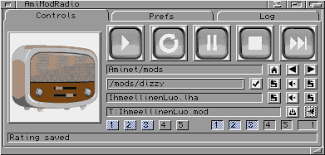
A program to automatically download, extract, and play modules from Aminet.
Did you know that, as of today (2015/06/02), there are more than 20,000 packages in the mods directory on Aminet? Yes! That’s more than 20,000 modules to play and enjoy! So, why not have a program that could automatically download one module at-a-time, extract it, and play it? This is the purpose of AmiModRadio.
Essentially, after starting MultiPlayer or HippoPlayer (only at this time), AmiModRadio connects to the player via ARexx and Aminet via FTP, then it downloads randomly a LHA file in the mods directories, extracts its content, and asks the player to play it. 🙂
Features:
Connects by FTP to Aminet
Uses XAD library to unarchive files containing modules
elpAudio – A simple audio player using FMOD, that supports custom WinAmp themes, music files (.mp3, .midi, .wav, .ogg, .flac, .opus), tracker music (.mod, .xm, .s3m, .it) and other sound types (.wasd, .etm, .mus).
An open source, cross-platform Spotify client compatible across multiple platforms utilizing Spotify’s data API and YouTube, Piped.video or JioSaavn as an audio source, eliminating the need for Spotify Premium.
🚫 No ads, thanks to the use of public & free Spotify and YT Music APIs¹
⬇️ Freely downloadable tracks
🖥️ 📱 Cross-platform support
🪶 Small size & less data usage
🕵️ Anonymous/guest login
🕒 Time synced lyrics
✋ No telemetry, diagnostics or user data collection
🚀 Native performance
📖 Open source/libre software
🔉 Playback control is done locally, not on the server
xmp is a module player for Unix-like systems that plays over 90 mainstream and obscure module formats from Amiga, Atari, Acorn, Apple IIgs and PC, including Protracker (MOD), Scream Tracker 3 (S3M), Fast Tracker II (XM) and Impulse Tracker (IT) files.
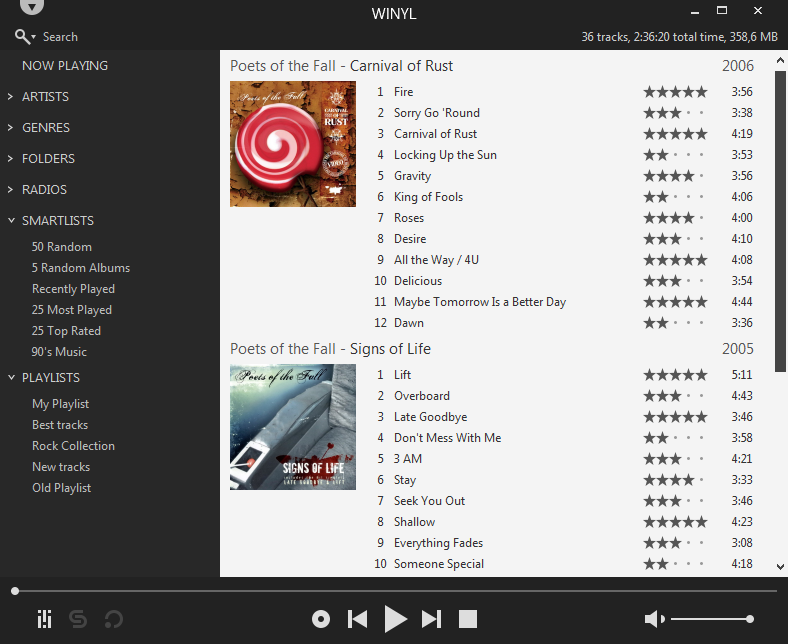
Winyl is a free digital audio player and music library application for organizing and playing audio on Windows.
Winyl offers great new ways to organize and enjoy all your music. Listen to music and radio, rate your favorite tracks, create playlists, browse song lyrics, tag music, all of this is very simple in Winyl.
Winyl uses the least system resources, it starts and working very fast. It’s the best choice for a laptop or netbook.








 The Audio File