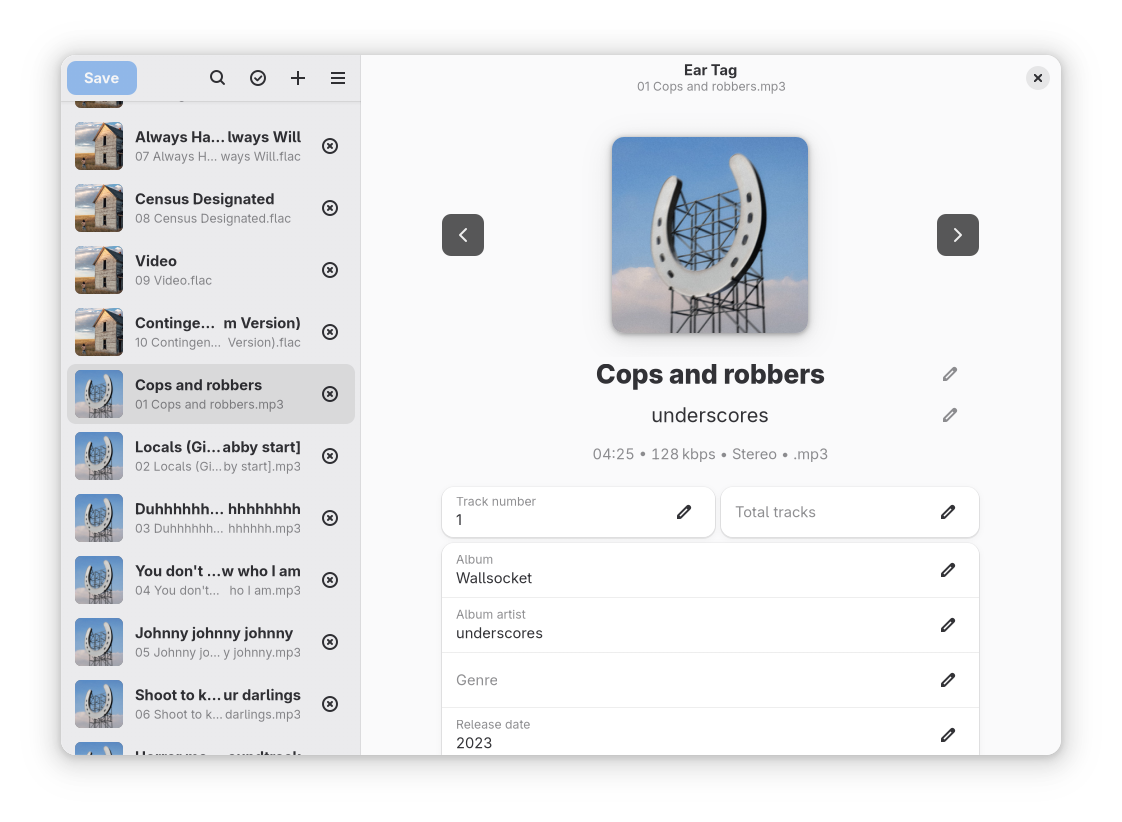
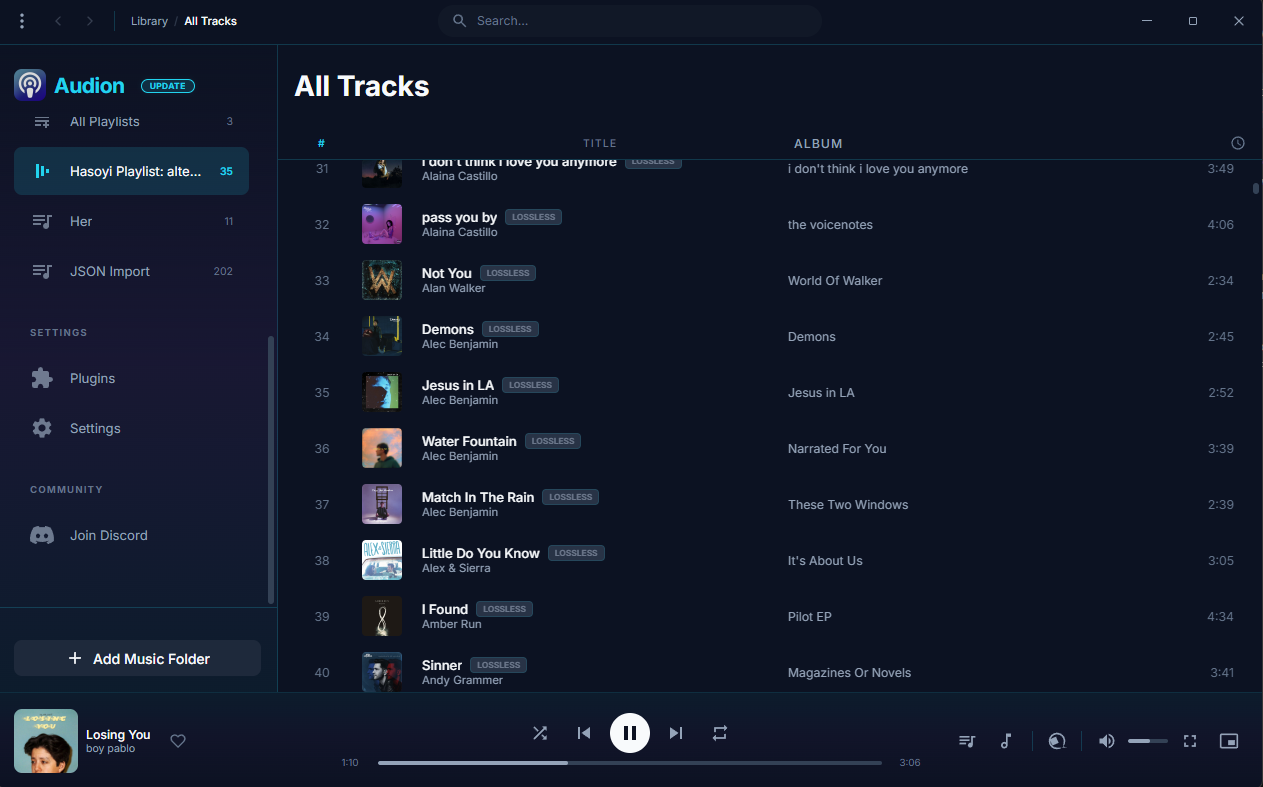
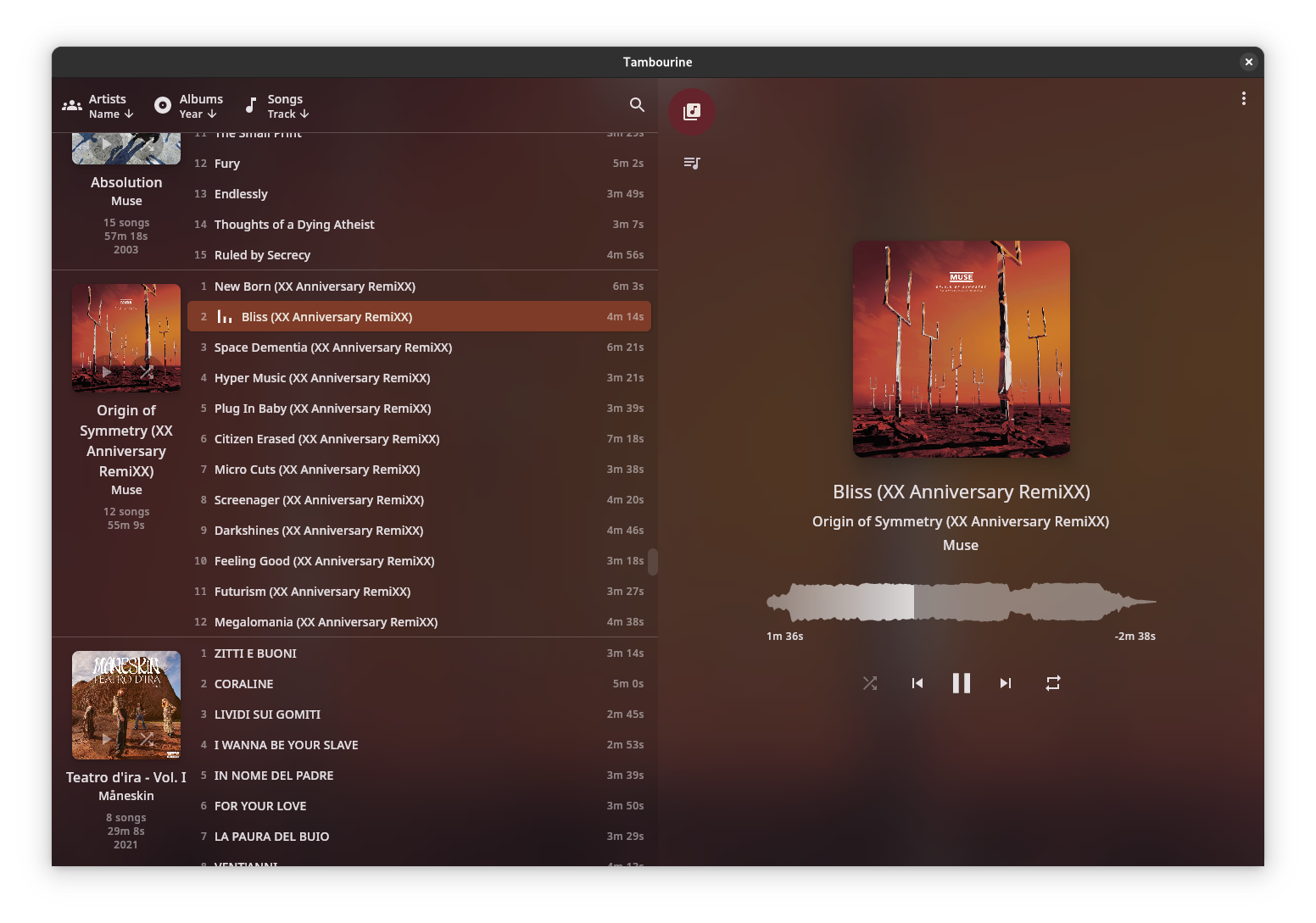
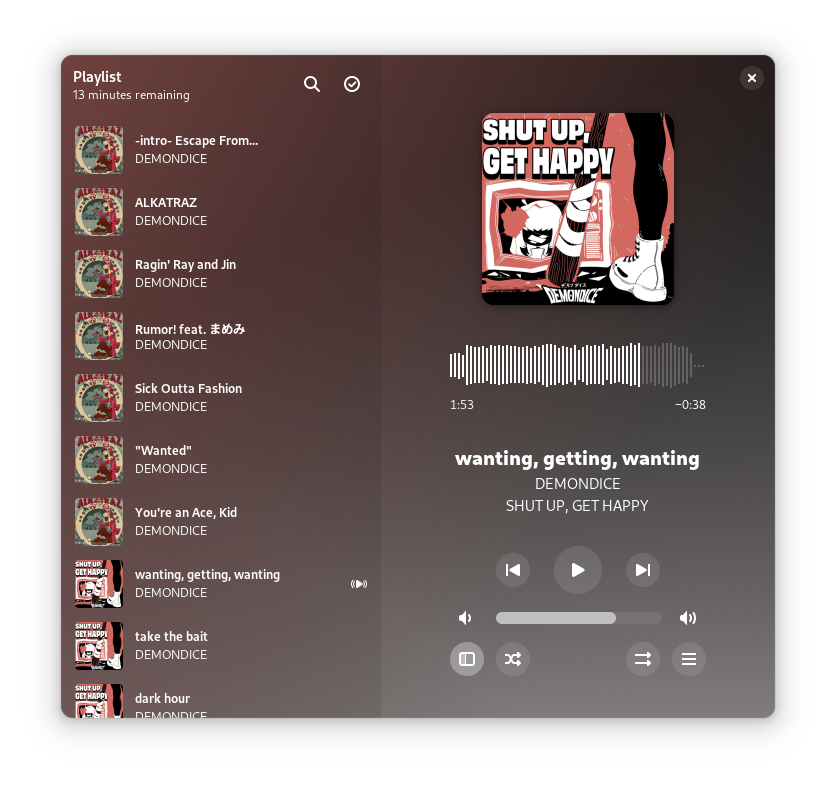
museeks ~ Simple, Clean & Cross-platform Music Player


Museeks aims to be a simple and easy-to-use music player with a clean UI. You will not find tons of features, as its goal is not to compete with more complete and more famous music players.

Features:

  • 💻 Cross-platform music player (Linux, macOS, and Windows)
  • 🎧 Supported formats: mp3, mp4, m4a/aac, flac, wav, ogg, 3gpp
  • 🔄 Library auto-refresh
  • 🌟 Playlists
  • 🎼 Queue management
  • ➰ Shuffle, loop
  • 🌄 Cover art
  • 🤓 Dark theme
  • 🚤 Playback speed control
  • 😴 Sleep mode blocker
  • 📥 .m3u import/export

museeks.io
github.com/martpie/museeks
sourceforge.net/projects/museeks.mirror

Ministation ~ Mini Audiostation


The Ministation application is a small media player, for playing audio files. The program only has a few options to play, stop, pause, etc. the current media track. 

Ministation Interface

github.com/Sibra-Soft/ministation

anklang ~ MIDI & Audio Synthesizer & Composer


Anklang is a digital audio synthesis application for live creation and composition of music and other audio material.

anklang.testbit.eu
tim-janik.github.io/anklang
github.com/tim-janik/anklang

Symphonie ~ Music Player


Symphonie is a sleek, lightweight desktop music player built with Electron and powered by HTML5 capabilities, offering a clean interface for enjoying your local audio library. It supports popular formats including MP3, FLAC, AAC, M4A, OGG, WAV, OPUS. Features include playlist management, intuitive playback controls, track metadata display (title/artist), and shuffle functionality for a seamless listening experience.

Features:

  • Supported audio formats mp3,aac,m4a,wav,ogg,flac,opus and more
  • Drag and drop files/folders directly onto the player or playlist
  • Visualizer which can be enabled and disabled
  • Reorder tracks within the playlist using drag and drop
  • Select all tracks and delete in the playlist using Ctrl+A
  • Seamless integration with modern web technologies without relying on third-party libraries.
  • Supported Platforms Windows 10/11,Debian,Ubuntu,Arch Linux,Linux Mint,Fedora
Symphonie

sourceforge.net/projects/symphonie

OBS ~ win-capture-audio Plugin


An OBS plugin that allows capture of independent application audio streams on Windows, in a similar fashion to OBS’s game capture and Discord’s application streaming.


obsproject.com/forum/resources/win-capture-audio.1338
github.com/bozbez/win-capture-audio
gigazine.net/gsc_news/en/20211230-obs-win-capture-audio

OpenPiano ~ Virtual Piano For Windows


OpenPiano is a Windows desktop piano application that allows you to play, practice, and record music using your PC keyboard, mouse, or a MIDI device.

It supports real-time playback using SoundFonts and provides on-screen piano layouts for visual feedback while playing.

OpenPiano is designed to run entirely locally. It does not require accounts, cloud services, or an internet connection for core functionality.

  • 61-key and 88-key layouts with live key feedback
  • SoundFont support (.sf2 / .sf3) with bank and preset selection
  • Keyboard, mouse, and MIDI input support
  • Editable keybind mode with Save, Discard, and Ctrl+Z undo
  • Keyboard and mouse combo triggers with shared 61/88-key mapping
  • MIDI recording and .mid export
  • Real-time controls for volume, velocity, sustain, and transpose
  • Live stats for KPS, held keys, and polyphony
  • Theme, UI scale, animation speed, and key color customization
  • Built-in tutorial with an in-depth explanation of features
  • Offline local-first workflow with no account required

www.justagwas.com/projects/openpiano
github.com/Justagwas/openpiano
sourceforge.net/projects/openpiano

Alternative:

github.com/michele-perrone/OpenPiano

Echo In Mirror ~ Digital Audio Workstation


An open source DAW (Digital Audio Workstation) written in pure Kotlin.

Features:

  •  VST/VST3/AU plugin support
  •  Audio effects
  •  Audio sample support
  •  ASIO support
  •  MIDI edit
  •  Latency compensation
  •  Audio edit
  •  Audio recording
  •  Midi input
  •  Plugin api
  •  CLAP and ARA plugin support
  •  Android support
  •  iOS support

github.com/EchoInMirror/EchoInMirror

Lidify ~ Music Hosting & Discovery Tool


Lidify is built for music lovers who want the convenience of streaming services without sacrificing ownership of their library. Point it at your music collection, and Lidify handles the rest: artist discovery, personalized playlists, podcast subscriptions, and seamless integration with tools you already use like Lidarr and Audiobookshelf.

  • Stream your library – FLAC, MP3, AAC, OGG, and other common formats work out of the box
  • Automatic cataloging – Lidify scans your library and enriches it with metadata from MusicBrainz and Last.fm
  • Audio transcoding – Stream at original quality or transcode on-the-fly (320kbps, 192kbps, or 128kbps)
  • Ultra-wide support – Library grid scales up to 8 columns on large displays
Lidify Interface

github.com/Chevron7Locked/lidify
github.com/TheWicklowWolf/Lidify

PedalBoard ~ Python Audio Library


pedalboard is a Python library for working with audio: reading, writing, rendering, adding effects, and more. It supports most popular audio file formats and a number of common audio effects out of the box, and also allows the use of VST3® and Audio Unit formats for loading third-party software instruments and effects.

Features:

  • Built-in audio I/O utilities (pedalboard.io)
    • Support for reading and writing AIFF, FLAC, MP3, OGG, and WAV files on all platforms with no dependencies
    • Additional support for reading AAC, AC3, WMA, and other formats depending on platform
    • Support for on-the-fly resampling of audio files and streams with O(1) memory usage
    • Live audio effects via AudioStream
  • Built-in support for a number of basic audio transformations, including:
    • Guitar-style effects: ChorusDistortionPhaserClipping
    • Loudness and dynamic range effects: CompressorGainLimiter
    • Equalizers and filters: HighpassFilterLadderFilterLowpassFilter
    • Spatial effects: ConvolutionDelayReverb
    • Pitch effects: PitchShift
    • Lossy compression: GSMFullRateCompressorMP3Compressor
    • Quality reduction: ResampleBitcrush
  • Supports VST3® instrument and effect plugins on macOS, Windows, and Linux (pedalboard.load_plugin)
  • Supports instrument and effect Audio Units on macOS
  • Strong thread-safety, memory usage, and speed guarantees
    • Releases Python’s Global Interpreter Lock (GIL) to allow use of multiple CPU cores
      • No need to use multiprocessing!
    • Even when only using one thread:
      • Processes audio up to 300x faster than pySoX for single transforms, and 2-5x faster than SoxBindings (via iCorv)
      • Reads audio files up to 4x faster than librosa.load (in many cases)
  • Tested compatibility with TensorFlow – can be used in tf.data pipelines!

github.com/spotify/pedalboard

DLNA Music Controller ~ Manage DLNA Directly


Read a DLNA Media Server to select music to play on your DLNA Renderer

Scan the network for your Media Server (“Server”) and Renderer (“Renderer”) devices, select one of each and then from the main screen select the music you want to play, drilling into Albums, Artists, Genres (all defined by your Media Server). Any music you want to hear is called a track and is loaded onto the play queue. Then select Play button to listen to the track listed at the top of the queue. You can also create playlists and store your favorite tracks for playback.

Features:

  • DLNA
  • Media Server
  • Media Renderer
  • Play queue

sourceforge.net/projects/dlna-music-controller

Resources:

en.wikipedia.org/wiki/List_of_UPnP_AV_media_servers_and_clients

Foobar2000 ~ Album Based Beats Per Minute


Beats Per minute is great for playlist of songs sorted by BPM but it would be useful to sort albums by BPM as well. To do this the following script calculates an average of BPM information from each song of the album and write that value to ALBUM_AVG_BPM. Then just create a playlist sorted by artist then album_avg_bpm

SMP Album Average BPM Calculator Script

In the DUI, toggle layout and create a new panel or tab, then right click the new area and add a New UI Element, scroll down to the Utility section and select Spider Monkey Panel and click OK. Now right click the new Spider Monkey Panel and select Edit Panel Script. Select the entire contents on the new ‘Temporary File’ window and replace them with the following script.

Show full script

'use strict';

/*
====================================================
Album Average BPM Panel - FULL PRO v5
- Immediate feedback for buttons
- Status line in report section
- Progress bars appear immediately
- Logs skipped files
- Inconsistent albums listed
====================================================
*/

function RGB(r,g,b){ return (0xff000000 | (r<<16) | (g<<8) | b); }

////////////////////////////////////////////////////
// TitleFormats
////////////////////////////////////////////////////
const tf_album = fb.TitleFormat("%album%");
const tf_albumArtist = fb.TitleFormat("%album artist%");
const tf_artist = fb.TitleFormat("%artist%");
const tf_bpm = fb.TitleFormat("%bpm%");
const tf_existing = fb.TitleFormat("%album_avg_bpm%");

////////////////////////////////////////////////////
// UI Colours + Font
////////////////////////////////////////////////////
function getUIColours(){
    try{
        return { bg: window.GetColourDUI(1), text: window.GetColourDUI(0), accent: window.GetColourDUI(2) };
    }catch(e){
        return { bg: RGB(30,30,30), text: RGB(255,255,255), accent: RGB(0,200,0) };
    }
}

function getUIFont(){ try{ return window.GetFontDUI(0); } catch(e){ return gdi.Font("Segoe UI",13,0); } }

////////////////////////////////////////////////////
// Library cache
////////////////////////////////////////////////////
let libHandles = null;
function loadLibraryOnce(){ if(!libHandles) libHandles = fb.GetLibraryItems(); }

////////////////////////////////////////////////////
// State
////////////////////////////////////////////////////
let runningUpdate=false;
let reporting=false;
let updateIndex=0, updateTimer=0;
let reportIndex=0, reportTimer=0;
let currentAlbum="Idle", currentFile="";
let updates=0;

let totalFiles=0, totalAlbums={};
let missingBPM=0, zeroBPM=0, missingAlbumAvg=0;
let minBPM=999999, maxBPM=0;
let albumConsistency={}, inconsistentAlbums=0;
let skippedFiles=[];

let forceRecalc=false, useMedian=false;

////////////////////////////////////////////////////
// Layout
////////////////////////////////////////////////////
const LEFT_WIDTH = 280;
const buttonScan={x:20,y:50,w:220,h:50};
const buttonUpdate={x:20,y:110,w:220,h:50};
const buttonCopy={x:20,y:170,w:220,h:50};
const checkboxForce={x:20,y:240,size:20};
const checkboxMedian={x:20,y:270,size:20};

////////////////////////////////////////////////////
// Album BPM Update Logic
////////////////////////////////////////////////////
let albumsMap=[];

function buildAlbums(){
    loadLibraryOnce();
    albumsMap = [];
    let map={};

    for(let i=0;i400) continue; // Filter extreme BPMs

        let groupingArtist = albumArtist ? albumArtist : artist;
        let key = groupingArtist+"|||"+album;

        if(!map[key]){
            map[key]={ handles:new FbMetadbHandleList(), sum:0, count:0, hasExisting:true, existingValues:{} };
        }

        map[key].handles.Add(h);
        map[key].sum += bpm;
        map[key].count++;

        let albumAvg = tf_existing.EvalWithMetadb(h);
        if(albumAvg) map[key].existingValues[albumAvg]=true;

        if(!albumAvg) map[key].hasExisting=false;
    }

    albumsMap = Object.values(map);
}

function stopUpdateTimer(){ if(updateTimer){ window.ClearInterval(updateTimer); updateTimer=0; } }

function processUpdateNext(){
    if(!runningUpdate) return;

    if(updateIndex>=albumsMap.length){
        runningUpdate=false;
        stopUpdateTimer();
        currentAlbum="Finished";
        fb.ShowPopupMessage("Album BPM Update Finished. Updated Albums: "+updates);
        window.Repaint();
        return;
    }

    let data = albumsMap[updateIndex++];
    currentAlbum = tf_album.EvalWithMetadb(data.handles[0]);

    // Determine if update needed
    let inconsistent = Object.keys(data.existingValues).length > 1;
    if(!forceRecalc && !inconsistent) return;

    let avg=0;
    if(useMedian){
        let arr=[];
        for(let i=0;i<data.handles.Count;i++){
            let val=parseFloat(tf_bpm.EvalWithMetadb(data.handles[i]));
            if(!isNaN(val) && vala-b);
        let mid=Math.floor(arr.length/2);
        avg = arr.length%2===0 ? (arr[mid-1]+arr[mid])/2 : arr[mid];
    }else{
        avg = data.sum / data.count;
    }
    avg = avg.toFixed(2);

    let json=[];
    for(let i=0;i<data.handles.Count;i++){
        try{
            json.push({"ALBUM_AVG_BPM":avg});
        }catch(e){
            skippedFiles.push(data.handles[i].Path);
        }
    }

    try{
        data.handles.UpdateFileInfoFromJSON(JSON.stringify(json));
        updates++;
    }catch(e){
        for(let i=0;i0){
        currentAlbum = tf_album.EvalWithMetadb(albumsMap[0].handles[0]);
    }

    window.Repaint();
    updateTimer = window.SetInterval(processUpdateNext,100);
}

////////////////////////////////////////////////////
// Report Logic
////////////////////////////////////////////////////
let reportText="Press Scan Library.";

function stopReportTimer(){ if(reportTimer){ window.ClearInterval(reportTimer); reportTimer=0; } }

function processReportNext(){
    if(!reporting) return;
    let batch=500;

    for(let c=0;c<batch && reportIndex0){
                if(bpmmaxBPM) maxBPM=bpm;
            }
        }
        if(!albumAvg) missingAlbumAvg++;

        if(!albumConsistency[key]) albumConsistency[key]={};
        if(albumAvg) albumConsistency[key][albumAvg]=true;

        currentFile = groupingArtist+" - "+album;
    }

    if(reportIndex>=libHandles.Count){
        reporting=false;
        stopReportTimer();

        inconsistentAlbums=0;
        let inconsistentList=[];
        for(let k in albumConsistency){
            let vals=Object.keys(albumConsistency[k]);
            if(vals.length>1){
                inconsistentAlbums++;
                if(inconsistentList.length0?inconsistentList.join("\n"):"None"}

Skipped / Inaccessible Files:
${skippedFiles.length>0?skippedFiles.join("\n"):"None"}

Current Status: Idle

BPM Range:
- Lowest BPM found: ${minBPM===999999?"N/A":minBPM}
- Highest BPM found: ${maxBPM}`;
    }

    window.Repaint();
}

function startReport(){
    if(reporting) return;
    loadLibraryOnce();
    reportIndex=0;
    totalFiles=0; totalAlbums={};
    missingBPM=0; zeroBPM=0; missingAlbumAvg=0;
    minBPM=999999; maxBPM=0; albumConsistency={};
    skippedFiles=[];

    reporting=true;
    reportText="Scanning library...";

    // show first file immediately
    if(libHandles.Count>0){
        currentFile = tf_album.EvalWithMetadb(libHandles[0]) || "(No Album)";
    }

    window.Repaint();
    reportTimer = window.SetInterval(processReportNext,10);
}

////////////////////////////////////////////////////
// Drawing
////////////////////////////////////////////////////
function drawButton(gr,b,label,ui,font){
    gr.FillSolidRect(b.x,b.y,b.w,b.h,ui.accent);
    gr.DrawString(label,gdi.Font(font.Name,14,1),ui.text,b.x,b.y,b.w,b.h,0x11000000);
}

function drawCheckbox(gr,c,label,state,ui,font){
    gr.DrawRect(c.x,c.y,c.size,c.size,1,ui.text);
    if(state) gr.FillSolidRect(c.x+4,c.y+4,c.size-8,c.size-8,ui.accent);
    gr.DrawString(label,font,ui.text,c.x+28,c.y-2,300,24,0);
}

function on_paint(gr){
    let ui=getUIColours();
    let font=getUIFont();
    let titleFont=gdi.Font(font.Name,16,1);

    gr.FillSolidRect(0,0,window.Width,window.Height,ui.bg);

    // LEFT PANEL
    gr.DrawString("Album Avg BPM Tools",titleFont,ui.text,20,10,LEFT_WIDTH,30,0);
    drawButton(gr,buttonScan,"Scan Library",ui,font);
    drawButton(gr,buttonUpdate,"Run Album BPM Update",ui,font);
    drawButton(gr,buttonCopy,"Copy Report",ui,font);
    drawCheckbox(gr,checkboxForce,"Force Recalculate",forceRecalc,ui,font);
    drawCheckbox(gr,checkboxMedian,"Use Median Averaging",useMedian,ui,font);

    gr.DrawLine(LEFT_WIDTH,0,LEFT_WIDTH,window.Height,1,ui.text);

    // RIGHT PANEL - report text
    let statusText = reporting ? "Scanning: "+currentFile : runningUpdate ? "Updating Album BPM: "+currentAlbum : "Idle";
    let reportWithStatus = reportText.replace("Current Status: Idle","Current Status: "+statusText);

    gr.GdiDrawText(reportWithStatus,font,ui.text,
        LEFT_WIDTH+20,20,
        window.Width-(LEFT_WIDTH+40),
        window.Height-160,0); // leave 160px for progress bars

    // Progress bars
    const barHeight = 18;
    const margin = 8;
    const barYUpdate = window.Height - 2*barHeight - 2*margin;
    const barYScan   = window.Height - barHeight - margin;

    if(runningUpdate){
        let prog=Math.floor((updateIndex/albumsMap.length)*(window.Width-LEFT_WIDTH-40));
        gr.FillSolidRect(LEFT_WIDTH+20,barYUpdate,prog,barHeight,ui.accent);
        gr.DrawRect(LEFT_WIDTH+20,barYUpdate,window.Width-LEFT_WIDTH-40,barHeight,1,ui.text);
        gr.DrawString("Updating Album BPM: "+currentAlbum,font,ui.text,LEFT_WIDTH+20,barYUpdate-25,window.Width-LEFT_WIDTH-40,20,0);
    }

    if(reporting){
        let prog=Math.floor((reportIndex/libHandles.Count)*(window.Width-LEFT_WIDTH-40));
        gr.FillSolidRect(LEFT_WIDTH+20,barYScan,prog,barHeight,ui.accent);
        gr.DrawRect(LEFT_WIDTH+20,barYScan,window.Width-LEFT_WIDTH-40,barHeight,1,ui.text);
        gr.DrawString("Scanning: "+currentFile,font,ui.text,LEFT_WIDTH+20,barYScan-25,window.Width-LEFT_WIDTH-40,20,0);
    }
}

////////////////////////////////////////////////////
// Mouse
////////////////////////////////////////////////////
function on_mouse_lbtn_up(x,y){
    if(hit(buttonScan,x,y)) {
        startReport();
        reportText = "Scanning library...";
        currentFile = libHandles.Count>0 ? tf_album.EvalWithMetadb(libHandles[0]) || "(No Album)" : "Idle";
        window.Repaint();
    }
    if(hit(buttonUpdate,x,y)) {
        startUpdate();
        currentAlbum = albumsMap.length>0 ? tf_album.EvalWithMetadb(albumsMap[0].handles[0]) : "Preparing update...";
        window.Repaint();
    }
    if(hit(buttonCopy,x,y) && reportText){
        utils.SetClipboardText(reportText);
        fb.ShowPopupMessage("Report copied to clipboard.");
    }

    if(hitSquare(checkboxForce,x,y)){ forceRecalc=!forceRecalc; window.Repaint(); }
    if(hitSquare(checkboxMedian,x,y)){ useMedian=!useMedian; window.Repaint(); }
}

function hit(b,x,y){ return x>=b.x && x=b.y && y=c.x && x=c.y && y<=c.y+c.size; }

Album Avg BPM Tools Script

Resources:

https://github.com/stengerh/foo_bpm
https://github.com/NotSimone/foo_cnn_bpm
https://github.com/tom2tec/foobar2000-smp-album-average-bpm

Dancing QT ~  Player For Dancing Schools


Dancing QT is a combined music database and player application specially designed for dancing schools and equivalent applications. Key features are an easy-to-use interface, fast search capabilities, playlist management, exact pitching and crossfading.

Looking around the open source landscape for a while, I tried to find a music database and player that is suitable for use in a dancing school environment – without success. Most mixing applications tend to be too confusing for the intended audience, most players lack database searching capabilites and most song databases don’t know how to pitch 😦

Because of this, I decided to setup a new application – Dancing QT. It uses alsaplayer because of its excellent interface and pitching capabilities, it uses an embedded SQLite DBMS to maintain a song database, and it uses taglib to populate the database. The interface is written in C++ using Qt. Because of the alsaplayer dependency, the target platforms will be limited to environments providing alsaplayer.

Dancing QT Interface

dqt.sourceforge.net
sourceforge.net/projects/dqt