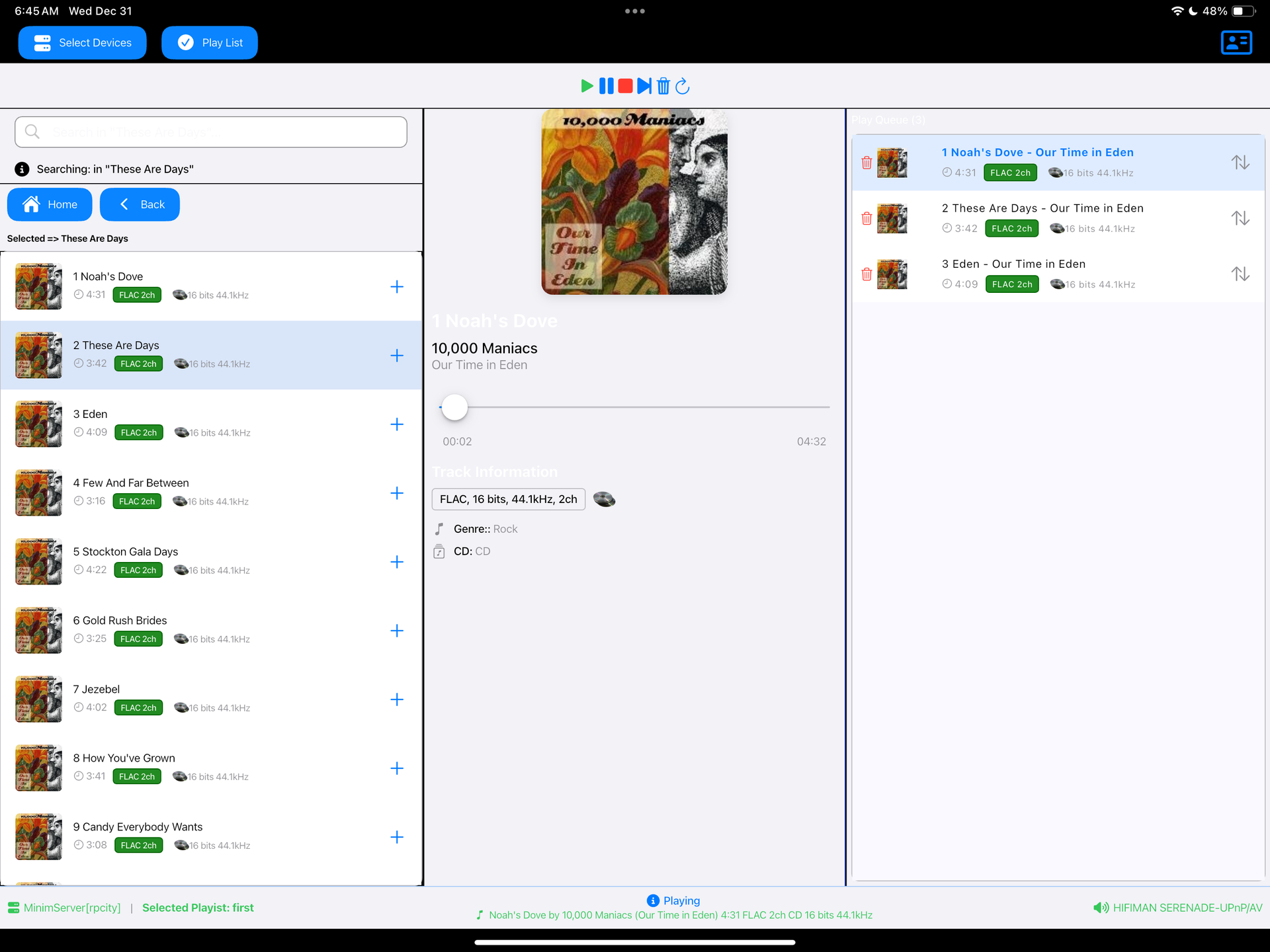
DLNA Music Controller ~ Manage DLNA Directly


Read a DLNA Media Server to select music to play on your DLNA Renderer

Scan the network for your Media Server (“Server”) and Renderer (“Renderer”) devices, select one of each and then from the main screen select the music you want to play, drilling into Albums, Artists, Genres (all defined by your Media Server). Any music you want to hear is called a track and is loaded onto the play queue. Then select Play button to listen to the track listed at the top of the queue. You can also create playlists and store your favorite tracks for playback.

Features:

  • DLNA
  • Media Server
  • Media Renderer
  • Play queue

sourceforge.net/projects/dlna-music-controller

Resources:

en.wikipedia.org/wiki/List_of_UPnP_AV_media_servers_and_clients

foobar2000 ~ macOS Components


A collection of macOS components for foobar2000 v2 – mostly remakes of the components, which I used to love back then on windows.

DISCLAIMER: All of this is a WIP, actively tested on my foobar2000 instance, but WIP nonetheless, it may crash your foobar.

Extensions:

SimPlaylistLightweight playlist viewer with album art and grouping1.1.0📖
Playlist OrganizerTree-based playlist management1.1.0📖
Waveform SeekbarAudio visualization seekbar with effects1.0.0📖
Album Art (Extended)Multi-type album art viewer with selection support1.0.0📖
Queue ManagerVisual playback queue management1.0.0📖
Last.fm ScrobblerLast.fm integration and scrobbling1.0.0

hydrogenaudio.org/index.php/topic,128911.0
github.com/JendaT/fb2k-components-mac-suite