AudioTube ~ KDE YouTube Music Client


AudioTube can search YouTube Music, list albums and artists, play automatically generated playlists, albums and allows to put your own playlist together. It is adapted to mobile phones and desktop computers.

apps.kde.org/audiotube
github.com/KDE/audiotube
invent.kde.org/multimedia/audiotube

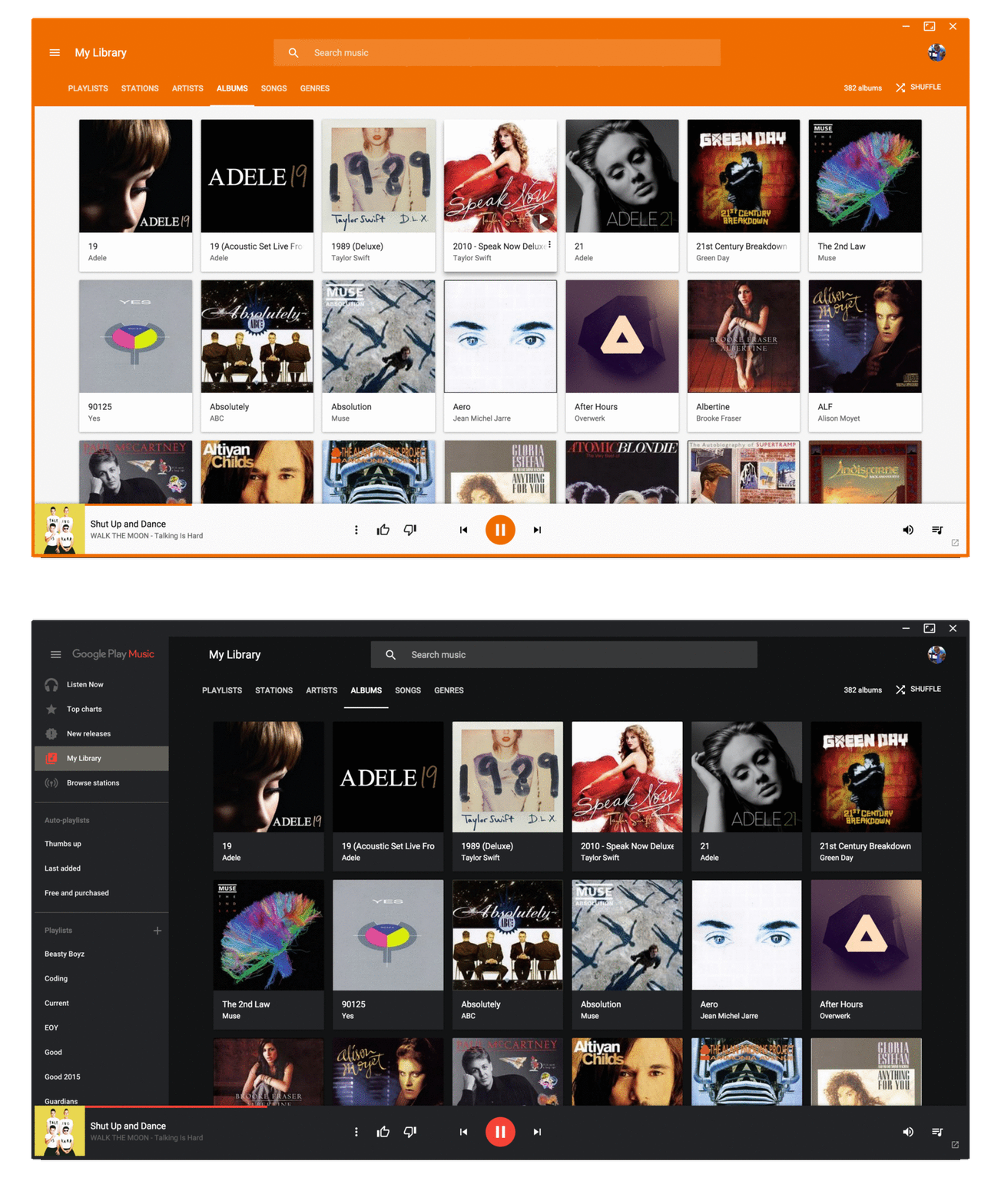
Pear Desktop ~ Desktop Client For YouTube Music


Pear Desktop is an Electron-based desktop client for YouTube Music designed for Windows, Linux and macOS. The project keeps the standard YouTube Music interface while adding desktop integration, plugins, themes and additional playback features.

The application is open source and distributed under the MIT license.

Features:

  • Native desktop-style window and controls
  • Plugin framework
  • Ad blocker
  • Lyrics support
  • Last.fm scrobbling
  • Discord Rich Presence
  • Media key support
  • Custom themes and CSS
  • Audio compressor
  • Equalizer
  • Crossfade
  • Skip silences
  • SponsorBlock integration
  • Video/audio mode toggle
  • Notification support
  • Downloader plugin
  • OBS integration
  • System tray support
  • Global keyboard shortcuts

How It Works

Pear Desktop loads the standard YouTube Music web interface inside a desktop application window and extends it through plugins and Electron desktop integration. It is not a standalone music service and still requires a YouTube Music or Google account for normal use.

Basic Usage

  1. Download the correct installer for your operating system from the Releases page.
  2. Install and launch the application.
  3. Sign into your Google account.
  4. Use YouTube Music normally.
  5. Optional plugins can be enabled or disabled from the Plugins menu.

Platforms

  • Windows
  • Linux
  • macOS

Notes

Because Pear Desktop uses Electron, memory and CPU usage are generally higher than lightweight native audio players such as foobar2000 or AIMP. The project is intended primarily as a feature-enhanced desktop frontend for streaming music from YouTube Music rather than as a traditional local-library music player.

github.com/pear-devs/pear-desktop

VUPlayer ~ Freeware Windows Player


VUPlayer is an open-source multi-format audio player for Windows 7 SP1 or later.

www.vuplayer.com/vuplayer
github.com/jfchapman/VUPlayer

FlutPlayer ~ mp3 Player With Flutter


This is an Android / Windows application that plays audio.

github.com/n3wzd/FlutPlayer

SnapVinyl ~ Discogs For iOS


iPad and iPhone Discogs Collections And Wantlists App

apps.apple.com/us/app/snapvinyl-for-discogs/id6741057688

Groove ~ Cross-platform Music Player


A cross-platform music player based on PyQt5, supports Win32, Linux and macOS.

github.com/zhiyiYo/Groove

lx-music-desktop ~ Electron Based Player


LX‑Music‑Desktop is an open‑source, Electron‑based music player built with Vue 3, offering a simple, fast interface for managing and playing local music libraries on desktop systems.

github.com/lyswhut/lx-music-desktop
sourceforge.net/projects/lx-music-desktop.mirror

BlackPlayer ~ Comprehensive Dark Themed Player


BlackPlayer is a comprehensive Android music player that helps you keep all your music files organized on your smartphone and ready to listen to. You can also equalize them for the best experience with each song. And all these features are packaged in a dark and minimalist interface, which is the stylistic hallmark of this player.

Like many other music players, BlackPlayer has several tabs to keep your music organized. At the top of the screen, there’s a list of several categories: song, artist, album, folder, and playlist. You can create your own playlists or opt for smart playlists, which add your most-listened-to songs automatically. The app also tells you how many artists are in your library, as well as the total hours of music at your fingertips. Similarly, BlackPlayer lets you create instant mixes.

Another feature offered by BlackPlayer is the ability to equalize a song’s sound depending on where and how you’re listening to it. You can also choose cover images, complete information, and even add lyrics. This music player’s style is also worth highlighting, as it features a dark theme with colors ranging from black to gray.

blackplayer.en.uptodown.com/android
www.reddit.com/r/blackplayer
play.google.com/store/apps/details?id=com.musicplayer.blackplayerfree
www.appbrain.com/dev/FifthSource

Producer Player ~ Mastering Workspaces


A desktop app for producers who bounce a lot. Drag in a folder of exports and Producer Player auto-groups versions, organizes your album, and gives you a full mastering workspace — all in one place.

ethansk.github.io/producer-player
github.com/EthanSK/producer-player

Audion ~ Community Driven Music Player


Audion is a privacy-focused music player that brings the Spotify experience to your local music library. No internet required, no tracking, just your music, beautifully organized.

Key highlights:

  • Synced lyrics with karaoke-style word highlighting
  • Extensible plugin system
  • Gorgeous, customizable interface
  • Fully offline

www.audionplayer.com
github.com/dupitydumb/Audion

Tambourine ~ Linux Music Player


A music player for your local music library.

  • Linux first
  • Local only: no internet connection will ever be established.
  • Read only: your music will be accessed only in read mode.
  • Stateless: no cache/database/whatever will be created. The metadata in your songs are the database.
  • Imperfect: there will be use-cases that are not solved by this software, and that’s fine.

github.com/MMarco94/tambourine-music-player

Amberol ~ Plays music and nothing else


Amberol is a music player with no delusions of grandeur. If you just want to play music available on your local system then Amberol is the music player you are looking for.

Current features:

  • adaptive UI
  • UI recoloring using the album art
  • drag and drop support to queue songs
  • shuffle and repeat
  • MPRIS integration

gitlab.gnome.org/World/amberol
apps.gnome.org/en/Amberol
flathub.org/en/apps/io.bassi.Amberol