Foobar2000 ~ Columns User Interface (CUI)


Columns UI is an alternative skinnable user interface for the Foobar2000 audio player.

  • Playlist view with columns, grouping and artwork
  • In-line metadata editing
  • Customizable layout through interchangeable panel and toolbar components
  • Built-in panels: playlist view, artwork view, filter, item details, item properties, playlist list, playlist tabs, tab stack
  • Built-in toolbars: menu, buttons, seekbar, playback order, volume, spectrum analyzer
  • Extensible through official and third-party panel and toolbar components

Website
Documentation
Hydrogen Audio Forum

Advanced CUI Themes:
EOLE ~ github.com/Ottodix/Eole-foobar-theme
Georgia ~ hydrogenaud.io/index.php?topic=116190.0

CUI Components:

foobar2000.org/components/view/foo_uie_tagger_mod
foobar2000.org/components/view/foo_youtube
github.com/reupen/console_panel

  1. foo_uie_albumart
  2. foo_uie_albumart_mod
  3. foo_uie_albumlist
  4. foo_uie_biography
  5. foo_uie_color
  6. foo_uie_console
  7. foo_uie_elplaylist
  8. foo_uie_eslyrics
  9. foo_uie_esplaylist
  10. foo_uie_library_tree
  11. foo_uie_lyrics_panel
  12. foo_uie_lyrics2
  13. foo_uie_lyrics3
  14. foo_uie_metronome
  15. foo_uie_output_switcher
  16. foo_uie_panel_splitter
  17. foo_uie_playlists_dropdown
  18. foo_uie_ptb
  19. foo_uie_sql_tree
  20. foo_uie_trackinfo
  21. foo_uie_typefind
  22. foo_uie_vis_channel_spectrum
  23. foo_uie_vis_peakmeter_spectrum
  24. foo_uie_wsh_panel_mod
  25. foo_uie_wsh_panel_mod_plus

EOF

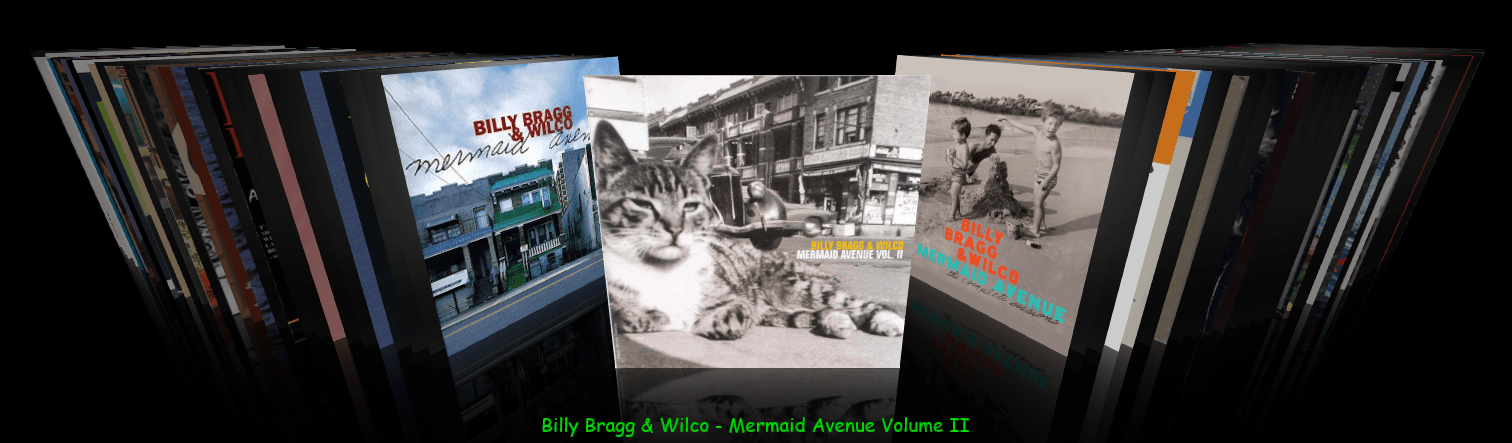
foo_chronflow ~ Foobar2000 Cover Flow Display


Adding a configurable Cover Flow display to Foobar2000. (Media Library Viewer)

foo_chronflow - no border
  1. Download and install foo_chronflow.
  2. Enable Layout Editing Mode and add a new panel or tab to the DUI.
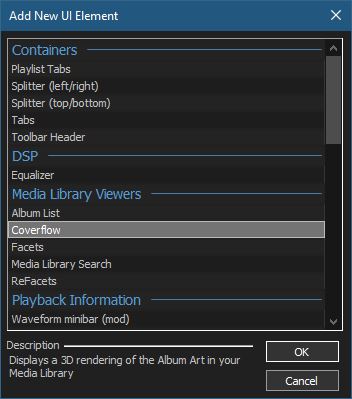
  3. Right click within the new area and select Add New UI Element
  4. Select Coverflow from the Media Library Viewers list
  5. Disable Layout Editing Mode

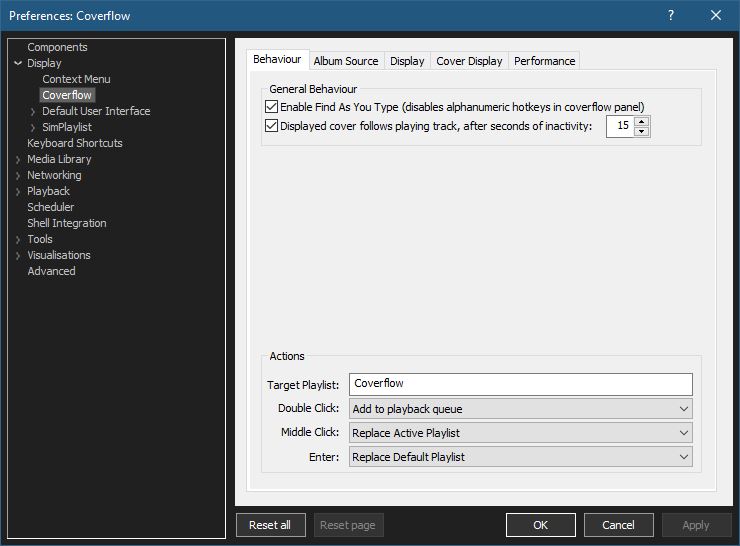
Coverflow Preferences:

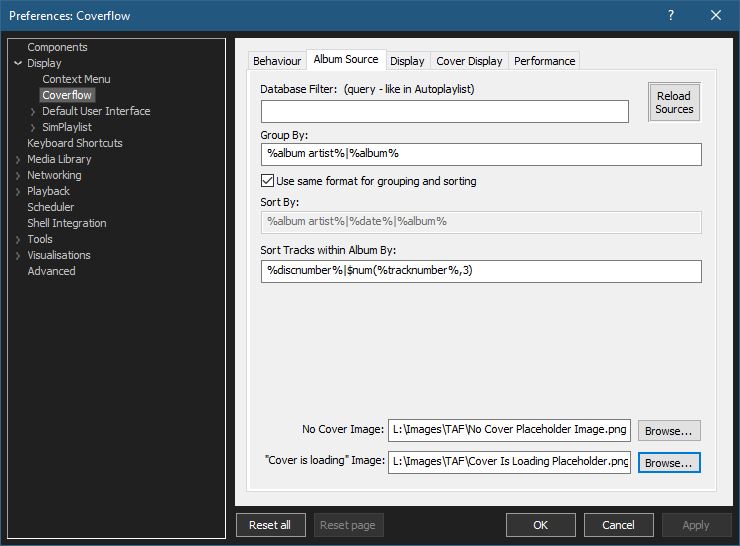
Coverflow Preferences – Album Source:

  • If covers aren’t being displayed, you can click Reload Sources
  • Group By: & Sort By: work as headers do in a playlist
  • Select placeholder images:

You can use your own images or click the ones below and save them to your computer.

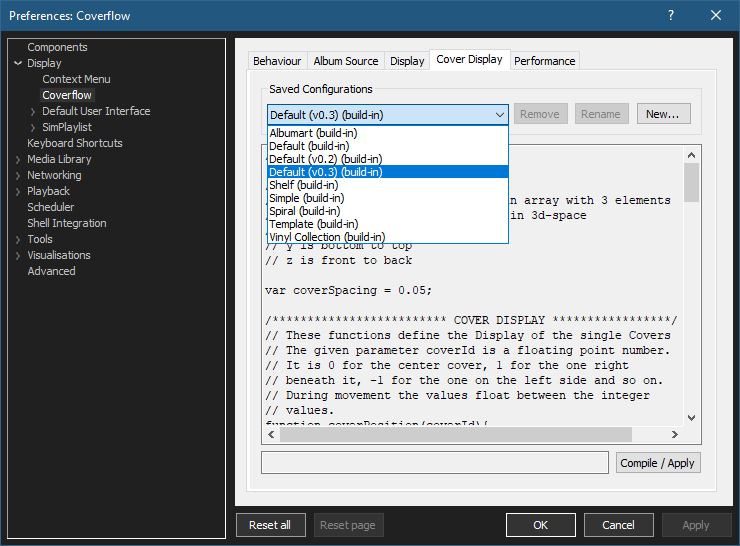
Coverflow Preferences – Cover Display:

Select from various built in display configurations, modify or create a new one. Click Compile / Apply after selecting a list item.

github.com/Chronial/foo_chronflow
www.foobar2000.org/components/view/foo_chronflow
hydrogenaud.io/index.php/topic,108450.0
hydrogenaudio Wiki

Resources:

github.com/ghDaYuYu/foo_coverflowY

Strawberry ~ Cross-platform Music Player


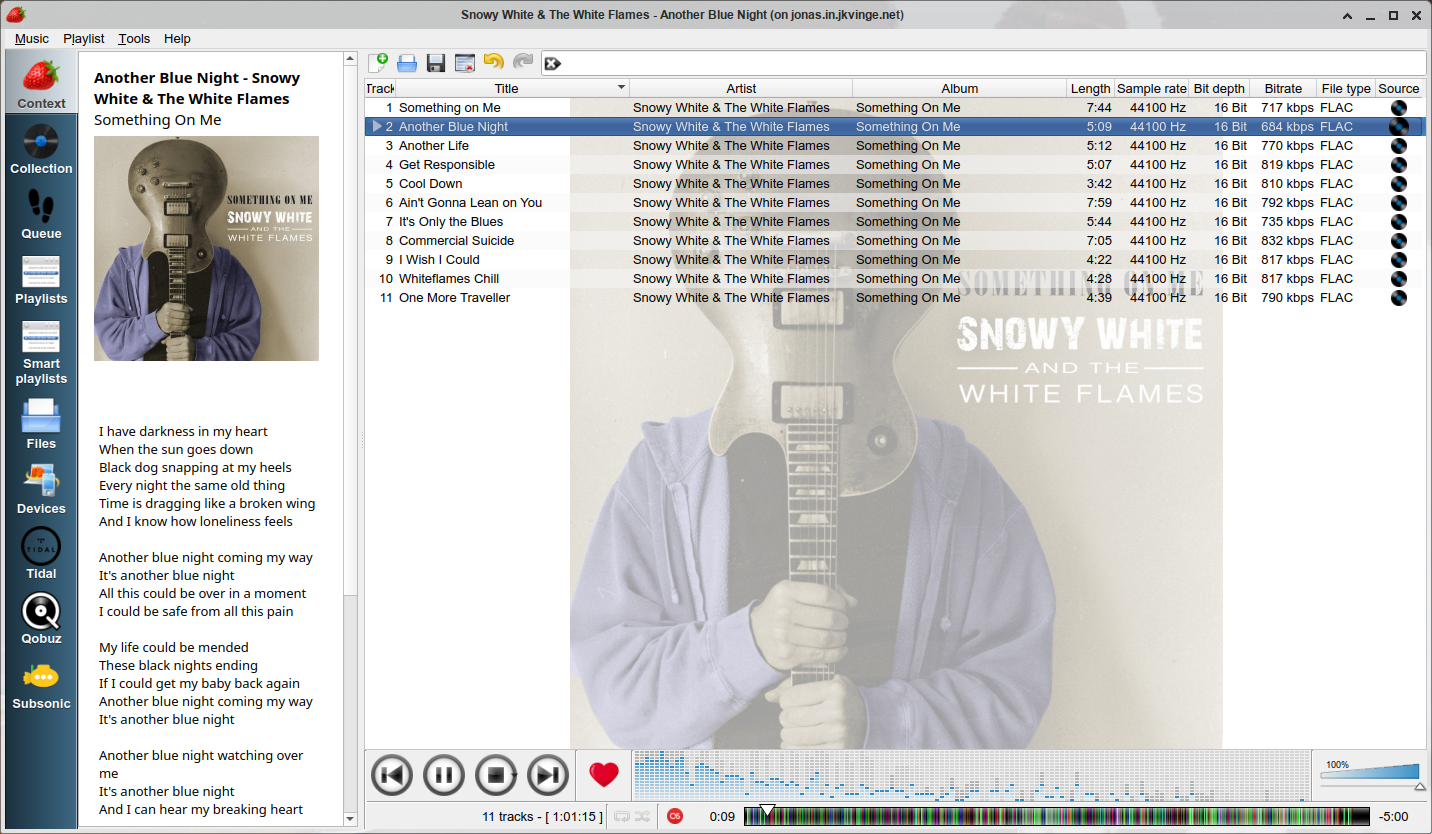
Strawberry is a music player and music collection organizer. It is a fork of Clementine released in 2018 aimed at music collectors, enthusiasts and audiophiles. The name is inspired by the band Strawbs. It’s based on a heavily modified version of Clementine created in 2012 and 2013. Strawberry is written in C++ and Qt 5.

  • Play and organize music
  • Supports WAV, FLAC, WavPack, DSF, DSDIFF, Ogg Vorbis, Speex, MPC, TrueAudio, AIFF, MP4, MP3, ASF and Monkey’s Audio
  • Audio CD playback
  • Native desktop notifications
  • Playlists in multiple formats
  • Advanced audio output and device configuration for bit-perfect playback on Linux
  • Edit tags on music files
  • Fetch tags from MusicBrainz
  • Album cover art from Last.fm, MusicBrainz, Discogs, Tidal and Deezer
  • Song lyrics from AudD
  • Support for multiple backends
  • Audio analyzer
  • Audio equalizer
  • Transfer music to iPod, iPhone, MTP or other mass-storage USB player
  • Streaming support for Tidal, Qobuz and Subsonic
  • Scrobbler with support for Last.fm, Libre.fm and ListenBrainz
Strawberry Player User Interface

www.strawbs.org
github.com/jonaski/strawberry
github.com/strawberrymusicplayer
sourceforge.net/projects/strawberry-music-player.mirror
flathub.org/apps/org.strawberrymusicplayer.strawberry

Aria Maestosa ~ MIDI Editor & Sequencer


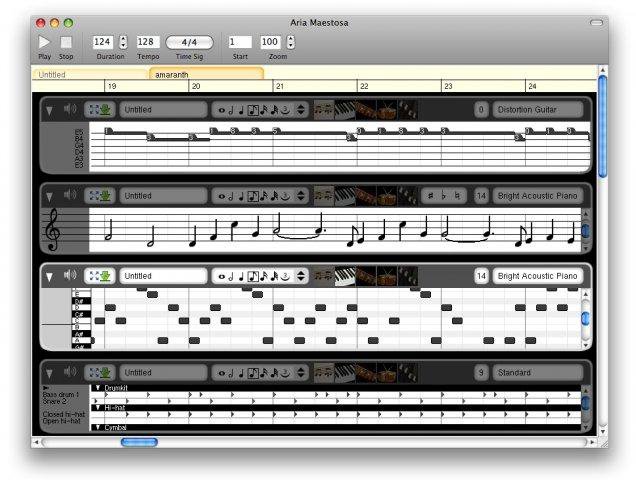
Aria Maestosa is a midi sequencer / editor. It lets you compose, edit and play midi files with a few clicks in a user-friendly interface offering score, keyboard, guitar, drum and controller views.

Aria Maestosa

sourceforge.net/projects/ariamaestosa
github.com/ariamaestosa/ariamaestosa

StereoTool ~ Analysis & Imaging Tool


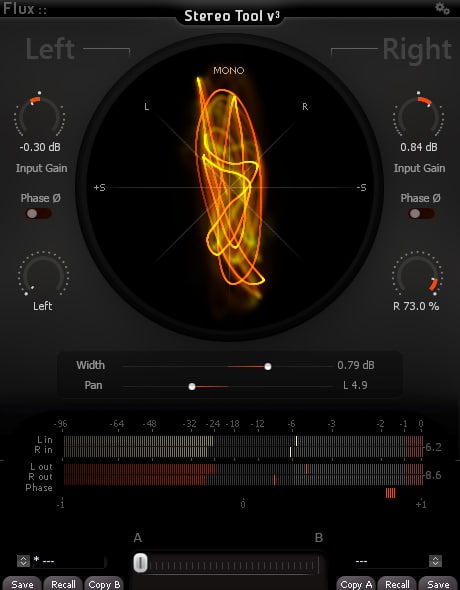
The Complete Stereo Imaging And Analysis Tool. StereoTool offers ultra-precise control of input gain and individual pan for left and right channels, accurate visual feedback reflecting the signal content with; a vectorscope, PPM meters for inputs/outputs, phase correlation meter permanently monitoring the signal and individual left and right polarity reversal – No dongle or registration required – 100% Freeware!

stereotool-v3-full

www.flux.audio/project/stereo-tool-v3