Dancing QT is a combined music database and player application specially designed for dancing schools and equivalent applications. Key features are an easy-to-use interface, fast search capabilities, playlist management, exact pitching and crossfading.
Looking around the open source landscape for a while, I tried to find a music database and player that is suitable for use in a dancing school environment – without success. Most mixing applications tend to be too confusing for the intended audience, most players lack database searching capabilites and most song databases don’t know how to pitch π¦
Because of this, I decided to setup a new application – Dancing QT. It uses alsaplayer because of its excellent interface and pitching capabilities, it uses an embedded SQLite DBMS to maintain a song database, and it uses taglib to populate the database. The interface is written in C++ using Qt. Because of the alsaplayer dependency, the target platforms will be limited to environments providing alsaplayer.
Reliably play midi music files from a folder or “.m3u” playlist. Adjust playback speed, volume and output device on the fly during playback. A large playback progress bar makes jumping forward and backward in time a breeze with just a single click or tap. Supports “.mid”, “.midi” and “.rmi” files in format 0 (single track) and format 1 (multi-track). Comes complete with 24 sample midis ready to play.
Features:
Dual play systems – Play Folder and Play List
Comes with 24 built-in sample midis on a virtual disk
Elapsed, Remaining and Total time readouts
Native “.m3u” playlist support (copy, paste, open, save, build)
Drag and drop midi files to play / add to playlist
Play Modes: Once, Repeat One, Repeat All, All Once, Random
Play Speed: 10% to 1,000% (1/10th to 10x)
Intro Mode: Play first 2s, 5s, 10s or 30s of midi
Rewind / Fast Forward by: 1s, 2s, 5s, 10s or 30s
Play on Start option – playback commences on app start
Always on Midi option – maintain connection to midi device for instant playback
Auto Fade In – eliminate loud or abrupt notes during rewind, fast forward or reposition operations
Playback Progress bar – click to reposition/jump backward or forward in time
Volume control with volume boost (up to 200%)
Play “.mid”, “.midi” and “.rmi” midi files in 0 and 1 formats
Custom built midi playback subsystem for high playback stability
Scrolling lyrics viewer
Detailed midi information panel
Tracks Panel: Realtime track data indicators with mute all, unmute all, and mute individual track options
Channels Panel: Realtime channel output volume indicators with peak level hold and variable hold time, unmute all, mute all, and mute individual channel options
Notes Panel: 128 realtime note usage indicators with variable hold time, 8-12 notes per line display, labels as letters or numbers, unmute all, mute all, and mute individual note options
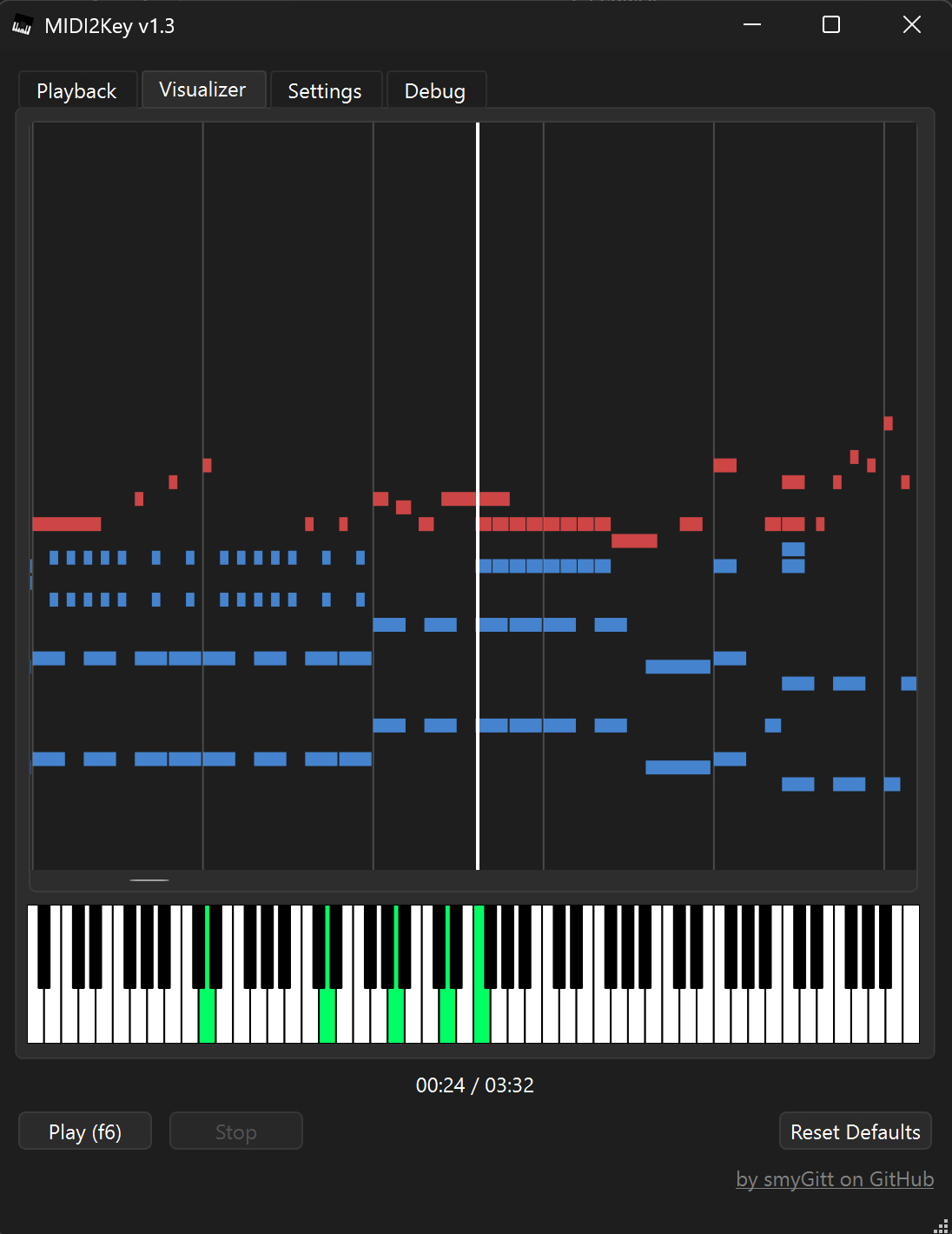
Piano Panel: View realtime piano keystrokes on a 128, 88, 76, 61, 54, 49 or 37 key keyboard with animated and lit keystrokes
Piano: Mark middle C key, C + F keys, or all white keys
Transpose option: Shift all notes up or down music scale
Use an Xbox Controller to control Cynthia’s main functions – playback speed and volume, song position, display panels, song file navigation, jump to start of song, toggle fullscreen mode, etc
Large list capacity for handling thousands of midi files
Switch between up to 10 midi playback devices
Simple and easy to use
Options Window – Easily change app color, font and settings
Fruityloops clone with sound samples using Fmodex lib
BlackDiamond (formerly Crazy Machine) is a project I neglected for years until I got back into making music. The package comes with free VST plugins and samples, and soon to be introduced at some point in time, perfect sequencer sample mixer playback thingamagiggy we are now back in full armor trying to create the wildest dreams of software working on BlackDiamond.
Features:
Six built in effects for each 16 channels Flange, Chorus, Compression, Echo, Distortion, Reverb
fruity loops style pattern manipulation
Written in FreeBasic, the most best freeware IDE compiler for basic language
Recent May 2019 re-programming to V3
VST and Dialog window support, switch plugins with a click
calculations are now down to the clock cycle to milliseconds
Load VST plugins, samples during playback.
View VST plugin dialog, which works when using SET MS method
SET MS (Alter VST plugin data) now very easily tuneable
Supports ASIO Interface and Microsoft Windows wave file writing
Lipupini is a public domain platform for organizing computer files like images, videos, sounds and writings that you might want to display under your domain on the Internet. Lipupini aims to support RSS and Fediverse protocols.
QPxTool is the Linux way to get full control over your CD/DVD drives. It is the Open Source Solution which intends to give you access to all available Quality Checks (Q-Checks) on written and blank media, that are available for your drive. This will help you to find the right media and the optimized writing speed for your hardware, which will increase the chance for a long data lifetime. SeeΒ supported devicesΒ to get a list of the currently supported hardware.
Amp Rack is a Guitar / Voice Audio Effects Processor for Android. Amp Rack is an Open Source LADSPA Plugins Host for Android. More than 150 high quality audio plugins are available which can be added in any order to the audio effect chain to create distinct high quality tones for your guitar!
Cue makes it easy to create and manage beautiful, fully responsive audio playlists. Primarily built with music in mind, Cue can also be used for podcasts, sermons or to showcase voice over samples.
There’s no need to fiddle with XML, JSON, or FTP. Just upload audio files with the familiar WordPress Media Manager, then insert them into a playlist with the click of a button. Cue fetches metadata from uploaded files to automatically complete the title, artist, and length for each track.
It works on desktop, tablets, and other mobile devices.
Features:
Create unlimited playlists.
Embed a player in any post, page, or sidebar using a shortcode or widget.
Reorder tracks with a simple drag and drop interface.
Seamlessly integrates with WordPress media manager to select audio and images.
Automatically fetches title, artist, and length from the metadata if it’s available.
Completely responsive to work on any device that supports your audio format.
Link to external sources like Amazon S3 or other CDNs.
This is a Commodore 64 emulator specialized for sound reproduction. It is also a SID player for music collections like HVSC and CGSC. It is a full C64 emulator and can play games of the GameBase64 project as well.
Feature rich library viewer and browser for foobar2000 and Spider Monkey Panel. Improved version of the original Library Tree, which tons of new features, performance optimizations and fixes.