SMPlayer is a free media player for Windows and Linux with built-in codecs that can play virtually all video and audio formats. It doesn’t need any external codecs. Just install SMPlayer and you’ll be able to play all formats without the hassle to find and install codec packs.
One of the most interesting features of SMPlayer: it remembers the settings of all files you play. So you start to watch a movie but you have to leave… don’t worry, when you open that movie again it will be resumed at the same point you left it, and with the same settings: audio track, subtitles, volume…
SMPlayer is a graphical user interface (GUI) for the award-winning MPlayer, which is capable of playing almost all known video and audio formats. But apart from providing access for the most common and useful options of MPlayer, SMPlayer adds other interesting features like the possibility to play Youtube videos or download subtitles.
Natural crossfeed Foobar2000 component designed to give a realistic crossfeed / speaker simulation effect on headphones or earphones while producing a wide soundstage and zero sound coloration.
Simulates speakers spaced 30+30 degrees apart (classic stereo setup with better front projection of imaging) or 50+50 degrees apart (widened stereo setup with more similarity to classic headphone soundstage width)
Update 2016-07-26: I’ve put the “secret” update in public as v2.1, containing a new set of impulses. They also come in 30+30 degree and 50+50 degree versions but are derived from actual measurements around my head.
Navidrome is a piece of software that allows you to listen to your own digital music in the same way you would with services like Spotify, Apple Music and others. It also allows you to easily share your music and playlists with your friends and family
How it works?
After a simple installation, Navidrome indexes all digital music stored in your hard drive and makes it available through a nice web player and also by using any Subsonic-API compatible mobile client. Your music becomes searchable and you can create playlists, rate and “favourite” your loved tracks, albums and artists
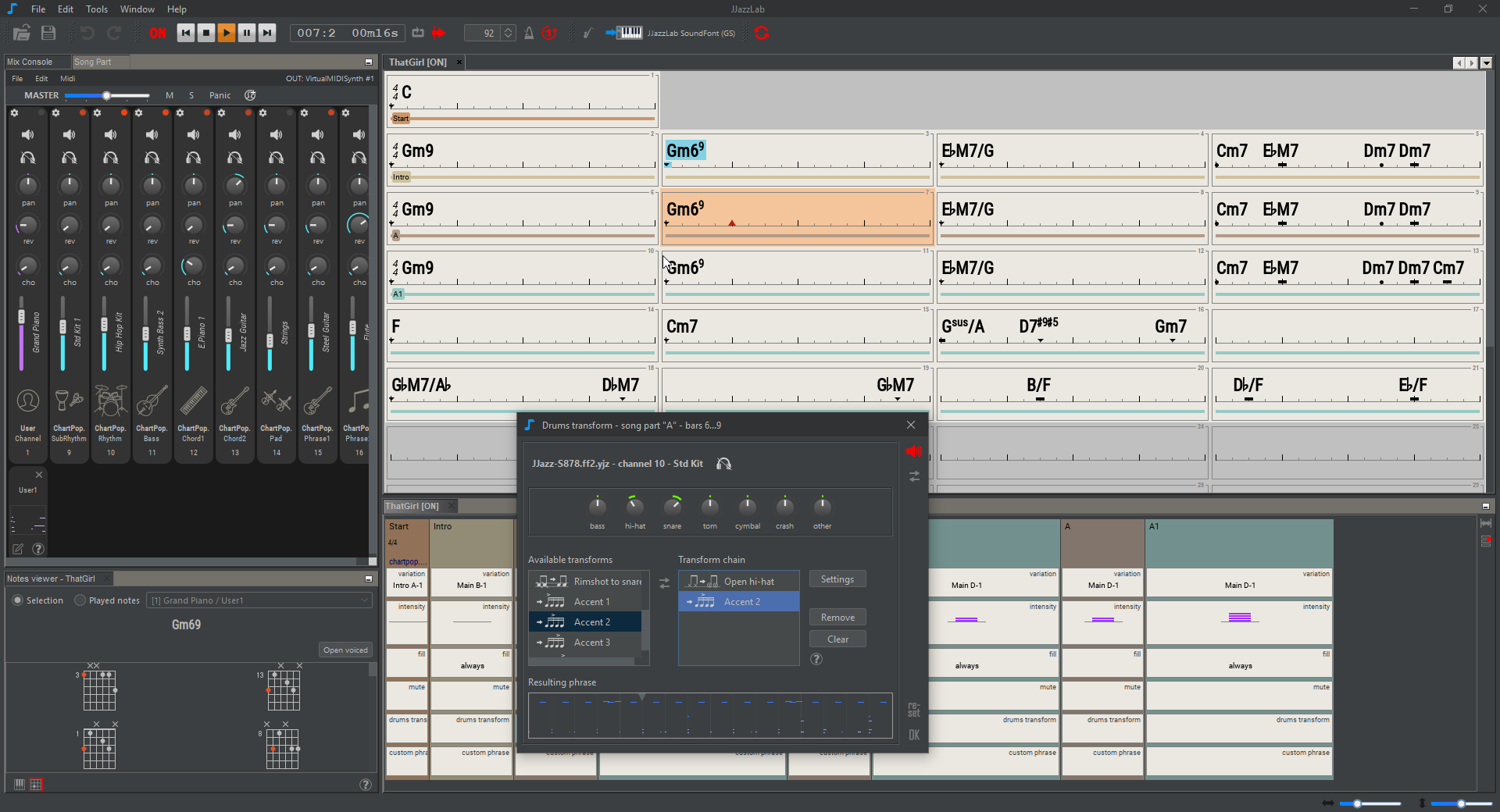
JJazzLab is a Midi-based application dedicated to backing tracks generation. You type in chord symbols, select a rhythm (style), then the application generates a complete backing track with drums, bass, guitar, piano, strings, etc.
The objective is to generate intelligent and interesting backing tracks, i.e tracks which are:
Yet Another way to use Windows audio plugins on Linux. Yabridge seamlessly supports using both 32-bit and 64-bit Windows VST2, VST3, and CLAP plugins in 64-bit Linux plugin hosts as if they were native plugins, with optional support for plugin groups to enable inter-plugin communication for VST2 plugins and quick startup times. Its modern concurrent architecture and focus on transparency allows yabridge to be both fast and highly compatible, while also staying easy to debug and maintain.
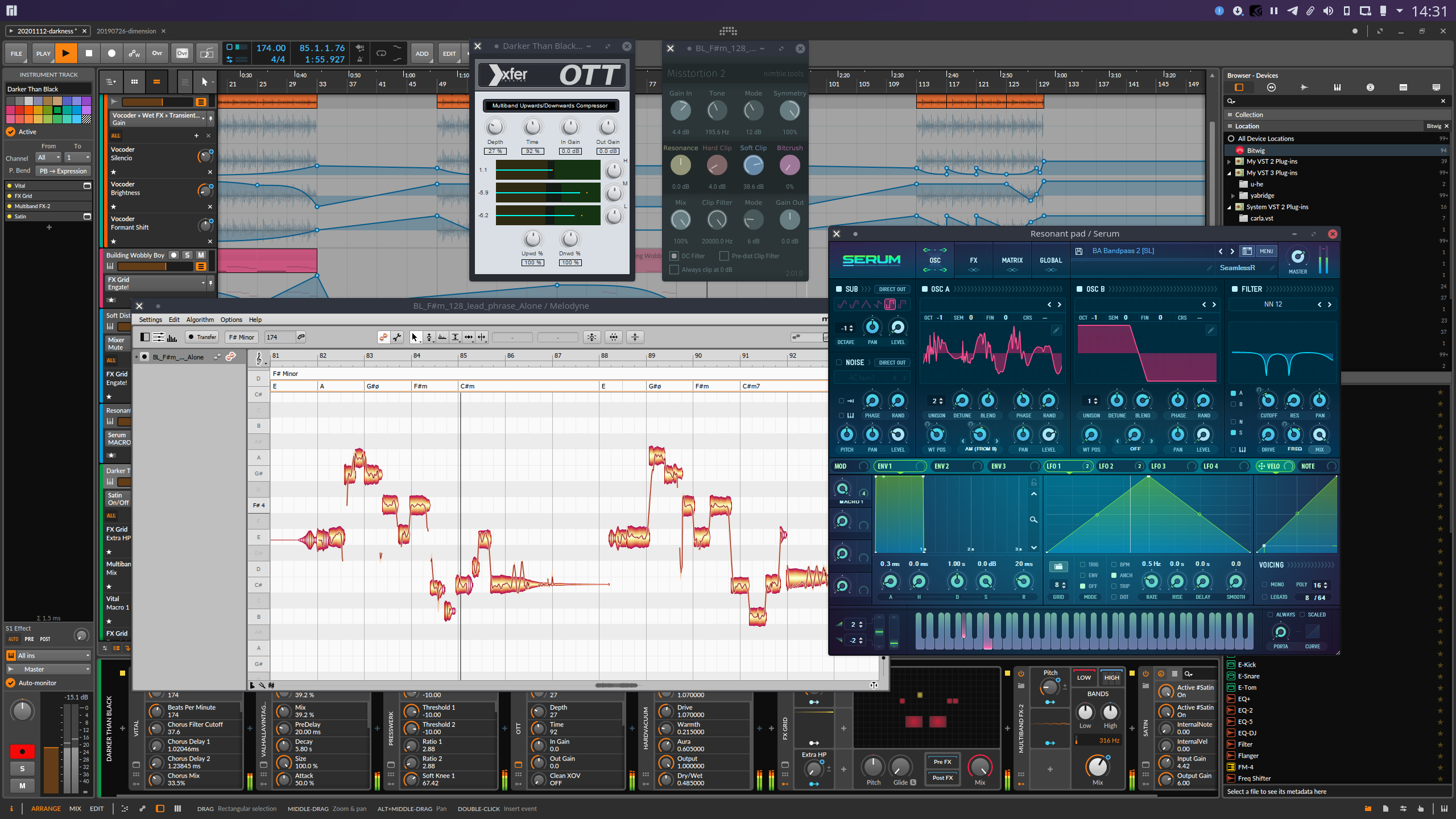
GridSound is a work-in-progress open-source digital audio workstation developed with HTML5 and more precisely with the new Web Audio API. The application can be used at gridsound.com/daw it’s also possible to create an account on gridsound.com to save your compositions online to retrieve them from anywhere at any time.
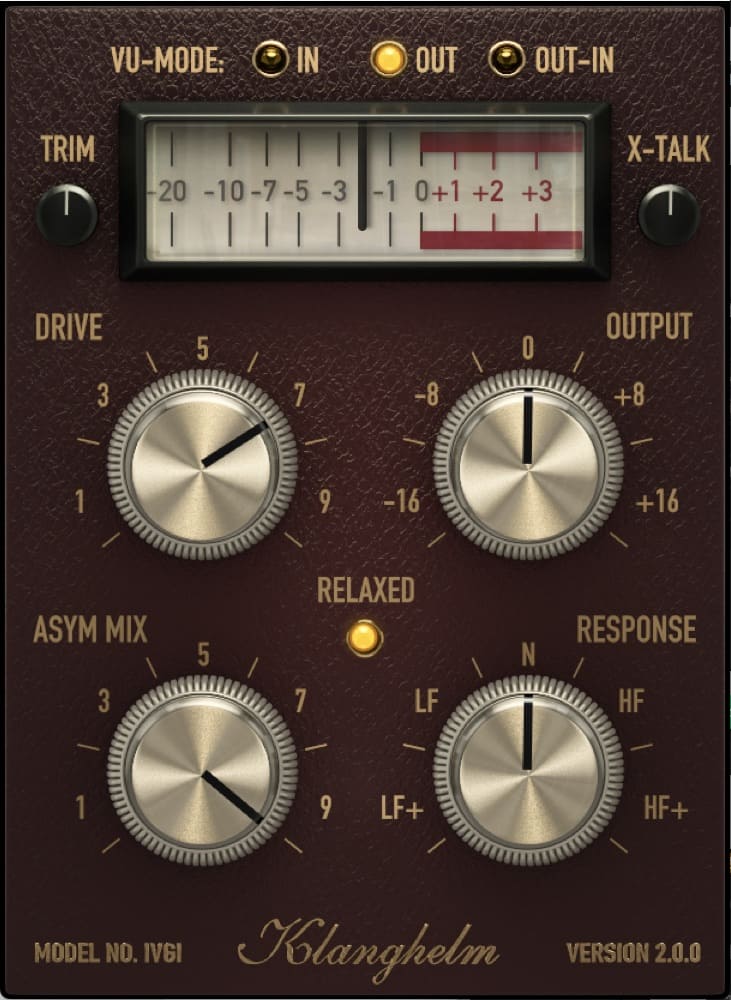
IVGI can deliver very soft and subtle saturation, that feels at home on the master buss. It is equally capable of very dense and dirty distortion effects to spice up single tracks.
IVGI reacts dynamically to the input signal. Even the modeled fluctuations react dynamically and also change depending on the drive setting, so that it doesn’t get in the way of the SOUND. Stereo tracks benefit from it’s modeled crosstalk behavior.
IVGI features a Controlled Randomness, which determines the internal drift and variance inside the unit. It contributes to the liveliness and realness of IVGI’s saturation character. To achieve this, all internal processes are modulated to some extent.
IVGI gives you a sensible amount of controls to manipulate the character of the saturation itself. It offers a unique ASYM MIX knob to alter the symmetry of the signal without affecting the harmonic content much.
IVGI also lets you alter the frequency dependency of the saturation with the RESPONSE control.
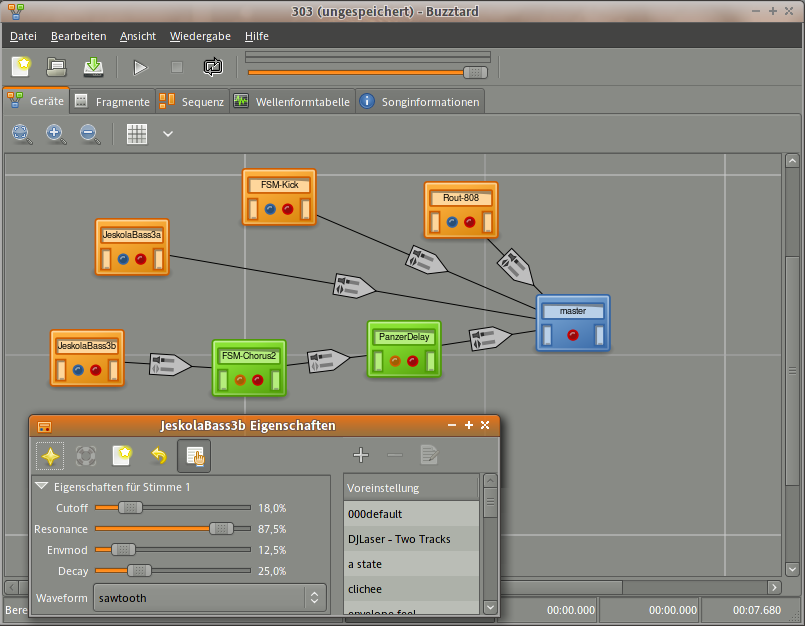
Buzztrax aims to be a music studio that allows one to compose songs using only a computer with a soundcard. If you’ve used tracker programs like FastTracker, Impulse Tracker, or the original AMIGA SoundTracker, that will give you an idea of how one can sequence music in Buzztrax.
The Buzztrax editor uses a similar concept, where a song consists of a sequence with tracks and in each track one uses patterns with events (musical notes and control changes). In contrast to other Tracker programs, tracks are not simply sample players: a user can make a song using an arrangement of virtual audio plugins that are linked together to create different effects. Each of these machines can be controlled real-time or via patterns in the sequencer.
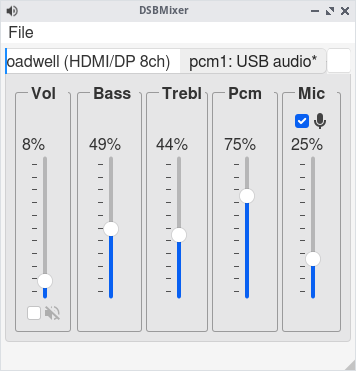
DSBMixer is a tabbed Qt mixer for FreeBSD. For each installed mixer device, DSBMixer opens a tab. It allows you to configure various sound settings, such as amplification, recording sources, or the default audio device. If built with devd support, tabs are created or removed automatically when a (USB) sound card was added to or removed from the system.
Full support on macOS, Windows, Linux, Google Colab, and Ubuntu Dockerfile
DawDreamer’s foundation is JUCE, with a user-friendly Python interface thanks to pybind11. DawDreamer evolved from an earlier VSTi audio “renderer”, RenderMan.
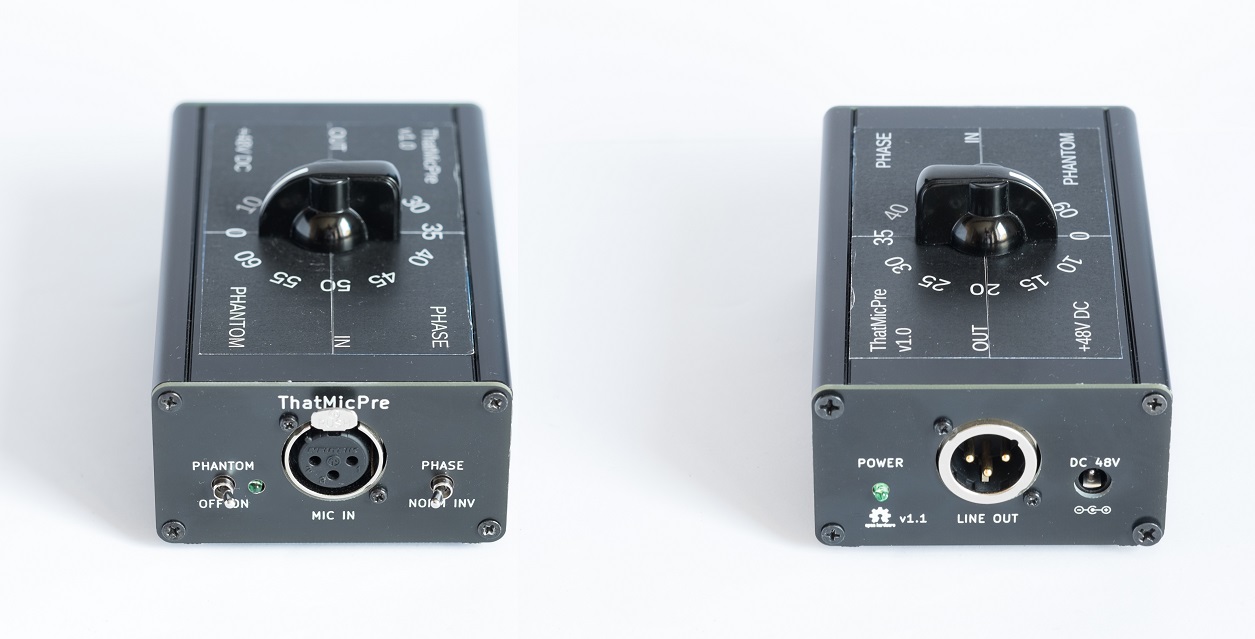
A simple, high-quality DIY microphone pre-amplifier with switched gain. The background for this project was that I needed a simple but good microphone preamp for doing acoustic measurements. I needed a switched gain to be able to reproduce the gain setting in a more predictable way than what is possible with a potmeter. I could not find any existing DIY designs, so I decided to make one.
The design is based on the excellent THAT1510 or THAT1512 preamp ICs. It is also compatible with SSM2019 or INA217. I have followed all THAT’s datasheets and app-notes to implement a robust, best-practice design.
A goal was to use simple through-hole parts that I and other DIYers usually have in our parts drawer. So there are no additional IC’s or voltage regulators for example, it just uses simple transistors, capacitors and zener diodes for supply filtering and regulation. I selected affordable switches and connectors to keep cost down. Many parts can be substituted without sacrificing performance.
There are two versions of this design, one suited for a desktop encolsure with gain switch on top, and one suited for a rack-mount enclosure with gain switch on the front.










 The Audio File