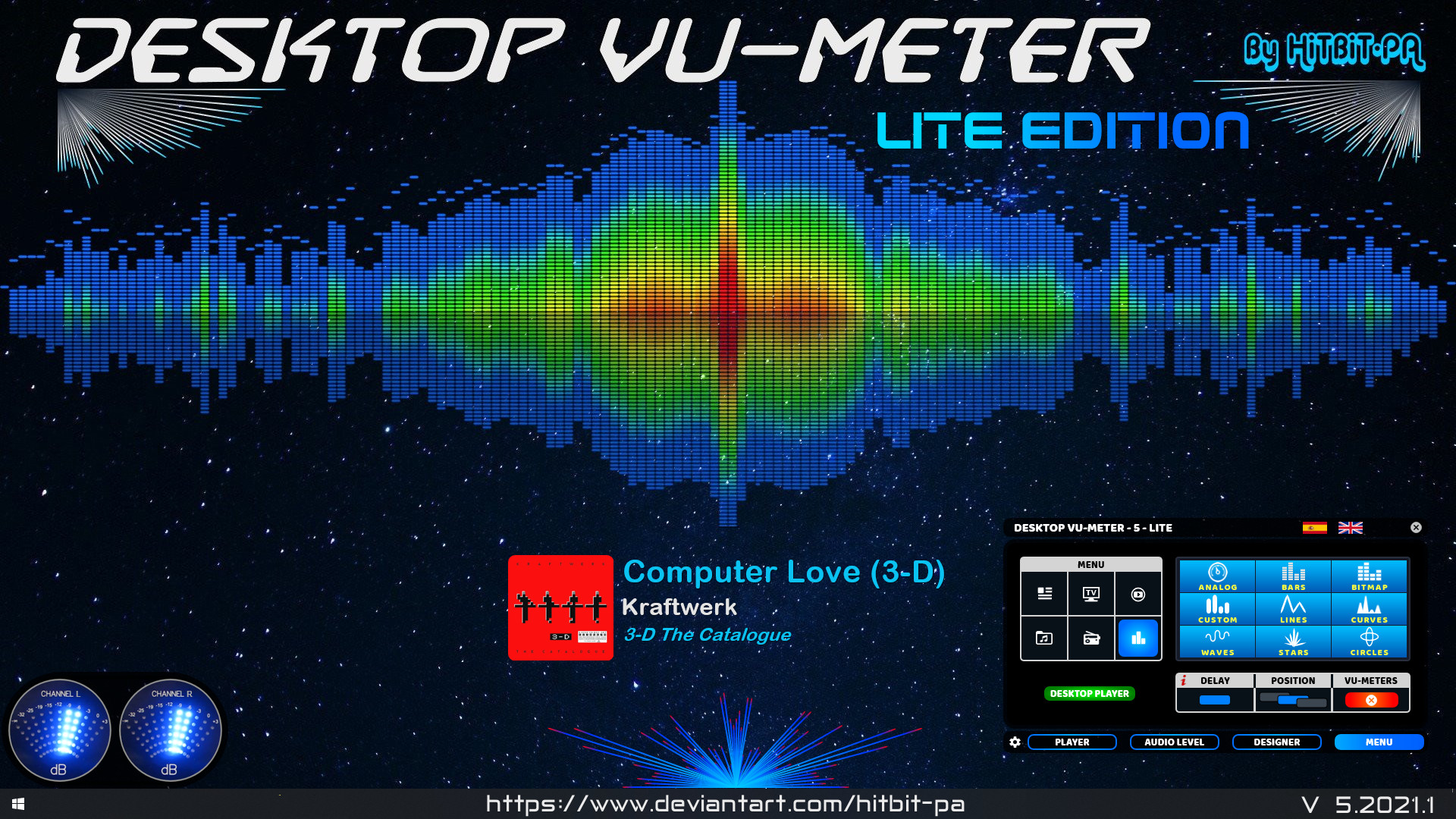
Audio Dimensia III is a framework that let’s you create dimensional visualizer displays of your music with an optional mirrored image.
By default, it responds to 30~19,000 Hz in a 4-layered dimensional pattern; low frequencies are represented on the narrowest back line, up to the high frequencies on the widest front line.
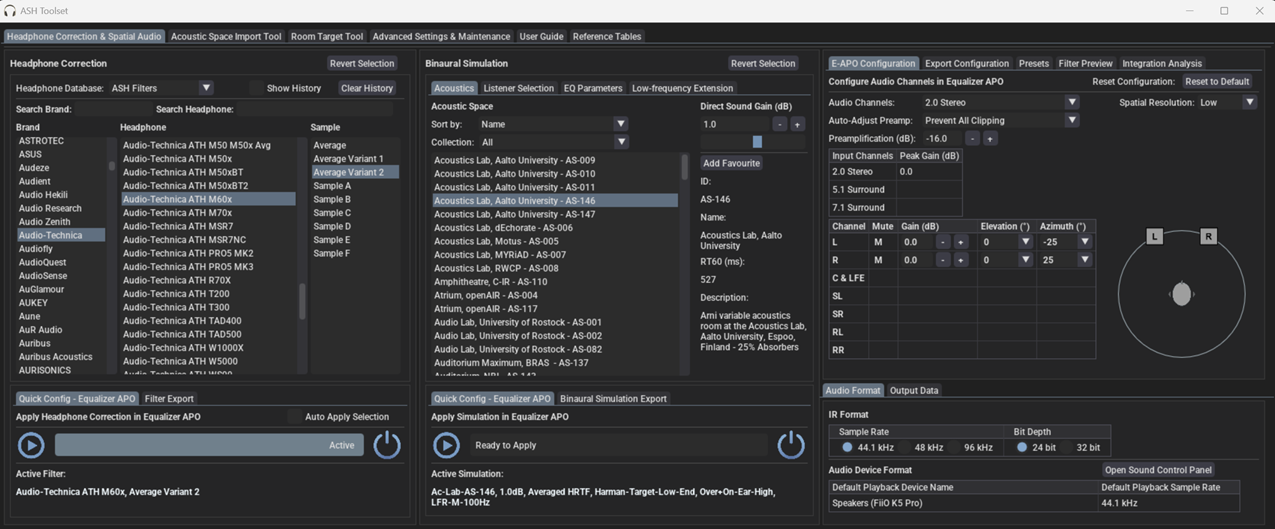
The Audio Spatialisation for Headphones Toolset is a set of tools for headphone correction and binaural synthesis of spatial audio systems on headphones.
Features:
Headphone Correction — Generate headphone correction filters in WAV format for IR convolution or as configurations for graphic equalisers.
Binaural Room Simulation — Generate customised binaural simulations of different acoustic environments including control rooms, studios, halls, and more. Resulting filters can be saved in WAV format or SOFA format for IR convolution.
Equalizer APO Integration — Auto configures Equalizer APO to apply created filters and perform headphone correction and binaural room simulation.
HeSuVi Compatibility — Generates filters in formats compatible with HeSuVi, a headphone surround virtualization tool for Equalizer APO.
SOFA Format Compatibility – Load HRTF datasets and export customised binaural responses in SOFA format
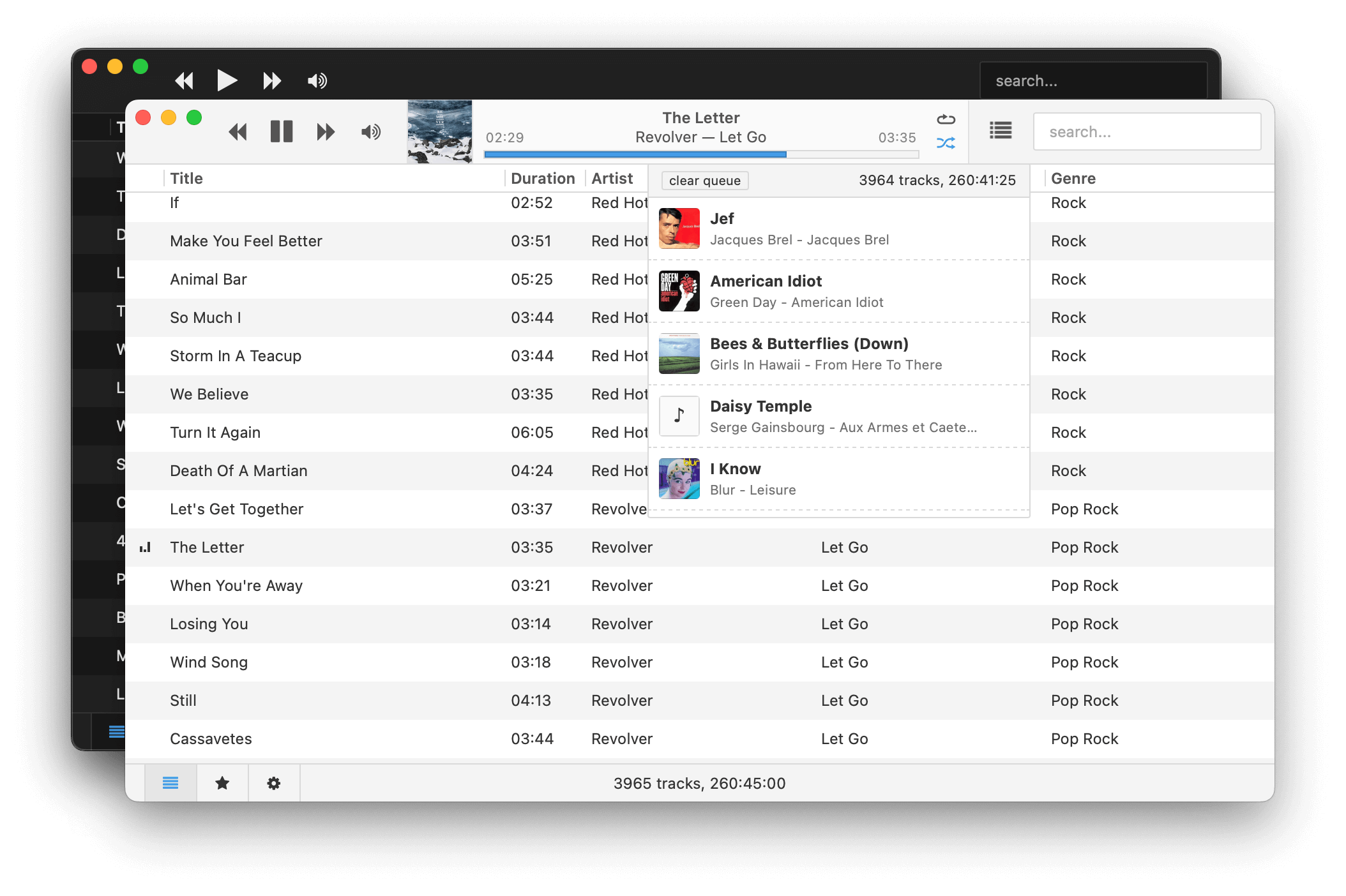
Museeks aims to be a simple and easy-to-use music player with a clean UI. You will not find tons of features, as its goal is not to compete with more complete and more famous music players.
Features:
💻 Cross-platform music player (Linux, macOS, and Windows)
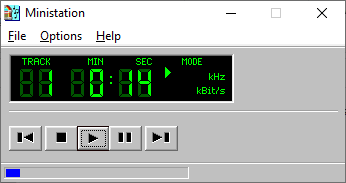
The Ministation application is a small media player, for playing audio files. The program only has a few options to play, stop, pause, etc. the current media track.
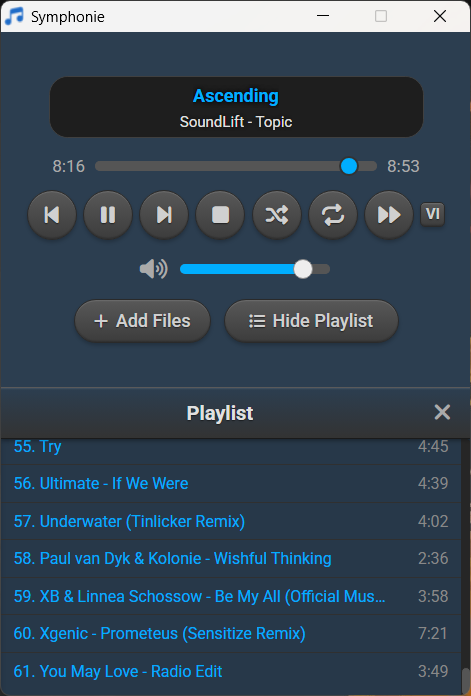
Symphonie is a sleek, lightweight desktop music player built with Electron and powered by HTML5 capabilities, offering a clean interface for enjoying your local audio library. It supports popular formats including MP3, FLAC, AAC, M4A, OGG, WAV, OPUS. Features include playlist management, intuitive playback controls, track metadata display (title/artist), and shuffle functionality for a seamless listening experience.
Features:
Supported audio formats mp3,aac,m4a,wav,ogg,flac,opus and more
Drag and drop files/folders directly onto the player or playlist
Visualizer which can be enabled and disabled
Reorder tracks within the playlist using drag and drop
Select all tracks and delete in the playlist using Ctrl+A
Seamless integration with modern web technologies without relying on third-party libraries.
Supported Platforms Windows 10/11,Debian,Ubuntu,Arch Linux,Linux Mint,Fedora
This program now comes in two flavours, as a Direct Show filter and a VST plugin. The Direct Show Filter allows any Direct Show capable audio player software (such as Windows Media Player) the ability to read and decode B-format wave files (the format of which is specified here on Richard Dobson’s web page – details on the Waveformat extensible file format used can be found on Microsofts web site here – details on Ambisonics can be found here).
The VST version comes in 1st and 2nd order versions (3rd and 4th order versions to follow) and allows you to alter the polar patterns of the speaker feeds either across the whole frequency range or using ‘Shelf Filters’ with a variable cut-off. Both of the VST plugins will derive outputs for a standard ITU 5 speaker array, with higher orders giving better frontal resolution.
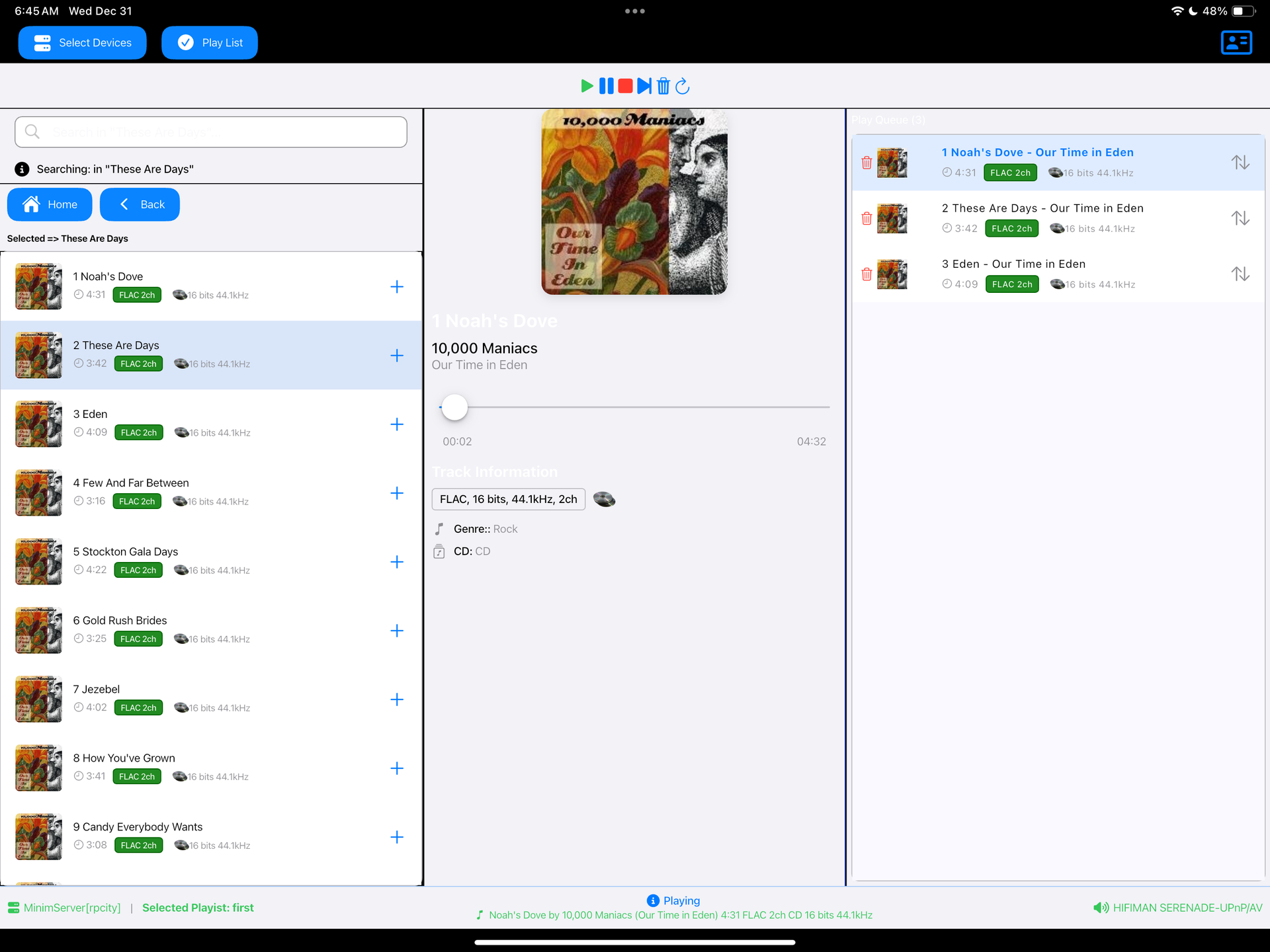
Read a DLNA Media Server to select music to play on your DLNA Renderer
Scan the network for your Media Server (“Server”) and Renderer (“Renderer”) devices, select one of each and then from the main screen select the music you want to play, drilling into Albums, Artists, Genres (all defined by your Media Server). Any music you want to hear is called a track and is loaded onto the play queue. Then select Play button to listen to the track listed at the top of the queue. You can also create playlists and store your favorite tracks for playback.
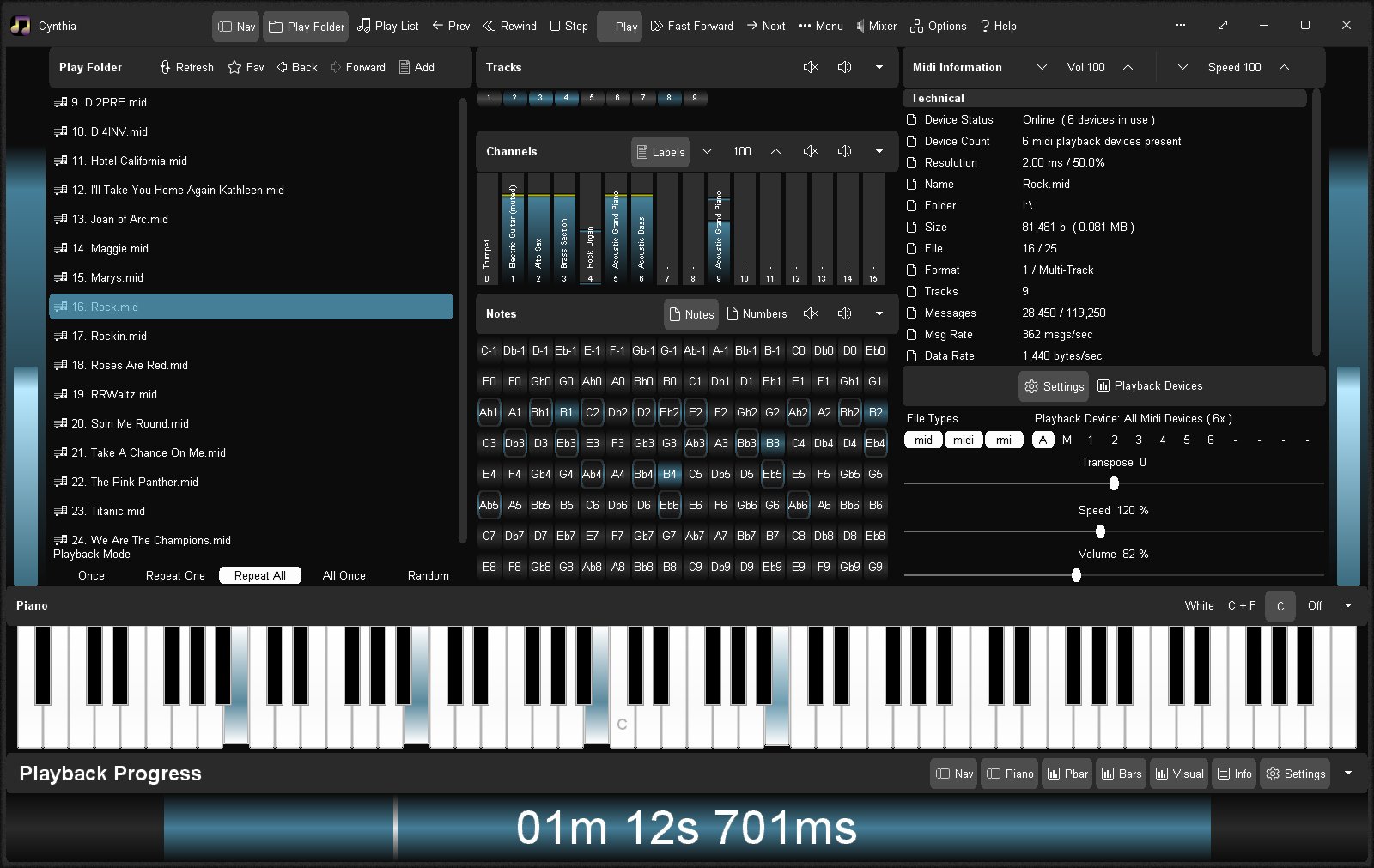
Reliably play midi music files from a folder or “.m3u” playlist. Adjust playback speed, volume and output device on the fly during playback. A large playback progress bar makes jumping forward and backward in time a breeze with just a single click or tap. Supports “.mid”, “.midi” and “.rmi” files in format 0 (single track) and format 1 (multi-track). Comes complete with 24 sample midis ready to play.
Features:
Dual play systems – Play Folder and Play List
Comes with 24 built-in sample midis on a virtual disk
Elapsed, Remaining and Total time readouts
Native “.m3u” playlist support (copy, paste, open, save, build)
Drag and drop midi files to play / add to playlist
Play Modes: Once, Repeat One, Repeat All, All Once, Random
Play Speed: 10% to 1,000% (1/10th to 10x)
Intro Mode: Play first 2s, 5s, 10s or 30s of midi
Rewind / Fast Forward by: 1s, 2s, 5s, 10s or 30s
Play on Start option – playback commences on app start
Always on Midi option – maintain connection to midi device for instant playback
Auto Fade In – eliminate loud or abrupt notes during rewind, fast forward or reposition operations
Playback Progress bar – click to reposition/jump backward or forward in time
Volume control with volume boost (up to 200%)
Play “.mid”, “.midi” and “.rmi” midi files in 0 and 1 formats
Custom built midi playback subsystem for high playback stability
Scrolling lyrics viewer
Detailed midi information panel
Tracks Panel: Realtime track data indicators with mute all, unmute all, and mute individual track options
Channels Panel: Realtime channel output volume indicators with peak level hold and variable hold time, unmute all, mute all, and mute individual channel options
Notes Panel: 128 realtime note usage indicators with variable hold time, 8-12 notes per line display, labels as letters or numbers, unmute all, mute all, and mute individual note options
Piano Panel: View realtime piano keystrokes on a 128, 88, 76, 61, 54, 49 or 37 key keyboard with animated and lit keystrokes
Piano: Mark middle C key, C + F keys, or all white keys
Transpose option: Shift all notes up or down music scale
Use an Xbox Controller to control Cynthia’s main functions – playback speed and volume, song position, display panels, song file navigation, jump to start of song, toggle fullscreen mode, etc
Large list capacity for handling thousands of midi files
Switch between up to 10 midi playback devices
Simple and easy to use
Options Window – Easily change app color, font and settings













 The Audio File