
Because what’s the point in listening to music if you can’t let others know? Use our generator to create astonishing album and artist collages based on your Last.fm charts!
www.tapmusic.net
Category Archives: Visual

BeatDrop ~ Music Visualizer
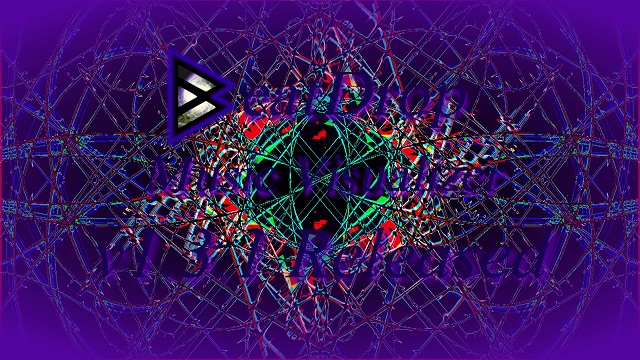
BeatDrop is a stand-alone implementation of the amazing Milkdrop2 Winamp plug-in. It lets you experience stunning visual 2D effects with your music player of choice. No additional configuration steps needed! Just start BeatDrop and play your music.
github.com/OfficialIncubo/BeatDrop-Music-Visualizer
Google Drive – Cream Of Crop Milk Preset Archive (Unsorted)
Share this:

SpectrumViewer ~ Windows Continuous Spectrum Display
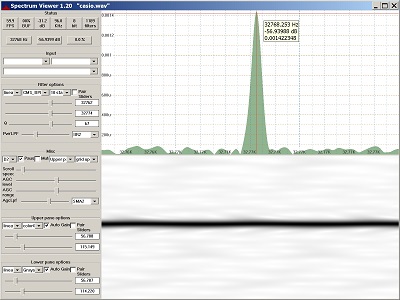
Display of audio spectrum from PC input or wave file.
Reads audio from Windows audio interface or wave file and creates a continuous spectrum display. Command line support for generating sine, square, triangle and sawtooth wave files. Uses biquad IIR digital filters for frequency detection, plus digital lowpass filters for smoothing. Highly configurable. 60+ FPS with suitable hardware. Manual or automatic gain control.
Features:
- Continuous display update
- Single function, easy to learn
- Zoom in on small frequency or dB range
- Resizable main window and repartitionable panes
- Crosshair cursor when Ctrl is pressed
- Single, stand-alone exe file, no install/uninstall
- Builds with Visual Studio 2019 or 2022
- Bit-perfect sine wave generation for all sample sizes
sourceforge.net/projects/spectrumviewer-for-windows
Share this:

BeatRoot ~ Beat Tracking & Visualization
BeatRoot is an interactive beat tracking and visualisation system.
code.soundsoftware.ac.uk/projects/beatroot
www.eecs.qmul.ac.uk/~simond/beatroot
en.wikipedia.org/wiki/BeatRoot
Share this:

AstroFox ~ Amazing Audio Videos
Astrofox is a free, open-source motion graphics program that lets you turn your audio into custom, shareable videos. Combine text, images, animations and effects to create stunning, unique visuals. Then generate high-definition videos to share with your fans on social media.

astrofox.io
github.com/astrofox-io/astrofox
Share this:

foo_mpv ~ foobar2000 Local Video Support
This component allows playing local video files in foobar2000 using libmpv. It is not a foobar decoder, it will just play the video for files that foobar is already playing via other input components. You may need to install other decoders or foo_input_ffmpeg to play certain files.
Features:
- Video player can be a default UI element, columns UI panel or a separate window
- On-screen control on the video
- Fullscreen mode
- Generates video thumbnails as album art, with optional manual thumbnail chooser
- Video panels can act as an album art viewer when no video is present to avoid wasting space
- Reads mpv.conf and input.conf
- Provides some interfaces for integrating mpv Lua scripts with foobar2000
hydrogenaud.io/index.php?topic=119836.0
www.foobar2000.org/components/view/foo_mpv
github.com/sammoth/foo_mpv
Share this:

Accessible Spectrum Analyser ~ Inspect Spectrograms Via Sonification
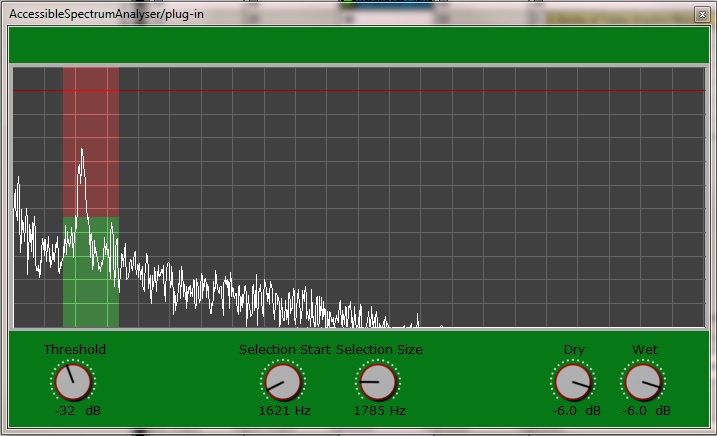
AccessibleSpectrumAnalyser is a real time spectrum analysis plug-in that allows visual impaired users to as the accessible peak meter. Instead of monitoring the amplitude of the audio signal though, you will be monitoring the frequency components of the signal within a customizable selection of frequencies.
The plug-in uses the “clipping” sonification of the AccessiblePeakMeter. That is, you can set a threshold in dB and, as soon as the energy of any frequency in the selection goes past the threshold, you will hear a short beep. Like in the AccessiblePeakMeter, the beep starts at 440 Hz and it’s raised one semitone for each dB of difference between the frequency magnitude and the threshold. In case more than one frequency within the selection is higher than the threshold, then the highest one is taken into account for the sonification purpose.
There is only one single spectrum for both left and right channels: the two channels are mixed together before being analysed. In AccessiblePeakMeter, there is a separate sonification for peaks in the left and the right audio channel. In the AccessibleSpectrumAnalyser instead, one single sonification is panned from left to right and the panning represents the position of the peaking frequency in the whole spectrum, ranging from 20 Hz on the very left, to 20050 Hz on the very right. For example, if the selected spectrum peaks at 50 Hz then you’ll hear the beep towards the left, whereas if the peak is at 20 kHz the beep will occur towards the right.
depic.eecs.qmul.ac.uk/apm/spectrum
www.tbproaudio.de/products/accessiblemeters
Share this:

GSatPlus ~ Freeware Saturation Plugin
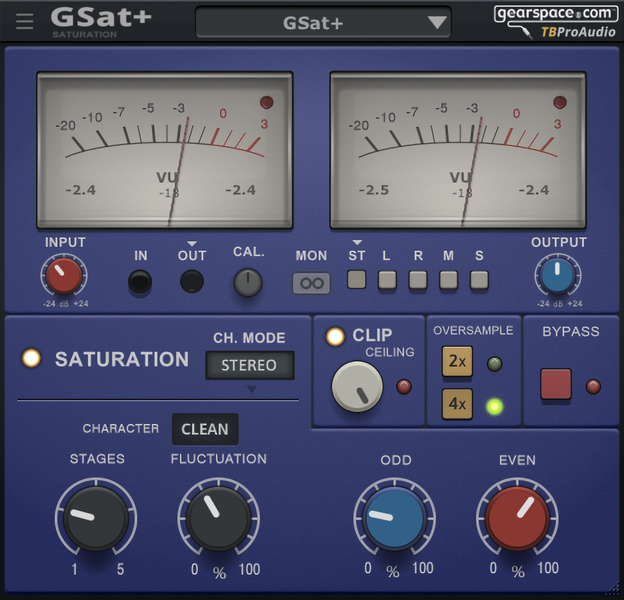
GSat+ is derived from the saturation module on the TBProAudio CS5501V2 channel strip plug-in, but adds extra features requested and suggested by the Gearspace.com team. It has several different saturation modes, high tweakability, oversampling, old-school VU meters and cross-platform software compatibility – as well as a button to take you directly to Gearspace.com in case you need any tips, tricks or inspiration or want to swap presets with other users.
Features:
- Saturation with three different “tube-based” character modes
- Clip protection
- VU meters
- Signal monitoring
- Over sampling
- Plug-in bypass
- Preset management
- Large and easy to use freely-scalable GUI
- 64-bit internal processing
- Very efficient CPU usage design
www.tbproaudio.de/products/gsatplus
Share this:

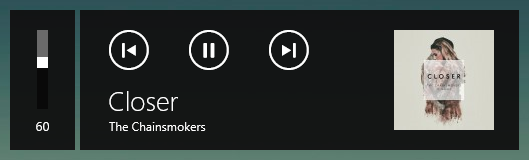
foo_mediacontrol ~ Windows 10 Media Control Overlay
Adds the ability for foobar2000 to interact with the Windows 10 media control overlay.
github.com/Hual/foo_mediacontrol
hydrogenaud.io/index.php?topic=113248.0
Share this:

dotnet_title_bar ~ Foobar2000 Skinnable Overlay User Interface
This is a component for the foobar2000 audio player, which provides a skinnable overlay UI.
Features:
- Easily customizable UI.
- Configurable automatic hiding of the overlay.
- foo_acfu integration.
- And more!

theqwertiest.github.io/dotnet_title_bar
hydrogenaud.io/index.php?topic=121673
Share this:

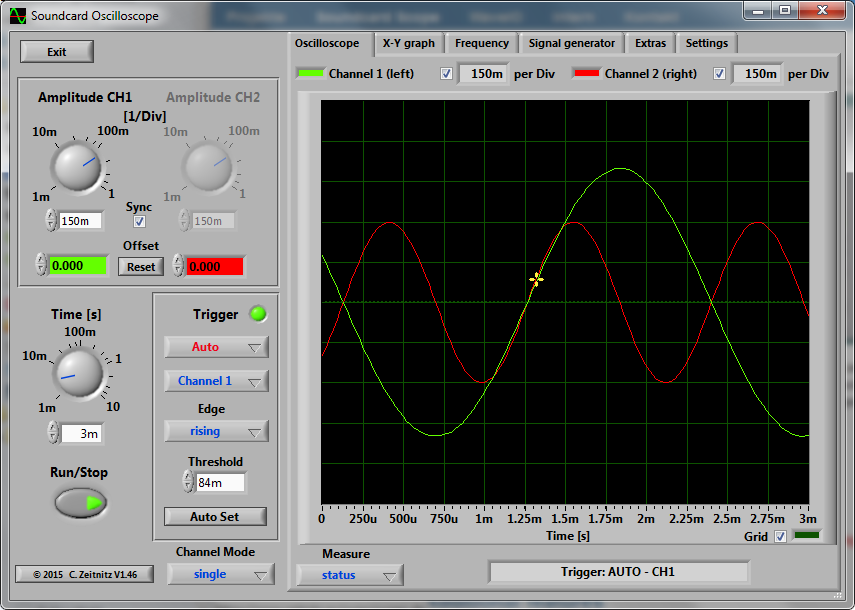
Scope ~ Windows Soundcard Oscilloscope
The PC based Soundcard Oscilloscope receives its data from the Soundcard with 44.1kHz and 16 Bit resolution. The data source can be selected in the Windows mixer (Microphone, Line-In or Wave). The frequency range depends on the sound card, but 20-20000Hz should be possible with all modern cards. The low frequency end is limited by the AC coupling of the line-in signal. Be aware, that most microphone inputs are only mono.
The oscilloscope contains in addition a signal generator for 2 channels for sine, square, triangular, sawtooth wave forms and different noise spectra in the frequency range from 0 to 20kHz. The signal can be defined by a mathematical formula as well. The signals are available at the speaker output of the sound card. These can be fed back to the oscillocope in order to generate Lissajous figures in the x-y mode.
Features:
- Trigger modes: off, automatic, normal and single shot
- Triggerlevel can be set with the mouse
- The signals of the two channels can be added, subtracted and multiplied
- x-y mode
- Frequency analysis (Fourier spectrum)
- Waterfall diagram (frequency spectrum as function of time)
- Frequency filter: low-, high-, band-pass and band-stop
- Cursors to measure amplitude, time and frequency in the main window
- Audio Recorder to save data to a wave file
- For multi soundcard system, the used card can be selected in the settings tab
Share this:

foo_openlyrics ~ Foobar2000 Open Source Lyrics Display
An open-source lyrics plugin for foobar2000 that includes its own UI panel for displaying and sources for downloading lyrics that are not available locally. It is intended to be a replacement for LyricShowPanel3 so it is fully-featured and supports lyric searching, saving and editing directly from within foobar2000.
Features:
- Buttery-smooth lyric scrolling (either horizontally or vertically)
- Supports retrieving lyrics from local files, ID3 tags or the internet
- Customise the font and colours to perfectly suite your layout and theme
- Easily edit lyrics directly inside foobar2000 with built-in support for timestamps
- Check the saved lyrics of any track in your library (whether it is currently playing or not)
- Apply common edits (such as removing blank lines) in just two clicks
- … and more!
github.com/jacquesh/foo_openlyrics
www.foobar2000.org/components/view/foo_openlyrics
hydrogenaud.io/index.php?topic=120812.0
www.reddit.com/r/foobar2000/…/i_made_an_opensource_alternative_to

 The Audio File