MicToggle is a lightweight microphone control tool designed for focus and clarity. Instantly mute or unmute your mic using a custom hotkey — no matter what you’re doing. Stay aware of your mic status with a movable on-screen overlay, system tray icon, and optional audio cues. Choose your preferred microphone, set startup behavior, and enjoy a clean, unobtrusive interface. Whether you’re gaming, streaming, or in meetings, MicToggle keeps you in control.
Features:
- Custom Hotkey — Instantly mute or unmute your mic using a hotkey you choose.
- Microphone Selection — Pick which mic to control if multiple devices are connected.
- On-Screen Overlay — Always know your mic’s status with a floating icon that you can reposition or disable.
- Startup Options — Start minimized, run at Windows startup, or launch with mic muted.
- Mic Status on Launch — Optionally hear a sound or get a notification showing your mic’s state when the app starts.
- Visual Status Indicators — Colored icons clearly show your mic state both in the app and system tray.
- Tray Controls — Toggle mute, open settings, or exit — all from the tray.
- Clean Interface — Simple, responsive UI designed to stay out of your way.
- Lightweight & Fast — Uses minimal resources, ideal for streamers, meetings, and gamers.
Category Archives: Freeware
shntool ~ WAVE Processing & Reporting Utility
shntool is a multi-purpose WAVE data processing and reporting utility. File formats are abstracted from its core, so it can process any file that contains WAVE data, compressed or not – provided there exists a format module to handle that particular file type.
shntool has native support for .wav files. If you want it to work with other lossless audio formats, you must have the appropriate helper program installed. The “Helper programs” section below contains links to helper programs for each format that shntool supports.
caudec ~ Multiprocess Audio Converter
caudec is a command-line utility that transcodes (converts) audio files from one format (codec) to another, among other things.
It leverages multi-core CPUs and runs multiple processes concurrently (one per file and per codec, and more than one thread per codec when it supports it). The objective is to hog the CPU as much and as long as possible. One strategy is to sort input files by size, so that the largest files potentially get more threads towards the end of the job.
Features:
- Supported input formats / codecs: WAV, AIFF, CAF, FLAC, WavPack, Monkey’s Audio, ALAC.
- Supported output formats / codecs: all of the above, as well as LossyWAV / LossyFLAC, MP3, AAC (.m4a), Ogg Vorbis, Opus.
- Supported platforms: macOS, Linux.
- Transcoding to several different codecs at once is possible. In that case, decoding of input files is done only once.
- Metadata is preserved (as much as possible) from one codec to another.
- Artwork can be embedded into each file, and / or copied to the output directory. It can be done selectively (e.g. embed and / or copy one image for lossless files, and another image for lossy files).
- Audio can be resampled (e.g. 48kHz to 44.1kHz) and downmixed (e.g. 6 channels to stereo). A profile can be provided to set a maximum value for the number of channels, bit depth and sampling rate. When a profile is provided, the source will only be altered after decoding and before encoding, if some metric of the source is above the given profile.
- Multiprocess ReplayGain scanner for FLAC, WavPack, MP3, Ogg Vorbis, Opus.
- Ability to hard link lossy files to a different directory when encoding to WavPack Hybrid. The point is to have two libraries that takes the storage of just one, with a lossy collection that has its own root directory and that’s easy to drag and drop to a device such as a smartphone or a Digital Audio Player (DAP).
- Ability to touch files and album directories using metadata to reflect the music’s release date and duration (see example below).
Drops ~ Single Sample Player
ZuseMe ~ Last.fm Client
ZuseMe allows you to scrobble songs to Last.fm from players like Groove Music, Media Player (Windows 11) and more.

MODICIA OS ~ Multimedia Digital Workstation
MODICIA O.S. is a complete multimedia workstation for creatives, professionals, and curious users. Runs live from USB with no installation required. Stable, multilingual, and packed with ready-to-use tools.
✨ Key Features
🔃 Live system — boot from USB without modifying your PC
🎥 Multimedia suite — video, audio, graphics, photography
🗂 Office suite — documents and business tools
🧰 Curated software — no duplicates, no broken tools
🖥 Optimized interface — compact layout with visual alerts
🌍 Multilingual — over 30 languages supported
🛡 Invisible fallback logic — safety and stability
🔗 Clickable license buttons — semitransparent, linking to local control files
🎯 Ideal Users
🎬 Filmmakers, editors, streamers
🎧 Musicians, podcasters, sound designers
🎨 Designers, illustrators, photographers
🧑🏫 Teachers, writers, office professionals
🧑💻 Students and beginners
🐧 Open source users seeking localization and compliance
📦 Included Applications (Examples)
Category Applications
🎞 Video Kdenlive, Shotcut, OBS Studio
🎚 Audio Audacity, Ardour, LMMS
🖌 Graphics GIMP, Inkscape, Krita
📷 Photo Darktable, RawTherapee
📝 Office LibreOffice, PDF Studio
🌐 Web Firefox ESR, Thunderbird, FileZilla
🧹 Utilities GParted, Timeshift, BleachBit
🚀 How to Use
📥 Download the ISO from modiciaos.cloud
🔧 Write it to USB using Rufus or Balena Etcher
💻 Boot the live system on any compatible PC
🎉 Start creating — no installation, no subscriptions, no limits
It’s MyTabs ~ Tablature Viewer & Player
Open source, web based, self hostable guitar/bass tab viewer and player, similar to Songsterr.

github.com/louislam/its-mytabs
sourceforge.net/projects/it-s-mytabs.mirror
foo_truepeak ~ True Peak Scanner
foo_truepeak is a ITU-R BS.1770-5 compliant True Peak scanner. It can also scan ReplayGain, Loudness Range (LRA), Dynamic Range (DR), show the amount of clipping samples and report the position of highest peak.
www.foobar2000.org/components/view/foo_truepeak
For users primarily concerned with playback quality and simplicity, foo_truepeak can replace foobar2000’s ReplayGain and DR scanners. It uses modern loudness standards, detects true peaks and can write all relevant tags in a single pass. While its ReplayGain and DR values may not exactly match legacy scanners, they are more appropriate for real-world playback on modern systems.
1. Download and install foo_truepeak
- Download foo_truepeak.fb2k-component from the official component page.
- In foobar2000, open File → Preferences → Components.
- Click Install…, select the
foo_truepeak.fb2k-componentfile. - Restart foobar2000 when prompted.
2. Disabling legacy scanners (optional but recommended)
To avoid confusion or duplicate workflows:
- Don’t try removing the ReplayGain scanner as it’s built in.
- You can uninstall foo_dr_meter and or foo_dynamic_meter.
This keeps foo_truepeak as your single analysis tool.
3. Open foo_truepeak preferences
Go to File → Preferences → Advanced → Tools → True Peak Scanner

4. Ensure the following is enabled
✔ Scan True Peak Values
True peak scanning accounts for inter-sample peaks created during digital-to-analog conversion, ensuring that peak levels reflect what a real DAC actually outputs, not just what is stored in the file.
5. Enable ReplayGain scanning
✔ Scan ReplayGain values
Notes:
- Gains are derived from EBU R128 loudness, but written as ReplayGain tags.
- Peaks are true peaks, not simple sample peaks.
- Playback normalization works normally in foobar2000.
6. Enable Dynamic Range scanning
✔ Scan Dynamic Range (DR) values
Notes:
- These values are analytical, not official TT DR Meter values.
- They are suitable for comparison within your library, not for DR Database submissions.
7. Choose tag writing behavior
✔ Use ReplayGain tag fields for peak and gain
8. Run a True Peak scan
- Select a track, tracks or albums in a playlist.
- Right-click → True Peak Scan.
You can also create custom buttons on the toolbar for Album or Track scans.
Download True Peak Toolbar Button Icons
9. Verify tags at first
After scanning, check the file(s) to ensure tagging happened correctly:
- Open Properties > ReplayGain
- Confirm presence of values for:
- Track Gain
- Album Gain
- Total Peak
- Lowest gain (loudest track)
- Highest gain (quietist track)
10. Use ReplayGain during playback
- Enable ReplayGain in Preferences → Playback → ReplayGain.
- Choose your preferred mode, Track or Album.
foobar2000 will now use modern loudness analysis and playback without intersample clipping.
Summary:
- One scan
- One pass
- Peak safe playback
- Modern loudness normalization
This setup is ideal for users who prioritize listening quality and ease of use over legacy metric compatibility.
References:
www.foobar2000.org/components/view/foo_truepeak
foobar.hyv.fi/?view=foo_truepeak
wiki.hydrogenaudio.org/Foobar2000:Components/True_Peak_Scanner
hydrogenaudio.org/index.php/topic,125719.0
en.wikipedia.org/wiki/Amplitude
en.wikipedia.org/wiki/Audio_normalization
en.wikipedia.org/wiki/Dynamic_range
en.wikipedia.org/wiki/ReplayGain
Alternative DSP
www.foobar2000.org/components/view/foo_dsp_replaygain
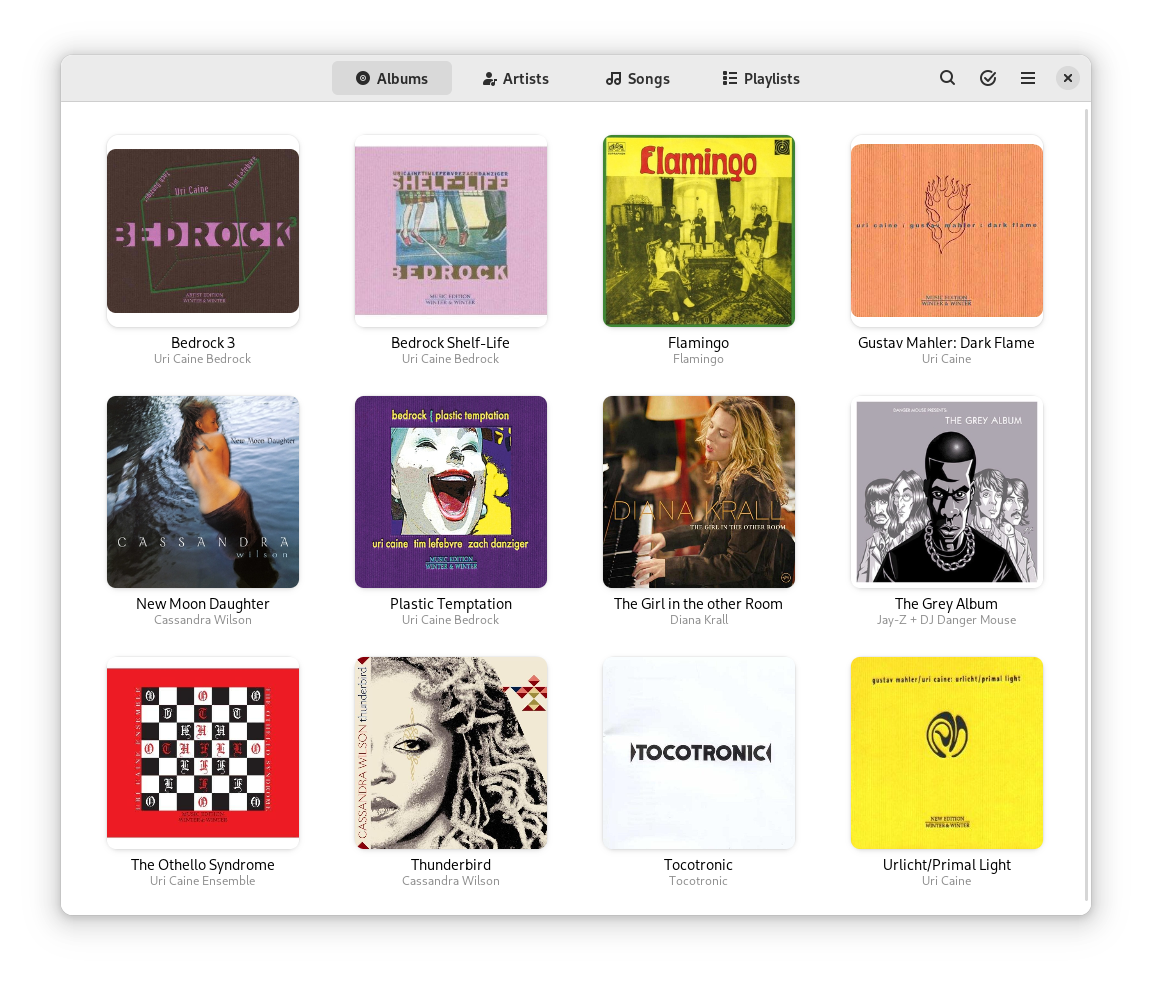
Harmonoid ~ Play & Manage Music Library
Plays & manages your music library. Looks beautiful & juicy.
Features:
- Fluid animations & beautiful design, everywhere you navigate
- It’ll find lyrics or give your own .LRC files
- Closely paired to work together. Windows & Linux
- Experience the consistent Material Design
- Music library management based on metadata tags
- Capable of indexing 30+ files/second & saves cache for future app start-ups
- Very strictly follows Material Design guidelines for UI & animations
- Taskbar & System Media Transport Controls for Windows
- Small installer (≈ 35 MB) & low RAM usage (≈ 150 MB)
- Discord RPC integration with album art support & “Find”/”Listen” buttons

harmonoid.com
github.com/harmonoid
sourceforge.net/projects/harmonoid.mirror
itsfoss.com/harmonoid
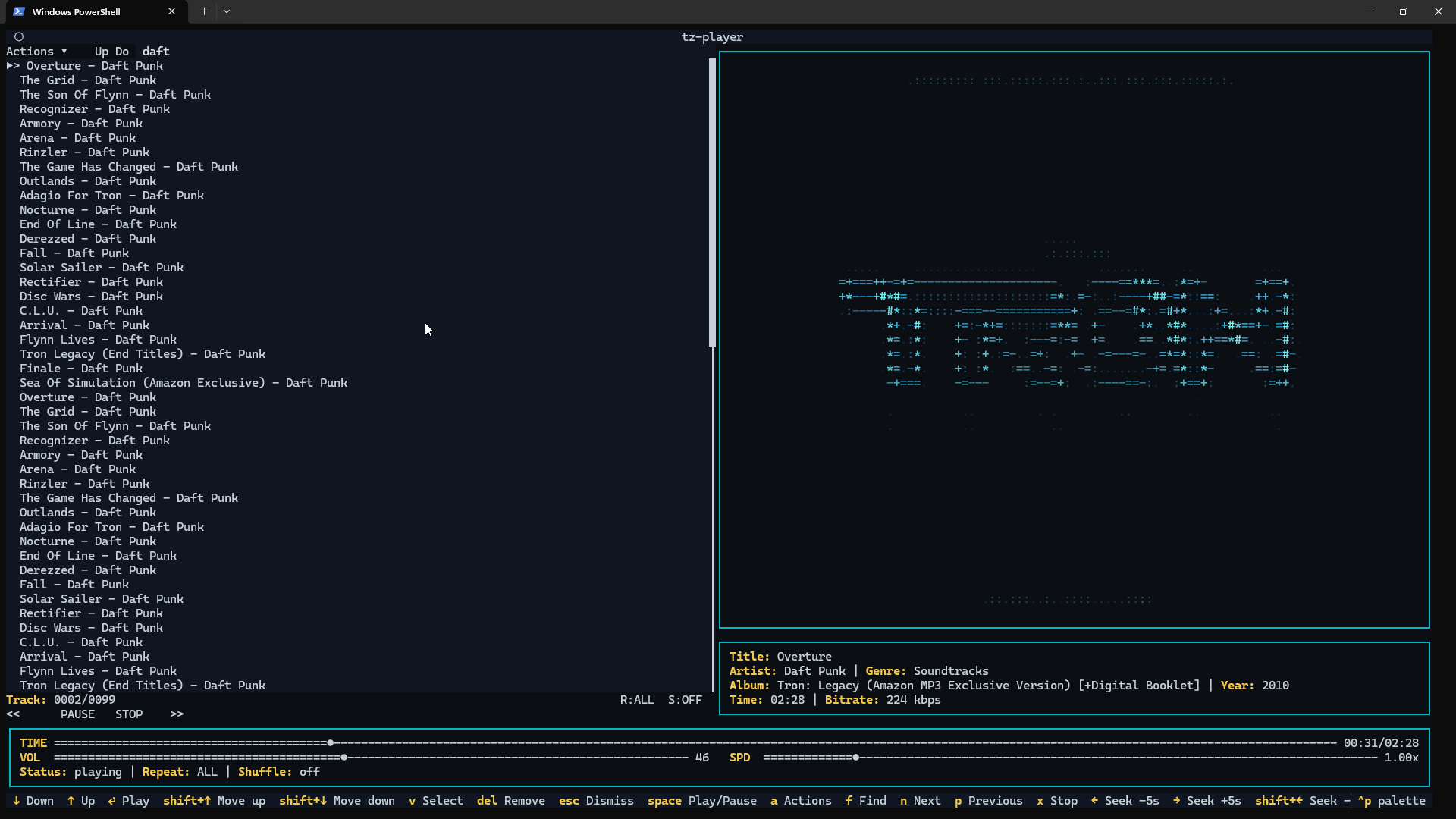
Zenamp ~ Player With Visualizations & Games
Multi-format audio player with MIDI, minigames, playlists & many visualizations
Lightweight GTK3 audio player supporting MIDI, WAV, MP3, OGG, FLAC, AIFF, and Opus formats. Features OPL3 FM synthesis for authentic MIDI playback, drag-and-drop playlist queue, real-time spectrum visualization, 10-band equalizer, and M3U playlist support. Built with SDL2 audio backend for cross-platform compatibility across Linux and Windows. Includes intuitive controls with keyboard shortcuts, 5-second seek buttons, and efficient format conversion. Perfect for musicians and audio enthusiasts needing reliable playback of both modern and legacy audio formats. Multi-threaded architecture ensures smooth performance. MIT License.
Features:
- Music Player
- Queue Support
- Playlist Support
- Visualizations
- Minigames
sourceforge.net/projects/midiplayer
apps.microsoft.com/detail/9p7ddq785vq2
Foobar2000 ~ Album & Artist Artwork
Foobar2000 displays artwork in a panel which can be added and configured to suit your preferences. The artwork panel displays the image file associated with an audio track. If the standard options are insufficient, Foobar’s image handling can be extended via additional components.
To add an artwork panel to the default user interface (DUI), Enable Layout Editing Mode from the menu View > Layout. Add the Album Art Viewer from the Selection Information section.

Album Art Viewer (built-in)
Sources:
- Embedded tags (front, back, disc, artist, etc.)
- External image files (folder.jpg, cover.png, etc.)
Notes:
- Supports multiple artwork types.
- Very stable, but basic (no advanced layout or scripting).
- Artist art is only shown if tagged or present as files.

Context Menu
Display Components (Artwork panels)
foo_ui_columns (Columns UI)
Displays: Album & artist art
Sources: Embedded tags and external files
Notes:
- Legacy but still widely used.
- Artwork panels are static (no scripting).
- No longer actively developed, but stable.
Resources:
- Album Art Downloader ~ External artwork search
- foo_albumart_grid ~ Display artwork as a grid
- foo_artwork ~ Advanced artwork display component
- foo_chronflow ~ Cover flow viewer
- foo_discogs ~ Downloads album art
- foo_stnaa ~ Search for artwork or lack of artwork (experimental)
CLAMPS ~ Common Lisp Aided Music Production System
Clamps, short for “Common Lisp Aided Music Production System”, is a software system for realtime and non-realtime music production written in Common Lisp. It enables a seamless workflow between high-level structures to define musical processes all the way down to low level DSP definitions for sound creation including browser based interfaces for interactive work and control useable for live performances. In that respect it combines features of systems like OpenMusic, SuperCollider or the Pure Data/Max family of software.
codeberg.org/ormf/clamps
codeberg.org/ormf/clamps-install
github.com/arclanguage/Clamp