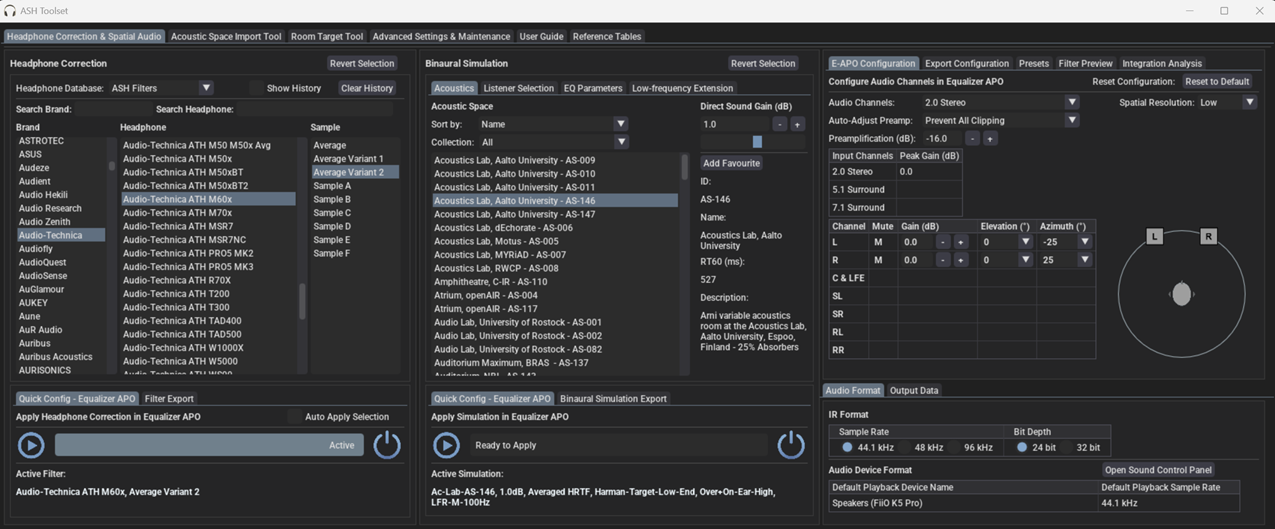
The Audio Spatialisation for Headphones Toolset is a set of tools for headphone correction and binaural synthesis of spatial audio systems on headphones.
Features:
Headphone Correction — Generate headphone correction filters in WAV format for IR convolution or as configurations for graphic equalisers.
Binaural Room Simulation — Generate customised binaural simulations of different acoustic environments including control rooms, studios, halls, and more. Resulting filters can be saved in WAV format or SOFA format for IR convolution.
Equalizer APO Integration — Auto configures Equalizer APO to apply created filters and perform headphone correction and binaural room simulation.
HeSuVi Compatibility — Generates filters in formats compatible with HeSuVi, a headphone surround virtualization tool for Equalizer APO.
SOFA Format Compatibility – Load HRTF datasets and export customised binaural responses in SOFA format
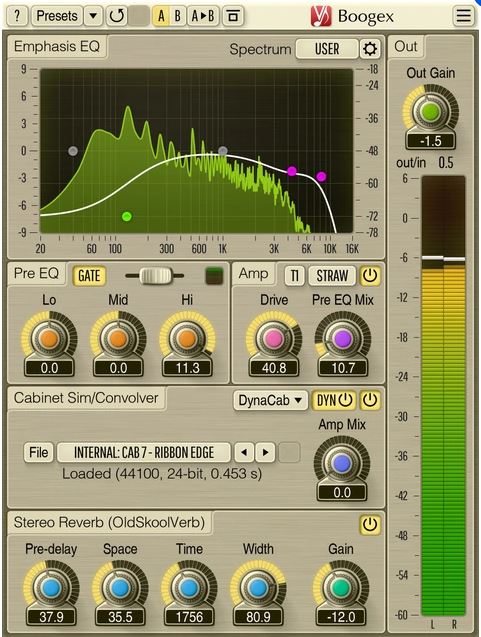
Boogex is a free guitar amplifier AudioUnit, AAX, and VST plugin with a variety of sound shaping features, for professional sound and music production applications. With Boogex it is possible to get a heavy distorted sound as well as slight “jazzy” saturation sound. Boogex is able to apply convolution with any speaker cabinet impulse response (selection of built-in impulses is available). The processing latency is close to zero making it possible to use Boogex for real-time guitar processing.
Boogex can be used as a plain stereo convolution processor when its “Amp” stage is turned off. The convolver module has zero latency and is not CPU-demanding. Boogex also includes the input gate module, and reverberation module derived from Voxengo OldSkoolVerb reverb plugin.
Boogex produces a nice “minimalist” rock music-geared sound which may be a bit noisy at higher overdrive settings; higher frequencies can be easily suppressed with its built-in Emphasis EQ. With the amp modes Boogex currently provides, it is not particularly well-suited for metal music, but can still be used as a cabinet impulse response processor for metal music.
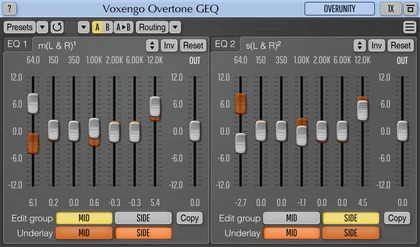
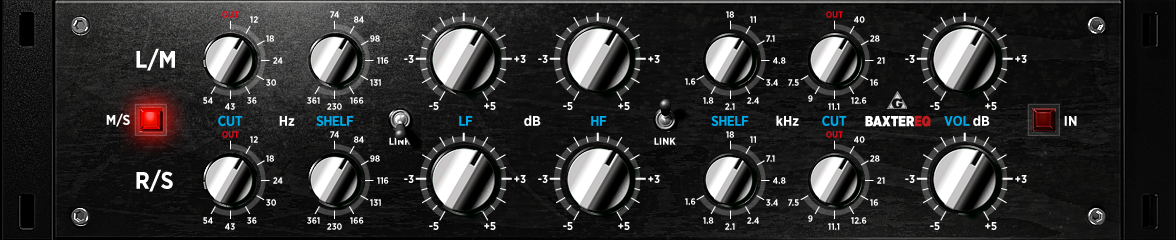
Overtone GEQ is a free 7-band harmonic (overtone) graphic equalizer AudioUnit, AAX, and VST plugin with multi-channel operation support (supporting up to 8 input/output channels, audio host application-dependent). Overtone GEQ offers extensive internal channel routing capabilities, and supports mid/side channel processing.
Beside equalizing, Overtone GEQ applies harmonic enhancement: it uses 7 harmonic enhancement modules, one for each EQ band. This generates a complex harmonic coloration you will probably like a lot.
Overtone GEQ was designed to allow audio engineers to apply quick EQ shape adjustments together with adding a bit of harmonic richness to the audio material (mainly mixes and sub-mixes due to a comparably high load this EQ puts on a CPU).
This program makes a linux computer equipped with a modern sound card behave as a traditional hi-fi preamp, but able also to make advanced DSP equalization and crossover tasks.
That means that, with a proper soundcard, external sources can be used, be them analog or digital, along with digital libraries or streamed sources.
Multi-format audio player with MIDI, minigames, playlists & many visualizations
Lightweight GTK3 audio player supporting MIDI, WAV, MP3, OGG, FLAC, AIFF, and Opus formats. Features OPL3 FM synthesis for authentic MIDI playback, drag-and-drop playlist queue, real-time spectrum visualization, 10-band equalizer, and M3U playlist support. Built with SDL2 audio backend for cross-platform compatibility across Linux and Windows. Includes intuitive controls with keyboard shortcuts, 5-second seek buttons, and efficient format conversion. Perfect for musicians and audio enthusiasts needing reliable playback of both modern and legacy audio formats. Multi-threaded architecture ensures smooth performance. MIT License.
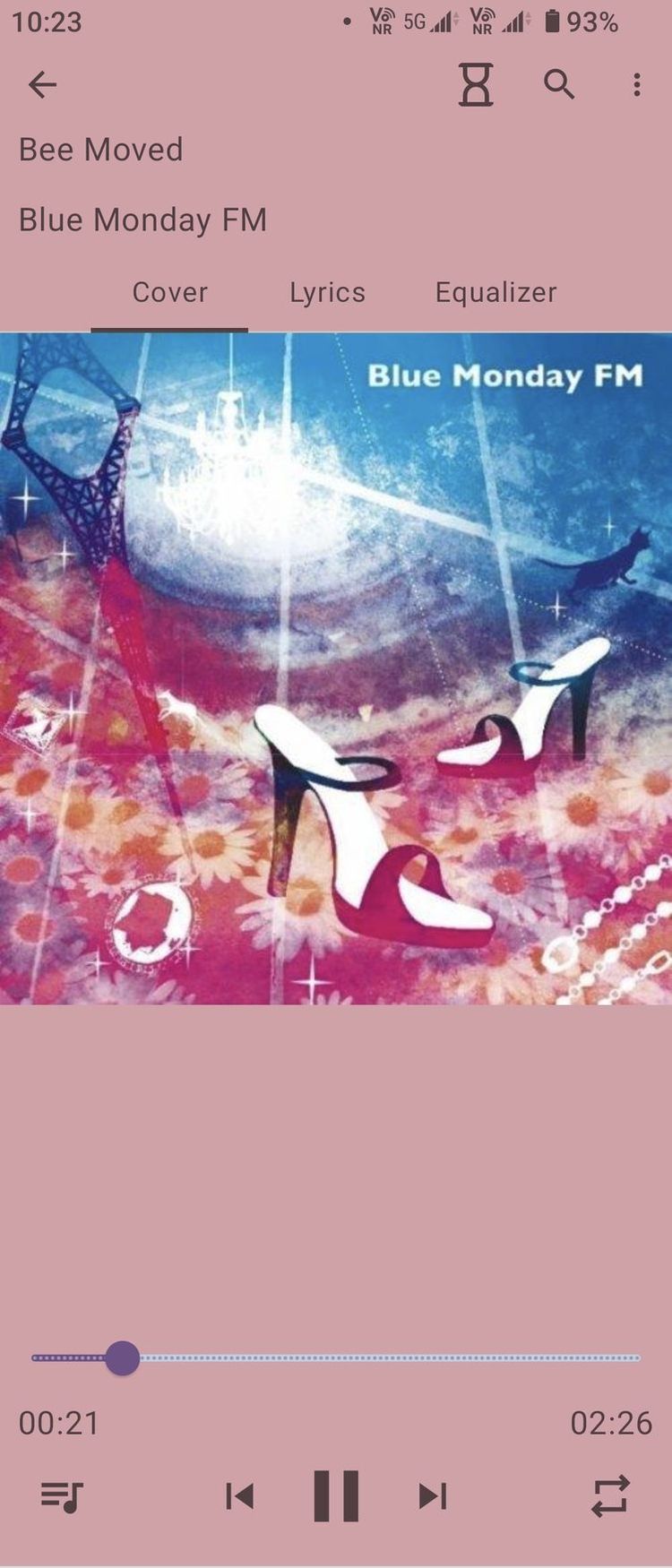
This is a local music player on the Android platform
[MonsterMusic] is open source, free. Enjoy all the features without any cost!
🔊 Advanced Equalizer: Customize your sound experience with our built-in equalizer. Fine-tune the audio to match your preferences and immerse yourself in crystal-clear, high-quality sound.
🌈 Multiple Themes: Personalize your music player with a variety of themes. Switch effortlessly between themes to match your mood or style. Your music, your way!
📜 Lyrics Support: Dive deeper into the lyrics of your favorite songs. [MonsterMusic] supports lyrics display, you can import text or lyrics files. Click the lyrics word, you can find a feature.
🔒 Privacy First: Rest easy knowing that your privacy is our top priority. No unnecessary permissions, just pure music enjoyment.
DSP Loudspeaker-Room correction filter wizard; transfer function modeling and equalization by fixed-pole parallel filters. Algorithm ported to Python by Mason A. Green, based on the work of Dr. Balazs Bank: home.mit.bme.hu/~bank/parfilt PORC now includes mixed-phase compensation.
Cavern is a fully adaptive object-based audio rendering engine and (up)mixer without limitations for home, cinema, and stage use. Audio transcoding and self-calibration libraries built on the Cavern engine are also available. This repository also features a Unity plugin and a standalone converter called Cavernize.
Cavern goes beyond fixed-channel audio systems by rendering any number of audio “objects” in three-dimensional space, tailored to the listener’s speaker arrangement or headphone output. It is also supported by a standalone conversion tool, Cavernize, which allows users to convert spatial mixes into conventional channel-based PCM formats while maintaining positional accuracy.
Key Features and Capabilities:
Object-Based Rendering Cavern supports an unrestricted number of audio objects and output channels. This allows precise spatial placement and movement of sounds in 3D space, independent of specific channel layouts.
Codec and Container Support The engine and its companion tools support a wide range of codecs and containers, including those commonly used for immersive audio delivery. Traditional formats such as WAV and common multimedia containers are also supported.
Calibration and Room Correction Cavern includes tools for self-calibration and room equalization. These can flatten frequency response, compensate for acoustic irregularities, and help unify tonal characteristics across speakers.
Headphone Virtualization Through HRTF-based processing, Cavern enables spatial rendering over stereo headphones. This simulates direction, distance, and spatial cues to reproduce the effect of multichannel speaker setups in a binaural listening environment.
Real-Time Up-Mixing Legacy stereo or multichannel content can be up-mixed into fully rendered 3D scenes. This provides an immersive experience even when the source was not originally produced as object-based audio.
Integration with Game Engines Cavern offers integration with Unity, enabling developers to incorporate real-time positional audio into games, simulations, and interactive media.
Use Cases
Home Cinema and Media Playback Cavern can render object-based audio tracks for users who do not have commercial hardware processors. It allows accurate spatial playback through both speakers and headphones.
Headphone-Focused Listening The binaural virtualization system benefits users who rely on headphones for movies, music, gaming, or general media consumption.
Game and VR Development Developers can use Cavern inside Unity to produce dynamic, spatially accurate audio scenes in interactive applications.
Archiving and Conversion Cavernize converts object-based audio into standard PCM or channel-based formats, preserving positional intent while enabling playback on conventional systems.
Speaker Optimization Its calibration tools provide a software-based approach to room correction and multi-speaker alignment without requiring dedicated hardware processors.
Limitations and Considerations
Some supporting utilities are not fully open-source and may be distributed under separate licensing terms.
Spatial rendering benefits depend on input quality; poor-quality stereo sources will not yield true immersive results.
Speaker hardware, room acoustics, and HRTF compatibility affect the perceived accuracy of spatialization.
Integrating Cavern into custom software projects requires familiarity with its API and spatial-audio concepts.
Why Cavern Matters
Cavern stands out by making advanced spatial-audio technology accessible without requiring specialized hardware or proprietary processors. By combining open-source rendering, a flexible object-based architecture, codec support, calibration tools, and developer integration, it provides a versatile platform for enthusiasts, researchers, and media creators.
For users interested in experimenting with immersive audio workflows, whether for home cinema, headphone listening, archiving, or game development, Cavern offers a free, comprehensive and adaptable approach.
A tool to create audio processing pipelines for applications such as active crossovers or room correction. It is written in Rust to benefit from the safety and elegant handling of threading that this language provides. Supported platforms: Linux, macOS, Windows.
Audio data is captured from a capture device and sent to a playback device. Alsa, PulseAudio, Jack, Wasapi and CoreAudio are currently supported for both capture and playback.
The processing pipeline consists of any number of filters and mixers. Mixers are used to route audio between channels and to change the number of channels in the stream. Filters can be both IIR and FIR. IIR filters are implemented as biquads, while FIR use convolution via FFT/IFFT. A filter can be applied to any number of channels. All processing is done in chunks of a fixed number of samples. A small number of samples gives a small in-out latency while a larger number is required for long FIR filters. The full configuration is given in a YAML file.
MonoChannel is a EQ and VU meter with basic console channel controls.
Insert MonoChannel on your audio tracks to monitor your audio signal and adjust its tonal balance. It is designed only to encourage the use of proper gain staging and audio balance workflows in digital audio. MonoChannel is NOT a distortion/saturation/console emulation plugin.