
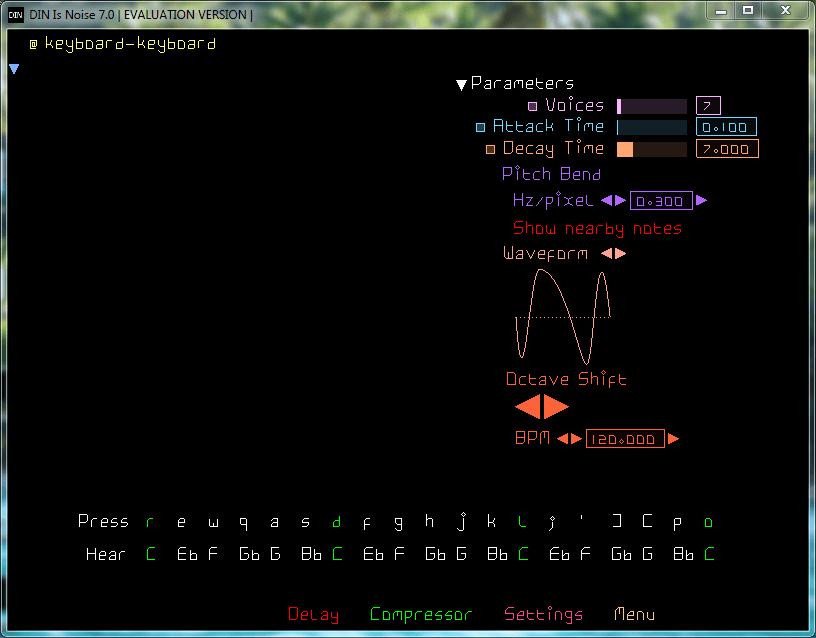
It forgets history, To not repeat it.
It doesn’t hide analog music hardware, In digital music software.
You had pulse, sine, triangle and sawtooth, And went forth and made electronic music.
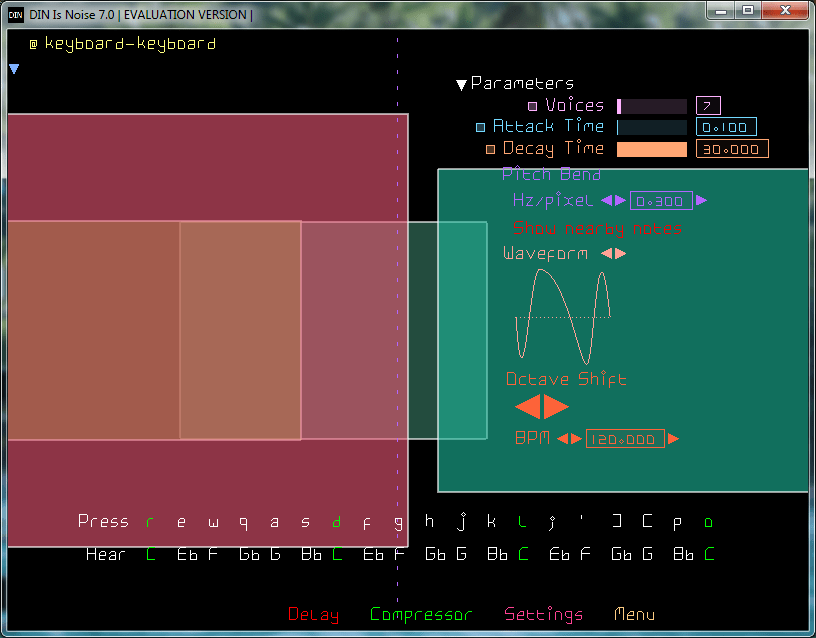
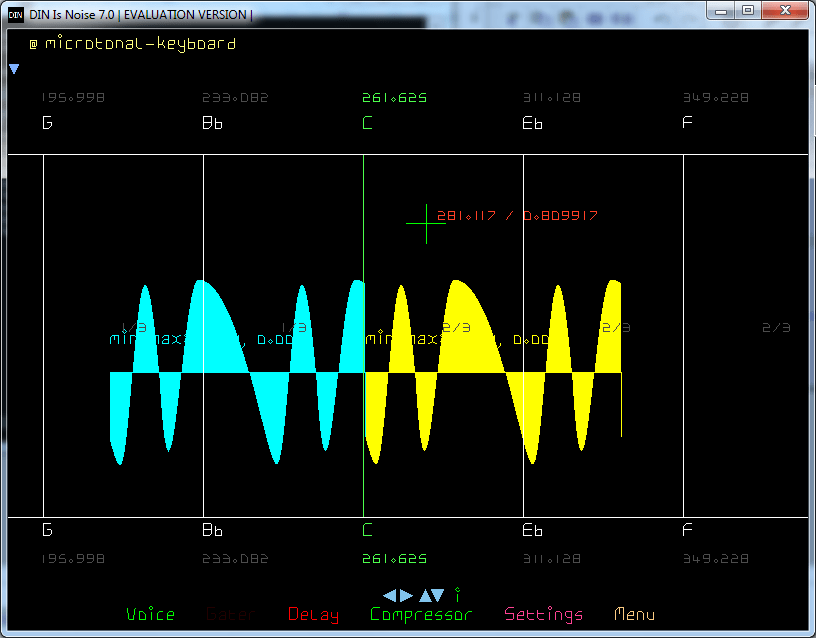
Now there is just the Bezier curve. Go make your pulse, sine, triangle and sawtooths. Or this, this, this and this.
TOPLAP Nick thinks this is nothing new, His old men did it in the 60s, Punching numbers into cards. Now you edit waveforms with a GUI, And watch the sound change before your ears.
Has it got ADSR? It’s got DADSARSADS.
Filters? No because Additive not Subtractive.
Modulation? Bezier on Carrier and Modulator. Wolf that Chowning.
Notes? Yes + Infinite microtones in between.
Input? MIDI Keyboard. Computer keyboard.
Category Archives: Audio

CueMaster ~ Cue Sheet Generator
This program allows you to find the CD on FreeDB.org and convert it straight into a cue sheet that can be used by musiCutter, CDRWIN or mp3cue. If FreeDB doesn’t have track data for the CD, you can try the unique MP3 scanning feature. It will automatically search through a large MP3 file to find split-points and uses them to recreate a new cue sheet. If possible, it can even extract cue sheets embedded in ID3v2 tags.
You can save the cue sheet to a .cue file or a .xmcd file. You can use musiCutter to split the mp3 file into multiple parts using the .cue file, or Brrrn to burn a CD with correct track-markers. CueMaster can also export the tracklist to a .xml, .html, .csv or .text file. And it can write the cue sheet to an ID3v2-tag inside an mp3 file’s (like mp3cue does).
But it has more: you can use it as a full-featured cue sheet editor. Create a new cue sheet from scratch by adding tracks. Cut, copy, paste, delete and move tracks and edit the titles and durations.

Share this:

AudioRanger ~ Automated Tagging & Organizer
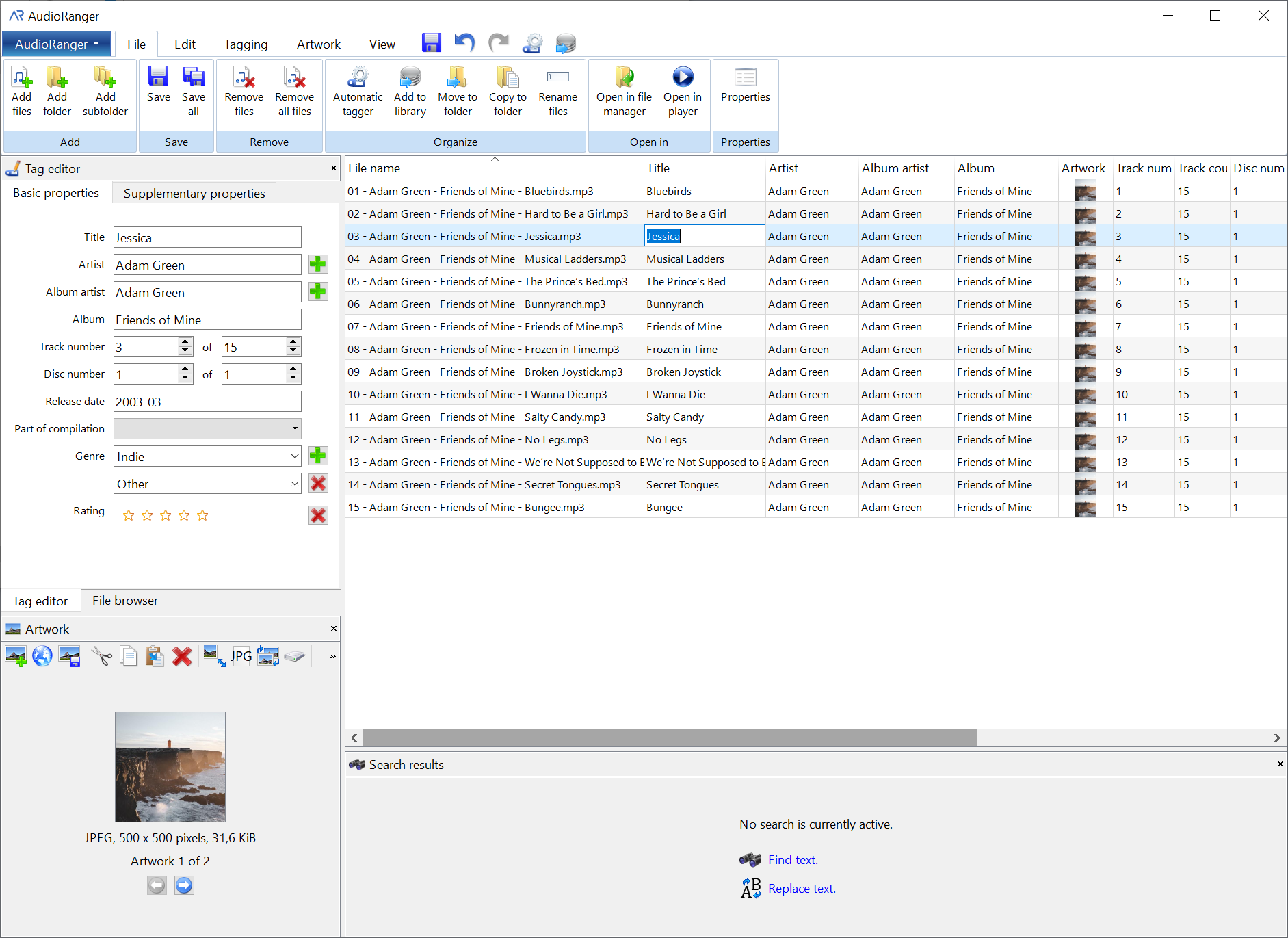
AudioRanger is a powerful and versatile music tagger designed to automatically identify and organize your digital music collection. Runs on Windows and Mac. Feature-rich free version available. (Has limits)
musicbrainz.org/doc/AudioRanger
wiki.musicbrainz.org/AudioRanger
Share this:

Hysolid ~ High Resolution Audio Player
When we developed HYSOLID, we were strongly aware that just as audio equipment is different from general industrial products, playback software is also a part of the “Audio” for which a special quality is required. By thinking that the special quality required for the playback software is “to aim a low-noise playback by reducing the load on the PC as low as possible,” we made this thought as the development concept of HYSOLID. HYSOLID has been developed by pursuing this simple concept from the design of the entire software structure to the detailed data manipulation. Please enjoy the difference of the sound by low load by all means.
Method for realizing low system load
Enabling playback by turning ON the PC -> Largely avoids the PC load generated from other software HYSOLID was designed so that you can use it by turning ON the PC in order to avoid the influence of other software as much as possible. You need not sign in to Windows unlike other general software.Since many of Windows programs in both OS and applications operate starting from the Windows sign-in, we have considered this design is particularly important for the PC audio.
Operation is made by smartphone apps -> Avoids the PC load by the user interface
HYSOLID has been enabled to operate with smartphone apps. We have reduced the PC load generated from the user interface (screen display and screen operation) on the PC like other software.
Our own linkage method -> Reduces the PC load of data communication
For the linkage between the smartphone apps and the Windows software, we have adopted the original bi-directional protocol that is designed to reduce the PC load at top priority by avoiding the general scheme or protocols such as DLNA and HTTP. Furthermore, the communication data itself has also been designed to be compact.
For the data format of the communication data, we have adopted UTF-16 for characters and little endian for numerical values so that the software on the Windows can handle them at the lowest load
Precisely implemented playback core -> Reduces the PC load of playback logic
In order to minimize the PC load of playback, the logic portion from reading sound source data from a file up to delivering it to the DAC of the driver becomes important.
We call this logic portion as “playback core,” and have implemented it particularly precisely.
When implementing the playback core, we dare to postpone the elements such as securing the readability that is emphasized in the general software development and reducing the implementation scale to prioritize to minimize the load that the playback core gives on the PC.
Cancelling the read cache by the OS -> Reduces the PC load of data read
In reading the sound source data, HYSOLID has adopted a system to directly read the memory of the playback software without using the read buffer by the OS. This produces an effect to reduce the PC load when reading the sound source data.
* The target functions will be applied to the WAV and DSD playback using a local storage
Share this:

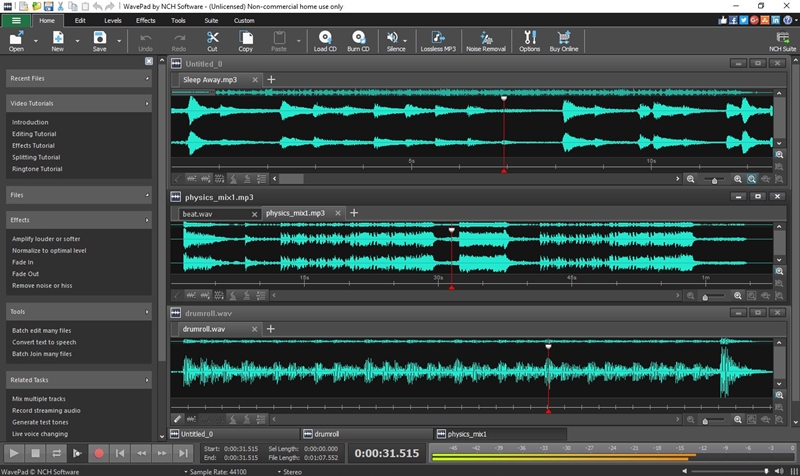
WavePad ~ Digital Audio Workstation
Get it Free. This free audio editor is available for non-commercial use only. WavePad free audio editing software does not expire and includes many of the features of the master’s version. If you are using it at home, you can download the free music editing software here. You can always upgrade to the master’s edition at a later time, which has additional effects and features for the serious sound engineer. No signup required.
Share this:

foo_dop ~ Foobar2000 iPod Manager
iPod manager allows you to transfer music to Apple iPods from foobar2000.
Features include:
- artwork support
- ReplayGain to SoundCheck conversion
- gapless playback support
- automatic conversion of unsupported audio formats
- smart playlist creation
yuo.be/ipod-manager
github.com/reupen/ipod_manager
hydrogenaud.io/index.php/topic,45160.0
Share this:

ExoPlayer ~ Extensible Android Media Player
ExoPlayer is an application level media player for Android. It provides an alternative to Android’s MediaPlayer API for playing audio and video both locally and over the Internet. ExoPlayer supports features not currently supported by Android’s MediaPlayer API, including DASH and SmoothStreaming adaptive playbacks. Unlike the MediaPlayer API, ExoPlayer is easy to customize and extend, and can be updated through Play Store application updates. ExoPlayer modules can be obtained from JCenter. It’s also possible to clone the repository and depend on the modules locally. The easiest way to get started using ExoPlayer is to add it as a gradle dependency. You need to make sure you have the Google and JCenter repositories included in the build.gradle file in the root of your project. n addition to library modules, ExoPlayer has multiple extension modules that depend on external libraries to provide additional functionality. Some extensions are available from JCenter.
Features:
- Provides an alternative to Android’s MediaPlayer API
- Plays audio and video both locally and over the Internet
- DASH and SmoothStreaming adaptive playbacks
- Easy to customize and extend, and can be updated through Play Store application updates
- ExoPlayer modules can be obtained from JCenter
- Clone the repository and depend on the modules locally
Share this:

MicMute ~ Windows Microphone Level Utility
MicMute is a small program that will enable you to easily manage the level of a connected microphone. The application also supports push-to-talk thanks to the built-in ‘Transmitter Mode’. While it runs minimized in the system tray, MicMute can be controlled through keyboard shortcuts you choose. The software uses tray notification balloons and it also has a sound signal option you can activate.
sourceforge.net/projects/micmute
Share this:

Accessible Peak Meter ~ Realtime Sonification
Accessible Peak Meter uses real-time sonification to deliver information to the user about audio levels and peaks in audio signals, and so supports core activities in audio production. Accessible Peak Meter 3 is an extended development of Accessible Peak Meter. It adds more meter modes (RMS, EBU, VU/PPM, Truepeak, Dialnorm and Dynamic Range).
Accessible Peak Meter was developed in 2014/2015 at Queen Mary University of London as part of the Design Patterns for Inclusive Collaboration research project ( depic.eecs.qmul.ac.uk ).
More information about Accessible Peak Meter can be found at depic.eecs.qmul.ac.uk/apm
USAGE
The plug-in comes with the following tweakable parameters:
- Sonification Type: to switch between continuous mode , clipping mode and clip tone mode. “Clip tone” sonficates as soon level is above threshold .
- Dry: controls the level of the input audio, namely the audio content you want to analyze;
- Wet: controls the level of the sonification;
- Tone: controls height of the sonification tone in clip tone mode;
- Threshold: sets the threshold for the clipping mode, it has no effect on the continous mode
- Decay: this only affects the continuous mode sonification. The value ranges from 1 second down to 0.05 seconds. This is the time the meter would take to decay from 0 db to -inf after an impulse. These numbers don’t give a real feeling of how the sonification will sound – it is easier to think that when set to 0.05 the sonification will stop pretty immediately when you stop the audio; whereas if the value is set to 1, it will take longer to decay. In general, though, the latter sounds cleaner and normally the audio level doesn’t go all the way down to silence, as during the decay it encounters other peaks that bring it back up. So it’s up to you to find the right trade off.
- DAW sync: if set to “on”, meter reset is synced with DAW start playing. Only applicable for program loudness modes like RMS/EBU/DialNorm IL and PLR
- Meter Mode: sets the meter modes. Please to note that all meter modes are calibrated to 0 dBFS, 0 dBTP, 0 LUFS, 0LKFS, 0 VUFS and 0 PPMFS
The AccessiblePeakMeter3 provides access to the parameters by exposing them to inspectors – such as ReaAccess plug-in or the Cakewalk Sonar inspector – in a clear and well formatted way.

www.tbproaudio.de/products/accessiblemeters
Share this:

Audio Joiner ~ Online Song Merge Utility
With the song merger you can make your own song mix within a few minutes. The best thing is that it does not require any special skills because its interface is so easy-to-use.
The Online Audio Combiner lets you convert your music file to a desired format and use crossfade between your merged songs.
Share this:

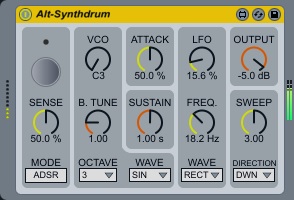
ALT-Synthdrum ~ Monophonic Drum Synthesizer
Yet another simple monophonic drum synth. Yes, inspired by 1970’s drum synths.
Features:
- Punchy pseudo attack sound. (“ATTACK” dial is for volume, not attack rate)
- Dynamic LFO and SWEEP generator.
- Rectangle wave is made of simulated RC circuits. Also has additional saw wave for VCO and LFO.
h1data.github.io/m4l
maxforlive.com/library/device/5278/alt-synthdrum
www.ableton.com/trial
maxforlive.com/library
Share this:

GSatPlus ~ Freeware Saturation Plugin
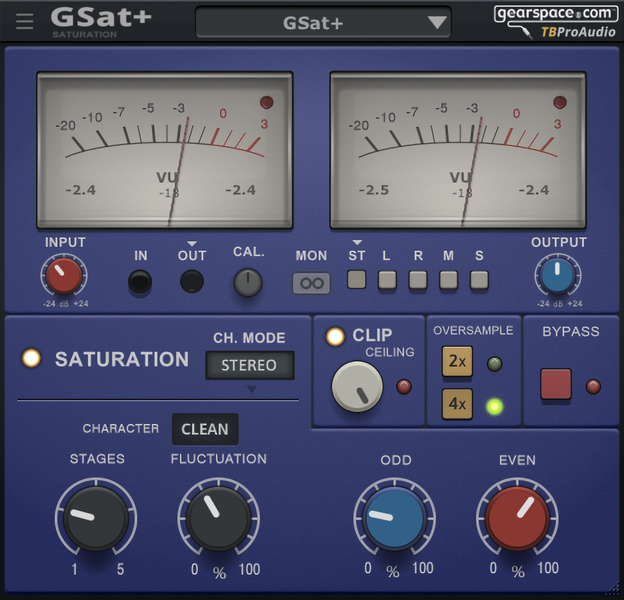
GSat+ is derived from the saturation module on the TBProAudio CS5501V2 channel strip plug-in, but adds extra features requested and suggested by the Gearspace.com team. It has several different saturation modes, high tweakability, oversampling, old-school VU meters and cross-platform software compatibility – as well as a button to take you directly to Gearspace.com in case you need any tips, tricks or inspiration or want to swap presets with other users.
Features:
- Saturation with three different “tube-based” character modes
- Clip protection
- VU meters
- Signal monitoring
- Over sampling
- Plug-in bypass
- Preset management
- Large and easy to use freely-scalable GUI
- 64-bit internal processing
- Very efficient CPU usage design
www.tbproaudio.de/products/gsatplus

 The Audio File