
foobar has a diagnostic console that displays confirmations, events and error messages. The console can be accessed via the View > Console submenu or a panel or tab can be assigned to it.
Steps to add a Console Display panel or tab
- Create a new area with a splitter or add a new Tab and select it.
- Right-click the blank area or new tab area and choose Add New UI Element.
- Navigate down to the Utility section and select Console and click Ok.
- For tabs, right-click the tab header and choose Rename Tab. Provide a descriptive name like “Console” or “Diagnostics”.
- Toggle Layout Editing Mode off.

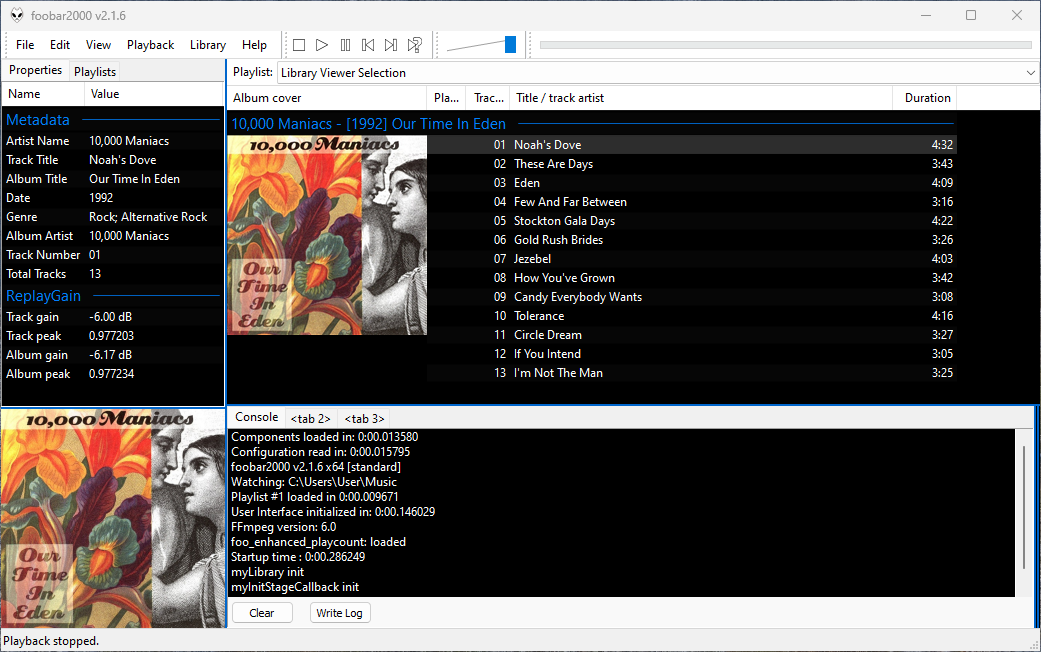
The console display can be toggled to read from the left or the right sides.
Note for Columns User Interface (CUI) Users
If you are using the Columns User Interface (CUI), you will need the foo_ui_console component:
- Download it from www.foobar2000.org/components/view/foo_uie_console
References:
github.com/reupen/console_panel
wiki.hydrogenaud.io/index.php?title=Foobar2000:Components/Console_(foo_uie_console)


Pingback: Foobar2000 ~ DUI – Containers – Tabs | The Audio File