These are Equalizer (EQ) presets for use with the foobar2000 desktop media player for Windows. They appear to be old Winamp presets, I’m sure they’d work there as well.
Tom’s Audio Processing plugins is a selection of LADSPA plugins for audio engineering on the Linux platform. Intended for use in a professional DAW environment such as Ardour, it includes high quality reverberation, echo, eq, limiter & more.
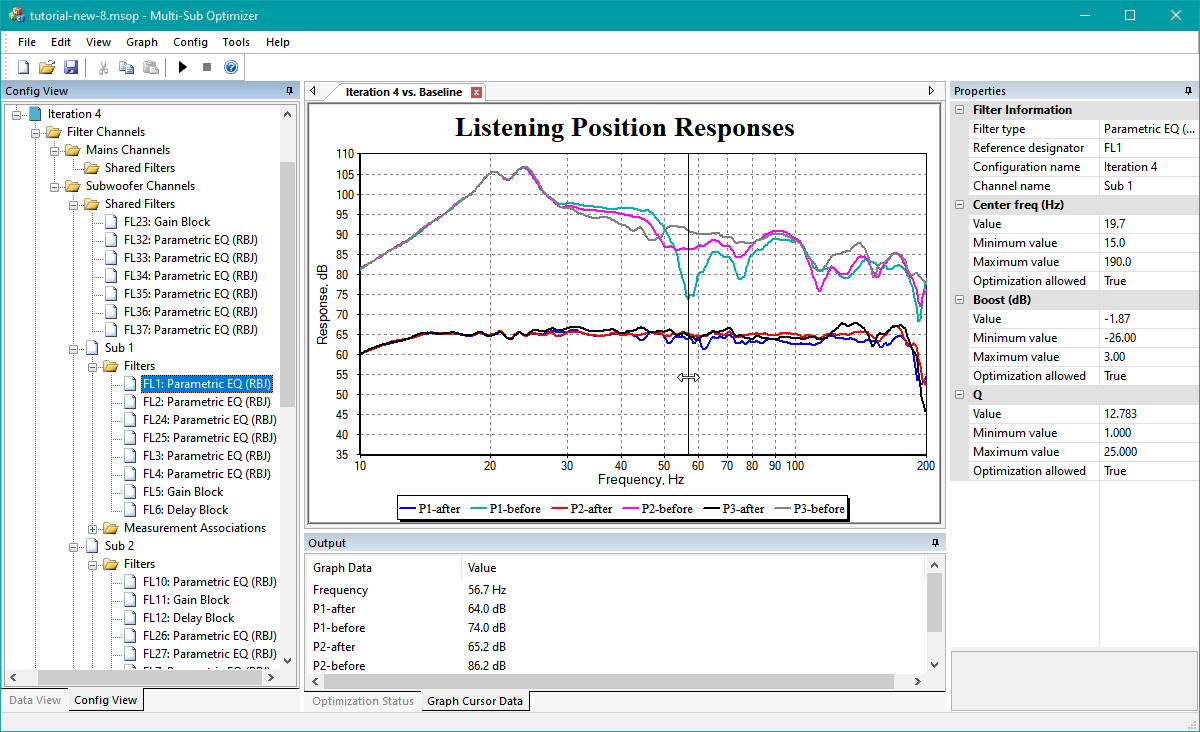
Multi-Sub Optimizer (MSO) is a free Windows-based software program for optimizing the bass response of audio and AV systems having multiple subwoofers. It minimizes the seat-to-seat frequency response variation in the bass region while simultaneously optimizing the response flatness at the main listening position. You can choose to have MSO perform this optimization on just the subs, or to include the main speakers in the optimization. In the latter case, it automates the process of integrating the subs with the main speakers, including delay / distance settings and EQ in the crossover region.
Although it’s possible to use it for identical equalization (EQ) of all subs at once, it does not depend on a global EQ approach like commercial room correction systems do. Such systems cannot reduce the seat-to-seat variation of the bass response. Instead, MSO performs optimization of EQ, gain and delay parameters individually for each subwoofer. This individual EQ optimization for each sub causes the variation of the bass response from seat to seat to be reduced, and the bass response at each listening position to be flattened.
MSO can be used to perform tasks that include:
Optimizing subwoofer integration with main speakers through delay, gain and EQ adjustments
Reducing seat-to-seat frequency response variation of the combined sub outputs through optimized EQ of each sub individually
Achieving optimum subwoofer integration via individual sub delay adjustments
Improving response flatness of the combined sub outputs at all listening positions
Creating, specifying and achieving your desired target frequency response curve to shape the bass response to your preference
Plotting your data in a variety of ways
Obtaining filter parameters as text files containing biquad coefficients for import into miniDSP EQ hardware, or for manual data entry into hardware that doesn’t support filter file import.
AudioMass lets you record, or use your existing audio tracks, and modify them by trimming, cutting, pasting or applying a plethora of effects, from compression and paragraphic equalizers to reverb, delay and distortion effects. AudioMass also supports more than 20 hotkeys combinations and a dynamic responsive interface to ensure ease of use and that your productivity remains high. it is written solely in plain old-school javascript, weights approximately 65kb and has no backend or framework dependencies.
Loading Audio, navigating the waveform, zoom and pan
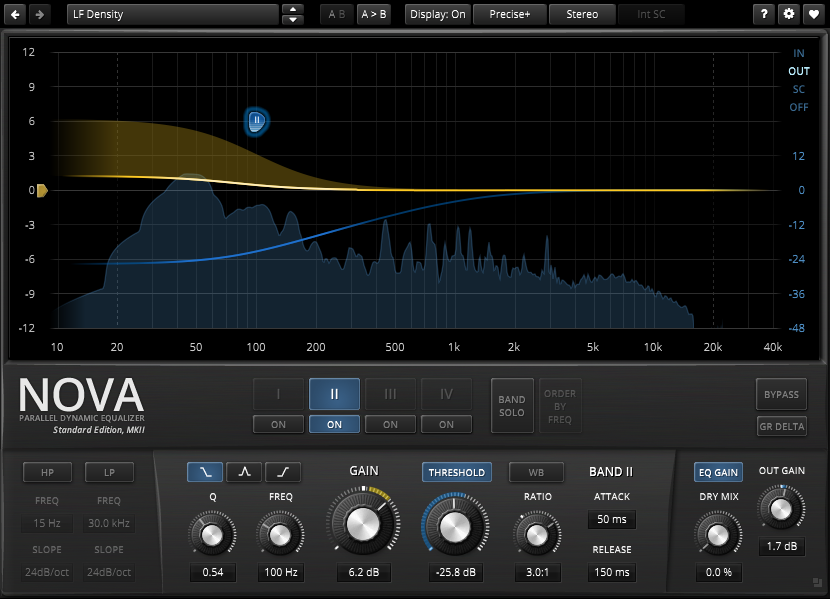
NOVA is a parallel dynamic equalizer. Appearing in the familiar layout of a parametric equalizer, each band also includes a full featured dynamics section allowing the processor to cover an impressively wide range of applications. Be it a master lacking density, the drum bus asking for more crispiness, or a sibilance problem in your perfect take: NOVA has an elegant answer.
A user friendly WYSIWYG drag and drop display paired with a classic “knob” interface gives quick and smooth access to the various parameters driving NOVA’s powerful processing capabilities. With its four dynamic EQ bands and additional high-pass and low-pass filter sections, NOVA can meet the most exotic demand. Intuitive equal loudness functions help finding the optimal setting without getting distracted by loudness differences.
In practice, the processor covers a whole bucket of tasks:
Parametric equalization
Dynamic equalization
Frequency selective compression
Multi-band compression
Wideband compression
Of course NOVA features all helpers and workflow enhancements you’ve come to expect in a TDR plugin: A preset manager, undo/redo, A/B, detailed documentation, copy & paste, and much more.
You have the need for professional and state-of-the-art audio plug-ins – but don’t have thousands of bucks to spend on it? Then we believe you will love Calf Studio Gear! Focused on high-quality sound processing and a highly usable interface Calf Studio Gear is designed to give you a professional production environment for your open source operating system. Play your SF2 sample banks, create filthy organs, fatten your sounds with phasers, delays, reverbs and other FX, process your recordings with gates, compressors, deesser and finally master your stuff with multiband dynamics – for free! Calf Studio Gear is available exclusively for LINUX-based operating systems and runs as a stand-alone effect rack connectable through Jack sound server or as plug-ins in every audio host that is able to fire up LV2 compliant devices, e.g. the highly recommended Ardour Audio Workstation
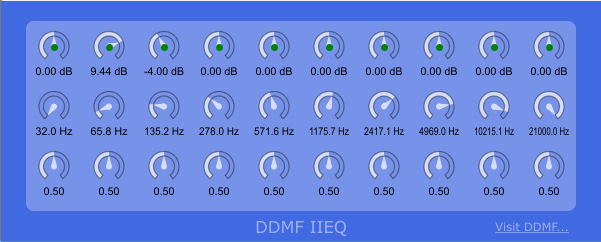
The IIEQ is a free, fully parametric 10-band equalizer with its own, characteristic sound and low CPU consumption. The 1st and the 10th band are low and high shelf filters, respectively; all other bands are peak filters. Individual bands can be switched on and off (click on the small green buttons!). It is available for Windows (32/64 bit) and Mac (32 bit). Alternative GUIs are available for Windows 32bit only.
Sick and tired of huge GUIs taking up all screen space? Want an EQ that easily fits in your pocket but sounds just like the big guys? Then it’s time to meet SmallEQ! The world’s smallest 10-band EQ, sporting eight fully parametric bands plus one low- and one high-shelf filter on exactly 9135 square pixels. Controls from left to right: band choice, gain, frequency, width and overall gain.
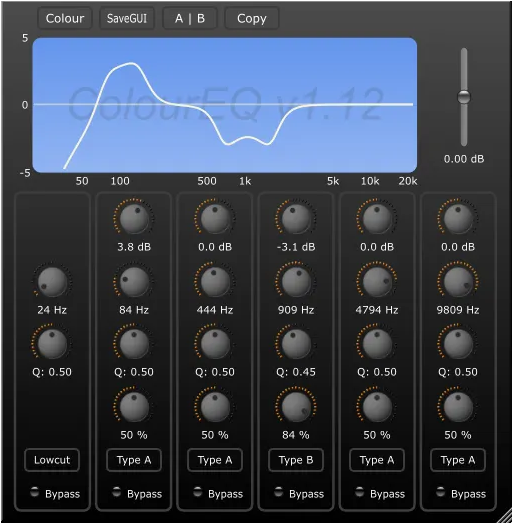
Not just another EQ: with its custom-made 4th order IIR filter, ColourEQ sounds unlike any other EQ you have ever come across. It comes with five bands of ”super parametric” peaking filters, which means that there is one more parameter in addition to the traditional gain/width/frequency set that can influence the curve shape. These shapes cannot be reproduced by ordinary IIR equalizers. Further features include: adjustable GUI colours, freely resizable window size, internal 64 bit processing and low CPU usage. Available in Windows VST (32/64 bit), Windows/Mac RTAS and Mac VST/AU format (Intel, OSX 10.5 and higher).
LFX-1310 is a free plug-in multi-effector including 24 types of algorithm and 3 serial slots. This freeware is the stand-alone version of Effecting Module of Ravity-S & Ravity-R. Every algorithm realizes the very effect you have on your mind, and is fully optimized for low CPU load.
Including 24 Effectors:
S’Filter 12 / S’Filter 24 / 3-band EQ
Peak Compressor / RMS Compressor
Overdrive / Distortion / Amp Distortion
Crusher / LP Noise / Stereo Image
Chorus / Flanger / Phaser / Auto Wah / Tremolo / Auto Pan
Delay / Stereo Delay / Ping-pong Delay
Gate Reverb / Room Reverb / Hall Reverb / Spring Reverb













 The Audio File