Brasero is a GNOME application to burn CD/DVD, designed to be as simple as possible. It has some unique features to enable users to create their discs easily and quickly.
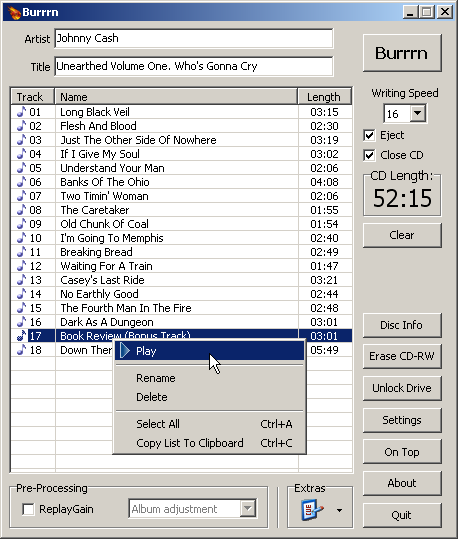
Burrrn is a little tool for creating audio CDs with CD-Text from various audio files. Supported formats are: wav, mp3, mpc, ogg, aac, mp4, ape, flac, ofr, wv, tta, m3u, pls and fpl playlists and cue sheets. You can also burn EAC’s noncompliant image + cue sheets! Burrrn can read all types of tags from all these formats (including ape tags in mp3). Burrrn uses cdrdao.exe for burning.
Cdrdao records audio or data CD-Rs in disk-at-once (DAO) mode based on a textual description of the CD contents.
Advantages of Disk-At-Once (DAO) Recording:
Recording in disk-at-once mode writes the complete disc, i.e. lead-in, one or more tracks and lead-out, in a single step. The commonly used track-at-once (TAO) mode writes each track independently which requires link blocks between two tracks. Older CD-recorder models forced a two second pause (pre-gap) between two tracks whereas newer models allow adjusting of the pause length in TAO mode reducing the number of link blocks to a minimal amount. However, with TAO it is generally not possible to define the data that is written in pre-gaps. But exactly this feature makes audio CD recording interesting, e.g. by creating hidden bonus tracks or track intros in pre-gaps like it is common habit on commercial CDs. Finally, DAO recording is the only way to write data to the unused R-W sub-channels for e.g. CD-G or CD-TEXT.
Features:
Full control over length and contents of pre-gaps (pause areas between tracks). Pre-gaps may be completely omitted, e.g. for dividing live recordings into tracks.
Control over sub-channel data like:
catalog number
copy, pre-emphasis, 2-/4-channel flags
ISRC code
index marks
Support for exact audio, data and mixed mode CD copying.
Support for R-W sub-channel writing.
Tracks may be composed of different audio files supporting non destructive cut.
Accepts WAVE and raw audio files.
CD-TEXT reading and writing with drives that support it.
CDBurnerXP is a free application to burn CDs and DVDs, including Blu-Ray and HD-DVDs. It also includes the feature to burn and create ISOs, as well as a multi language interface. Everyone, even companies, can use it for free.
burn all kinds of discs
audio-CDs with or without gaps between tracks
burn and create ISO files
data verification after burning process
create bootable discs
multi-language interface
bin/nrg → ISO converter, simple cover printing and much more!
Operating Systems: Windows 2000/XP/2003 Server/Vista/2008/Win7/Win8/Win10 (x86 / x64)






 The Audio File