Foobar2000 & Lyrics Display Components


Lyrics Display Components for foobar2000

foobar2000 displays lyrics through third-party components. Over the years, many different lyrics panels have been developed, but only some are still relevant. This post outlines the main lyrics display components, explains their current status, and identifies which ones are actively maintained and most commonly used.


OpenLyrics (foo_openlyrics)

Status: Actively maintained
Current relevance: Most recommended and most actively developed lyrics component

OpenLyrics is the most modern and fully featured lyrics display component available for foobar2000. It provides an embeddable lyrics panel that works with both Default UI and Columns UI and supports downloading, displaying, editing, and saving lyrics locally.

Key features include support for both timed and untimed lyrics, multiple online lyrics sources, automatic saving of lyrics to files, and a built-in lyrics editor. Lyrics can be scrolled, synchronized, and reused across future playback sessions once saved.

OpenLyrics is currently the most actively developed lyrics component for foobar2000, with regular updates and ongoing maintenance. As of early 2025, it remains the most reliable option in terms of source availability, stability, and long-term usability.

www.foobar2000.org/components/view/foo_openlyrics


Lyric Show Panel 3 (foo_uie_lyrics3)

Status: Maintained, but less actively
Current relevance: Widely used, especially in older layouts and themes

Lyric Show Panel 3 is one of the longest-standing lyrics display components for foobar2000. It provides a configurable lyrics panel that supports both timed and untimed lyrics and can download lyrics from multiple sources.

It works with both Default UI and Columns UI and is still included in many legacy layouts and skins. However, development activity has slowed compared to OpenLyrics, and some built-in lyrics sources have historically required additional configuration or external source scripts to remain functional.

While still usable and supported, Lyric Show Panel 3 has largely been superseded by OpenLyrics in modern setups, particularly for users who want reliable automatic lyrics retrieval and active development.

www.foobar2000.org/components/view/foo_uie_lyrics3


ESLyric (foo_uie_eslyric)

Status: Partially maintained by the community
Current relevance: Niche and script-dependent

ESLyric is another lyrics display panel component that relies heavily on user-configured search scripts to retrieve lyrics from online sources. It is more flexible than older components but requires significantly more manual setup.

Its functionality depends on third-party scripts, and long-term reliability varies depending on script maintenance. As a result, ESLyric is not commonly recommended for general users and is primarily used by advanced users who are comfortable maintaining their own lyrics source scripts.

http://www.foobar2000.org/components/view/foo_uie_eslyric


foo_lddc

A desktop lyrics plugin for foobar2000 that acts as a client for the LDDC main program (requires LDDC to be used together).

github.com/chenmozhijin/foo_lddc


Older and Deprecated Lyrics Components

Several older lyrics-related components exist but are no longer recommended due to lack of maintenance or compatibility issues with modern foobar2000 versions. These include:

  • foo_uie_lyrics (predecessor to Lyric Show Panel 3)
  • foo_gasazip
  • MiniLyrics viewer components

These components are either unmaintained, unreliable, or incompatible with current versions of foobar2000 and should generally be avoided.


Which Lyrics Component Is Most Used Today?

In current foobar2000 installations:

  • OpenLyrics is the most recommended and actively maintained lyrics display component.
  • Lyric Show Panel 3 remains widely installed, particularly in older configurations and existing layouts, but sees less active development.
  • ESLyric is used by a smaller, more technical audience and is not considered mainstream.

For new installations or users rebuilding their layouts, OpenLyrics is the clear choice for long-term reliability and functionality.

References:

old.reddit.com/r/foobar2000/comments/l0t88d/how_i_scrape_lyrics_with_foobar2000/gjvseft/

JSIDPlay2 ~ Java SID Player


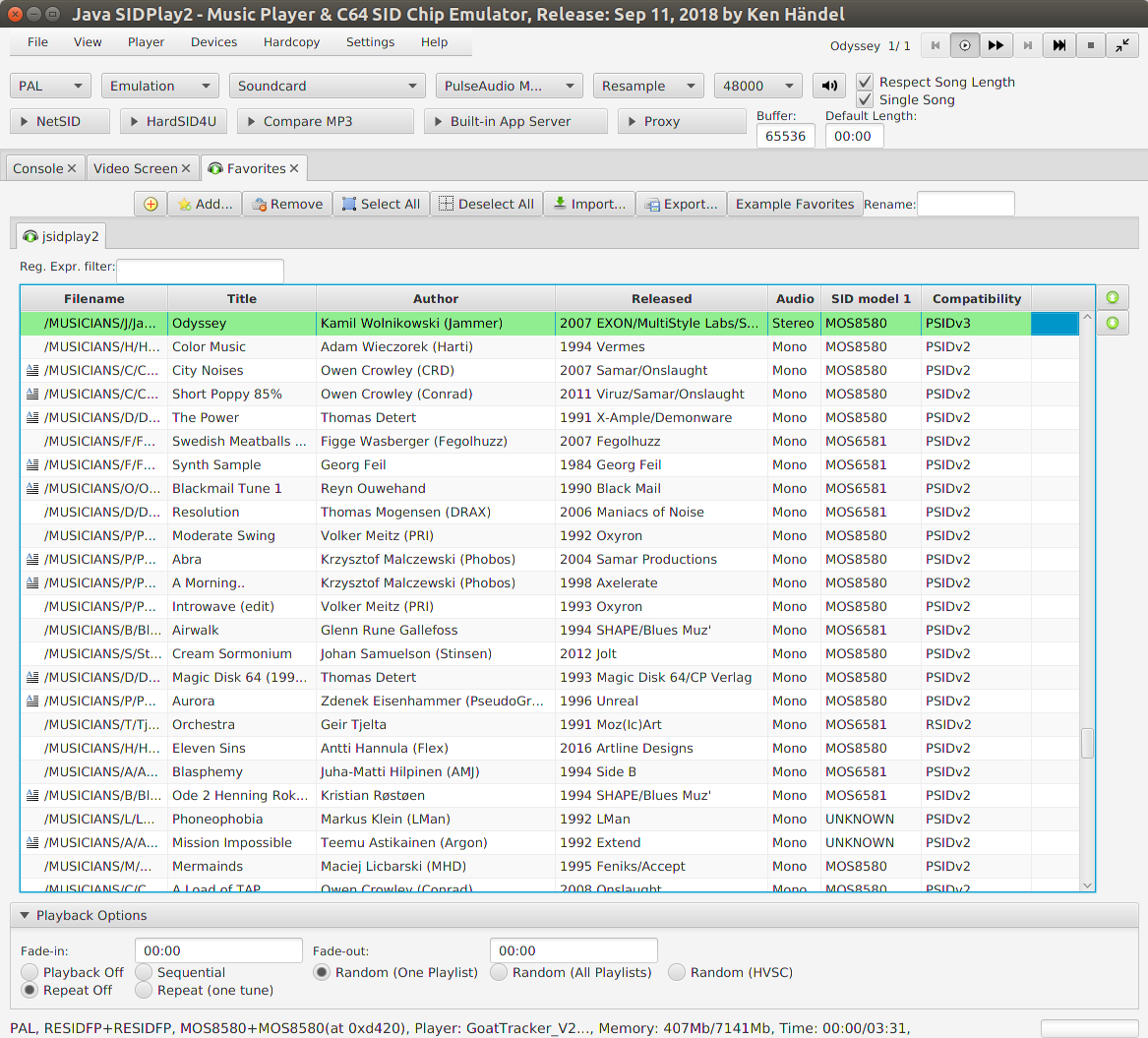
This is a multi-platform Commodore 64 emulator specialized for sound reproduction. It is also a SID player for music collections like HVSC and CGSC. It is a full C64 emulator and can play games of the GameBase64 project as well.

jsidplay2

haendel.ddns.net/~ken
sourceforge.net/projects/jsidplay2
Java SIDPlay2 Online

DrumTrack ~ Windows Drum Machine


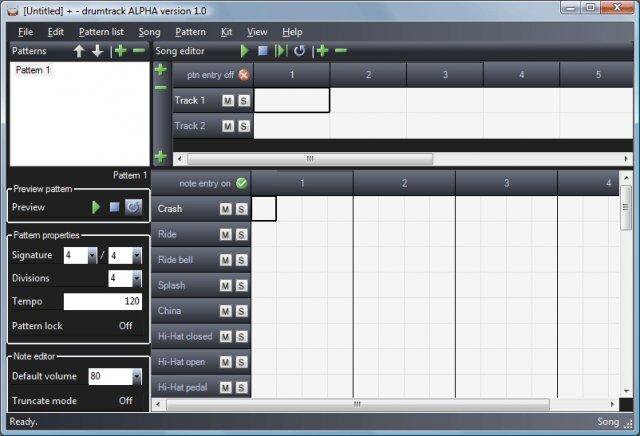
An open source software drum machine for Windows that allows the editing, playback, and mixdown of complete drum scores using audio samples in a variety of formats (WAV, OGG, MP3, AIFF, FLAC, MP2, WMA). Mixdown to WAV audio supported.

DrumTrack

sourceforge.net/projects/drumtrack

KOMPLETE START ~ Audio Production Suite


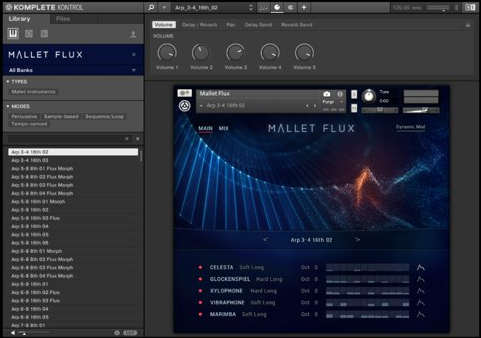
Step into music production with KOMPLETE START – a curated selection of studio-quality instruments, effects, utilities, loops, and samples for the low price of nothing at all. Play over 2,000 customizable sounds – drums and percussion, bass, acoustic instruments, synths, pads and atmospheres, effects, and more. And did we mention it’s free?

komplete-kontrol

www.native-instruments.com/en/products/komplete/bundles/komplete-start/

Advanced Volume Control ~ Windows 10 Remote Via Android


Connect your smartphone via this program and control the volume of all your applications with your Android device.

Features:

  • Advanced Windows 10 volume control
  • Control the volume from your smartphone

sourceforge.net/projects/windows10volumecontrol
play.google.com/store/apps/details?id=com.m1smr.avc

Crystal Mixer ~ ASIO Driver / OpenAL Output


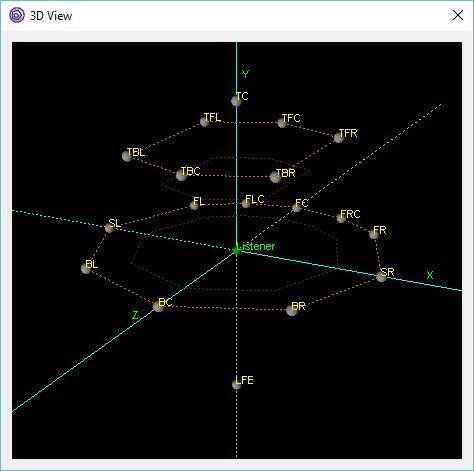
Crystal Mixer is based on the OpenAL engine surround sound mixer. It supports up to 8 direct output and input channels and up to 18 output channels through a 3D mixer. It works through the ASIO Driver API for versatility. It’s possible to use up to 15 customizable auxiliary effects. It is also possible to enable hardware acceleration with some sound cards.

Features:

  • Multichannel surround sound support
  • Up to 8 native input and output channels
  • Up to 18 output channels mixing in 3D space
  • Auxiliary EFX and EAX20 effects
  • Reverb, Echo, Chorus, Flanger and others effects
  • Sound rotation and position changing
  • Source positions visual control with 3D view (OpenGL required)
  • Hardware Acceleration with native OpenAL driver
  • 3D movement effects

crystal mixer 3d

crystal-mixer.sourceforge.net
sourceforge.net/projects/crystal-mixer

EasyQ ~ Easy To Use Equalizer


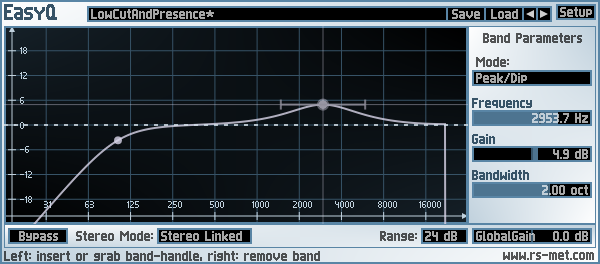
EasyQ is an easy-to-use equalizer with an arbitrary number of filter stages in series connection. Each of the filter stages can operate in one of the following modes: peak/cut (aka bell or parametric EQ), high- or low-shelving, notch and low- or highpass (both with either 6 or 12 dB/oct slope). EasyQ is also easy on the CPU and just does what an EQ is supposed to do without performing any additional voodoo. As such, it is well suited to serve as a go-to EQ for the routine equalizing tasks.

Key Features:

  • unlimited number of filter stages (“bands”)
  • each stage can be one of the following characteristics: bell, low-/high-shelf, low-/highpass (6 or 12 dB/oct), notch
  • clean equalization – no additional colorations
  • low CPU usage
  • +-48 dB gain range
  • stereo modes: linked, left/right, mid/side and mono
  • minimum phase response
EasyQ

www.rs-met.com/freebies

mktoc ~ Generate cdrdao TOC Files


Mktoc simplifies the steps needed to create audio CD TOC files for the cdrdao CD burning program. For users familiar with EAC or CdrWin, TOC files are synonymous with CUE sheets. The primary goal of mktoc is to create TOC files using a previously generated CUE sheet.

Features:

  • Create a TOC file from a list of WAV files.
  • Convert an ExactAudioCopy (EAC) CUE file to the TOC format that is usable by cdrdao.
  • Multi-session aware CUE parsing, necessary for making CDDB and AccurateRip matchable discs.
  • Non-compliant CUE sheet support.
  • Support for various pregap methods.
  • Can create offset corrected WAV files for true ‘bit-for-bit’ accurate copies.
  • Fuzzy file name logic can correct common file name spelling variations.
  • Workaround known TOC file parsing bugs in cdrdao.

pypi.org/project/mktoc
pythonhosted.org/mktoc

Cdrdao ~ Disk-At-Once Recording


Cdrdao records audio or data CD-Rs in disk-at-once (DAO) mode based on a textual description of the CD contents.

Advantages of Disk-At-Once (DAO) Recording:

Recording in disk-at-once mode writes the complete disc, i.e. lead-in, one or more tracks and lead-out, in a single step. The commonly used track-at-once (TAO) mode writes each track independently which requires link blocks between two tracks. Older CD-recorder models forced a two second pause (pre-gap) between two tracks whereas newer models allow adjusting of the pause length in TAO mode reducing the number of link blocks to a minimal amount. However, with TAO it is generally not possible to define the data that is written in pre-gaps. But exactly this feature makes audio CD recording interesting, e.g. by creating hidden bonus tracks or track intros in pre-gaps like it is common habit on commercial CDs. Finally, DAO recording is the only way to write data to the unused R-W sub-channels for e.g.  CD-G or CD-TEXT.

Features:

  • Full control over length and contents of pre-gaps (pause areas between tracks). Pre-gaps may be completely omitted, e.g. for dividing live recordings into tracks.
  • Control over sub-channel data like:
    • catalog number
    • copy, pre-emphasis, 2-/4-channel flags
    • ISRC code
    • index marks
  • Support for exact audio, data and mixed mode CD copying.
  • Support for R-W sub-channel writing.
  • Tracks may be composed of different audio files supporting non destructive cut.
  • Accepts WAVE and raw audio files.
  • CD-TEXT reading and writing with drives that support it.
  • CDDB access to automatically create CD-TEXT data.
  • Support for on-the-fly copying.

cdrdao.sourceforge.net
github.com/cdrdao
wiki.hydrogenaud.io/index.php?title=Cdrdao
en.wikipedia.org/wiki/Cdrdao

Frontend (GUI):
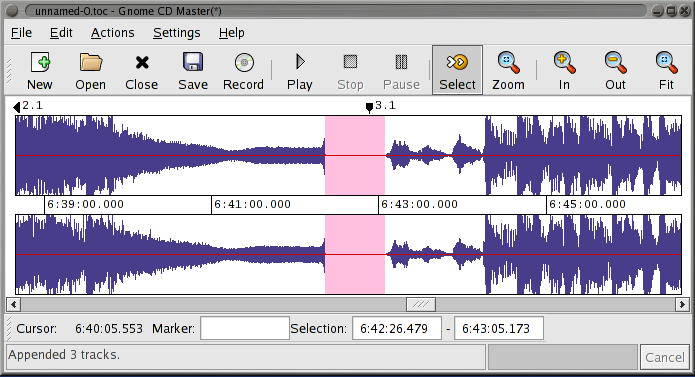
gcdmaster
cdrdao.sourceforge.net/gcdmaster

Yoshimi ~ Linux Software Synthesizer


Yoshimi is a software audio synthesizer, originally forked from ZynAddSubFX. Follow the links in the header for help with downloading and running it. You can also check out the manuals for detailed help, and listen to examples of music created with Yoshimi. Once you have it all set up, here are just some of the features you will find:

  • Three separate engines, each with distinctive characteristics, can be used together or individually
  • Sixteen engine kits for the ultimate in multi-layering of engines, or for synthesized drum kits
  • Vector Control, manage up to four independent sounds on any channel with faders or an X/Y midi joystick
  • Solo step through up to 16 sounds seamlessly while playing in real time (including vector sounds)
  • Microtonal Tuning, Scala-compatible scales and keymaps
  • Extensive Midi-Learn, capture almost all internal controls and many switches with ordinary 7-bit values, or NRPNs, or even 7-bit NRPNs, then edit the responses
  • Command Line Access, headless operation and high accessibility, for those with sight- or motor control issues
  • Rich variations of tone and timbre, Yoshimi provides the means to ensure no two notes are ever identical – just like in the real world
Yoshimi

yoshimi.sourceforge.net
en.wikipedia.org/wiki/Yoshimi_(synthesizer)

SpatGRIS ~ Multichannel Composition


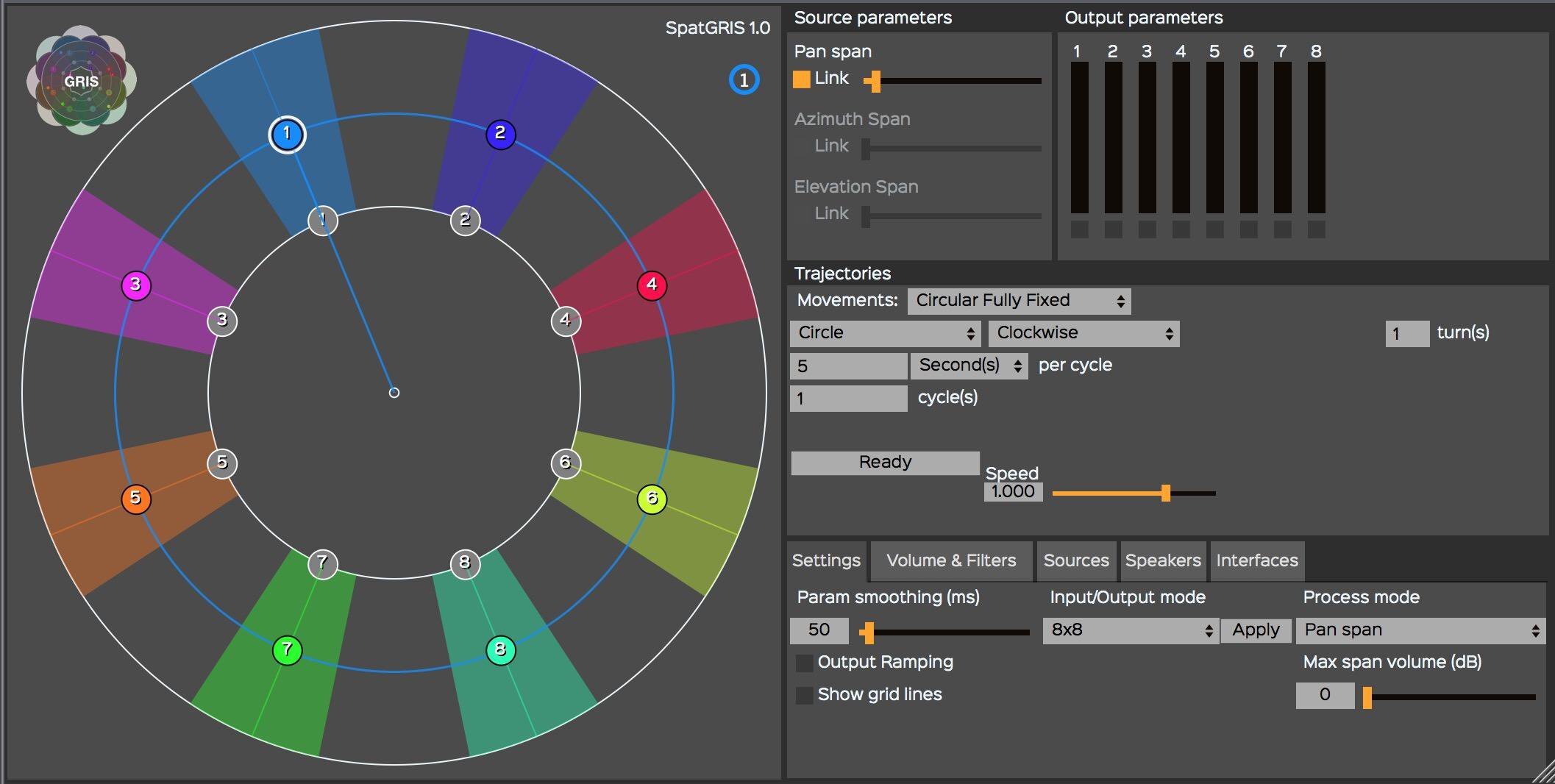
The SpatGRIS is a plugin (Mac AU/VST and VST Windows format) designed to compose multichannel space. It allows the user to spatialize the sound in 2D (up to 16 speakers) or in 3D (up to 128 speakers) under a dome of speakers (with the ServerGRIS, available also on SourceForge). It includes two audio modes, — Free Volume and PanSpan — and one OSC mode. SpatGRIS is a fusion of two former plugins by the GRIS: OctoGRIS and ZirkOSC with a lot of new features. Automated Trajectories are included. It is possible to control it from external controllers such as Joystick, iPad or Leap Motion.

Features:

  • Three modes: Free Volume, Pan Span, OSC Spatialization
  • Automated Trajectories
  • Up to 16 outputs in audio mode
  • OSC Mode to control the ServerGRIS
  • External controllers: Joystick, iPad. Leap Motion
GRIS

gris.musique.umontreal.ca
sourceforge.net/projects/spatgris

MAnalyzer ~ Spectral Analyzer & Sonogram


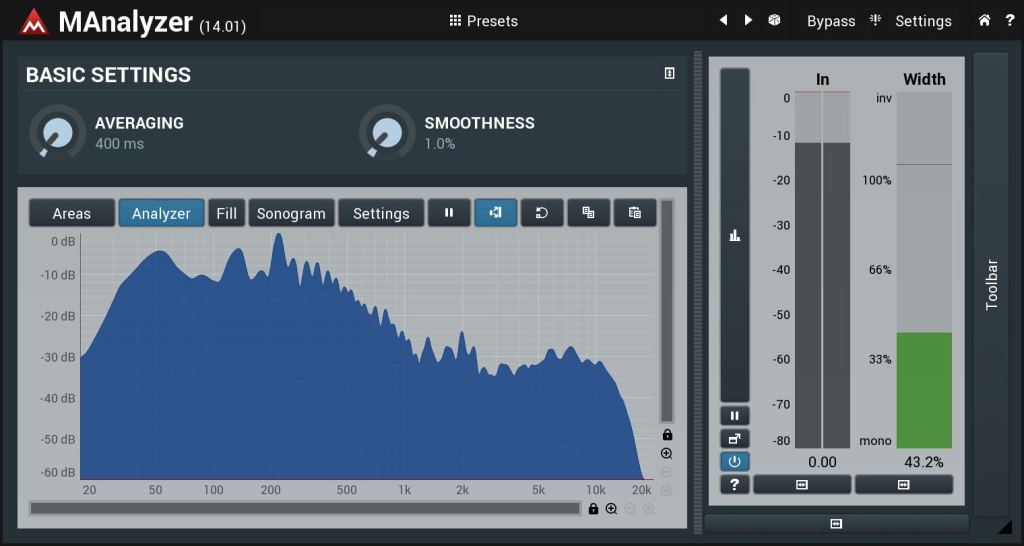
MAnalyzer is an advanced spectral analyzer and sonogram containing unique features such as smoothing, normalization, super-resolution, prefiltering and deharmonization. The included meters provide a peak meter and EBU R128 and ITU-R BS 1770-3 compliant loudness meter.

MAnalyzer00.v1

www.meldaproduction.com/MAnalyzer