foo_dynamic_range ~ Foobar & Dynamic Range Meter


Dynamic Range Meter is a foobar2000 component designed to give the same information as the Dynamic Range Offline Meter. This component can process all audio formats foobar2000 can handle (a.o. flac, ape and wavpack) and also supports higher sample rates and bit depth. Using the Open Audio CD option it can also directly read audio CDs and calculate the Dynamic Range values without the need of ripping the CD to disk. Log information with extended statistics is automatically copied to the clipboard and can be pasted back in any text editor. ~ web.archive.org/web/20130317013715/http://pleasurizemusic.com/free-downloads

Dynamic Range Meter is a foobar2000 component designed to give the same information as the Dynamic Range Offline Meter from the Pleasurize Music Foundation. I wrote this component because the original Dynamic Range Meter is limited to reading only wav, aiff and mp3 files. This component can process all audio formats foobar2000 can handle (a.o. flac, ape and wavpack) and also supports higher sample rates and bit depth. Using the Open Audio CD option it can also directly read audio CDs and calculate the Dynamic Range values without the need of ripping the CD to disk. As an option, a log file with information and extended statistics can be saved to disk. ~ web.archive.org/web/20130428024316/http://www.jokhan.demon.nl/DynamicRange

This version is for foobar2000 version 1.4 or older and is depreciated.

Adding Dynamic Range:

  1. Install the foo_dynamic_range component
  2. Navigate to File > Preferences > Advanced > Tools > Dynamic Range Meter
  3. Enable “Write DR meta data tags
  4. Add a new toolbar button and assign Context>Dynamic Range Meter
  5. Download DR toolbar icon and change button icon
  6. Navigate to File > Preferences > Display > Default User Interface > Playlist View
  7. Add a new custom column, name it “DR” and assign this pattern, “[%DYNAMIC RANGE%]
  8. Select an album and click the new DR toolbar icon to scan the files

Download ~ drive.google.com/file/d/1rQHOYrzEmV6MSKEj-hENM09C2yQsCFfh/view
Database ~ dr.loudness-war.info
Discussion ~ hydrogenaud.io/index.php/topic,88373.0
DRM Icon ~ drive.google.com/file/d/1x4AjjKEHTH9BZWTHb-5PQoNKOboXJJcq
Reference ~ www.metal-fi.com/measuring-dynamic-range
foo_dr_meter (64bit) ~ foobar.hyv.fi/?view=foo_dr_meter

OwlPlug ~ Audio VST Plugin Manager


OwlPlug is a desktop application for Windows and Mac that simplifies VST Plugin management and installation. User installed plugins are automatically discovered and new plugins can be installed through Stores. The default store called OwlPlug Central delivers quality plugins made by the community. Any third party plugin distributors can set up a compatible Store and let owlplug interact with it. OwlPlug is still in a beta stage, all kind of feedbacks are welcomed.

owlplug

owlplug.com
github.com/DropSnorz/OwlPlug

ShuiCast ~ Foobar / WinAmp Streaming


ShuiCast is a plugin for both Winamp and Foobar2000 that provides the ability to broadcast various audio formats to a few of the major broadcasting servers. It is a continuation of the Oddcast/Edcast streaming software that can stream to either Icecast or Shoutcast servers, integrating changes made by the AltaCast and Edcast-Reborn spinoffs.

Features:

  • Stream to IceCast or ShoutCast
  • Support for Ogg Vorbis, LAME (lame_enc.dll), and AAC (libfaac.dll) – note lame_enc.dll and libfaac.dll must be downloaded separately in order to use these formats
  • Multiple encoders (you can simultaneously broadcast in multiple formats at the same time)
  • Standalone application as well as plugin for Winamp, RadioDJ and Foobar2000
  • Metadata not only from media player (i.e. Winamp) but also from a file, a URL or a window
  • Peak and RMS Meter
  • Live Recording (you can switch on/off without disconnecting the encoder)

github.com/torteshui/ShuiCast

ADLplug ~ FM Chip Synthesizer


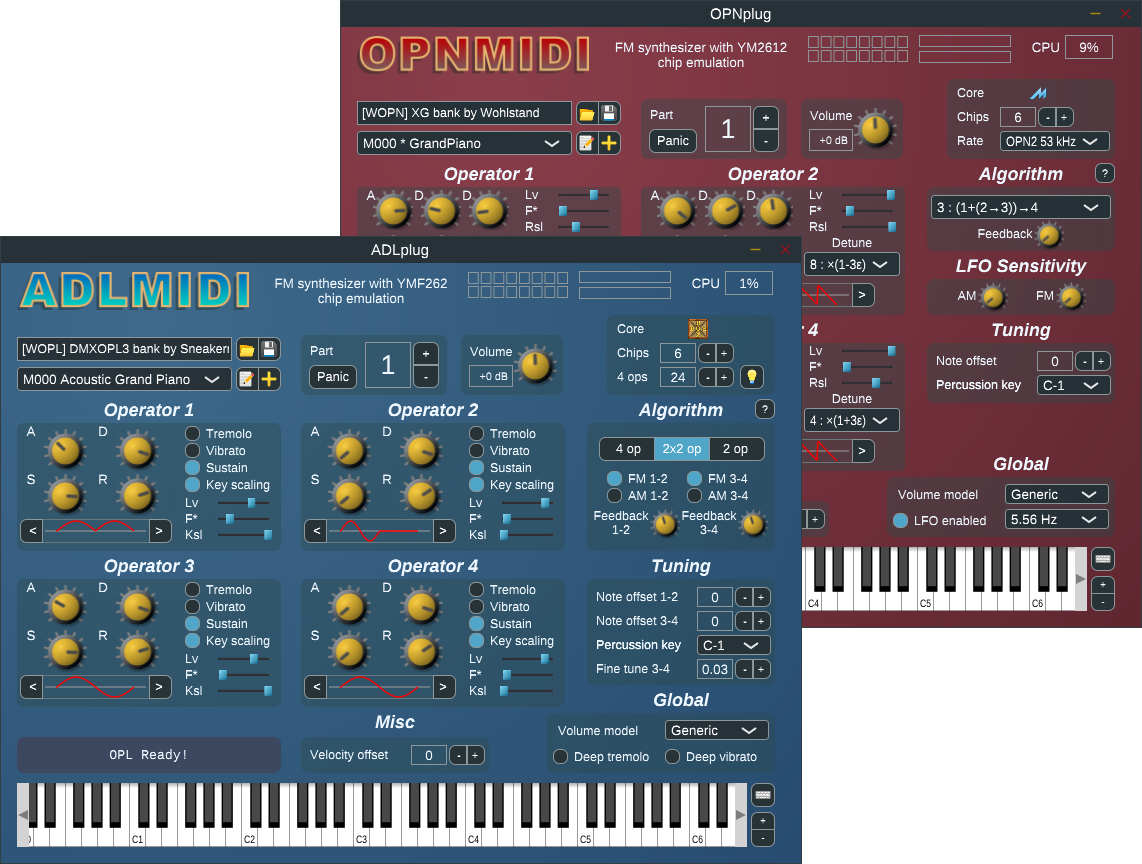
Synthesizer plugin for ADLMIDI and OPNMIDI (VST/LV2). This software package provides FM synthesizer plugins, based on OPL3 and OPN2 sound chip emulations.
The emulations and the drivers are provided by libADLMIDI and libOPNMIDI.

  • control of multiple YMF262/YM2612 emulated chips
  • high fidelity emulation, with choice of compromise level (good fidelity / fast, excellent fidelity / slow)
  • synthesis of melodic and percussive instruments
  • bundled collection of instruments
  • support for dynamic parameterization and automation
  • rigorous implementation of the MIDI standard
  • multi-channel operation with General MIDI compatibility
  • ability to synthesize entire MIDI files out of the box
adlplug

github.com/jpcima/ADLplug

Resonance Audio ~ Spatial Audio SDK


Resonance Audio is a multi-platform spatial audio SDK, delivering high fidelity at scale. This powerful spatial audio technology is critical to realistic experiences for AR, VR, gaming, and video. Resonance Audio simulates how sound waves interact with human ears and their environment.

resonance-audio.github.io/resonance-audio/discover/overview
github.com/resonance-audio
www.blog.google/products/google-vr/resonance-audio-multi-platform-spatial-audio-scale/


FreeAmp ~ Audio Gear Modeler


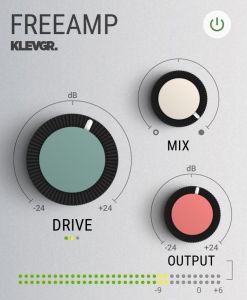
Sounding good has never been this cheap. Even though FreeAMP may look simple, all the algorithms from our amplifying modeler plugin REAMP are still in there. In this free version, we’ve combined our favourite profiles from REAMP into one universal profile. When processing audio through FreeAMP you’ll get the sound of tape and tube saturation at the same time. It can be used on anything that needs to be vitalized, from single tracks, stems or full mixes. And the best thing is that it is Totally free! (requires an account)

Requires macOS 10.9 or later, Windows 7 (SP1) or later, running a AU, VST or AAX compatible 64-bit host.

freeamp@2x

klevgrand.se/products/freeamp

Zrythm ~ Automated & Intuitive DAW


Zrythm is a cross-platform digital audio workstation designed to be featureful and easy to use. Automate almost anything with automation events using straight lines, ramps and curves, or with LFOs and envelopes. Featuring a chord pad for quickly trying out chords in a scale and a chord track to help with chord progressions.

Complete support for LV2 and VST2, with experimental support for VST3, AU, SFZ and SF2. Fully JACK aware, including support for JACK transport, ALSA, WASAPI, Windows MME, CoreMidi and CoreAudio.

Zrythm (Basic) is free software. Use, study, share and improve it freely. Available in multiple languages including English, French, Galician, Portuguese, Japanese and German.

zrythm

www.zrythm.org
github.com/zrythm
flathub.org/apps/org.zrythm.Zrythm
www.facebook.com/zrythm/
twitter.com/ZrythmDAW

Essentia ~ Open Source Audio Algorithms


Open-source library and tools for audio and music analysis, description and synthesis.

  • Extensive collection of reusable algorithms
  • Cross-platform
  • Fast prototyping
  • Optimized for computational speed

essentia.upf.edu

NewMixer ~ Spatial Mixing Tool


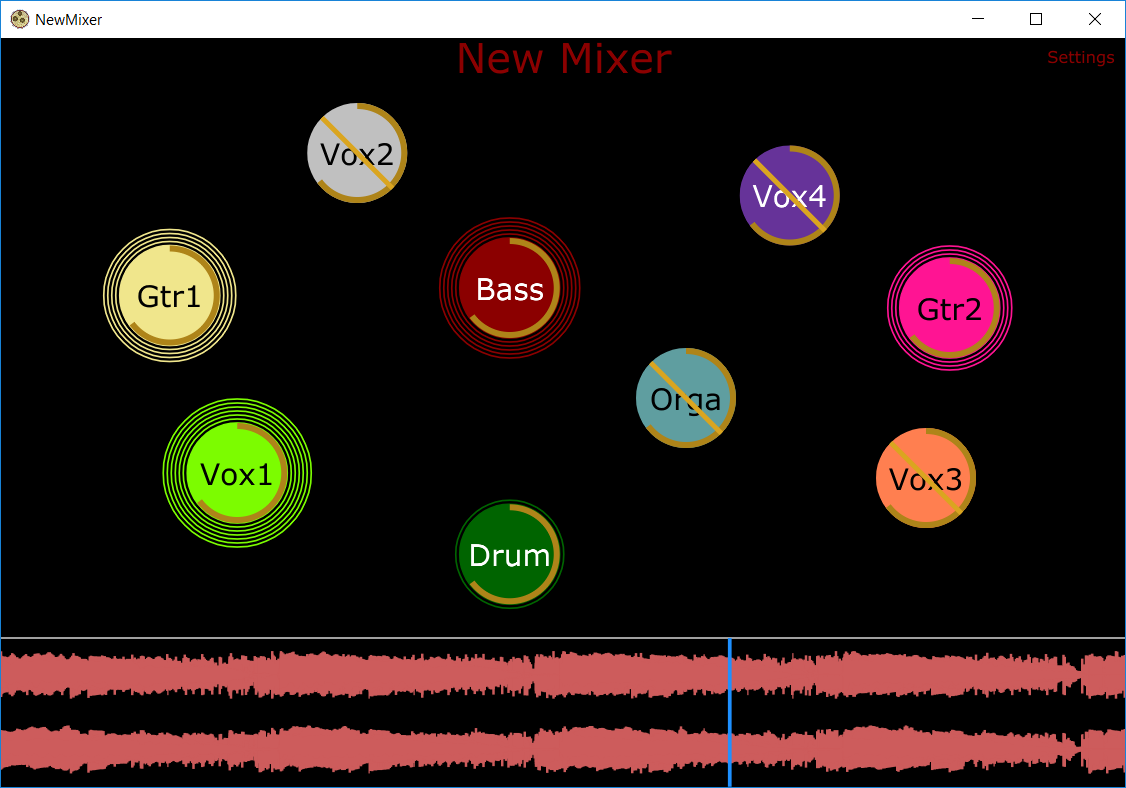
A unique and revolutionary audio mixing tool that allows the user to visualize audio sources by their location in space rather than as channels on a mixing board.

newmixer

github.com/jatinchowdhury18/NewMixer

Carla ~ Cross-platform Plugin Host


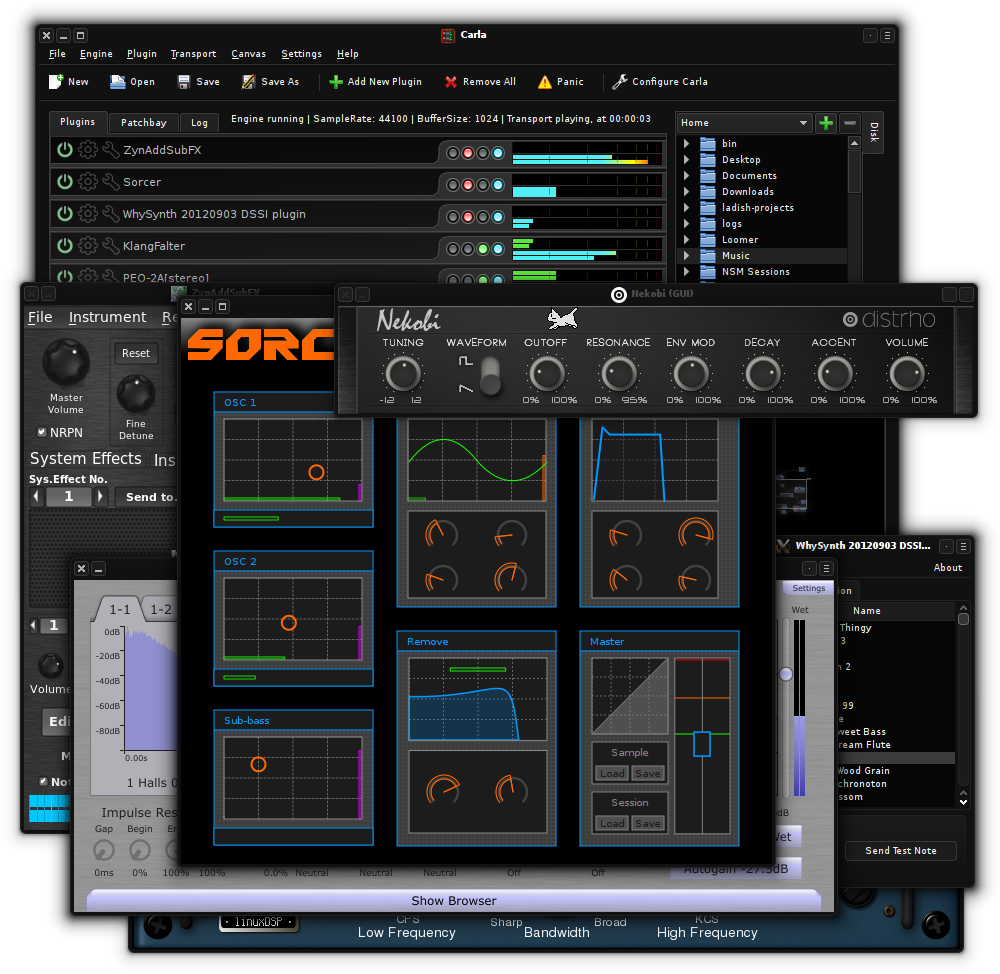
Carla is a fully-featured modular audio plugin host, with support for many audio drivers and plugin formats. It has some nice features like transport control, automation of parameters via MIDI CC and remote control over OSC.

Carla currently supports LADSPA (including LRDF), DSSI, LV2, VST2, VST3 and AU plugin formats, plus SF2 and SFZ file support. It uses JACK as the default and preferred audio driver but also supports native drivers like ALSA, DirectSound or CoreAudio.

There are 4 types of engine processing:

  • Single-client: (JACK driver only)
    Same as Multi-client, except that all JACK ports belong to a single master client.
    This is needed when a setup doesn’t support multi-client JACK apps, such as LADISH.
  • Multi-client: (JACK driver only)
    Every single plugin is exposed as a new JACK client. Audio and MIDI ports are registered as needed.
  • Rack:
    Plugins are processed in order, from top to bottom.
    Plugins with non-stereo audio channels are not supported, but a forced-stereo option is available for Mono ones.
  • Patchbay:
    Modular patchbay mode, just like in JACK Multi-client and many other modular applications.
    Every plugin gets its own canvas group and ports allowing you to interconnect plugin audio and MIDI.
carla

kx.studio/Applications:Carla
github.com/falkTX/Carla

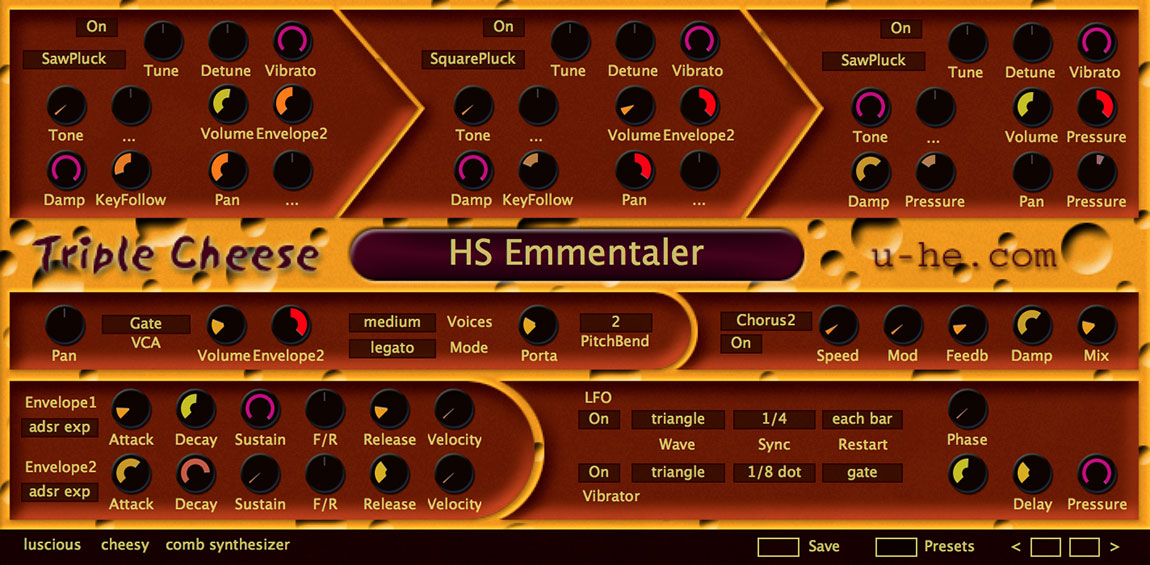
Triple Cheese ~ Cross-platform Synth


Triple Cheese: Luscious and cheesy, winner of the 2006 KVR Developer Challenge, is a truly unique freeware synthesizer. No traditional oscillators or wavetables, no FM or phase distortion and no analogue modelled filters here. A touch unusual and a little cheesy, Triple Cheese is quite capable of some surprising sounds.

Triple Cheese avoids classic synthesis techniques—no subtractive, frequency modulation (FM) or additive synthesis. Rather, it employs various types of comb filter, often in series, to generate and modify sound. Think of the comb filters as very short chromatically tuned delays. Three modules are arranged in series and either generate their own sound, or process the output of the previous module.

The features for each module can result in sounds that might seem a little “cheesy” or retro (think early 1980s digital synths). But when pushed, you will find Triple Cheese creates some surprisingly lush sounds.

  • 8 different modes per comb filter module (11 modes total)
  • Polyphonic (up to 16 voices), duophonic, monophonic (retriggered) or legato mode
  • VCA with amplitude modulation, pan
  • Skinnable User Interface
  • 170 factory presets

triplecheese-fullui-1150x565

u-he.com/products/triplecheese/

Nuclear ~ Stream From Free Sources


A modern music player focused on streaming from free sources.

Features:

  • Searching for and playing music from YouTube (including integration with playlists), Jamendo, and SoundCloud
  • Searching for albums (powered by Last.fm and Discogs), album view, automatic song lookup based on artist and track name (in progress, can be dodgy sometimes)
  • Song queue, which can be exported as a playlist
  • Loading saved playlists (stored in json files)
  • Scrobbling to last.fm (along with updating the ‘now playing’ status)
  • Newest releases with reviews – tracks and albums
  • Browsing by genre
  • Radio mode (automatically queue similar tracks)
  • Unlimited downloads (powered by youtube)
  • Realtime lyrics
  • Browsing by popularity
  • List of favorite tracks
  • Listen from local library

nuclear
nuclear.js.org
github.com/nukeop/nuclear