
A lightweight foobar2000 component that automatically remembers and resumes the playback position for every track.
Features:
- Remembers the last playback position for every unique track in your library.
- Easily enabled or disabled via the advanced settings menu.
- Stores data in a simple text file within your foobar2000 profile folder.
Category Archives: Software

foo_monthly_stats ~ Foobar Visualizes Music Stats
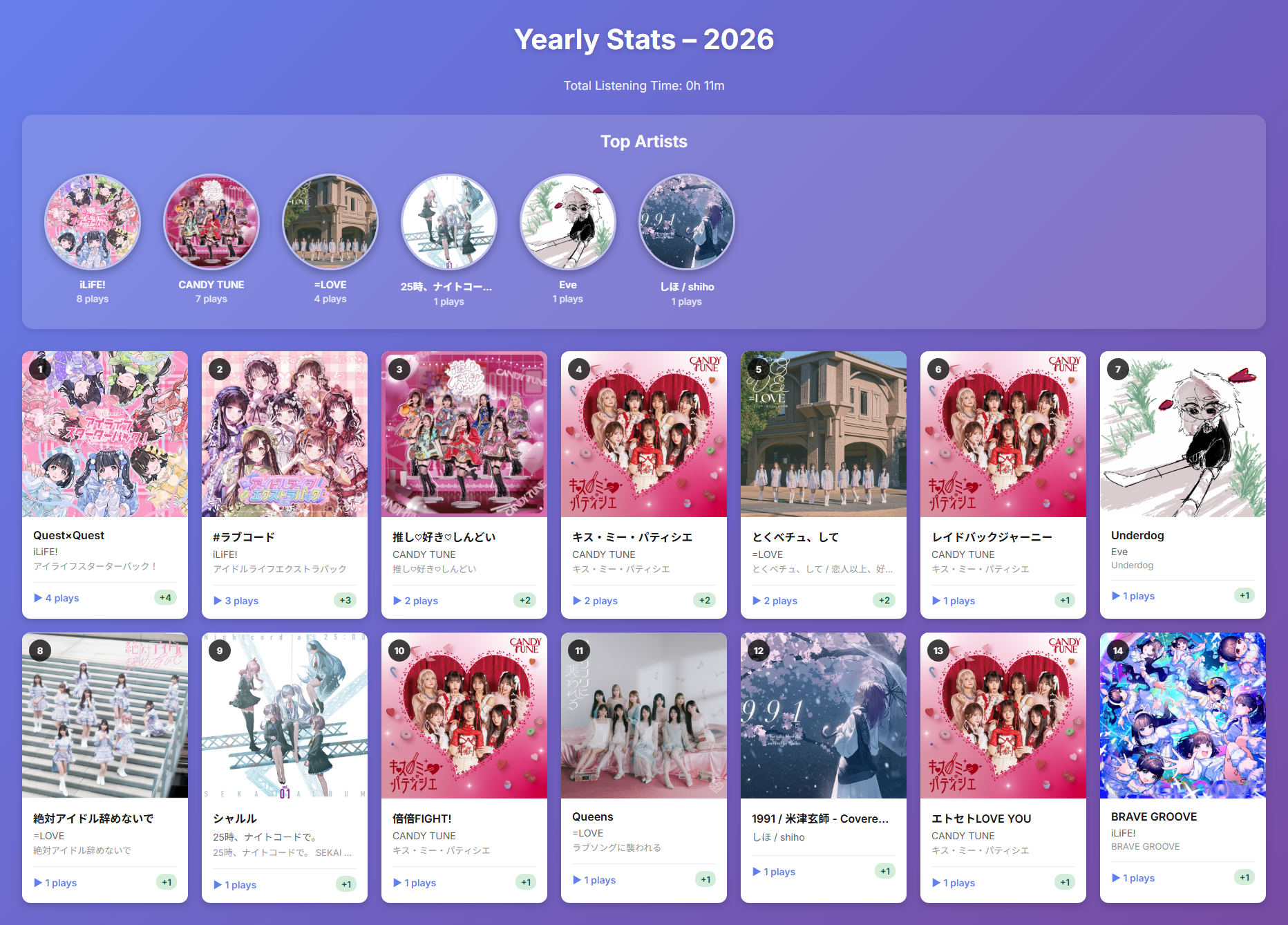
A foobar2000 component that tracks and visualizes your music listening statistics on a monthly and yearly basis.
Features:
- 📊 Monthly & Yearly Statistics: View your listening history organized by month or year
- 🎵 Track Play Counts: Records the number of times each track is played with accurate playback time tracking
- 📈 Month-over-Month Comparison: See how your listening habits change with delta indicators
- 🎨 Beautiful HTML Reports: Export visually appealing reports with album artwork
- 🏆 Top Artists Ranking: Highlights your most-played artists with circular album art
- ⏱️ Total Listening Time: Calculates and displays your total listening time
- 🗄️ SQLite Database: Efficient local storage of listening history
- 🖼️ Album Art Integration: Displays album artwork in reports using embedded thumbnails
github.com/shirafukayayoi/foo_monthly_stats
Share this:

mididash ~ Open Source MIDI Router
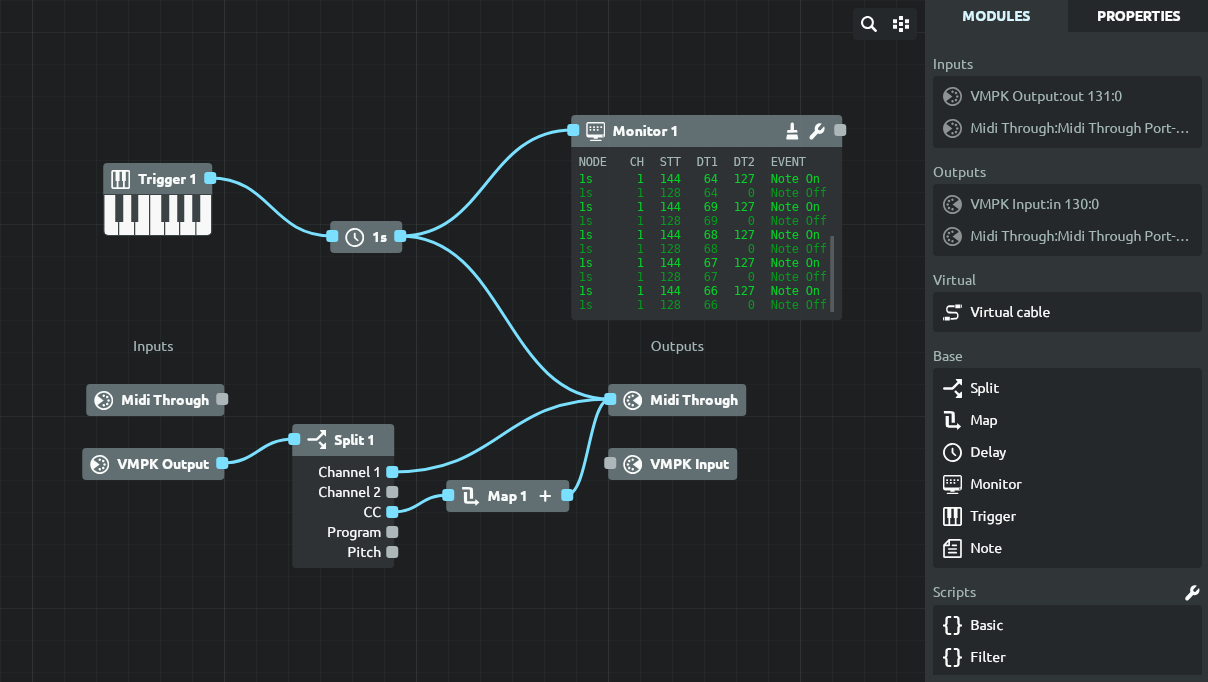
Mididash is an open source MIDI routing software with a node-based interface and Lua scripting. A modern take on programs like MIDI-OX.
Features:
- High performance built with Tauri and Rust
- Cross-platform available on Windows, Linux and macOS
- Node-based MIDI routing allows for versatile configurations
- Hot-plugging reconnect or replace MIDI devices
- MIDI monitoring for inputs, outputs or individual nodes
- Pre-configured nodes for MIDI splitting, mapping and more
- Script nodes using Lua 5.4
- Lightweight installer under 10MB
tiagolr.github.io/mididash
github.com/tiagolr/mididash
sourceforge.net/projects/mididash
Share this:

JD990 Super Editor ~ Roland JD-990 Editor
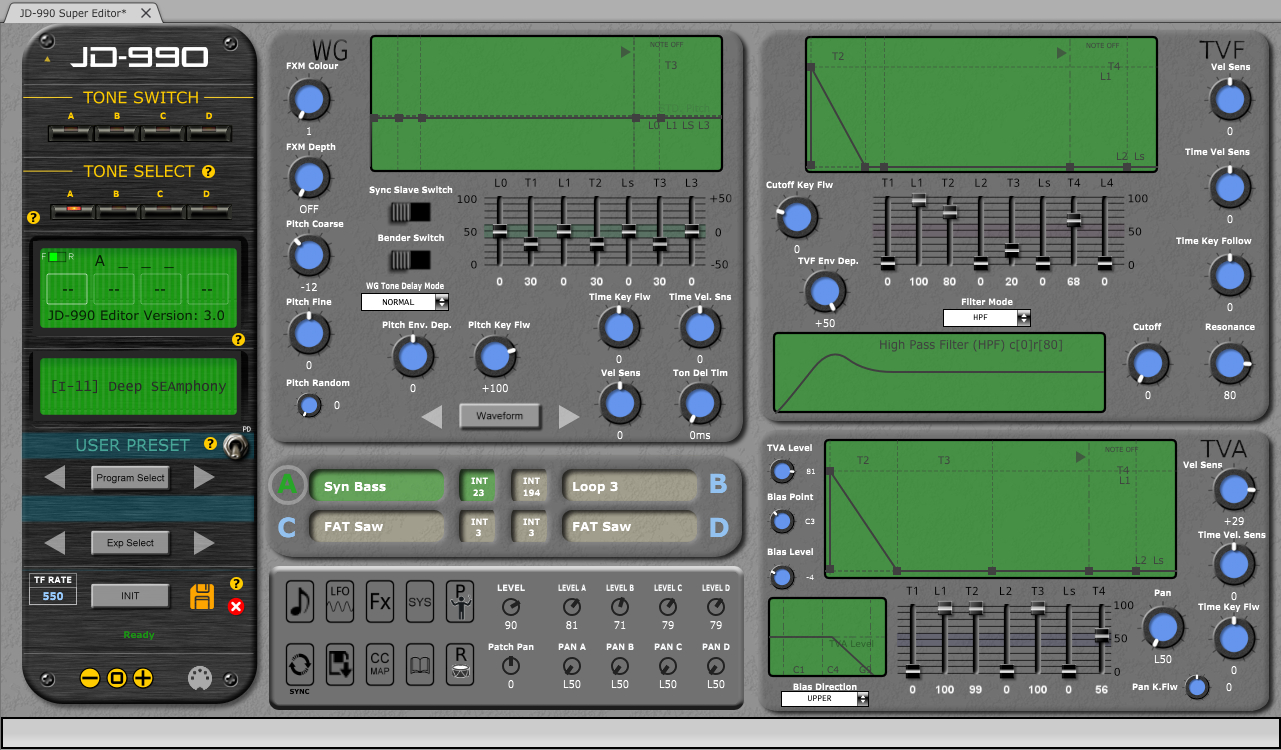
CtrlrX based editor for Roland SUPER JD SYNTHESIZER MODULE JD-990
Features:
- Menu access to SR-JV80/SL-JD80 external card patches and waveforms if installed.
- Rename any remote patch name for Internal Patches I-11 – I-88 (64 x patches).
- Save Temporary Patch data on Ctrlr panel to any Internal Patch location I-11 – I-88 (64 x patches).
- Palette mode. Quick adjustment of each Tone ABCD using mouse wheel or click & drag.
- Patch data on panel can be saved as a sysex file to computer.
- Bulk Sysex dumps of patches I-11 – I-88
- Emulation of most graphic elements on the JD-990 display.
- Separate ”mixer’ area allowing simultaneous adjustment of each Tone Level & Pan.
- Sync button~ synchronising panel with JD-990.
- PATCH mode, PERFORMANCE and RHYTHM editing
- Map Keyboard Control CC messages to panel.
- MIDI learn feature
- Support for SO-PCM1 cards not yet fully implemented
sourceforge.net/projects/jd990-super-editor
github.com/RomanKubiak/ctrlr
Share this:

Rainmeter ~ Desktop VU Meter – LITE Edition
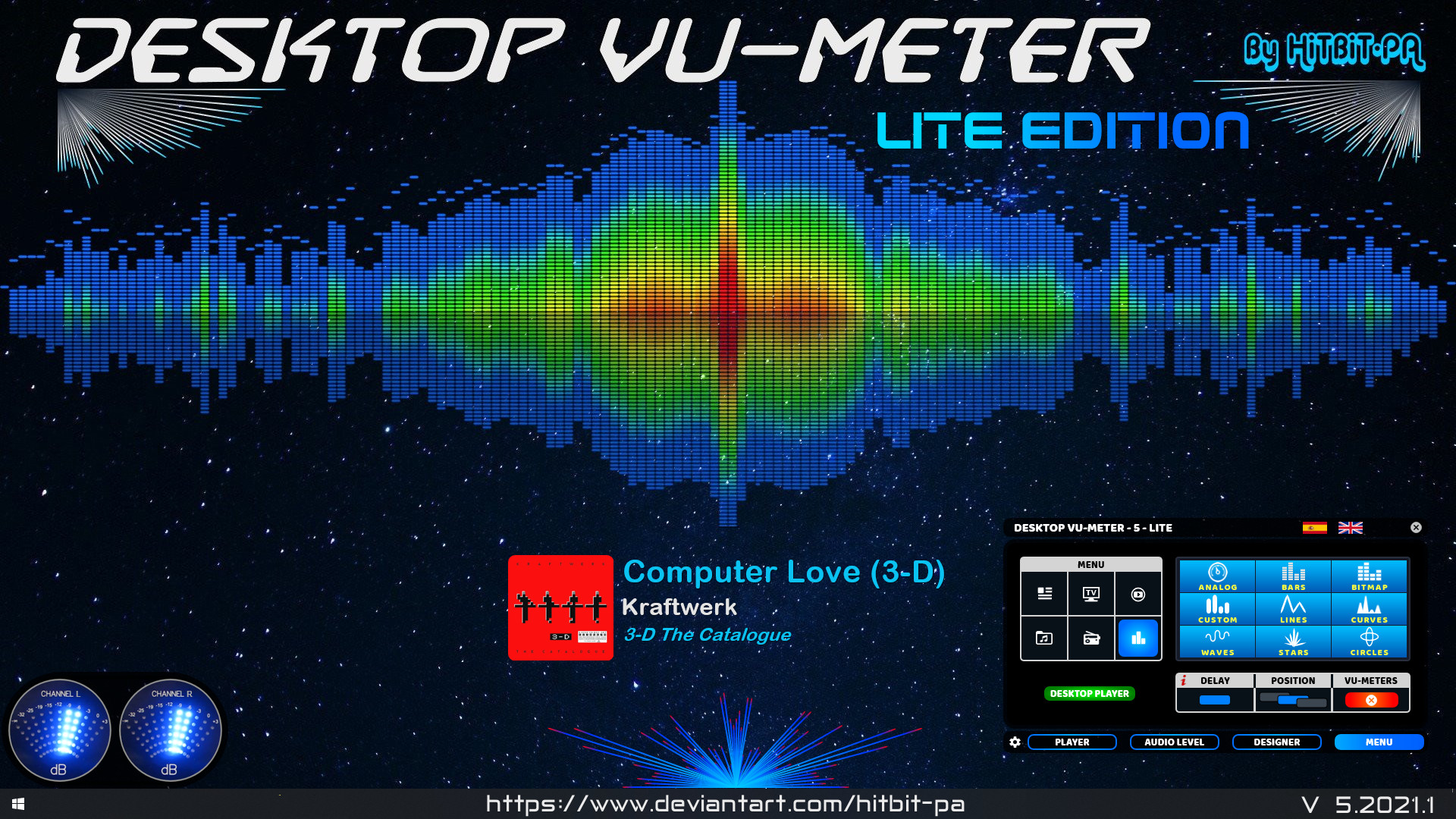
The ORIGINAL and FIRST Desktop VU-Meter for Rainmeter by HiTBiT-PA.
www.deviantart.com/hitbit-pa/art/Desktop-VU-Meter-LITE-edition
Share this:

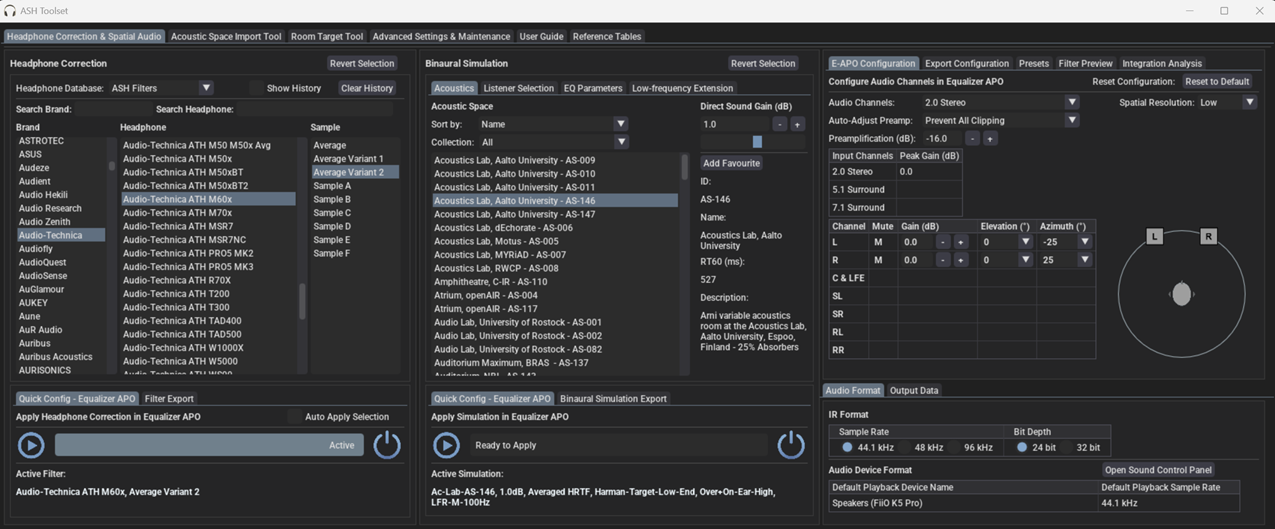
ASH Toolset ~ Headphone Correction & Binaural Synthesis
The Audio Spatialisation for Headphones Toolset is a set of tools for headphone correction and binaural synthesis of spatial audio systems on headphones.
Features:
- Headphone Correction — Generate headphone correction filters in WAV format for IR convolution or as configurations for graphic equalisers.
- Binaural Room Simulation — Generate customised binaural simulations of different acoustic environments including control rooms, studios, halls, and more. Resulting filters can be saved in WAV format or SOFA format for IR convolution.
- Equalizer APO Integration — Auto configures Equalizer APO to apply created filters and perform headphone correction and binaural room simulation.
- HeSuVi Compatibility — Generates filters in formats compatible with HeSuVi, a headphone surround virtualization tool for Equalizer APO.
- SOFA Format Compatibility – Load HRTF datasets and export customised binaural responses in SOFA format
github.com/ShanonPearce/ASH-Toolset
sourceforge.net/projects/ash-toolset
Share this:

Voxengo Boogex
Applications
- Real-time guitar processing
- Speaker cabinet simulation
- Stereo convolution processing
- Guitar reverb effect
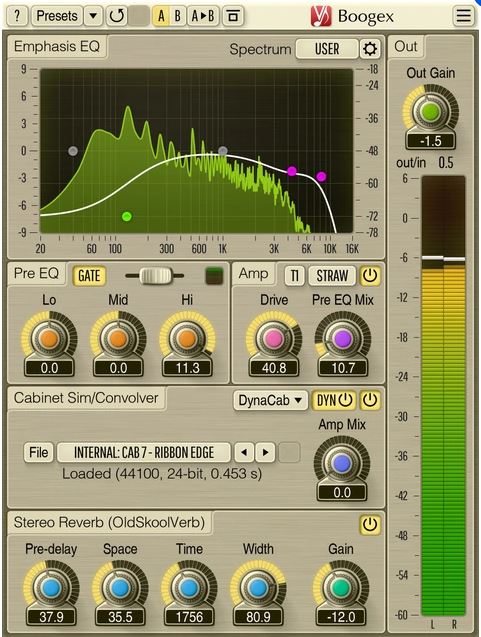
Boogex is a free guitar amplifier AudioUnit, AAX, and VST plugin with a variety of sound shaping features, for professional sound and music production applications. With Boogex it is possible to get a heavy distorted sound as well as slight “jazzy” saturation sound. Boogex is able to apply convolution with any speaker cabinet impulse response (selection of built-in impulses is available). The processing latency is close to zero making it possible to use Boogex for real-time guitar processing.
Boogex can be used as a plain stereo convolution processor when its “Amp” stage is turned off. The convolver module has zero latency and is not CPU-demanding. Boogex also includes the input gate module, and reverberation module derived from Voxengo OldSkoolVerb reverb plugin.
Boogex produces a nice “minimalist” rock music-geared sound which may be a bit noisy at higher overdrive settings; higher frequencies can be easily suppressed with its built-in Emphasis EQ. With the amp modes Boogex currently provides, it is not particularly well-suited for metal music, but can still be used as a cabinet impulse response processor for metal music.
www.voxengo.com/product/boogex
Share this:

museeks ~ Simple, Clean & Cross-platform Music Player
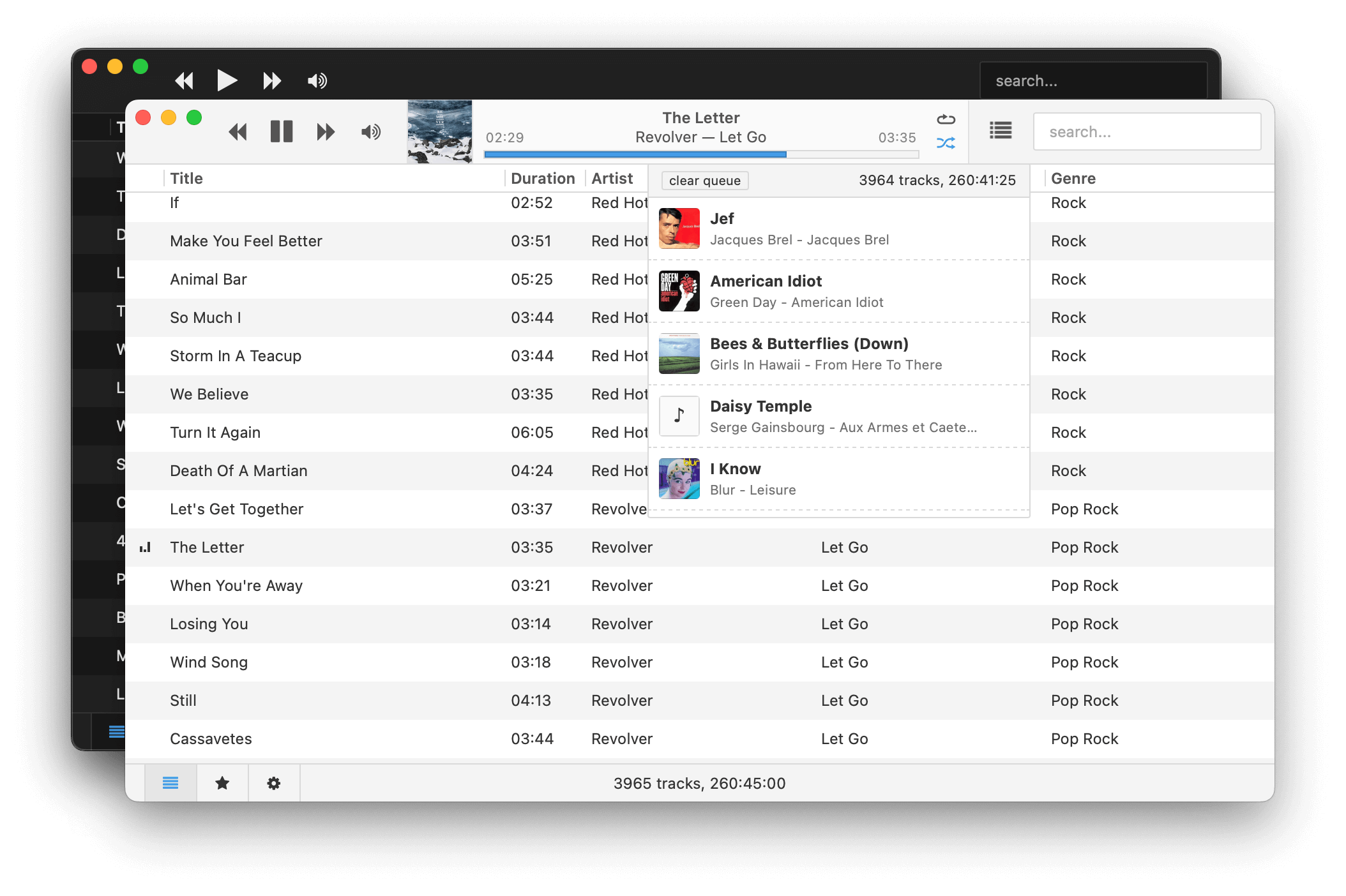
Museeks aims to be a simple and easy-to-use music player with a clean UI. You will not find tons of features, as its goal is not to compete with more complete and more famous music players.
Features:
- 💻 Cross-platform music player (Linux, macOS, and Windows)
- 🎧 Supported formats: mp3, mp4, m4a/aac, flac, wav, ogg, 3gpp
- 🔄 Library auto-refresh
- 🌟 Playlists
- 🎼 Queue management
- ➰ Shuffle, loop
- 🌄 Cover art
- 🤓 Dark theme
- 🚤 Playback speed control
- 😴 Sleep mode blocker
- 📥
.m3uimport/export
museeks.io
github.com/martpie/museeks
sourceforge.net/projects/museeks.mirror
Share this:

Ministation ~ Mini Audiostation
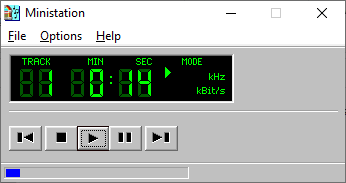
The Ministation application is a small media player, for playing audio files. The program only has a few options to play, stop, pause, etc. the current media track.
github.com/Sibra-Soft/ministation
Share this:

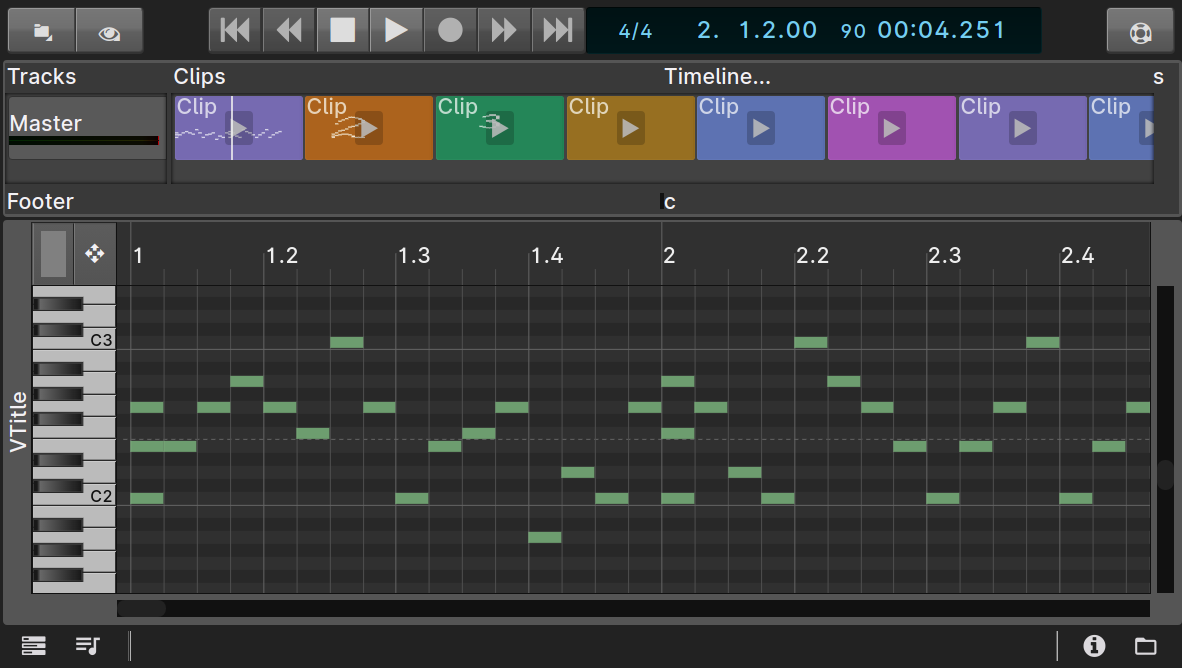
anklang ~ MIDI & Audio Synthesizer & Composer
Anklang is a digital audio synthesis application for live creation and composition of music and other audio material.
anklang.testbit.eu
tim-janik.github.io/anklang
github.com/tim-janik/anklang
Share this:

Symphonie ~ Music Player
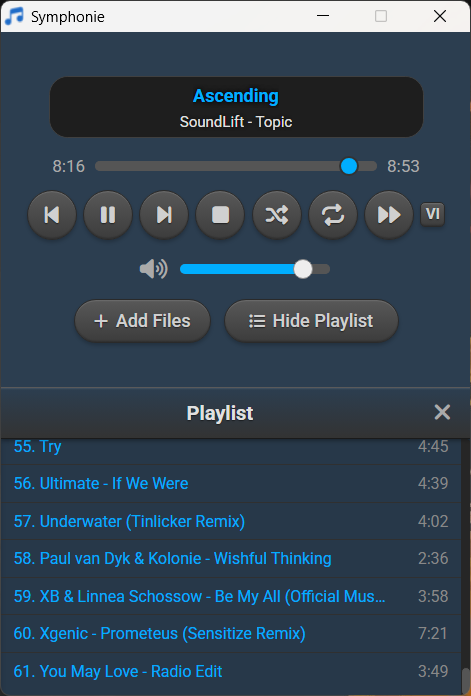
Symphonie is a sleek, lightweight desktop music player built with Electron and powered by HTML5 capabilities, offering a clean interface for enjoying your local audio library. It supports popular formats including MP3, FLAC, AAC, M4A, OGG, WAV, OPUS. Features include playlist management, intuitive playback controls, track metadata display (title/artist), and shuffle functionality for a seamless listening experience.
Features:
- Supported audio formats mp3,aac,m4a,wav,ogg,flac,opus and more
- Drag and drop files/folders directly onto the player or playlist
- Visualizer which can be enabled and disabled
- Reorder tracks within the playlist using drag and drop
- Select all tracks and delete in the playlist using Ctrl+A
- Seamless integration with modern web technologies without relying on third-party libraries.
- Supported Platforms Windows 10/11,Debian,Ubuntu,Arch Linux,Linux Mint,Fedora
sourceforge.net/projects/symphonie
Share this:

OBS ~ win-capture-audio Plugin
An OBS plugin that allows capture of independent application audio streams on Windows, in a similar fashion to OBS’s game capture and Discord’s application streaming.
obsproject.com/forum/resources/win-capture-audio.1338
github.com/bozbez/win-capture-audio
gigazine.net/gsc_news/en/20211230-obs-win-capture-audio

 The Audio File