J-Scope ~ Oscilloscope VST Plugin


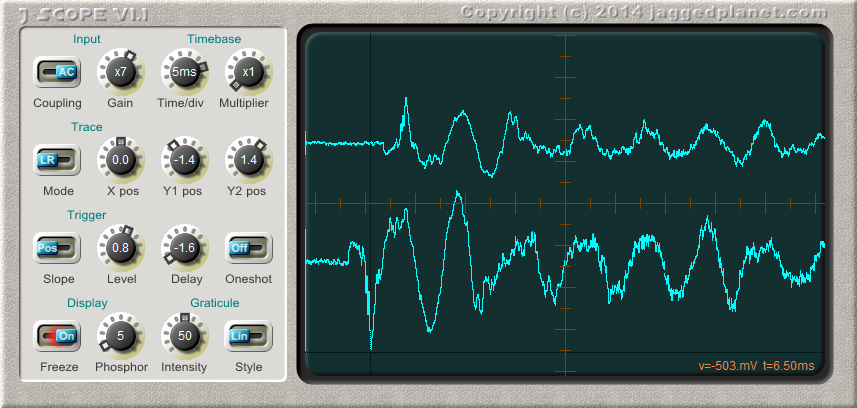
J-Scope is a VST oscilloscope plugin, which can prove invaluable to anyone who develops audio software and has a need to diagnose problems or visualise waveforms.

In operation it is very similar to a real oscilloscope, and most controls will be familiar to anybody who has used a hardware ‘scope. The addition of a control for phosphor decay time allows the examination of rapidly changing waveforms as well as slowly evolving sound envelopes.

J-Scope accepts a stereo signal, and can display it in several modes:

  • Two separate traces, L and R
  • Single trace, sum of L and R
  • Single trace, difference between L and R
  • X/Y (Lissajous) plot, L vs R
  • X/Y (Lissajous) plot, Sum(L+R) vs Diff(L-R)

jaggedplanet.com/vst/jscope

Tube Preamp ~  Tube Preamp Emulation


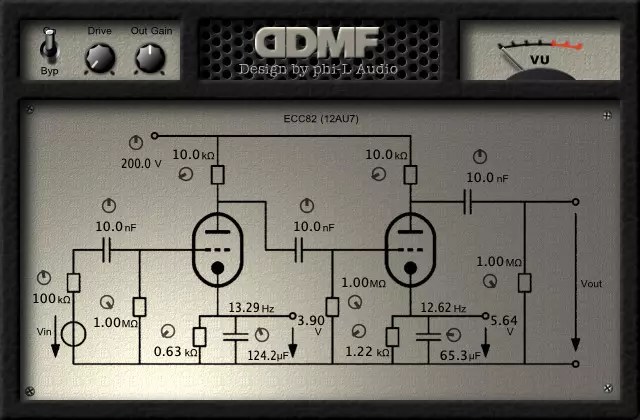
The plugin is very unique in the sense that it gives you full control over all aspects of the modelled circuit. All values of all the capacitors, resistors etc. can be tuned by the user.

This is a free plugin. It comes in all the usual plugin formats (VST/VST3/AU/AAX), for 32 and 64 bit hosts, and for Mac Intel & Silicon.

ddmf.eu/phi-L-Audio-Tube-Preamp

foo_dr_meter ~ Foobar2000 Dynamic Range Meter


A simple Dynamic Range meter based on DR estimation formula published by https://dr.loudness-war.info/. For foobar2000 version 1.5 and newer.

foobar.hyv.fi/?view=foo_dr_meter

foo_listenbrainz ~ Submit Listens To ListenBrainz


Status: alpha.

  • [+] submits listens while online
  • [+] provides UI to configure user name and token
  • [-] no checks for online status, no exception handling
  • [-] no caching of the listens history while offline
  • [-] configurable server url
  • [-] no separate thread for network requests

    gitlab.com/ykBuilds/foo_listenbrainz

Updated ListenBrainz foobar2000 component
audio-file.org/2023/11/21/foo_listenbrainz-foobar2000-listenbrainz/
github.com/phw/foo_listenbrainz2

GŌN ~ Visualization Plugin For Stereo Bus Masters


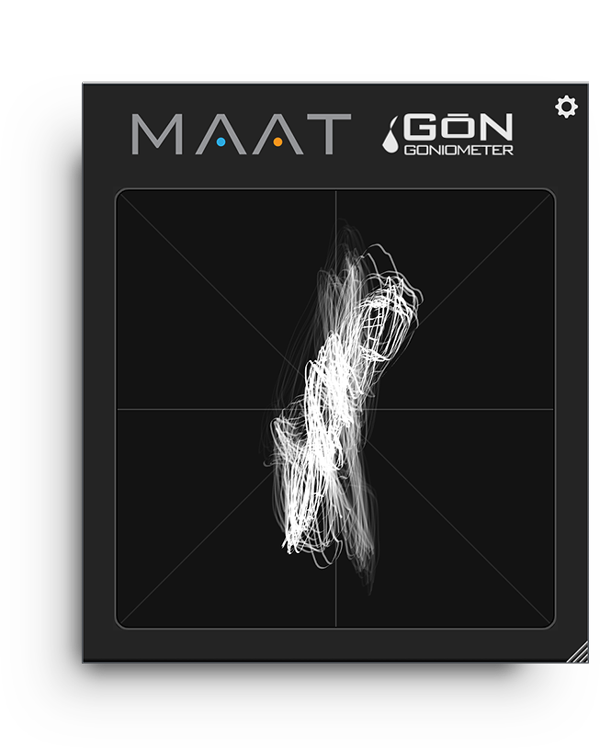
Available for all major plug-in formats, including VST 2, VST 3 and AAX for macOS and Windows plus Audio Units for macOS, GŌN (rhymes with “lone”) is a free software goniometer that authentically replicates an analog oscilloscope experience while keeping complexity at bay.

www.maat.digital/gon

Behringer Vintage ~ Virtual Analog Synthesis


Get classic and virtual analog synthesis with the Behringer VINTAGE. Download this $99 USD valued plugin for free and help the Playing for Change Foundation, who support music education.

plugins.musictribe.com/behringer/0723-AAD

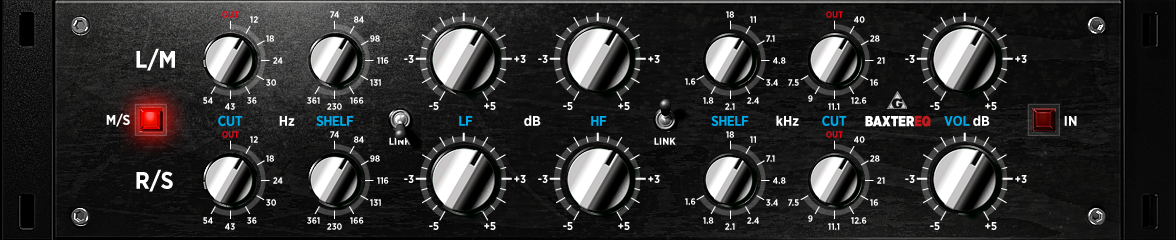
BaxterEQ ~ Mastering & Mix Buss Shelving EQ


BaxterEQ – transparent mastering and mix buss shelving EQ

Finest tonal sweetening and finishing which always stays true to the source:

  • natural and accurate bass response
  • authentic analog style HF curve rendering
  • smoothest shelving operation

Perfectly suited for the mastering chain:

  • stepped controls throughout for repeatability and matched channel operation
  • full dual channel layout
  • full mid-side encoding support
  • per channel level control for easy A/B match

Artifact free technical design:

  • low ripple and distortion filter implementations
  • 64bit floating point internal processing
  • oversampled for superior impulse response

Meticulously selected frequencies:

  • Baxandall shelving filters
  • LF @ 74, 84, 98, 116, 131, 166, 230 and 361 Hz
  • HF @ 1.6, 1.8, 2.1, 2.4, 3.4, 4.8, 7.1, 11 and 18 kHz
  • 2-pole Butterworth filters
  • LC @ 12, 18, 24, 30, 36, 43 and 54 Hz
  • HC @ 7.5, 9, 11.1, 12.6, 16, 21, 28 and 40 kHz

An additional analog signal path emulation provides some subtle but precious stereo imaging improvements.

varietyofsound.wordpress.com/downloads

Windows Media Player Plus ~ Enhance WMP


Windows Media Player Plus! is a free plug-in for Windows Media Player that adds various user interface and playback enhancements.

Features:

  • Tag Editor Plus: an alternative for Windows Media Player’s Advanced Tag Editor (screenshot). Tag Editor Plus works on Windows Media Player 12 too, where the original Advanced Tag Editor has been removed.
  • Global hotkeys, allowing you to control Windows Media Player from within any running application.
  • Party Shuffle: a dynamic playlist that automatically gets filled with randomly picked songs. Of course, you can still add songs yourself, and reorder/remove songs, just like with a normal playlist. Very useful while throwing a party, as a DJ aid, or just for casual listening.
  • Real ‘find as you type’ in the media library: you can simply start typing to search, without having to click on the Search field first.
  • Disc number (‘set’) support in the media library: shows disc numbers in the Track number column and makes Windows Media Player use the disc numbers for sorting the tracks of an album (screenshot).
  • Access the standard Explorer right-click menu of a media file directly from within Windows Media Player (screenshot).
  • Restore last active playlist, media item, and playback position at Windows Media Player startup.
  • Show currently playing media in Windows Media Player’s title bar (screenshot).
  • Advanced playback options: Stop after current and Close after current, to automatically stop playback or close Windows Media Player when the current media has ended (screenshot).
  • Let Windows Media Player play/pause when you press the space bar.
  • Disable group headers in the Library Pane (screenshot).
  • Enhanced and configurable replacement of the Windows Live Messenger Music plug-in (What I’m Listening To) (screenshot).
  • Show currently playing media in Skype’s mood message.
  • Access the properties/settings of any Windows Media Player plug-in from within the main menu (Tools – Plug-in properties), without having to go to Options first (screenshot).
  • Bring back the “Find in library” right-click option of older versions of Windows Media Player to Windows Media Player 12.
  • “Play next” option when right-clicking a media item in Windows Media Player 11’s library (Windows Media Player 12 already has this by default).
  • Quickly re-enable all plug-ins after a Windows Media Player crash (screenshot).

Windows Media Player Plus! supports Windows Media Player 12 on all recent releases of Windows.

bmproductions.fixnum.org/wmpplus

WMPCDText ~ Windows Media Player CD-Text Plugin


CD-Text is an extension of the audio CD standard that allows you to store additional information on an audio CD, such as album name, album artist and track info. Many audio players like Winamp and RealPlayer can read CD-Text but Windows Media Player has never supported it. Until now, because the WMPCDText plug-in allows Windows Media Player to read CD-Text.

WMPCDText provides an option to automatically read CD-Text from unrecognized audio CDs. Alternatively, you can right-click on a CD track in Windows Media Player’s Now Playing mode while a CD is playing, and select Read CD-Text.

WMPCDText especially comes in handy when using Windows Media Player for playing home-made audio CDs. Before WMPCDText, you would have to insert all the track information of such a CD manually into Windows Media Player. Now, just make sure that the CD-Text information is burned onto the CD, play the burned CD with Windows Media Player, and WMPCDText will automatically read the track information from the CD itself and insert it into the Media Library.

bmproductions.fixnum.org/moreprogs/wmpcdtext

Benihora ~ Voice Generation Library & VST3 Plugin


Benihora is a Rust library and VST Plugin that generates voice based on a vocal tract model. This is a Rust port of Pink Trombone developed by Neil Thapen with some customizations.

github.com/carrotflakes/benihora
github.com/carrotflakes/benihora/tree/main/benihora-vst

BrutefirDRC ~ Add DRC/Loudness To LogitechMediaServer (LMS)


A plugin to use BruteFIR software convolution engine with Slim Devices SqueezeCenter clients for Digital Room Correction. Provides transparent automatic switching of filters for different sample rates. Filter creation can be done with DRC, Audiolense, Acourate or other DRC software.

An optional loudness correction using the digital volume control can be applied. The loudness features uses SoX loudness that is based on the ISO 226 curves.

Features:

  • On the fly digital room correction for LogitechMediaServer (formerly SqueezeBoxServer)
  • Automatic selection of filter for samplerate
  • Loudness correction via digial volume control using ISO 226
  • Resampling of filter for samplerate if none exists
  • Gapless playback
  • removal of silence in music
  • Application of ReplayGain with and without loss of bit depth/resolution
sourceforge.net/projects/brutefirdrc

DISTRHO Ildaeil ~ Plugin Host


DISTRHO Ildaeil is mini-plugin host working as a plugin, allowing one-to-one plugin format reusage. The idea is to load it as a plugin inside your DAW and then the other “real” plugin inside Ildaeil. This allows, for example, a VST3 host to load LV2 plugins and vice-versa.

The Ildaeil name comes from the korean 일대일, which means “one to one”.

Features:

The current formats Ildaeil can work as are:

  • JACK/Standalone
  • CLAP
  • LV2
  • VST2
  • VST3

And it can load the following plugin formats:

  • Internal (from Carla)
  • LADSPA
  • DSSI
  • LV2
  • VST2
  • VST3
  • CLAP
  • JSFX

With a few extra formats through the “Load from file…” action:

  • Audio files (through internal audio file player, synced to transport)
  • MIDI files (through internal MIDI file player, synced to transport)

github.com/DISTRHO/Ildaeil