
Instantly fetches the lyrics of the currently playing Spotify song, or any song, and displays it in a window.
A Linux application with a very convenient GUI. Built with Python Gtk+3 (gi).
github.com/bhrigu123/Instant-Lyrics
Category Archives: Linux

Two flac2mp3 Scripts
flac2mp3 is a perl script that will search for flac files within
a directory hierarchy and convert them all to mp3 format, creating a
matching directory structure in the process.
robinbowes.github.io/flac2mp3
github.com/robinbowes/flac2mp3
This is a python script for transcoding flac files into mp3 files keeping covers, tags, and directory structure. It is multithreaded and creates as much thread as the number of cores on the host. The flac tags will be added to the mp3 files ut8 encoded, and if a cover.jpg file is found in the flac files directory it will be added to the mp3.
The mp3 generated will be itunes compliant (accents, covers) and encoded with lame command :
lame --silent -V2 --vbr-new -q0 --lowpass 19.7 --resample 44100github.com/bamthomas/flac2mp3
Share this:

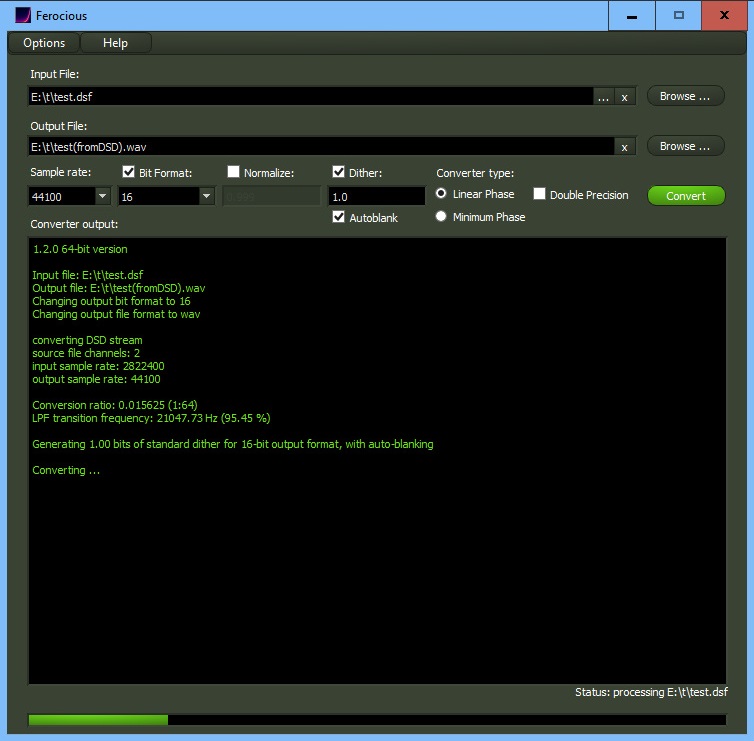
Ferocious File Converter ~ Graphical Frontend For ReSampler
Ferocious File Converter is a graphical front-end for ReSampler, and potentially any number of other command-line audio conversion tools.
It provides a convenient and easy-to-use method for converting audio files between a number of formats.
github.com/jniemann66/ferocious
Share this:

elpAudio ~ Simple Audio Player Using FMOD
elpAudio – A simple audio player using FMOD, that supports custom WinAmp themes, music files (
github.com/elpoeprod/elpAudio.mp3, .midi, .wav, .ogg, .flac, .opus), tracker music (.mod, .xm, .s3m, .it) and other sound types (.wasd, .etm, .mus).
Share this:

Spotube ~ Open Source Spotify Client
An open source, cross-platform Spotify client compatible across multiple platforms utilizing Spotify’s data API and YouTube, Piped.video or JioSaavn as an audio source, eliminating the need for Spotify Premium.
- 🚫 No ads, thanks to the use of public & free Spotify and YT Music APIs¹
- ⬇️ Freely downloadable tracks
- 🖥️ 📱 Cross-platform support
- 🪶 Small size & less data usage
- 🕵️ Anonymous/guest login
- 🕒 Time synced lyrics
- ✋ No telemetry, diagnostics or user data collection
- 🚀 Native performance
- 📖 Open source/libre software
- 🔉 Playback control is done locally, not on the server
spotube.krtirtho.dev
github.com/KRTirtho/spotube
Share this:

line ~ Command Line MIDI Sequencer
A tiny command-line midi sequencer for live coding.
github.com/pd3v/line
- Sends MIDI messages to a chosen MIDI channel. Default is 1.
- 1 instrument or 1 CC

Share this:

XMP ~ Extended Module Player
xmp is a module player for Unix-like systems that plays over 90 mainstream and obscure module formats from Amiga, Atari, Acorn, Apple IIgs and PC, including Protracker (MOD), Scream Tracker 3 (S3M), Fast Tracker II (XM) and Impulse Tracker (IT) files.
xmp.sourceforge.net
sourceforge.net/projects/xmp
Share this:

BruteFIR ~ Unix Multi-Channel Convolution
BruteFIR is a software convolution engine, a program for applying long FIR filters to multi-channel digital audio, either offline or in real-time. Its basic operation is specified through a configuration file, and filters, attenuation and delay can be changed in runtime through a simple command line interface. The FIR filter algorithm used is an optimized frequency domain algorithm, partly implemented in hand-coded assembler, thus throughput is extremely high. In real-time, a standard computer can typically run more than 10 channels with more than 60000 filter taps each.
Through its highly modular design, things like adaptive filtering, signal generators and sample I/O are easily added, extended and modified, without the need to alter the program itself.
torger.se/anders/brutefir
Share this:

Vitomu ~ Video To Audio Converter
Vitomu stands for VIdeo TO MUsic converter. It allows easy conversion of online and offline videos to audio files. Just drop a URL or a local video file on the target to start the conversion. The current version supports dropping URLs of both YouTube videos and local MKV and MP4 files.
github.com/digimezzo/vitomu
Share this:

microenc ~ Linux/BSD Batch Encoding Script
microenc is a small Bash shell script for Linux/BSD for encoding directories with audio files to other formats using FFmpeg as encoder.
Features:
sourceforge.net/projects/microenc
- Encodes to MP3, AAC, Vorbis, Opus, AC-3, E-AC-3, DTS, FLAC, ALAC, WavPack, AIFF and WAV audio
- Auto-copying of metadata and, for MP3/AAC/FLAC/ALAC/AIFF, cover art
- Optional high-quality audio resampling
- Requires only ffmpeg and ffprobe
Share this:

LCDex ~ A Linux CDEX Clone
A ripper and encoder frontend for Linux. Requires libsndfile and lame to work.
sourceforge.net/projects/lcdex
Share this:

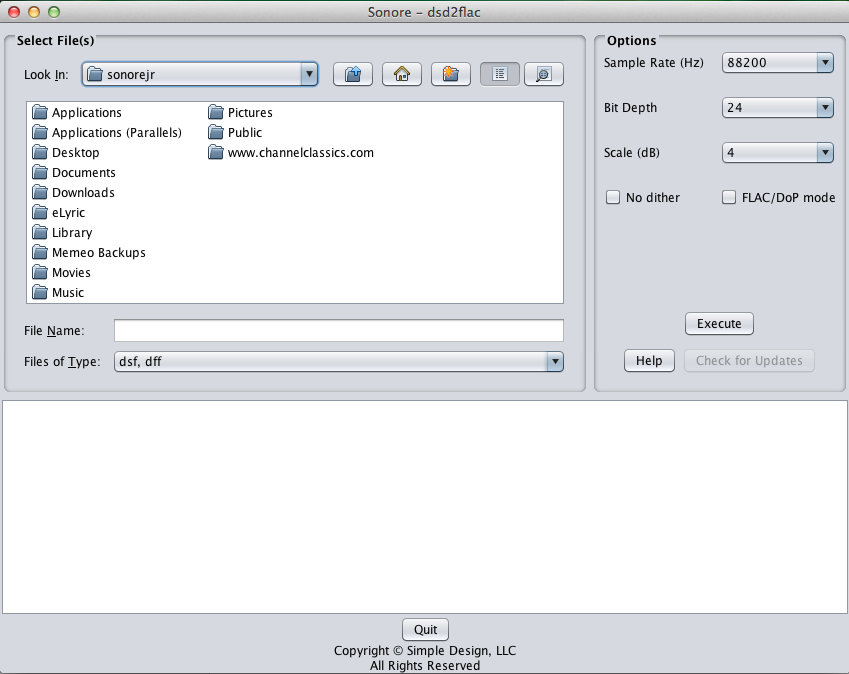
DSD2FLAC ~ Convert DSD To FLAC
DSD2FLAC converts DSD files to FLAC
Features:
- Supports DSD input files in .dsf and .dff formats
- Supports DSD64 and DSD128 input rates
- Selectable output sample rates: 88.2KHz (default), 176.4KHz or 352.8KHz
- Selectable bit depth: 16, 20, 24 (default)
- Volume scale: -6db to +6db (+4 db default)
- Dither: on (default) or off
- Optional output mode in DoP2FLAC for use by a player that supports FLAC and a DAC that supports DoP input
- Transfers stored metadata from the original DSD file to the resulting FLAC file
- Single title conversion or entire album conversion in a given folder
This application is provided as-is without warranty or support.
www.sonore.us/dsd2flac
Development for this application is closed.

 The Audio File