This component provides configurable screen overlays which may be opened with hotkeys, or appear on specific events. Each overlay is configured separately, and has its own set of events.
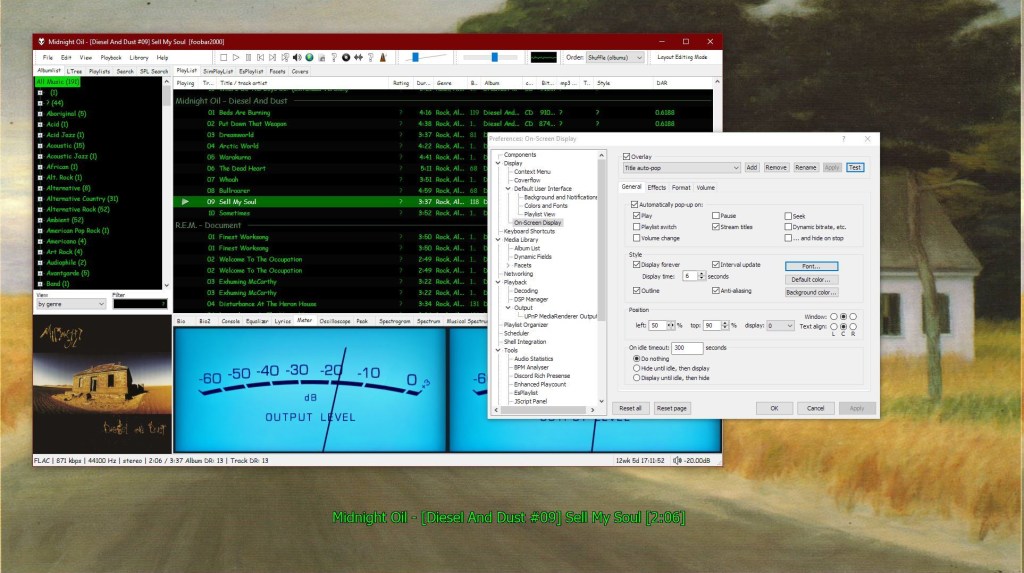
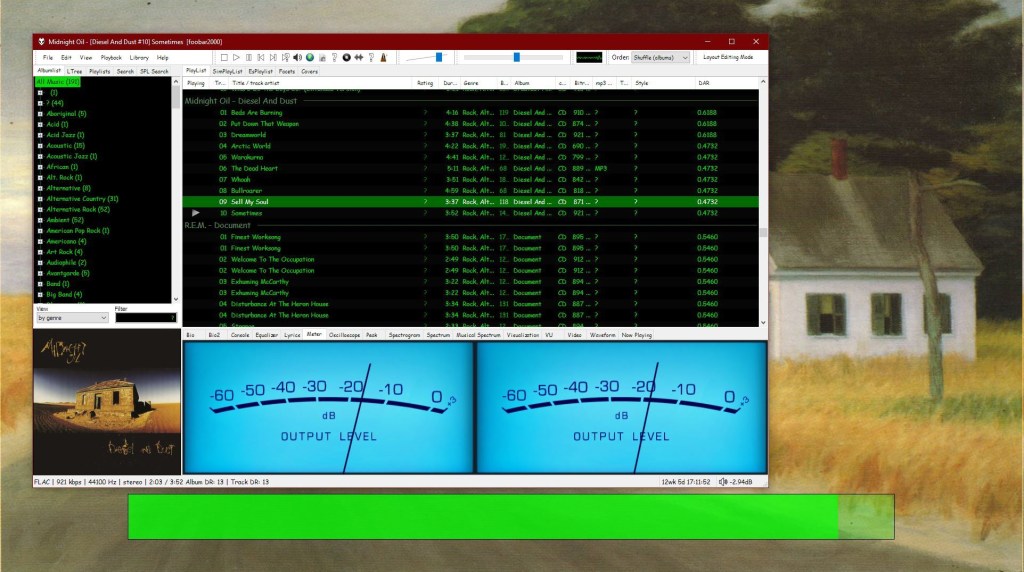
Foobar – OSD – Full Screen – Title Display Foobar ~ OSD – Full Screen – Volume Display
www.foobar2000.org/components/view/foo_osd hydrogenaud.io/index.php/topic,43044.0
foobar_osd (On-Screen Display) is a foobar2000 component that shows track information as a floating overlay on your desktop during playback events.
Instead of opening the player window to see what’s playing, foobar_osd displays relevant information directly on your screen.
Typical uses include:
Seeing track information when the player is minimized
Monitoring playback on multi-monitor setups
Getting quick visual feedback without interrupting workflow
Displaying detailed metadata beyond basic notifications
Unlike standard operating system notifications, foobar_osd is fully customizable using foobar2000’s powerful title formatting system.
Core Features
When triggered, foobar_osd can display:
Artist and title
Album name
Track position and duration
Album artwork
Custom metadata fields
Technical playback information
The display appears briefly and then fades away automatically.
Event-Based Display
You control when the OSD appears. Common trigger events include:
Track change
Play or pause
Stop playback
Manual trigger via hotkey
Careful selection of events is important to avoid excessive on-screen interruptions.
Fully Customizable Text Formatting
One of the strongest features of foobar_osd is that it supports full foobar2000 title formatting.
This means you can display virtually any tag or metadata field stored in your files.
Example format:
Conditional formatting allows the display to remain clean by only showing information when available.
Installation and Access
After installing the component:
Restart foobar2000.
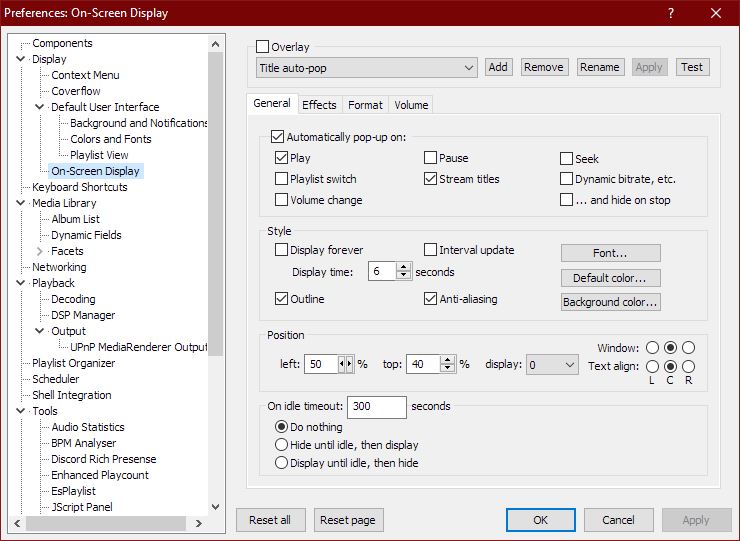
Open:
All configuration options are available in this section.
Appearance and Layout Options
foobar_osd allows extensive visual customization:
Background transparency
Font selection
Fade animations and display duration
Monitor Selection
Shadow effects
Screen position
Text size and color
Using foobar_osd Effectively
Many users install foobar_osd but never use its full potential. The following strategies significantly improve usability.
Display Meaningful Metadata
If your library uses structured tagging, include useful fields.
Example:
This transforms the overlay into a quick contextual information panel.
Create Minimal or Informational Layouts
Depending on your workflow, consider:
Minimal layout — artist and title only
Informational layout — album, metadata, technical details
Radio/stream layout — include station information or bitrate
Use a Manual Hotkey
Setting a hotkey to manually trigger the OSD is extremely useful.
Advantages include:
Quick track info lookup without switching windows
Clean desktop experience without persistent UI elements
Use Conditional Formatting
Conditional statements prevent empty lines or clutter:
Only displays when the tag exists.
Time Functions:
Elapsed / Percent / Duration / Remaining
$puts(Elapsed,$if(%isplaying%,$pad_right(%_time_elapsed%,5,0),00:00))




 The Audio File