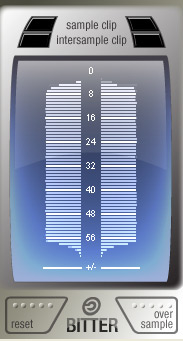
Bitter ~ Bitscope & Intersample Clip Monitor


Bitter shows how many of the available bits are being used by the audio signal, reports clipping samples, and estimates when digital-to-analog conversion would cause inter-sample clips. Typical uses for a bitscope include: verifying that a render dither is working properly; verifying that a particular plugin is not reducing the signal bit depth; testing for faulty audio source data.

Features:

  • Check for Intersample Clipping that may appear during digital-to-analog conversion
  • Detailed display of the usage density of each bit
  • Reveal the bitrate of the digital signal, which may well differ from that of the file’s bitrate or your DAW’s audio engine bitrate
  • Display the audio sample rate

www.stillwellaudio.com/plugins/bitter

ISOL8 ~ Mix Monitoring Tool


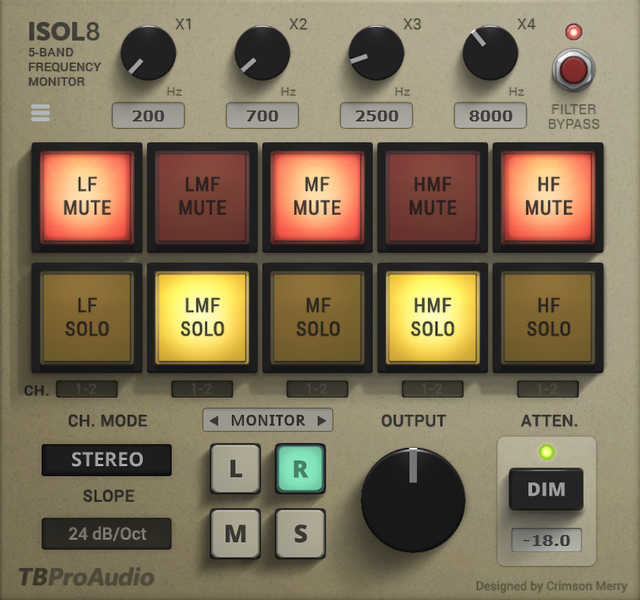
ISOL8 divides the frequency range into 5 bands.

These 5 bands can be soloed or muted individually. This will help you to concentrate on certain frequency ranges during the mixing and mastering process.

On top you can use ISLO8 as a flexible multi-band splitter with following complex plugin chains. The split signal can finally be mixed together.

Isol8 is originally designed to be used on the master track, but it can also be used on individual audio track busses.

Features:

  • 5 adjustable frequency bands
  • solo/mute function for each band individually
  • Linkwitz-Riley crossover filter design
  • 24/48dB/Oct filter slope
  • multiple filter channel modes (Stereo/Left/Right/Mid/Side)
  • multiple monitor modes (Stereo/Left/Right/Mid/Side)
  • in-place or centered monitoring
  • swap left/right channel
  • adjustable output level
  • loudness dim function
  • keyboard control
  • multi channel split
  • large and easy to use GUI
  • free GUI scaling
  • 64-bit internal processing

www.tbproaudio.de/products/isol8