
The term scrobbling is defined as the process of finding, processing, and distributing information related to people, music, and other data.
foo_scrobble is a component that scrobbles to last.fm.
The old foo_audioscrobbler component is unmaintained and has various issues.
This replacement:
- Uses the current token-based submission API. You authorize the component with last.fm instead of entering your login credentials.
- Manages the scrobble cache automatically. There is no need to manually submit the cache.
- Handles intermittent network outages or reconnects well. No “waiting for handshake” issue.
Installation and setup:
- Obtain a Last.FM account www.last.fm/join
- Download and install the latest release of foo_scrobble.fb2k-component
- Navigate to File>Preferences>Tools>Last.fm Scrobbling
- Click the Request Authorization button.
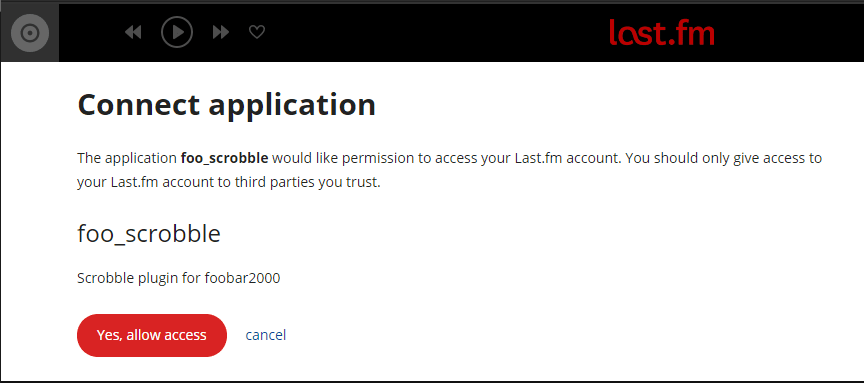
- A Last.FM pre-authorization page will pop up.
- Click Yes, allow access to complete the authorization at Last.FM
- The Preferences: Last.fm Scrobbling page button should now display Complete Authorization. You must click the button one last time. It will then display Clear Authorization.


 The Audio File
Pingback: Last.fm ~ Online Music Profiling | The Audio File