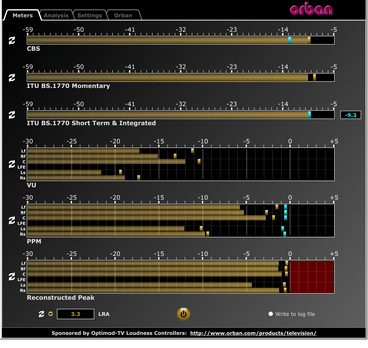
This software simultaneously displays instantaneous peaks, VU, PPM, CBS Technology Center loudness, and ITU BS.1770 loudness. All meters include peak-hold functionality that makes the peak indications of the meters easy to see.
The software accepts two-channel stereo inputs. The VU and PPM meters are split to indicate the left and right channels. The PPM meter also displays the instantaneous peak values of the L and R digital samples. ~ Hydrogen Audio
PeppyMeter is a software VU Meter written in Python. It was originally developed as the new ‘VU Meter’ screensaver for Peppy Player. With minor modifications it became a stand-alone application. PeppyMeter gets audio data from media players (e.g. mpd) via fifo and displays current volume levels in a Graphical User Interface in the form of a traditional VU Meter.
Written in Python.
Pygame library leveraged for UI purposes.
UI is available in three resolutions 800×480, 480×320 and 320×240 pixels.
The input for the program is the data from the named pipe. That signal should be provided by peppyalsa plugin.
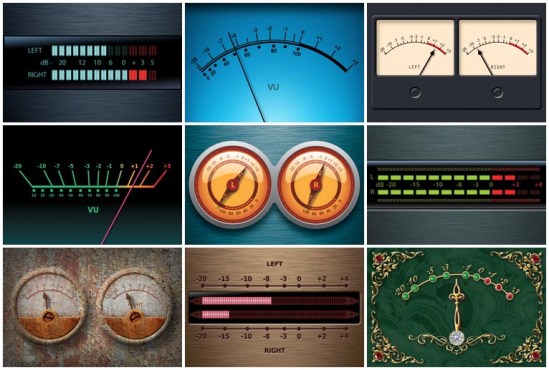
Supplies 9 default meters out of the box.
Allows you to add your own meters.
Open-source. All source files are available on Github.
Several data sources are available for testing and tuning.
Provides four types of output: Display, Serial, I2C and PWM.
These standalone audio level meter programs allow the optimum setting of input levels for various sound recording functions, particularly for video editing.
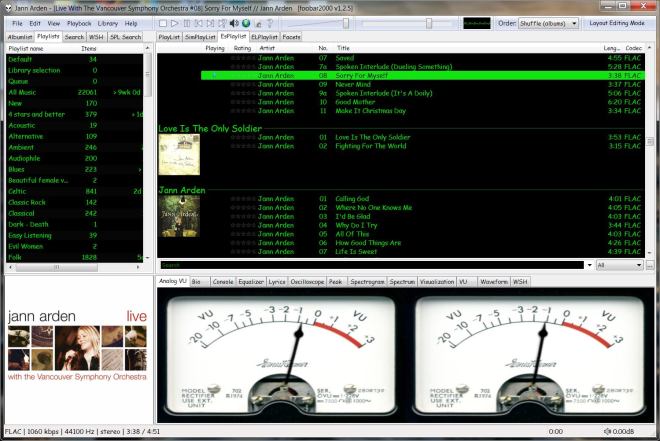
Copy any .bin skin files to the …\AppData\Roaming\foobar2000\user-components\foo_vis_vumeter folder (Shift+File>Browse configuration folder)
Select View > Layout > Enable layout editing mode
Right click the tab area in a panel and select Add New Tab
Right click the new tab and rename it “Analog VU Meter” or whatever
Right click the new display area and select Add New UI Element
Select ‘Analog VU Meter’ from the list (Playback Visualization)
Disable layout editing mode
Group Submenus:
Adding a new subfolder to the …\AppData\Roaming\foobar2000\user-components\foo_vis_vumeter folder creates a listing with that subfolder’s name in the Group submenu. ‘.bin‘ meter files in those subfolders are then accessible via the corresponding group submenu.
Parameters:
Right mouse click on the meter display:
Layout submenu / Horizontal or Vertical / Dual or Single / Mono / Lock Aspect Ratio
Select skin
Preferences > Advanced > Display > VU Meter:
VU meter sensitivity – Default left and right preamp (db): 20 and rise time(s) 0.20s






 The Audio File